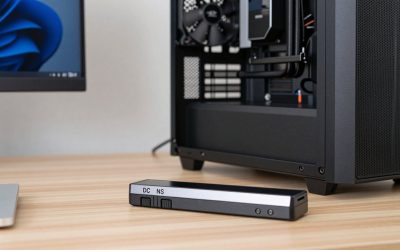
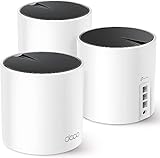
Ethernet is better for gaming because it delivers lower and, more importantly, steadier latency, but Wi-Fi is fine for many players when the signal is strong and the airwaves are not crowded. The real gap is not the average ping, which may differ by only a few milliseconds, but the occasional spike and lost packet that wireless produces and a cable almost never does.
Why a Cable Behaves Differently
An Ethernet cable gives your PC a dedicated path to the router. Nothing else competes for it, and a link that works at all usually works the same way every second. The added delay is typically well under a millisecond.
Wi-Fi is a shared medium. Every device on the same channel, including your neighbors’ networks if they overlap, takes turns transmitting. Before sending, a device listens for quiet air. If another device is talking, it waits, and if two collide, both retry after a random delay. Packets that arrive corrupted are retransmitted at the radio level, which is invisible to the game except as a sudden delay. That mechanism is why Wi-Fi tends to look fine on average and then produce a 60 ms or 200 ms spike out of nowhere.
Newer standards narrow the gap. Wi-Fi 6 and newer add scheduling features such as OFDMA and target wake time that reduce contention when many devices are active, and Wi-Fi 6E and Wi-Fi 7 gain access to the 6 GHz band, which is far less crowded. These help considerably, but they reduce variation rather than remove it, because the shared air and the retransmission process remain.
What the Differences Look Like in Practice
You can see the gap yourself with a simple test. Run ipconfig to find the default gateway, then run a continuous ping to it with ping -t followed by the gateway address and leave it for a few minutes while doing normal things on the network. Wired, the results typically sit at 1 ms or less with a flat maximum. On Wi-Fi, a healthy result is a few milliseconds with an occasional jump into double digits, and a congested or weak result shows frequent spikes or timeouts. This test targets only the link between you and the router, so any spike it reveals is entirely local and not your ISP’s fault.
Decision Table: Which Connection for Which Situation
| Situation | Recommendation | Reason |
|---|---|---|
| Competitive shooters, fighting games, ranked play | Ethernet | A single spike can cost a round, and rollback netcode punishes jitter |
| Same room as the router, strong signal, few neighbors | Wi-Fi is usually fine | Good signal and low contention keep retransmissions rare |
| Apartment block with dozens of visible networks | Ethernet or a 5 or 6 GHz connection | The 2.4 GHz band is saturated and overlapping |
| MMOs, MOBAs, strategy, co-op | Either; test for spikes | Slower input timing hides short delays |
| Turn-based, card and single-player games with online features | Wi-Fi | Short delays are not visible |
| Cloud game streaming | Ethernet preferred, 5 or 6 GHz acceptable | Continuous video stream suffers from jitter and loss |
| Router two or more walls away | Ethernet, or a wired access point | Weak signal forces low data rates and many retries |
| Large downloads while others stream | Ethernet | Less contention and no shared radio time |
Getting the Most from Wi-Fi
If a cable is not possible, these steps remove most of the avoidable problems. Each has a specific reason.
- Connect to the 5 GHz or 6 GHz band, not 2.4 GHz. The 2.4 GHz band has only three non-overlapping channels in the United States (1, 6 and 11), is shared with Bluetooth devices and microwave ovens, and is where most neighboring networks crowd. The higher bands have more channels and less interference, at the cost of shorter range.
- Move closer or add line of sight. Signal strength sets the data rate the radio can use. A weak signal drops to slow rates, which makes every packet occupy the air longer and causes more retransmissions.
- Pick a clear channel manually. Automatic selection can choose poorly. Use the router’s channel scan or a Wi-Fi analyzer app to find the least crowded one, and use a 20 or 40 MHz width on 5 GHz if the environment is busy, since narrower channels overlap less.
- Avoid DFS channels if you see periodic drops. Some 5 GHz channels must vacate when the radio detects radar, which causes a short disconnect. If your ping spikes at irregular intervals on a 5 GHz network, moving to a non-DFS channel is a quick test.
- Set the adapter to maximum performance. In the adapter’s advanced properties and Windows power plan, disable power saving so the radio does not sleep between packets.
- Update the Wi-Fi driver. Some drivers run periodic background scans for other networks, which shows up as regular spikes at fixed intervals. Updating often fixes it.
- Keep the router out of closets and away from interference. Metal, water tanks and dense walls absorb signal, and an elevated, open position works better.
- Use a dedicated connection point on mesh systems. A device that roams between nodes can pause during the handoff. Connecting to one node near your PC avoids it.
When You Cannot Run a Cable
Running a cable across rooms is the main reason people stay on Wi-Fi, and there are wired alternatives. Powerline adapters send data through household electrical wiring. They can be very good or poor depending on the age and layout of the wiring, and they tend to introduce noise when appliances switch on. MoCA adapters use existing coaxial cable and generally perform more consistently. A third option is to install a wired access point in the same room as the PC, which keeps the PC wired while the rest of the home uses Wi-Fi.
Test any alternative with the continuous ping method described earlier before deciding it is good enough. The maximum figure matters more than the average.
Ethernet Problems and Their Fixes
A cable does not guarantee a good connection. These are the typical faults:
- Link negotiated at 100 Mbps instead of 1 Gbps. This usually means a damaged cable, a worn connector or a very old patch cord. Check the link speed in the Windows network settings and replace the cable if it is lower than the port supports.
- Cheap or damaged wall plate wiring. A bad punch-down can pass a ping but drop packets under load. Test with a short, known-good cable straight into the router to isolate it.
- Energy-efficient Ethernet and power management settings. On a few adapters these cause brief link delays. Disabling them in the adapter’s advanced properties can remove stray spikes.
- Outdated network driver. Use the driver from the motherboard or adapter maker rather than a generic one.
- Cable run too long. Standard twisted-pair Ethernet is rated to 100 meters. Beyond that errors rise sharply.
Category 5e cable supports gigabit speeds, and Category 6 supports more headroom for faster standards. For a gaming link, the grade matters far less than a clean, undamaged cable with proper connectors.
A Practical Way to Decide
Run the continuous router ping for five minutes on Wi-Fi while playing or streaming normally, then repeat with a cable. If the Wi-Fi maximum stays below roughly 20 ms and there are no timeouts, Wi-Fi is adequate for most genres. If the maximum regularly exceeds 50 ms or you see lost packets, a wire or one of the wired alternatives is worth the effort.
Frequently Asked Questions
How much lower is ping on Ethernet than Wi-Fi?
The average difference is often small, a few milliseconds. The meaningful difference is consistency, since Ethernet rarely spikes while Wi-Fi occasionally does when interference or retransmissions occur.
Is 5 GHz Wi-Fi good enough for competitive gaming?
It can be, if you are close to the router with a strong signal and little interference. Many players do fine on it, but ranked competitive play is where a cable removes the last remaining source of random spikes.
Does Wi-Fi 6 or Wi-Fi 7 fix gaming lag?
It improves it, particularly in homes with many devices, because scheduling reduces contention. It does not change the shared nature of wireless, so a cable still provides more consistent latency.
Do powerline adapters work for gaming?
Sometimes. Results depend heavily on the quality of the house wiring and what else shares the circuit, so test with a continuous ping at the times you usually play before relying on them.
Will a longer Ethernet cable increase my ping?
Not in any measurable way within the 100 meter limit. Signal travels through cable in a tiny fraction of a millisecond over home distances, so cable length only matters if it exceeds the standard.