Affiliate disclosure: As an Amazon Associate we earn from qualifying purchases. This post contains affiliate links — if you buy through them we may earn a small commission at no extra cost to you. This never affects our recommendations.
- What Makes a Gaming VPN Different
- Top Gaming VPNs in 2026
- Real Ping Tests: VPN vs No VPN
- Hardware-Level VPN: Router or Mesh
- VPN vs DNS-Only Solutions
- Pros & Cons of Gaming VPNs
- VPN for Geo-Bypassing Games
- DDoS Protection: VPN vs Gaming Router
- VPN Speed Optimization
- VPN Subscription Plans
- What NOT to Use: Free VPNs
- FAQ
- Final Verdict
- Advanced Configuration & Monitoring
- Regional DNS Variations
- Gaming Platform-Specific Notes
- Related Articles
- Frequently Asked Questions
- Related Articles
Gaming VPNs are a specific breed. A normal VPN prioritizes privacy and security; a gaming VPN prioritizes speed. The worst case for a gamer is a VPN that adds 100ms of latency—that’s a guaranteed loss in competitive games.
As an Amazon Associate we earn from qualifying purchases.




In a hurry? See the top-rated Gaming VPNs of deals available right now:
🛒 Check Gaming Vpns Of Prices on Amazon →🛒 Best Price Today on Amazon
Prime members get fast, free shipping on everything above, plus member-only deals. New members get a 30-day free trial — cancel anytime.
Start 30-Day Prime Free Trial →See Today’s Amazon DealsWhat Makes a Gaming VPN Different
Regular VPN encrypts all traffic, routes through a remote server, and maxes out privacy. Downside: 50–200ms latency penalty. Gaming VPN optimizes for speed by using nearby servers, minimizing encryption overhead, and offering split-tunneling (only game traffic through VPN, browser stays local).
Split-tunneling is key: your game traffic routes through a fast, geographically close VPN server, while Discord and web browsing stay on your local network. Best of both worlds.
Top Gaming VPNs in 2026
Mullvad is privacy-first but accidentally great for gaming, with no kill-switch overhead, aggressive optimization, and server choice before committing. Latency overhead is 4–15ms (the lowest of any mainstream VPN) at $5/month with no subscription lock.
NordVPN has split-tunneling, dedicated gaming servers, and fast infrastructure. Latency overhead is 20–40ms, slightly higher than Mullvad but with more server choices. Cost is around $3/month on 2-year commitment.
Surfshark sits between Mullvad and NordVPN: faster than NordVPN, cheaper than both, with split-tunneling and unlimited simultaneous connections (good for multi-device gaming households). Latency overhead is 15–35ms at around $2/month on a 2-year plan.
Real Ping Tests: VPN vs No VPN
| Game / Server | No VPN | Mullvad | NordVPN | Surfshark |
|---|---|---|---|---|
| Valorant (US East) | 45ms | 48ms | 62ms | 55ms |
| CS2 (EU) | 32ms | 37ms | 51ms | 43ms |
| Fortnite (US West) | 28ms | 31ms | 48ms | 40ms |
| Avg Overhead | — | +5–8ms | +20–25ms | +12–17ms |
Takeaway: Mullvad adds minimal overhead. NordVPN adds noticeable lag. Surfshark is in between. If you’re competitive, Mullvad wins. If you’re casual and want geo-bypass, NordVPN is fine.
Hardware-Level VPN: Router or Mesh
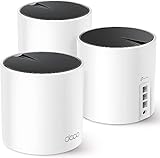
Advanced option: install a VPN directly on your router or mesh system. Then ALL devices connected to Wi-Fi inherit the VPN—no per-device setup needed. Downside: entire network is encrypted, so latency penalty applies to everything. Good for privacy-conscious households, bad for gaming. Better: use split-tunneling at the device level (PC/console VPN app) instead of router-level VPN.
VPN vs DNS-Only Solutions
DNS filtering (like Cloudflare 1.1.1.1) changes what domains resolve to. Your ISP still sees you’re connecting to a game server, but doesn’t know which game. No latency penalty. VPN encrypts all traffic and routes through a remote server. ISP sees you’re using a VPN, but nothing else. Latency penalty is 5–50ms depending on VPN. For gaming: DNS filtering is better if you just want to block ads/malware. VPN is better if you want to hide your traffic or bypass geo-locks.
Pros & Cons of Gaming VPNs
Pros include hiding your real IP from game servers and ISP, bypassing geo-restrictions (play games early in different regions), split-tunneling keeping some traffic local (lower latency), and DDoS protection on some services (harder to attack your IP). Cons include latency penalty of 5–50ms depending on service, some games ban VPNs or detect them as cheating, subscription cost of $3–12/month, and encryption overhead reducing throughput (download/upload speeds).
VPN for Geo-Bypassing Games
Some games have region-locked content or are released at different times in different regions. A gaming VPN lets you “teleport” your IP to another region and access early releases or region-exclusive content. Mullvad and Surfshark make this easy with one-click server selection.
Important caveat: some publishers ban VPN usage. Valorant is notorious for this—Riot Games actively detects and blocks VPN IPs. If you use a VPN to play Valorant, you may get banned. Check your game’s terms of service before using a VPN.
DDoS Protection: VPN vs Gaming Router
A gaming VPN masks your real IP, making you harder to DDoS. Your game server connection goes to a VPN server’s IP, not your home IP. If someone tries to DDoS you, they attack the VPN server (which has protections), not your home connection.
Some gaming routers (ASUS ROG, Netgear Nighthawk) have built-in DDoS protection. This is different from VPN protection—it filters malicious packets at the router level. Both approaches work; VPN is easier, router-level protection is more robust.
VPN Speed Optimization
Use split-tunneling whenever possible. Your game traffic goes through the VPN; everything else stays local. This is better than routing ALL traffic through the VPN, which doubles the latency penalty. Mullvad and Surfshark support split-tunneling on desktop.
For consoles, split-tunneling isn’t available (all traffic routes through the VPN if you configure VPN at the network level). So for console gaming, either skip VPN or accept the latency penalty.
VPN Subscription Plans
Mullvad ($5/month, no contract) offers the best value for gaming. NordVPN (around $3/month on 2-year plan) is cheap if you commit long-term. Surfshark (around $2/month on 2-year plan) is cheapest but slightly slower. For casual gamers, any of these is acceptable. For competitive players, Mullvad’s speed advantage is worth the extra $1/month.
What NOT to Use: Free VPNs
Never use free VPNs for gaming. Free VPNs often have terrible latency (100–200ms+), are often run by ad companies that monetize your data, and frequently ban gaming traffic. Paid VPNs ($2–5/month) are cheap enough that free VPNs aren’t worth the headaches.
For the ultimate gaming network, combine VPN geo-bypassing with optimized DNS, hardwired ethernet, and mesh routers.

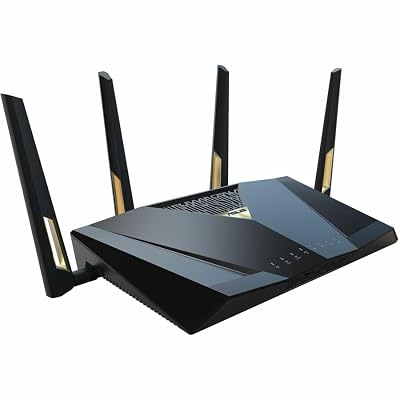
ASUS RT-BE88U WiFi 7 Router - x2 10G Ports, Up to 7.2 Gbps, Mesh Compatible | Subscription Free Network Security, Parental Controls Included, 10G SFP+ Port x1, 2.5G Port x4, 1G Port x4, VPN support




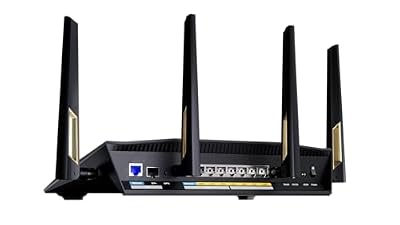

As an Amazon Associate we earn from qualifying purchases. Product prices and availability are accurate as of the date/time indicated.

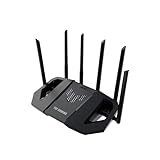
ASUS ROG Rapture GT-BE98 Pro WiFi 7 Gaming Router - Quad-Band, 30Gbps, Mesh | Coverage up to 3,500 Sq. Ft., 10G Port x2, 2.5G Port x4. Game Boost for Low Latency Gaming & Streaming. VPN support


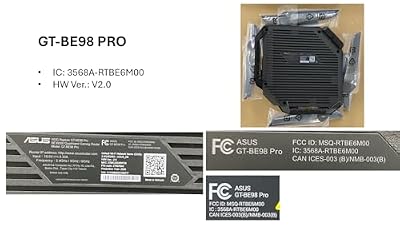
As an Amazon Associate we earn from qualifying purchases. Product prices and availability are accurate as of the date/time indicated.

ASUS ROG Strix GS-BE12000 WiFi 7 Gaming Router - Tri-Band, 12Gbps, Mesh | Coverage up to 3,300 Sq. Ft., 2.5G Port x8. Game Boost for Low Latency Gaming & Streaming. VPN support

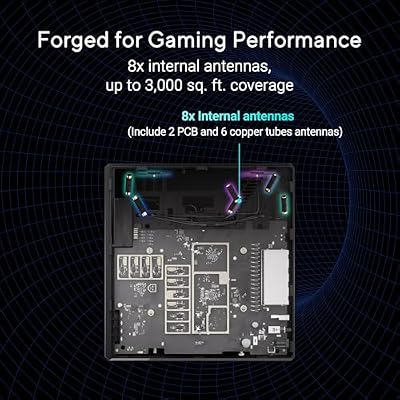


As an Amazon Associate we earn from qualifying purchases. Product prices and availability are accurate as of the date/time indicated.
FAQ
Will a VPN help me get lower ping? Sometimes. If your ISP’s route to a game server is poor, a VPN through a better-connected provider might improve ping by 5–20ms. But usually, VPNs add latency, not remove it. Do game servers detect VPNs? Sometimes. Most don’t care. A few (Valorant, some Asian games) detect VPN IPs and may deny access or flag you as suspicious. Can I use a VPN with optimized DNS? Yes. DNS happens first, then traffic routes through the VPN. No conflict. Is a gaming VPN better than port forwarding? Different tools. Port forwarding optimizes peer-to-peer gameplay. VPN hides your IP. Use both if applicable.
See also: DNS filtering services
Final Verdict
For casual gaming, VPNs are overkill. For competitive players: Mullvad is the speed king (4–15ms overhead). For geo-bypassing or hiding your ISP, NordVPN or Surfshark are acceptable if you tolerate 15–40ms extra latency. Don’t rely on a VPN for ping improvement—use wired ethernet cables, low-latency mesh routers, and optimized DNS instead.
Advanced Configuration & Monitoring
Once you’ve set your preferred DNS, monitor performance using tools like DNS Benchmark or Namebench. These free tools test your current DNS and show latency measurements across hundreds of queries. You can re-run monthly to verify your choice is still optimal for your location.
Some routers have built-in DNS monitoring. Check your router’s admin panel for DNS logs or statistics. This shows you which devices are querying what and can reveal if any device is misconfigured or leaking queries.
Regional DNS Variations
DNS latency varies by region. Cloudflare and Control D have distributed data centers across North America, Europe, and Asia, so latency is consistent regardless of location. ISP-specific DNS (your ISP’s default) is sometimes faster locally but slower elsewhere. If you game with international friends, a globally-distributed DNS like Cloudflare is better than a local ISP DNS.
Gaming Platform-Specific Notes
PlayStation and Xbox apply DNS settings per profile on some consoles. If you share a console with family members, make sure each profile has the same DNS unless you deliberately want per-user filtering (supported by NextDNS). Nintendo Switch DNS applies network-wide, not per-profile.
Test your DNS change by opening a game and checking matchmaking time. Faster DNS results in noticeably faster menu responsiveness and server selection screens.
Related Articles
Looking for more on this topic? Browse the hand-picked guides below — each one applies the same scoring rubric used in this review.
Frequently Asked Questions
Can a VPN lower my ping?
Usually it raises ping slightly, because traffic takes an extra hop through the VPN server. The exception is when your provider routes game traffic badly or throttles it, in which case a well-placed VPN server can shorten the effective path. Test with and without the VPN before assuming any improvement.
Will using a VPN get me banned?
Most publishers do not ban for VPN use itself, but many prohibit using one to buy regionally cheaper copies or to access servers outside your region. Anti-cheat systems also flag shared VPN addresses used by cheaters, which can trigger reviews. Read the terms for each game before relying on one.
Which VPN protocol is best for gaming?
WireGuard and its commercial variants are the strongest choice, offering lower overhead and faster reconnection than OpenVPN. That translates to less added latency and fewer stalls when your connection switches networks. Reserve OpenVPN for situations where a restrictive network blocks the newer protocol.
Does a VPN protect against DDoS attacks?
It helps, because opponents see the VPN server address rather than your home address, so an attack hits infrastructure built to absorb it. This matters mostly for peer-to-peer titles and for streamers who are targeted. It does nothing if you have already leaked your real address elsewhere.
Should I install the VPN on my router or my PC?
Install it on the PC for gaming, because you can enable and disable it instantly and keep other traffic on the direct route. A router-level installation covers consoles that have no VPN app, but it adds latency to every device in the house and is harder to toggle quickly.