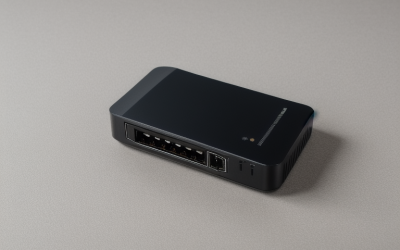
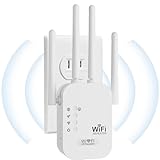
- Top Pick: WiFi Extender Signal Booster for Home 5G 1200Mbps Dual Band WiFi Booster | wifi extenders signal booster Device Servers Covers Up to 5000 Sq.ft and 35 Devices, Wireless Signal Repeater Ethernet
- Best Value: NETGEAR WiFi Extender EX5000, up to 1,500 sq ft, 1.2 Gbps | Signal Booster for Home, Easy Set Up, 25 devices, Works with any Router, Compact Design, WiFi 5, AC1200
- Premium Choice: WiFi Extender Signal Booster: 2.4GHz WiFi Range Amplifier for Home/Office | 2026 Upgraded Internet Repeater with Ethernet Port, Range Covers Up to 9995 Sq.ft and 45+ Devices
DSL internet changes the extender question in a way many shoppers miss. The phone line feeding your modem is usually the slowest link in the chain, so a Wi-Fi extender cannot make the connection itself faster; it can only carry what the line delivers into rooms the router does not reach. That reframes “best WiFi extenders for DSL” as a coverage and stability decision. The right device pushes a steady signal to the upstairs bedroom or garage without adding lag, and it works with whatever combined modem and router your provider supplied.
The nine extenders below cover everything from a simple single-band plug to Wi-Fi 6 models and several unbranded boosters with large coverage claims. Those claims come straight from the listings and deserve healthy skepticism, so this guide treats them as listed figures rather than promises. If your DSL plan is modest, you do not need the largest number on the box. Match the extender to your line speed, your floor plan, and the devices that actually need a signal in 2026.
Quick Picks
As an Amazon Associate we earn from qualifying purchases at no extra cost to you.




| Product | Best for | Key spec from the title |
|---|---|---|
| Dual Band 1200Mbps Booster, 5000 sq ft listing | Apartments with a handful of devices | 5G dual band, 35 devices, Ethernet |
| NETGEAR EX5000 | Plug-in coverage from a known brand | AC1200, up to 1,500 sq ft, 25 devices |
| 2.4GHz Range Amplifier, 9995 sq ft listing | Simple 2.4GHz-only needs | Ethernet port, 45+ devices |
| Wall-Mount Dual Band Extender | Garages, patios, and outdoor corners | 1200Mbps, 12880 sq ft, 105 devices |
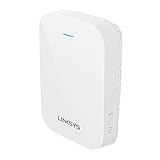
| Linksys RE7310 | Faster local Wi-Fi | Wi-Fi 6, AX1800, 2,000 sq ft |
| Long Range Repeater, 9800 sq ft listing | Wired device hookup | Ethernet port, quick setup |
| New Gen Booster, 16,899 sq ft listing | Large claimed range | Ethernet port, 4X faster claim |
| 9995 sq ft, 40+ Device Booster | Basic home coverage | 40+ devices listed |
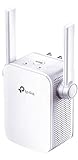
| TP-Link RE105 | Light use on slow DSL | N300, 2.4GHz only, access point mode, wall plug |
How to Choose
Know your DSL ceiling first
ADSL lines typically top out in the tens of megabits per second, and VDSL can reach higher on short runs. An N300 extender, which tops out at 300 Mbps over the air, already exceeds what many DSL lines can deliver. Stepping up to AC1200 or AX1800 helps traffic inside your home, such as streaming from a local media server, but not the connection to the internet. Check your plan speed before you assume a dual-band model will feel faster for web browsing or video calls.
Single band, dual band, and Wi-Fi standards
Single-band 2.4GHz devices reach farther through walls but share a crowded channel with neighbors and microwaves. Dual-band models add 5GHz for a faster, less congested link at shorter range. Wi-Fi 6, as on the Linksys, adds efficiency when many devices are active. Dual-band extenders sometimes use one band to talk to the router and one to serve clients, which can halve throughput, so read the manual about dedicated backhaul. Ignore combined speed numbers like 1200Mbps; they add up two bands and no single device sees that total.
Placement and compatibility
Put the extender about halfway between the DSL gateway and the weak area, where the router signal is still strong. Putting it in the dead zone itself only repeats a poor signal. Most extenders, including the NETGEAR listing that says it works with any router, connect through a standard Wi-Fi handshake and do not care about the broadband type. Check whether your gateway supports WPS or whether you need to join by selecting the network name, since older DSL combo units vary.
Coverage claims, ports, and extras
Treat square-footage numbers with care. Named brands in this list quote 1,500 and 2,000 square feet, while several unbranded listings claim five to ten times as much, which real walls and interference rarely allow. An Ethernet port is a useful extra, since it can turn the extender into a wired bridge for a console, smart TV, or desktop. Budget models cut corners on documentation and support, so favor listings with clear instructions. Wall-mount designs, such as the outdoor-capable listing, help when you have no spare outlet space.
The 9 Best Options
Dual Band 1200Mbps Booster (5000 sq ft listing)
This unbranded 5G dual-band booster lists 1200Mbps, a 5000 square foot reach, and support for 35 devices, with an Ethernet port. It sits between the small plug-ins and the very large coverage claims.
- Dual-band design offers a faster 5GHz option for nearby rooms
- Ethernet port lets you connect a wired device such as a game console, which sidesteps wireless congestion for that device
- Trade-off: the listing is unbranded, so documentation and support are less certain
Skip it if you want a recognizable brand behind firmware updates. Buyers in a larger house should also remember that the 35 device figure is a listing claim, and real-world load depends on how busy each device is.
NETGEAR EX5000
The EX5000 is a compact AC1200 Wi-Fi 5 extender that lists up to 1,500 square feet and 25 devices. The title stresses easy setup and compatibility with any router.
- Works with any router, which suits mixed DSL gateways
- Compact design and a modest, realistic coverage figure that sets honest expectations for a mid-size apartment or a two-bedroom house
- Trade-off: Wi-Fi 5 and 25 devices fall short of newer Wi-Fi 6 listings
Skip it if you have a very large home or many connected devices. It also lacks the newer Wi-Fi 6 standard, so households full of recent phones and laptops may eventually outgrow it.
2.4GHz Range Amplifier (9995 sq ft listing)
This one-band range amplifier covers 2.4GHz only, with an Ethernet port, a claimed 9995 square feet, and 45+ devices. The “Upgraded” label in the title is marketing and says nothing about specific hardware.
- 2.4GHz signal travels well through walls and floors, which helps in older houses with thick interior construction
- Ethernet port adds a wired option for a stationary device
- Trade-off: no 5GHz band, so speeds are lower and the channel is crowded
Skip it if your neighborhood is packed with Wi-Fi networks or you stream video in several rooms. A dual-band model gives you a cleaner 5GHz option that this amplifier does not offer.
Wall-Mount Dual Band Extender
The wall-mount model lists 1200Mbps dual-band 5GHz and 2.4GHz Wi-Fi, 12880 square feet, and 105 devices. The title suggests home and outdoor use, which sets it apart from the plug-in designs.
- Wall-mount design frees outlets and suits a garage or patio location
- Dual-band flexibility for both distance and speed, so nearby devices can use 5GHz while distant ones stay on 2.4GHz
- Trade-off: the huge device count and range are listing claims, not guarantees
Skip it if you want a recognizable brand or verified outdoor weather protection. Anyone planning an outdoor install should read the full specification for temperature and moisture limits first.
Linksys RE7310
This is the only Wi-Fi 6 extender in the group, listed as AX1800 with 2,000 square feet of coverage and dual-band operation. It is the modern option for homes with many wireless devices.
- Wi-Fi 6 handles busy households with phones, tablets, and speakers
- Known brand with a realistic coverage claim, which makes it easier to judge against your floor plan
- Trade-off: it only helps if your devices support Wi-Fi 6, and DSL speed remains the limit
Skip it if your connection is slow ADSL, since the extra speed will go unused. It earns its place on faster VDSL lines or in homes that stream between local devices.
Long Range Repeater (9800 sq ft listing)
The long-range repeater lists an Ethernet port, a claimed 9800 square feet, and quick setup in a white finish. It is an unbranded entry aimed at plug-and-forget use.
- Ethernet port provides a wired connection for a TV or console
- Quick-setup positioning makes installation approachable for first-time buyers who want minimal configuration
- Trade-off: the title does not mention band support or Wi-Fi standard
Skip it if you need to confirm dual-band or Wi-Fi 6 support before buying. Ask the seller or read the full listing for the Wi-Fi standard, since nothing in the title states it.
New Gen Booster (16,899 sq ft listing)
This booster claims 16,899 square feet and “4X faster” speeds, with an Ethernet port and a black finish. The “new gen” wording is marketing, and no Wi-Fi standard is named.
- Ethernet port allows a wired hookup
- Large listed coverage might appeal to a sprawling floor plan, though real walls and interference always shrink the usable range
- Trade-off: the speed and coverage claims are far above anything a DSL line needs
Skip it if you distrust headline claims, because no Wi-Fi standard is named in the title. A named-brand extender with a realistic coverage figure is the safer path for most DSL homes.
9995 sq ft, 40+ Device Booster
The simplest listing in the group, this booster mentions only a 9995 square foot range and 40+ devices. It is a basic home signal booster with little else disclosed.
- High listed device capacity might suit a busy household full of phones, tablets, and smart plugs
- Straightforward home-use design
- Trade-off: almost no technical detail appears in the title
Skip it if you want to compare bands, ports, or standards before choosing. With so little disclosed, it is the hardest listing here to judge against a real-world need.
TP-Link RE105
The RE105 is a single-band N300 extender, limited to 2.4GHz, with an access point mode and a wall plug design. It is the plainest and most modest option here.
- Access point mode can add Wi-Fi to a wired connection
- N300 speeds already match many DSL lines, so you are not leaving much performance on the table
- Trade-off: 2.4GHz only, so it is slower than dual-band models
Skip it if you stream video in several rooms or share the line with many people. It also lacks an Ethernet port in the title, so wired devices need another option.
Which One Fits Your Situation
You have a slow ADSL line
Choose the TP-Link RE105. N300 is plenty for the speed you get, and the lower hardware tier suits your plan.
You need a console or TV wired in
Go for the NETGEAR EX5000 or one of the Ethernet-equipped listings, such as the Dual Band 1200Mbps Booster. A cable avoids Wi-Fi congestion entirely.
You have many smart devices and a faster VDSL line
The Linksys RE7310 brings Wi-Fi 6 and dual-band operation to a crowded household.
You need coverage in a garage or patio
The Wall-Mount Dual Band Extender is the one listing built for outdoor corners. Verify weather protection details before mounting it outside.
Common Mistakes
- Expecting an extender to speed up a slow DSL line.
- Placing the extender in the dead zone instead of midway between router and weak area.
- Trusting large square-footage numbers without checking the Wi-Fi standard.
- Buying a Wi-Fi 6 extender for devices that only support older standards.
- Skipping the Ethernet port on a listing when a console or desktop needs a stable link.
Related guides
- Battery Operated Smoke And Carbon Monoxide Detectors
- Combination Smoke And Carbon Monoxide Detectors
- Aio Liquid Coolers For High Performance Gaming
Frequently Asked Questions
Will an extender work with my DSL modem?
Yes. Extenders connect to the Wi-Fi network your gateway creates, so the broadband type does not matter. Confirm only that the gateway has Wi-Fi enabled.
Does an extender reduce speed?
Many extenders cut throughput on the extended network because they relay traffic. On slow DSL, the effect is often small, since the line is the bottleneck.
Is 2.4GHz enough for DSL?
For most DSL plans, yes. The slower band can carry a modest line, although 5GHz is better for local streaming and less crowded.
Should I use a mesh system instead?
A mesh system can cover larger homes more smoothly, but it replaces the router rather than extending it. If you only have one weak room, an extender is simpler.