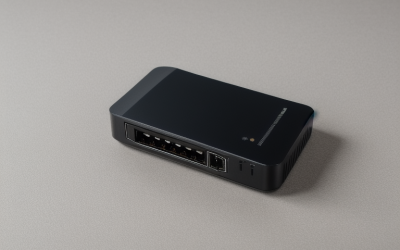
- Top Pick: TP-Link AC1200 WiFi Extender Dual Band 5GHz/2.4GHz (RE315) | 1.2Gbps Home Signal Booster, Up to 1600 Sq.ft and 32 Devices, EasyMesh Compatible, One Ethernet Port
- Best Value: TP-Link AX1500 WiFi Extender Internet Booster WiFi 6 (RE500X) | Range Extender covers up to 1500 sq.ft and 25 Devices,Dual Band, AP Mode w/Gigabit Port, APP Setup, OneMesh Compatible
- Premium Choice: TP-Link AX3000 WiFi 6 Dual-Band Range Extender PCMag Editor's Choice | Wireless Repeater w/Ethernet Port | Up to 2400 Sq. Ft., 64 Devices | Internet Signal Booster | APP Setup | EasyMesh (RE715X)
A WiFi extender is a patch for a specific problem: a room where the signal fades, a garage office that drops video calls, or a gaming console parked at the far end of the house. Choosing a TP-Link model narrows the field to one brand, but the lineup still spans four generations of WiFi, from AC1200 up to a tri-band WiFi 7 unit. The decision is how much coverage you need, which standard your router speaks, and whether a wired port matters for a console or a desktop.
This guide is for renters and homeowners who want to stretch an existing router rather than replace it. Each pick is judged from the specs in its title: coverage in square feet, device count, wireless standard, Ethernet port, and mesh compatibility. In this 2026 comparison, the main thing to keep straight is that an extender can only repeat the signal it receives, so placement and router standard shape the result as much as the model number.
Quick Picks
As an Amazon Associate we earn from qualifying purchases at no extra cost to you.


| Product | Best for | Key spec from the title |
|---|---|---|
| TP-Link RE315 AC1200 | Small homes on an older router | 1600 sq ft, 32 devices, one Ethernet port |
| TP-Link RE500X AX1500 | Entry WiFi 6 coverage | WiFi 6, 1500 sq ft, 25 devices, gigabit port |
| TP-Link RE715X AX3000 | Larger homes on WiFi 6 | 2400 sq ft, 64 devices, EasyMesh |
| TP-Link RE550 AC1900 | Wired devices in mid-size homes | 2200 sq ft, 32 devices, gigabit port |
| TP-Link RE220 | Small apartments | 1200 sq ft, 32 devices, Ethernet port |
| TP-Link RE615X AX1800 | Crowded households | WiFi 6, 2100 sq ft, 64 devices |
| TP-Link RE223BE BE3200 | WiFi 7 routers without 6 GHz needs | WiFi 7 dual-band, MLO, 2400 sq ft |
| TP-Link RE515X AX1500 | Mid-range WiFi 6 | 1800 sq ft, 64 devices, EasyMesh |
| TP-Link RE653BE BE10000 | Premium WiFi 7 setups | Tri-band, 6 GHz, 2.5 Gbps port |
How to Choose
Match the standard to your router
An extender cannot make a slow router fast. If your router is AC (WiFi 5), the AC-labeled models such as the RE315, RE550, and RE220 are a logical match. If you have a WiFi 6 router, the AX-labeled models take advantage of it. WiFi 7 extenders only shine with a WiFi 7 router; with an older router they simply work at the slower standard.
Coverage and device counts on the label
The titles quote coverage from 1200 up to 2800 square feet and device counts from 25 to 128. Treat those as ceilings measured under ideal conditions, not guarantees. Walls, floors, and distance from the router all reduce real coverage. Pick a model rated for noticeably more area than your problem zone, since ceilings drop fast once a brick wall or a floor sits in the path, and plan to place it about halfway between the router and the dead spot.
Ethernet ports and mesh compatibility
Every unit here lists a wired port, which turns the extender into a way to connect a console, TV, or desktop that lacks WiFi. The RE653BE lists 2.5 Gbps, while the RE550 and RE500X name gigabit ports. For mesh, EasyMesh and OneMesh appear in the titles, and they only help if your router supports the matching mesh feature. Check the router first, because a mismatch limits roaming between access points. If your router has no mesh support, you can still use the extender, but you will have a second network name to join manually.
What to ignore and where budget models cut corners
Combined speed figures such as AC1200 or AX3000 add the maximum rates of the bands together, so no single device will see that number. Budget extenders usually have only two bands, with one band doing double duty to talk to the router. Tri-band models like the RE653BE reduce that sharing. Do not buy on the headline number alone. Compare coverage, device count, and standard together, because the three tell you more than a single speed figure ever will.
The 9 Best Options
TP-Link RE315 AC1200
The RE315 is for a small home with an older, AC-class router. The title lists dual band 5GHz/2.4GHz operation, coverage up to 1600 sq ft, 32 devices, EasyMesh compatibility, and one Ethernet port.
- EasyMesh compatibility offers a path to a unified network.
- A wired port connects a console or streaming box.
- Trade-off: it is a WiFi 5 design, so it will not take advantage of a newer router.
Skip it if you have a WiFi 6 or WiFi 7 router and want to use its features. It makes the most sense as a drop-in fix for a house that has not changed routers in years.
TP-Link RE500X AX1500
This is the entry-level WiFi 6 option. It lists dual band operation, coverage up to 1500 sq ft, 25 devices, an AP mode with a gigabit port, app setup, and OneMesh compatibility.
- WiFi 6 in a simple form factor with app-based setup.
- AP mode with a gigabit port can create a wired access point.
- Trade-off: it lists the lowest device count of the group, at 25.
Skip it if many gadgets share your network or your space is large. It works best in a modest home with a handful of phones, laptops, and a TV.
TP-Link RE715X AX3000
For larger homes on WiFi 6, the RE715X lists AX3000 dual band operation, up to 2400 sq ft, 64 devices, an Ethernet port, app setup, and EasyMesh.
- A bigger coverage and device ceiling than the smaller AX models.
- EasyMesh and an Ethernet port give flexibility.
- Trade-off: dual-band design still shares a band for the link back to the router.
Skip it if your home is small enough for one of the smaller units to cover. Households with only a few devices rarely use a 64 device ceiling.
TP-Link RE550 AC1900
The RE550 targets owners of AC routers who want more reach and a wired connection. The title lists AC1900 dual band, a gigabit Ethernet port, up to 2200 sq ft, 32 devices, app setup, and EasyMesh.
- It states coverage of 2200 sq ft, large for an AC model.
- A gigabit port suits a wired desktop or console.
- Trade-off: it is WiFi 5, and only 32 devices are listed.
Skip it if you want WiFi 6 features or have many devices. A wired desk setup or game console in a back room is where it earns its place.
TP-Link RE220
The RE220 is the compact, small-space solution. The title lists dual band 5GHz/2.4GHz, an Ethernet port, coverage up to 1200 sq ft, 32 devices, and OneMesh support, plus a claim of more bandwidth than single band.
- The smallest coverage figure suits an apartment or one problem room.
- Dual band and an Ethernet port are both included.
- Trade-off: only 1200 sq ft is listed, and it uses the older WiFi 5 class.
Skip it if you need to cover a multi-story house. The small footprint suits dorms and one-bedroom layouts where the router sits one room away from the trouble spot.
TP-Link RE615X AX1800
The RE615X sits in the middle of the WiFi 6 range with AX1800 speed. It lists 1.8G dual band, an Ethernet port, up to 2100 sq ft, 64 devices, app setup, and EasyMesh.
- A 64 device figure fits a busy household with many gadgets.
- Coverage of 2100 sq ft handles most mid-size layouts.
- Trade-off: dual-band shares one band for the router link.
Skip it if you want tri-band or WiFi 7. It is a reasonable default when your router is WiFi 6 and you simply want better reach upstairs.
TP-Link RE223BE BE3200
This is a dual-band WiFi 7 extender. The title lists BE3200 speed at 3.2 Gbps, an Ethernet port, coverage up to 2400 sq ft, 64 devices, MLO, EasyMesh, and states that it has no 6 GHz band.
- WiFi 7 and MLO prepare you for a future router upgrade.
- The title is upfront about the missing 6 GHz band.
- Trade-off: without 6 GHz, it does not use the cleanest band.
Skip it if you want the 6 GHz band, or if your router is not WiFi 7. Without a WiFi 7 router, the extra capability goes unused.
TP-Link RE515X AX1500
The RE515X is a mid-sized WiFi 6 unit. It lists AX1500, a 1.5G dual band design, an Ethernet port, up to 1800 sq ft, 64 devices, app setup, and EasyMesh.
- It pairs a 64 device figure with 1800 sq ft coverage.
- EasyMesh and app setup are both named.
- Trade-off: speed class is lower than AX1800 and AX3000 siblings.
Skip it if you want the highest throughput or the broadest coverage. It is a middle-ground choice for buyers who want WiFi 6 without paying attention to every number.
TP-Link RE653BE BE10000
The premium option here. It is a WiFi 7 tri-band extender with MLO, a 6 GHz band, 10 Gbps rated speed, a 2.5 Gbps Ethernet port, coverage up to 2800 sq ft, and 128 devices.
- Tri-band design with 6 GHz for faster links.
- A 2.5 Gbps wired port suits fast wired devices.
- Trade-off: it is overkill for a small home or an older router.
Skip it if your router is not WiFi 7 or your coverage need is modest. Only owners of a fast fiber connection and a WiFi 7 router will see the full benefit of the 2.5 Gbps port.
Which One Fits Your Situation
Small apartment, older router
The RE220 or RE315 will do the job, with the RE315 giving a bit more stated coverage. If you rent and cannot run cable, either one plugs straight into an outlet and gets out of the way.
Mid-size house with a WiFi 6 router
Look at the RE615X or RE515X, which both list 64 devices. The RE615X adds roughly 300 more sq ft of stated coverage, so it suits the longer floor plan.
Large home with many gadgets
The RE715X covers up to 2400 sq ft with 64 devices, and the RE653BE is the pick if you own a WiFi 7 router.
Wired console in a far room
The RE550 and its gigabit port are a fair match for a console, while the RE653BE offers a faster 2.5 Gbps jack.
Common Mistakes
- Placing the extender in the dead spot instead of between the router and that spot.
- Buying WiFi 7 for a router that only speaks WiFi 5.
- Reading AC1900 or AX3000 as a speed any single device will reach.
- Ignoring mesh labels, then finding the router cannot use EasyMesh or OneMesh.
- Expecting an extender to fix a slow internet plan.
Related guides
- Battery Operated Smoke And Carbon Monoxide Detectors
- Combination Smoke And Carbon Monoxide Detectors
- Aio Liquid Coolers For High Performance Gaming
Frequently Asked Questions
Is a mesh system better than an extender?
A mesh system replaces the router and handles roaming more smoothly, while an extender adds to what you have. Extenders suit people who want a quick, limited fix.
Will an extender slow my connection?
Dual-band units share one band for the link back to the router, which can cut throughput. Tri-band models reduce this by using a dedicated band.
What is EasyMesh?
It is a mesh standard that lets compatible routers and extenders work as a single network. It helps only if both devices support it.
Does the Ethernet port matter?
It lets you plug in a wired device, which is often more stable than WiFi for consoles and desktops. All nine listings here include one, so the decision comes down to port speed and how many wired devices you plan to connect.