

- Top Pick: TP-Link BE6500 Dual-Band WiFi 7 Router (BE400) | Dual 2.5Gbps Ports, USB 3.0, Covers up to 2,400 sq. ft., 90 Devices, Quad-Core CPU, HomeShield, Private IoT
- Best Value: TP-Link AXE5400 Tri-Band WiFi 6E Router, 2025 PCMag Editors' Choice | 2.5Gbps WAN Port for Gaming & Streaming, 6GHz Band, 160MHz, OneMesh, Dual-Core CPU, VPN & WPA3 (Archer AXE75)
- Premium Choice: TP-Link AX1800 WiFi 6 Router (Archer AX21 V5) | Dual Band Wireless Internet, Gigabit, Easy Mesh, Works with Alexa – A Certified for Humans Device
Long range is the most overused phrase in router marketing, so the real question behind this keyword is narrower: how do you get a usable signal into a back bedroom, a garage office, or a second floor without buying a pile of extenders? Raw speed labels do not answer that. Coverage claims, antenna count, band support, and whether the router can grow into a mesh system answer it far better.
This guide is for households of gamers, streamers, and remote workers in homes larger than a typical apartment. It covers ten TP-Link and NETGEAR listings spread from simple Wi-Fi 5 and Wi-Fi 6 models up to Wi-Fi 7 tri-band flagships, and for 2026 it leans on the numbers each listing publishes: square footage, device count, port speeds, channel width, and mesh support. Treat the coverage figures as manufacturer claims for open layouts rather than promises for a house with concrete walls.
Quick Picks
As an Amazon Associate we earn from qualifying purchases at no extra cost to you.


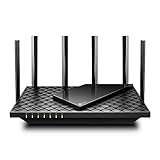
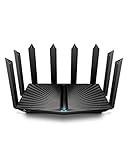

| Product | Best for | Key spec from the listing |
|---|---|---|
| TP-Link Archer BE400 (BE6500) | Mid-sized home on Wi-Fi 7 | Up to 2,400 sq. ft., dual 2.5Gbps ports |
| TP-Link Archer AXE75 (AXE5400) | Wi-Fi 6E with a 6GHz band | Tri-band, 160MHz, 2.5Gbps WAN |
| TP-Link Archer AX21 (AX1800) | Smaller or modest-speed homes | Wi-Fi 6, dual band, EasyMesh |
| TP-Link Archer BE600 (BE9700) | Fast wired and wireless backbone | 10G port, 320MHz, up to 2,600 sq. ft. |
| NETGEAR Nighthawk BE9300 | Wi-Fi 7 with 100 devices | Up to 2,500 sq. ft., 9.3Gbps |
| TP-Link Archer A6 (AC1200) | Basic coverage on a tight plan | 4 antennas, MU-MIMO, AP mode |
| TP-Link Deco X55 3-Pack | Whole-home mesh | Up to 6,500 sq. ft., Ethernet backhaul |
| TP-Link Archer AX73 (AX5400) | Streaming-heavy homes | Wi-Fi 6, dual band, gigabit |
| TP-Link Archer AX80 (AX6000) | Wired gaming plus range | 2.5Gbps WAN/LAN, OneMesh |
| TP-Link Archer BE230 (BE3600) | Wi-Fi 7 with 4 antennas | MLO, 2.0 GHz quad core, USB 3.0 |
How to Choose
Read the coverage claim honestly
Square footage numbers describe ideal conditions. A router listed for 2,400 sq. ft. in an open floor plan may cover noticeably less through brick, plaster, or a multi-story stairwell. As a rule of thumb, pick a figure at least a third above your actual floor area, and move up to a mesh kit if your home is larger than 3,000 sq. ft. or has more than two floors.
Bands, channel width, and the 6GHz question
The 2.4GHz band travels farthest but is slower, while 5GHz is faster but fades sooner and 6GHz is fastest and shortest-range of all. A tri-band router adds a second fast band to share the load. Wide channels such as 160MHz or 320MHz raise peak speed but cover less distance, so they matter most when your devices are close to the router.
Ports and wired backhaul
If you game on a wired PC or use a NAS, check for a 2.5Gbps WAN or LAN port, because a gigabit port can bottleneck a fast connection. For range, the best trick is often an Ethernet cable to a second access point, so look for AP mode, OneMesh, EasyMesh, or an Ethernet-backhaul mesh system. Count the LAN ports against the wired devices you own.
Where budget routers cut corners
Entry models trim processor power, antenna count, and wired speeds. An AC1200 router is a Wi-Fi 5 design with dual band and gigabit ports at best, which shows its age in homes with many devices. Also ignore the combined “speed” number such as 9.3Gbps or 6000 on the label: it adds the bands together, and no single device gets that figure.
The 10 Best Options
TP-Link Archer BE400 (BE6500)
A dual-band Wi-Fi 7 router for mid-sized homes. The listing shows dual 2.5Gbps ports, USB 3.0, coverage up to 2,400 sq. ft., support for 90 devices, a quad-core CPU, HomeShield, and a Private IoT network. For a family that fills a medium house with phones, consoles, and smart plugs, that device count and port mix is a sensible match.
- Strength: two 2.5Gbps ports allow a fast wired PC and a fast uplink.
- Strength: HomeShield and Private IoT help separate smart-home gadgets.
- Trade-off: it is dual-band, so it lacks the third band of the tri-band models.
Skip it if you want a 6GHz band or a larger coverage figure.
TP-Link Archer AXE75 (AXE5400)
A Wi-Fi 6E tri-band router that opens the 6GHz band. The listing includes a 2.5Gbps WAN port, 160MHz channels, OneMesh, a dual-core CPU, VPN support, and WPA3. It is the pick when neighbors’ networks crowd the usual channels and a cleaner band is worth having.
- Strength: the extra 6GHz band is useful in crowded apartment buildings.
- Strength: OneMesh lets you extend range with compatible TP-Link extenders.
- Trade-off: it is Wi-Fi 6E, one generation behind the Wi-Fi 7 models.
Skip it if you need several 2.5Gbps LAN ports.
TP-Link Archer AX21 (AX1800)
The simplest Wi-Fi 6 option here, aimed at homes where speed demands are moderate. It is dual band with gigabit ports, EasyMesh support, and Alexa compatibility. It suits a household that streams video and joins calls but does not push multi-gig transfers across the network.
- Strength: EasyMesh gives a path to expand later.
- Strength: it is the plainest Wi-Fi 6 choice in the group.
- Trade-off: the listing makes no claim about coverage in square feet.
Skip it if you have a gigabit-plus connection or a big house.
TP-Link Archer BE600 (BE9700)
A tri-band Wi-Fi 7 router for the most demanding homes. The listing shows a 10G port, a 2.5G port, three 2.5G LAN ports, 320MHz channels, coverage up to 2,600 sq. ft., 120 devices, VPN, and HomeShield. That spec sheet reads like a router meant to anchor a wired office, a console corner, and a media room at once.
- Strength: the 10G port and multiple 2.5G LAN ports suit a wired gaming and NAS setup.
- Strength: the 2,600 sq. ft. claim and 120-device figure are the largest of the single routers.
- Trade-off: its port set outpaces what many internet plans can use.
Skip it if your home has only a gigabit line and a few devices.
NETGEAR Nighthawk BE9300
A tri-band Wi-Fi 7 router from a name many buyers know. The listing states 9.3Gbps, coverage up to 2,500 sq. ft., 100 devices, one 2.5Gb internet port, two 2.5G LAN ports, and two gigabit ports. It is a straightforward alternative for buyers who want a Wi-Fi 7 tri-band design with a familiar brand name on the box.
- Strength: a tri-band design with 2.5G ports on both sides.
- Strength: easy setup is part of the listing description.
- Trade-off: it has fewer 2.5G LAN ports than the BE600.
Skip it if you favor TP-Link’s mesh ecosystem.
TP-Link Archer A6 (AC1200)
A basic Wi-Fi 5 router with four antennas, MU-MIMO, OneMesh, AP mode, and a long-range label. It targets small households that mainly browse and stream. Its appeal is the long-range wording plus AP mode, which lets it serve as a second access point behind another router.
- Strength: four antennas and AP mode give some flexibility.
- Strength: gigabit ports and OneMesh suit light upgrades.
- Trade-off: Wi-Fi 5 is the oldest standard on this page.
Skip it if you have many devices or a fast internet plan.
TP-Link Deco X55 AX3000 (3-Pack)
A three-unit Wi-Fi 6 mesh kit that replaces both router and extender. The listing claims coverage up to 6,500 sq. ft., three gigabit ports per unit, and Ethernet backhaul support. Because the nodes work as one system, it avoids the weak spots that a separate extender often leaves in the middle of a floor.
- Strength: three nodes tackle large or multi-floor homes.
- Strength: Ethernet backhaul keeps speed up between nodes.
- Trade-off: gigabit ports limit wired speed.
Skip it if you have a small home or want a single device.
TP-Link Archer AX73 (AX5400)
A dual-band Wi-Fi 6 router that markets streaming and long range. The listing includes gigabit ports and a long-range coverage label, without a square footage figure. It makes sense for households whose streaming load has outgrown an AX1800 class but who do not need multi-gig wiring.
- Strength: a higher AX5400 class than the AX21.
- Strength: dual band keeps the design simple.
- Trade-off: no 2.5Gbps ports are listed.
Skip it if you need multi-gig wired ports.
TP-Link Archer AX80 (AX6000)
A Wi-Fi 6 router for gamers who want a faster wired path. The listing shows a 2.5Gbps WAN/LAN port, 8K streaming, OneMesh, AP mode, WPA3, and beamforming. Gamers with a wired desktop near the router will get the most from that port, while the mesh options handle far rooms.
- Strength: the 2.5Gbps port supports a faster wired link.
- Strength: AP mode and OneMesh help extend range.
- Trade-off: it is Wi-Fi 6, not Wi-Fi 7.
Skip it if you need several multi-gig ports.
TP-Link Archer BE230 (BE3600)
A dual-band Wi-Fi 7 router with four antennas and a 2.0 GHz quad-core CPU. The listing adds two 2.5G ports, three 1G ports, USB 3.0, VPN, EasyMesh, HomeShield, MLO, and Private IoT. Its package suggests a capable Wi-Fi 7 starter for buyers who want modern features but not the highest port count.
- Strength: Multi-Link Operation (MLO) is named for Wi-Fi 7 benefits.
- Strength: four antennas and a quad-core CPU are listed.
- Trade-off: dual band, with no coverage figure in the title.
Skip it if you want a tri-band design.
Which One Fits Your Situation
You live in a large or multi-story house
Choose the TP-Link Deco X55 3-Pack, since its listing claims 6,500 sq. ft. and supports Ethernet backhaul between floors.
You game on a wired PC and want a Wi-Fi 7 router
The TP-Link Archer BE600 or the NETGEAR Nighthawk BE9300 both give 2.5G ports and tri-band radios, with the BE600 offering the extra 10G port.
You live in a crowded apartment building
The TP-Link Archer AXE75 adds the 6GHz band, which tends to be less crowded than 2.4GHz and 5GHz.
You need basic coverage with the fewest extras
Take the TP-Link Archer AX21 for modern Wi-Fi 6 with EasyMesh, or the Archer A6 if you simply need a working signal in a small home.
Common Mistakes
- Trusting a square footage claim without accounting for walls and floors.
- Buying on the combined speed figure instead of per-band capability.
- Pairing a 2.5Gbps WAN port with a gigabit-only modem or switch.
- Ignoring AP mode or mesh support when the house is large.
- Placing the router in a closet or corner instead of a central, elevated spot.
Related guides
- Aio Liquid Coolers For High Performance Gaming
- How To Lower Input Delay In Competitive Shooters
- Wireless Gaming Headsets Under 100 For Pc
Frequently Asked Questions
Is Wi-Fi 7 necessary for long range?
No. Range depends on antennas, bands, and placement. Wi-Fi 7 mostly adds speed and features such as MLO.
Should I choose a mesh system or a single router?
Under about 2,500 sq. ft., a single router is usually enough. Beyond that or across floors, a mesh kit such as the Deco X55 is the more dependable approach.
What does OneMesh or EasyMesh do?
It lets compatible routers and extenders form one network with a single name, so devices roam without manual switching.
Do I need a 2.5Gbps port?
Only if your internet plan or wired devices exceed gigabit. Otherwise a gigabit port is enough.















