Picking a router for CenturyLink starts with a question most router guides skip: what kind of line comes into your house? DSL needs a modem built for DSL, a bonded line pairs two copper lines, and a fiber connection hands off to a different kind of gateway. Buy the wrong type and even the fastest Wi-Fi hardware simply sits idle. That is why this list mixes provider-branded modem routers with standalone routers from TP-Link and NETGEAR.
The guide is written for CenturyLink customers who want better coverage than the supplied unit gives them, for gamers who want wired ports and Wi-Fi 6 or Wi-Fi 7, and for anyone replacing a failing gateway. Everything below is drawn from the listing titles, so the compatibility notes are only as strong as the titles. Before ordering anything in 2026, confirm your service type and whether your plan requires the provider gateway. One cable-only combo was dropped because its title lists cable providers, not CenturyLink.
Quick Picks
As an Amazon Associate we earn from qualifying purchases at no extra cost to you.




| Product | Best for | Key spec from the title |
|---|---|---|
| CenturyLink C4000BG | Bonded DSL lines | Bonded line Wi-Fi DSL router |
| CenturyLink C4000LG (Renewed) | Replacing a GreenWave modem | Modem by GreenWave, renewed |
| TP-Link Archer AX21 | Wi-Fi 6 behind a modem | AX1800, dual band, EasyMesh, Alexa |
| CenturyLink C4000BG (Renewed) | Bonded DSL on a renewed unit | Bonded line DSL router, renewed |
| CenturyLink C4000XG (Renewed) | Gigabit fiber service | Gigabit fiber Wi-Fi modem router, renewed |
| Technicolor C1100T (Renewed) | VDSL2 line with basic Wi-Fi | VDSL2 modem, 802.11n, renewed |
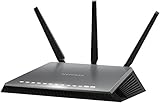
| NETGEAR Nighthawk R6700AX | Wi-Fi 6 for a mid-size home | AX1800, 1,500 sq ft, four gigabit ports |
| NETGEAR Nighthawk D7000 | Single-line DSL | AC1900 VDSL/ADSL, certified with CenturyLink |
| TP-Link Archer BE230 | Wi-Fi 7 with multi-gig ports | BE3600, 2×2.5G plus 3x1G ports |
How to Choose
Match the device to your line type
A DSL connection needs a modem that speaks VDSL or ADSL, so a standalone router alone will not connect. Bonded service uses two pairs and needs hardware labeled for bonded lines, while a non-bonded modem handles a single pair. Fiber customers usually plug any router into the provider’s fiber equipment. If you are unsure, check your account or ask the provider before buying anything. The label on your current gateway often names the model and the service tier, which is a quick way to confirm what you have.
Decide between a modem router and a separate router
A combined modem router is a single box with fewer cables and one place to troubleshoot. A separate router gives you better Wi-Fi standards, more ports, and easier upgrades later. Many households keep the provider gateway for the connection and add a standalone router behind it with the gateway in bridge mode, though the details depend on your plan.
Read the Wi-Fi standard and port list
An AX1800 label means Wi-Fi 6 with a combined speed figure across two bands, while BE3600 means Wi-Fi 7. 802.11n is the oldest standard in the list and will feel slow with several devices. For a wired console or PC, count the gigabit ports, and look for 2.5G ports if your plan or devices can use them.
Know where renewed and older models cut corners
Renewed gear sits in the entry tier but comes with shorter warranty coverage and older Wi-Fi, and it has already seen use in someone else’s home. A DSL line also caps your speed no matter how fast the router is. Do not expect Wi-Fi 7 hardware to make a copper line faster; it only helps inside the house.
The 9 Best Options
CenturyLink C4000BG
The title calls this a CenturyLink bonded line Wi-Fi DSL router, which tells you it is built for the provider’s bonded DSL service. It is the plain, provider-branded choice for households that already have that kind of line and want a like-for-like unit.
- Strength: the title ties it directly to CenturyLink bonded service.
- Strength: Wi-Fi and DSL modem functions come in one device.
- Trade-off: the title lists no Wi-Fi standard, port count, or coverage figure.
Skip it if you have fiber or single-line DSL, or if you want modern Wi-Fi 6 features. Anyone who reads specs closely will also miss the lack of numbers in the title, so confirm details with the seller if they matter to you.
CenturyLink C4000LG (Renewed)
A renewed CenturyLink modem made by GreenWave. The title gives few other details, so treat it as a straight replacement for an existing provider gateway of this family rather than a feature upgrade.
- Strength: provider-branded hardware reduces compatibility guesswork.
- Strength: renewed status keeps it in the budget tier.
- Trade-off: no Wi-Fi standard, speeds, or warranty length are stated.
Skip it if you want listed specs to compare or a long warranty. With so little detail in the title, it is a gamble for anyone who is not already sure their line type matches.
TP-Link Archer AX21
This is the Archer AX21 V5, an AX1800 Wi-Fi 6 router with dual band wireless, gigabit ports, EasyMesh support, and Alexa compatibility. The title does not mention CenturyLink, so it is a standalone router meant to sit behind a modem or gateway.
- Strength: Wi-Fi 6 with EasyMesh allows coverage to grow later.
- Strength: dual band AX1800 suits ordinary homes.
- Trade-off: no built-in DSL modem, so it needs another device for the connection.
Skip it if you want one box that handles the DSL line too. It shines when you already have a working modem and simply want stronger wireless and room to add mesh nodes.
CenturyLink C4000BG (Renewed)
The same bonded line DSL router model as the first entry, this time sold as renewed. The title keeps it simple: a CenturyLink bonded line unit with no further feature claims.
- Strength: the same bonded DSL design in a renewed listing.
- Strength: provider-specific naming makes the intended service clear.
- Trade-off: renewed units carry prior use, and the title lists no warranty.
Skip it if you want a factory-fresh unit or a modern Wi-Fi standard. If the non-renewed listing above is available, compare the two before deciding, since the hardware appears to be the same model.
CenturyLink C4000XG (Renewed)
A renewed CenturyLink gigabit fiber Wi-Fi modem router. The title points directly at fiber service, which makes it the provider-style option for households on that tier.
- Strength: it is the one provider unit aimed at gigabit fiber.
- Strength: modem and Wi-Fi are combined in one box.
- Trade-off: the Wi-Fi standard and port details are not in the title.
Skip it if you are on DSL, or if you would rather pick your own Wi-Fi 6 or 7 router. A fiber household with demanding wireless needs often benefits from a separate router with more ports and a newer standard.
Technicolor C1100T (Renewed)
A renewed CenturyLink Technicolor VDSL2 modem with 802.11n Wi-Fi. It is an older design, and the Wi-Fi standard is the oldest in this roundup, so it fits a modest household with few connected devices.
- Strength: it explicitly names VDSL2, which makes the line type clear.
- Strength: renewed status keeps the entry point low.
- Trade-off: 802.11n Wi-Fi will struggle with a crowded network.
Skip it if you game over Wi-Fi or have many streaming devices. Even a light household may feel the limits once several phones, tablets, and a television share the connection.
NETGEAR Nighthawk R6700AX
An AX1800 Wi-Fi 6 router listing coverage up to 1,500 sq ft, 1.8 Gbps, support for 20 devices, four gigabit ports, and dual band wireless. Like the TP-Link models, it is a standalone router for use behind a modem.
- Strength: four gigabit ports and a stated 20 device capacity suit a typical household.
- Strength: a coverage figure is spelled out.
- Trade-off: no DSL modem inside, and no CenturyLink mention in the title.
Skip it if your home is larger than the stated coverage or you need an all-in-one gateway. Buyers with a very large layout may need mesh nodes or a second access point regardless of which router they pick.
NETGEAR Nighthawk D7000
This AC1900 VDSL/ADSL modem router is certified with CenturyLink, according to the title, and it is non-bonded and DSL only. That combination makes it a clear match for a single-line DSL customer who wants their own hardware.
- Strength: it is the one third-party unit explicitly certified for CenturyLink.
- Strength: AC1900 Wi-Fi in a modem router gives a stronger wireless side than the 802.11n unit.
- Trade-off: it does not support bonded lines or fiber.
Skip it if your service is bonded, fiber, or you want Wi-Fi 6. Its wireless is older than the AX models here, though it remains the only third-party modem router with a CenturyLink certification in its title.
TP-Link Archer BE230
A dual band BE3600 Wi-Fi 7 router with four streams, two 2.5G ports and three 1G ports, USB 3.0, a 2.0 GHz quad core processor, and four antennas. The title also names VPN, EasyMesh, HomeShield, MLO, and a private IoT network.
- Strength: two 2.5G ports and Wi-Fi 7 give the most future-ready feature set here.
- Strength: security and mesh features are listed.
- Trade-off: it is only a router, so it needs a modem or gateway ahead of it.
Skip it if your plan is DSL and you want a single device, or if you do not own Wi-Fi 7 hardware. Without devices that support the newer standard, much of its advantage goes unused, and a Wi-Fi 6 model may be enough.
Which One Fits Your Situation
You have bonded DSL
The CenturyLink C4000BG, new or renewed, is the matching provider device. Add a TP-Link or NETGEAR router behind it later if you need better Wi-Fi.
You have single-line DSL and want your own hardware
The NETGEAR Nighthawk D7000 is certified for CenturyLink in its title and handles VDSL and ADSL without a second box.
You have gigabit fiber
The CenturyLink C4000XG (Renewed) is the provider-style option, while a Wi-Fi 6 router such as the Archer AX21 or R6700AX works behind the fiber equipment.
You want the newest Wi-Fi for gaming
The TP-Link Archer BE230 brings Wi-Fi 7 and 2.5G ports, and it is best paired with a modem or gateway you already have. Its extra processing power and multi-gig port suit a wired gaming desk or a home server that moves large files.
Common Mistakes
- Buying a standalone router and expecting it to connect to a DSL line by itself.
- Confusing bonded and non-bonded DSL hardware.
- Expecting Wi-Fi 7 to make a copper line faster.
- Ignoring the gigabit port count when you plan to wire a console or desktop.
- Using an 802.11n router in a home with many streaming devices.
Related guides
- Aio Liquid Coolers For High Performance Gaming
- How To Lower Input Delay In Competitive Shooters
- Wireless Gaming Headsets Under 100 For Pc
Frequently Asked Questions
Can I use my own router with CenturyLink?
Often yes, either as a modem router certified for the service or as a separate router behind the provider gateway. Check your plan and ask the provider about bridge mode. Some accounts also need the provider to activate or register a modem, so look into that before the unit arrives.
What does bonded mean?
Bonded service combines two copper lines for more capacity. It needs hardware labeled for bonded lines.
Is a renewed modem a safe choice?
It can work well, but it has prior use and a shorter warranty. Confirm the model matches your service type first.
Do I need Wi-Fi 7?
Not for most homes. Wi-Fi 6 covers typical streaming and gaming, and your line speed sets the real ceiling.