Most home internet shopping now assumes cable or fiber, which is why DSL buyers get stuck with confusing listings. A DSL modem router has to do two jobs at once: speak the right line standard to your phone-line provider, and run a Wi-Fi network for the devices inside. Get the first part wrong and the box is a paperweight, no matter how fast its wireless is. That is the decision this guide for 2026 helps with.
It is written for households on ADSL or VDSL lines, including customers of providers that sell their own branded gateways, who want to own their equipment instead of renting it monthly. The list covers combined units and one modem-only device, and each entry is judged strictly on what its title says. One cable-internet model that surfaced during research was excluded, because a cable modem cannot connect to a DSL line.
Quick Picks
As an Amazon Associate we earn from qualifying purchases at no extra cost to you.


| Product | Best for | Key spec from the title |
|---|---|---|
| TP-Link TD-W9950 | Simple single-box setup | 300Mbps Wireless N, VDSL/ADSL |
| CenturyLink Technicolor C1100T | VDSL2 lines on a basic network | VDSL2, 802.11n |
| CenturyLink C4000BG | Bonded DSL lines | Bonded line, Wi-Fi |
| Technicolor C2100T | Faster wireless and TV households | 802.11AC, gigabit, 2.4/5GHz |
| CenturyLink C3000A | Plain DSL Wi-Fi gateway | DSL WiFi modem router |
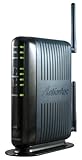
| Actiontec GT784WN | Older ADSL service | 300 Mbps Wireless-N, ADSL |
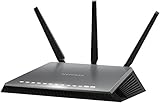
| Netgear Nighthawk D7000 | High-end DSL-only wireless | AC1900, VDSL/ADSL |
| Netgear DM200 | Modem only, own router behind it | VDSL/ADSL modem |
| Netgear D6400 | Mid-range dual-band | AC1600, gigabit |
How to Choose
Match the line type before anything else
ADSL and VDSL are different standards. A VDSL2 modem generally handles older ADSL lines too, but an ADSL-only unit cannot run on a VDSL2 plan. Check your provider paperwork for the line type and whether your plan uses a single pair or bonded pairs. If the paperwork is vague, a support call or the account page usually settles it in minutes, and that call is cheaper than a return shipment. Bonded service needs a bonded-capable modem, and the titles for the C4000BG and the D7000 both make that distinction explicit.
Confirm the provider list, not just the standard
Some providers only activate approved hardware or need specific settings entered, such as a VLAN tag or login. Write those details down before you swap equipment, because you may lose internet access while you look for them. A title that says certified with, or compatible with, a named provider is a useful signal, and the D7000 and DM200 listings both include such wording. A generic box without that wording can still work, but ask your provider about their support policy before you buy.
Wireless class matters less than the line
Your DSL line is usually the slowest link in the chain. A 300Mbps Wireless-N radio is more than the line can fill on many plans, though older 2.4GHz-only radios struggle in homes with many devices. If you have a crowded household, look for 802.11ac with 2.4/5GHz dual-band, and for gigabit Ethernet ports for wired desktops and consoles. Home offices with video calls benefit most, because a congested 2.4GHz band is where dropouts tend to start.
Decide between combined units and modem-only
A combined unit is tidy and simple. A modem-only device lets you put a stronger router behind it and replace either one separately. Budget gateways usually cut the radio quality, so the usual compromise is a plain modem plus your own mesh or router. Also look at how many Ethernet ports you need, since some older units offer only a few.
The 9 Best Options
TP-Link TD-W9950
The title describes a 300Mbps Wireless N VDSL/ADSL modem router, which makes it a single-box answer for households whose line type is not certain. It handles both standards in one housing. Think of it as the pick for a renter or a first-time DSL owner who wants fewer decisions to make.
- Strength: VDSL and ADSL support in one unit gives flexibility if your plan changes.
- Strength: the combined modem and router design avoids a second box.
- Trade-off: the title lists only Wireless N, so the radio is not dual-band 802.11ac.
Skip it if you need the fastest wireless for many devices or a provider-certified gateway.
CenturyLink Technicolor C1100T
This Technicolor unit is a VDSL2 modem with an 802.11n WiFi router. The provider branding suggests it was built for that provider’s VDSL service. That makes it a fit for customers who already run the matching service and just want to replace an aging gateway.
- Strength: VDSL2 support targets faster lines than basic ADSL.
- Strength: the integrated Wi-Fi router covers a small home without extra gear.
- Trade-off: 802.11n is the older wireless standard.
Skip it if your home has many wireless devices or you need 5GHz.
CenturyLink C4000BG
The C4000BG is described as a bonded line Wi-Fi DSL router. The word bonded is the whole story: it is aimed at plans that combine two phone lines for more bandwidth. Customers on those plans have fewer hardware choices, which makes a clearly labeled bonded unit valuable.
- Strength: bonded-line support fits services that a single-line modem cannot use.
- Strength: it includes Wi-Fi, so no separate router is required.
- Trade-off: the title does not state a wireless standard or port speed.
Skip it if your plan uses a single line, since the extra capability would go unused.
CenturyLink Prism TV Technicolor C2100T
Listed as an 802.11AC modem router with gigabit and 2.4/5GHz dual-band, this is the faster-wireless Technicolor option. It makes sense for a family with phones, tablets, and a streaming box all competing for the same network. The Prism TV mention hints at a design meant for households that also stream television over the line, though the title does not spell out that feature.
- Strength: 802.11AC with 2.4/5GHz handles more devices than an N-only radio.
- Strength: the gigabit label suits wired desktops and streaming boxes.
- Trade-off: the title mentions DSL and fiber, so confirm which service mode your plan needs.
Skip it if you only need basic ADSL.
CenturyLink C3000A
A straightforward DSL WiFi modem router. The title is short on details, which is the main thing to know. It suits a buyer replacing like-for-like hardware from the same provider and who already knows the line works with it.
- Strength: it combines modem and Wi-Fi in one unit.
- Strength: provider branding usually points to compatibility with that provider’s lines.
- Trade-off: the title gives no wireless standard, line type, or port speed to verify.
Skip it if you need to compare specs on paper before deciding.
Actiontec GT784WN
This is a 300 Mbps Wireless-N ADSL modem router. It is a basic option for ADSL service rather than VDSL. A small apartment with a couple of devices and a modest plan is the natural home for it.
- Strength: it targets ADSL users who just need a working, all-in-one unit.
- Strength: Wireless-N at 300 Mbps is plenty for light browsing.
- Trade-off: the title states ADSL only, with no VDSL support.
Skip it if your line is VDSL or you plan to upgrade your plan soon.
Netgear Nighthawk D7000
The D7000 is an AC1900 VDSL/ADSL modem router certified with CenturyLink, labeled non-bonded and for DSL internet only. It is the highest wireless class among the combined units here. It fits a larger household on a single, non-bonded line that wants strong Wi-Fi without buying separate gear.
- Strength: AC1900 is the top wireless label on this list.
- Strength: provider certification reduces compatibility guesswork.
- Trade-off: non-bonded means it will not work on bonded-pair plans.
Skip it if your service is bonded or you want a modem you can pair with a mesh system.
Netgear DM200
The DM200 is a DSL (VDSL/ADSL) modem with no router radio in the title. It lists compatibility with CenturyLink, Frontier, and other providers. It is meant for people who already have a favorite router or mesh system and only need the DSL link handled.
- Strength: modem-only design lets you choose any router or mesh system.
- Strength: VDSL/ADSL coverage plus several named providers.
- Trade-off: it does not provide Wi-Fi on its own.
Skip it if you do not already own a router.
Netgear D6400
An AC1600 WiFi VDSL/ADSL modem router with 802.11ac dual-band and gigabit. It sits between the D7000 and the N-class units in wireless class, which makes it a middle path for a moderate household that wants 5GHz without chasing the top label.
- Strength: dual-band 802.11ac covers 5GHz for less crowded wireless.
- Strength: gigabit and VDSL/ADSL support in one housing.
- Trade-off: the title does not mention a provider certification.
Skip it if you need a provider-certified unit.
Which One Fits Your Situation
You are unsure whether your line is ADSL or VDSL
Pick the TP-Link TD-W9950 or the Netgear D6400. Both list VDSL/ADSL support, so they cover either line type. The TD-W9950 keeps things basic, while the D6400 adds dual-band wireless.
Your provider sells a bonded plan
The CenturyLink C4000BG is the only unit here that names bonded line service. Avoid the non-bonded D7000, since its title says it is not meant for that setup. Ask your provider whether your account is bonded before you order.
You already own a good Wi-Fi router
Buy the Netgear DM200 and keep your router behind it, as long as that router has a spare WAN port. You can upgrade the wireless side later without touching the modem.
You have a busy household with streaming and consoles
The Technicolor C2100T or the Netgear Nighthawk D7000 offer the stronger wireless labels here. Place whichever you choose in a central spot, not in a closet by the phone jack, and use a longer cable to the wall if needed.
Common Mistakes
- Buying an ADSL-only unit for a VDSL2 plan.
- Ignoring the bonded versus non-bonded wording in the title.
- Assuming any DSL modem works with every provider without confirming approved hardware.
- Choosing a modem-only device without owning a router, or leaving the old gateway’s Wi-Fi running alongside a new one.
- Judging speed by the wireless label while the phone line is the real limit.
Related guides
- Aio Liquid Coolers For High Performance Gaming
- How To Lower Input Delay In Competitive Shooters
- Wireless Gaming Headsets Under 100 For Pc
Frequently Asked Questions
Can a cable modem router work on a DSL line?
No. DOCSIS cable modems and DSL modems use different technology and different wall connections. A DSL line needs an ADSL or VDSL modem, which is why cable models were left out of this list.
What does bonded mean?
Bonded service combines two phone lines for added bandwidth. It requires a modem built for bonded pairs, so a non-bonded unit will not work even if everything else matches.
Is a separate router required?
Only with a modem-only device such as the DM200. Combined modem routers already include Wi-Fi and Ethernet ports, so one box is enough for most small homes and apartments.
Is 802.11ac worth it on a DSL line?
It helps in busy homes and with 5GHz devices, even if the line is the limit, because the local network no longer slows down. For one or two devices, a Wireless-N unit is adequate.