

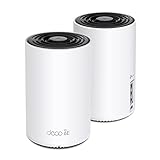
- Top Pick: TP-Link Deco X55 AX3000 WiFi 6 Mesh System, Deco X55(3-Pack) | Covers up to 6500 Sq.Ft. , Replaces Wireless Router and Extender, 3 Gigabit ports per unit, supports Ethernet Backhaul
- Best Value: TP-Link Deco S4 Mesh AC1900 WiFi System, Deco S4(3-Pack) | Up to 5,500 Sq.ft. Coverage, Replaces WiFi Router and Extender, Gigabit Ports, Works with Alexa
- Premium Choice: Amazon eero 7 dual-band mesh Wi-Fi 7 router (newest model) – Supports internet plans up to 2.5 Gbps, Coverage up to 6,000 sq. ft., 3-pack
People who search for mesh wifi extenders are usually trying to fix one stubborn problem: a game console, desktop, or streaming box in a far room that drops out or lags while the router sits somewhere else. The wording blends two different products. A classic plug-in extender repeats the router’s signal and halves the usable speed on the hop. A mesh system uses several units that talk to each other and, in the better designs, can pass traffic over a wired link instead of the air.
This guide covers both kinds so you can match the fix to the size of the home in 2026. Eight multi-unit mesh kits, one add-on node that only works with an existing eero system, and one stand-alone plug-in extender are compared. Gamers should weigh a few extra points here: look at Ethernet ports on each unit, wired backhaul support, and the Wi-Fi generation listed, since those affect lag more than the headline speed number.
Quick Picks
As an Amazon Associate we earn from qualifying purchases at no extra cost to you.


| Product | Best for | Key spec from the title |
|---|---|---|
| TP-Link Deco X55 3-pack | Balanced Wi-Fi 6 coverage | AX3000, 6,500 sq ft, 3 gigabit ports per unit |
| TP-Link Deco S4 3-pack | Older, simpler needs | AC1900, 5,500 sq ft coverage |
| eero 7 3-pack | Multi-gigabit internet plans | Wi-Fi 7, up to 2.5 Gbps, 6,000 sq ft |
| eero 6 add-on extender | Growing an existing eero system | Adds up to 1,500 sq ft, Wi-Fi 6 |
| TP-Link RE315 | One dead-spot fix | AC1200, 1,600 sq ft, 32 devices, EasyMesh |
| TP-Link Deco BE25 3-pack | Wired 2.5G backhaul | Wi-Fi 7 BE5000, 6,600 sq ft, MLO |
| TP-Link Deco X15 3-pack | Small homes | AX1500, 5,600 sq ft, Ethernet backhaul |
| TP-Link Deco XE75 3-pack | Large homes with 6GHz | AXE5400 tri-band, 7,200 sq ft |
| eero 6+ 3-pack | Gigabit plans, many devices | 4,500 sq ft, 75+ devices |
| TP-Link Deco XE75 2-pack | Medium homes with 6GHz | AXE5400, 5,500 sq ft, WPA3 |
How to Choose
Mesh system or plug-in extender
If one room has a weak signal and everything else is fine, a single extender like the TP-Link RE315 is the smaller fix. If the whole home has patchy coverage, or you want devices to roam without reconnecting, a mesh kit with two or three nodes does the job better. Make sure an add-on node matches an existing system: the eero 6 extender only works with an eero network.
Match coverage to the floor plan
Listed square footage assumes open space. Brick walls, floors, and appliances cut real range, so size up if your home has several levels. A useful rule is to place nodes one room apart rather than at the very edge of the router signal, and to keep them off the floor and away from microwaves and metal shelving. A 3-pack listed for 5,500 to 7,200 square feet suits large multi-story homes, while a 2-pack for around 5,500 fits an apartment or a single floor with a few thick walls.
Wi-Fi generation and band design
Wi-Fi 6 (AX) is the mainstream baseline, Wi-Fi 6E adds the 6GHz band, and Wi-Fi 7 adds multi-link operation and wider channels. Tri-band systems like the Deco XE75 dedicate a band to node-to-node traffic. Dual-band systems share bands, which can slow far rooms. Treat AC-class (Wi-Fi 5) kits as legacy: they work, but fall behind on modern phones and consoles.
Ethernet ports and backhaul
For gaming, wired backhaul matters most: connecting nodes with Ethernet frees the wireless bands entirely. Look for at least two gigabit ports per unit so a console and a PC can both plug in, and 2.5G ports if your internet plan exceeds a gigabit. Ignore claims of enormous combined speeds, because they add up bands that no single device can use at once.
The 10 Best Options
TP-Link Deco X55 3-Pack
An AX3000 Wi-Fi 6 mesh kit listed for up to 6,500 square feet, with three gigabit ports per unit and Ethernet backhaul support. It replaces both the router and extenders, which suits larger homes with several wired devices.
- Three gigabit ports per unit allow a console, PC, and TV box on one node.
- Wired backhaul support keeps the wireless bands free.
- Trade-off: it is dual-band, so it lacks a dedicated link band.
Skip it if your internet plan exceeds a gigabit, since the listed ports are gigabit class. Homes that use a single wired desktop and a few phones will find it more than adequate, and the three-pack format means no unit needs to sit far from another.
TP-Link Deco S4 3-Pack
An AC1900 mesh system listed for 5,500 square feet, with gigabit ports and Alexa support. It targets homes that need wider coverage without moving up to Wi-Fi 6.
- Coverage figures are close to newer kits.
- Gigabit ports and Alexa compatibility cover basic smart-home needs.
- Trade-off: Wi-Fi 5 speeds trail Wi-Fi 6 on modern phones and laptops.
Skip it if you own many Wi-Fi 6 devices and want to take full advantage of them. It is the older generation in the Deco line, so it makes sense mainly for a home whose gadgets are not new.
eero 7 3-Pack
A dual-band Wi-Fi 7 mesh router kit that supports internet plans up to 2.5 Gbps, with coverage up to 6,000 square feet across three units. It is for households with fast fiber and Wi-Fi 7 gear.
- Wi-Fi 7 and multi-gigabit support make it future-ready.
- Three units cover a large home without a separate router.
- Trade-off: dual-band design may not match tri-band kits for node-to-node traffic.
Skip it if your plan is modest and your devices are older than Wi-Fi 6, since you would not be using what it offers. The listing also does not mention Ethernet backhaul, so confirm that detail first.
eero 6 Add-On Extender
A single node that adds up to 1,500 square feet of Wi-Fi 6 coverage. The title notes that an eero mesh system is required and not included.
- It extends an existing eero network instead of replacing it.
- Wi-Fi 6 support suits modern phones and consoles on the same network.
- Trade-off: it does nothing on its own.
Skip it if you do not already own an eero system, because it cannot create a network alone. It also covers a modest area per unit, so very large homes may need more than one.
TP-Link RE315 Wi-Fi Extender
A plug-in AC1200 dual-band extender that lists coverage up to 1,600 square feet, 32 devices, EasyMesh compatibility, and one Ethernet port. It is the smallest, simplest fix for a single dead spot.
- EasyMesh compatibility helps it blend with compatible routers.
- The Ethernet port lets a console connect by cable.
- Trade-off: it repeats the signal, so speed drops on the extended hop.
Skip it if you need whole-home roaming or heavy streaming. A plug-in extender sits at the edge of the router signal, so placement decides how well it works.
TP-Link Deco BE25 3-Pack
A dual-band BE5000 Wi-Fi 7 mesh kit that lists 4-stream operation, 240 MHz channels, coverage up to 6,600 square feet, and two 2.5G ports per unit for wired backhaul. VPN support, MLO, AI-roaming, and HomeShield are also named.
- 2.5G ports suit fast internet plans and wired backhaul.
- Wi-Fi 7 with MLO prepares for newer devices.
- Trade-off: dual-band design still shares airtime between phones and node links.
Skip it if your devices are older and a Wi-Fi 6 kit would do. Wi-Fi 7 gear only shines when phones, laptops, or consoles can use it, so match the kit to what you own.
TP-Link Deco X15 3-Pack
An AX1500 dual-band Wi-Fi 6 mesh kit listed for 5,600 square feet, with two gigabit ports per unit and Ethernet backhaul support. It is a smaller-scale Wi-Fi 6 option.
- Wi-Fi 6 with wired backhaul support suits mid-size homes.
- Two ports per unit cover a console and a PC.
- Trade-off: AX1500 speed is below the Deco X55.
Skip it if you run many devices at once or a fast internet plan. Think of it as the small-household option, where a couple of consoles and streaming boxes share one connection.
TP-Link Deco XE75 3-Pack
A tri-band Wi-Fi 6E system with AXE5400 speed, coverage up to 7,200 square feet, a 6GHz band, AI-driven features, and WPA3 security. It is for large homes where many devices compete for airtime.
- The 6GHz band offers a cleaner channel for compatible devices.
- Three units cover the largest area in this group.
- Trade-off: 6GHz range is shorter through walls.
Skip it if none of your devices support Wi-Fi 6E, since the 6GHz band would sit unused. Buyers with only older phones and laptops can reach the same coverage with a lower-tier kit.
eero 6+ 3-Pack
A mesh Wi-Fi 6 system for internet plans up to a gigabit, with coverage up to 4,500 square feet and support for 75+ devices. It suits busy households with many gadgets.
- The 75+ device figure suits smart homes with many small gadgets.
- Three units cover a mid-size house.
- Trade-off: coverage is smaller than the Deco 3-packs.
Skip it if you have a plan above a gigabit or a very large home. It is a sensible fit for apartments and mid-size houses filled with smart plugs, cameras, and speakers.
TP-Link Deco XE75 2-Pack
The two-node version of the Wi-Fi 6E XE75, listed for 5,500 square feet and aimed at gaming and streaming. It brings the 6GHz band to a smaller home.
- Two nodes keep the set-up simple for a first mesh system.
- 6GHz and WPA3 add modern features.
- Trade-off: two nodes limit placement options.
Skip it if your home has more than two floors or if a third node would help reach a garage or basement. The three-pack above is the better fit for that case.
Which One Fits Your Situation
You have one dead room
The TP-Link RE315 is the simplest answer, and its Ethernet port gives a console a wired link.
You have a fast fiber plan
The Deco BE25 and eero 7 both name multi-gigabit support, with the BE25 adding 2.5G ports for wired links.
You live in a large multi-story home
The Deco XE75 3-pack lists the most coverage here, with a dedicated band for node traffic.
You already own an eero
The eero 6 add-on extends your existing network without replacing anything.
Common Mistakes
- Buying a plug-in extender for a whole-home problem.
- Trusting square-foot figures without allowing for walls and floors.
- Skipping Ethernet backhaul when a cable run is possible.
- Buying an add-on node without confirming system compatibility.
- Choosing Wi-Fi 7 when the devices at home only support Wi-Fi 5 and cannot use it.
Related guides
- Combination Smoke And Carbon Monoxide Detectors
- Aio Liquid Coolers For High Performance Gaming
- Graphics Cards For Low Wattage Power Supplies
Frequently Asked Questions
Is mesh better than an extender?
For whole-home coverage, usually yes. An extender suits one weak room and is the smaller step.
Does mesh reduce lag for gaming?
It can, mainly when nodes are linked by Ethernet and the console is cabled to the nearest node.
How many nodes do I need?
A 2-pack fits many apartments. Larger or multi-level homes tend to need three, and an extra node placed near a garage or basement office can fill a gap that the main units leave behind.
Can I mix brands?
Generally not. Use nodes from the same family, except where EasyMesh compatibility is listed.














