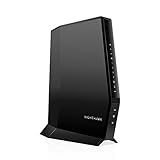
- Top Pick: NETGEAR Nighthawk DOCSIS 3.1 Modem Router Combo CAX30, WiFi 6, 2.7 Gbps | Multi-Gig, Reliable Performance, Guided Set Up, 4× Gig Ports, Xfinity/Spectrum/Cox Compatible, Dual-band, Free Expert Help
- Best Value: Aqara Smart Home Hub M3 for Advanced Automation, Matter Controller, IR | Thread Border Router, Features Zigbee, Bluetooth, Wi-Fi, PoE, Supports Apple HomeKit, Alexa, SmartThings, Home Assistant
- Premium Choice: TP-Link BE6500 Dual-Band WiFi 7 Router (BE400) | Dual 2.5Gbps Ports, USB 3.0, Covers up to 2,400 sq. ft., 90 Devices, Quad-Core CPU, HomeShield, Private IoT
Search for a “HomeKit router” and you step into a category that has quietly changed shape. The idea used to be a router that carried Apple’s own security layer for smart-home accessories. Today the more practical question is different: which router gives your accessories a stable, fast network, and which hub gives your Apple Home setup a Thread border router and Matter controller? Those are two jobs, and most households end up with a pairing of both rather than a single magic box.
This guide is for people running Apple Home alongside game consoles, a gaming PC, and a handful of sensors, plugs, and locks, who want to choose the network gear sensibly. Nine products are listed. Three are Aqara hubs that name HomeKit support directly in their titles; six are Wi-Fi routers or modem-router combos whose titles do not mention HomeKit at all, so they are judged purely as network foundations. A wired VPN business router from the original results was left out because it is not a home Wi-Fi product. Shopping in 2026 means matching coverage, ports, and device capacity to the home you actually have.
Quick Picks
As an Amazon Associate we earn from qualifying purchases at no extra cost to you.




| Product | Best for | Key spec from the title |
|---|---|---|
| NETGEAR Nighthawk CAX30 | Cable internet, one-box setup | DOCSIS 3.1 modem router, WiFi 6, 2.7 Gbps |
| Aqara Smart Home Hub M3 | Advanced automation | Matter controller, Thread border router, PoE |
| eero 6 mesh router | Simple coverage | Up to 1,500 sq ft, 75+ devices |
| TP-Link BE400 | Fast wired and wireless | WiFi 7 BE6500, dual 2.5Gbps ports, 90 devices |
| NETGEAR Nighthawk R6700AX | Apartments and small homes | WiFi 6 AX1800, 20 devices, 4 gigabit ports |
| Aqara Smart Hub M100 | Entry-level hub | Matter controller, Thread border router, Wi-Fi |
| Aqara Smart Hub M200 | Hub with IR and PoE | Matter controller, Zigbee, IR, PoE |
| TP-Link Archer A54 | Basic Wi-Fi needs | AC1200, EasyMesh, access point mode |
| TP-Link Archer A8 | Older-device households | AC1900, MU-MIMO, gigabit ports |
How to Choose
Router versus hub: know which job you are filling
A router moves data between your devices and the internet. A hub such as the Aqara units adds a Thread border router and Matter controller so battery-powered accessories can talk to Apple Home reliably. A router listing that never mentions HomeKit is not broken; it simply does not do the hub’s job. Plan for one router and, if you own Thread or Zigbee accessories, one hub.
Wi-Fi generation and speed tier
Wi-Fi 6 (AX) covers most homes comfortably, Wi-Fi 7 (BE) adds headroom for multi-device households and future upgrades, and older AC models handle basic browsing and streaming. Match the speed class on the box to your internet plan: a router that tops out near 900 Mbps will not make a faster plan feel faster. Dual 2.5Gbps ports matter if you have a fast gaming PC or a network storage box.
Coverage and device capacity
Listed square footage is a best case in open space. For an apartment, 1,500 sq ft is plenty; for a larger home with walls and floors, look at 2,400 sq ft or mesh. Smart homes add many small devices, so a stated capacity of 75 or 90 devices is more useful than one of 20, where plugs and sensors can crowd out your consoles.
Ports, security features, and what to ignore
Gigabit wired ports beat 10/100 Fast Ethernet ports for anything you plug in, including a console or a hub. Guest Wi-Fi, parental controls, and IoT isolation features help keep smart-home gear apart from laptops. Ignore headline speed totals that add all bands together; budget models cut corners on ports and CPU power, while premium ones add multi-gig and extras.
The 9 Best Options
NETGEAR Nighthawk CAX30
A DOCSIS 3.1 modem router combo with WiFi 6 and a 2.7 Gbps figure, for homes on cable internet that want to replace two boxes with one. It suits a household that wants a single device for the internet connection and the wireless network, with wired ports for a console and a PC.
- The listing names compatibility with Xfinity, Spectrum, and Cox.
- Multi-gig performance and four gigabit ports cover wired consoles and a gaming PC.
- Trade-off: it is dual-band, and the title never mentions HomeKit.
Skip it if you have fiber or your provider is not on the compatible list, since a built-in cable modem would go unused.
Aqara Smart Home Hub M3
The most capable hub here, built for people who want one central controller for Apple Home and other platforms. The title lists Matter controller, Thread border router, Zigbee, Bluetooth, Wi-Fi, IR, and PoE, which makes it the flexible choice for a larger accessory collection.
- Support for Apple HomeKit, Alexa, SmartThings, and Home Assistant is named directly.
- PoE lets you place it where an outlet is not handy.
- Trade-off: it is a hub, not a Wi-Fi router, so you still need a separate router.
Skip it if you only need basic internet coverage and have no smart accessories.
eero 6 Mesh Router
A one-pack mesh router that covers up to 1,500 sq ft and supports internet plans up to 900 Mbps, with space for 75-plus devices. It fits apartments and small homes where easy setup matters more than raw speed, and the mesh label hints at growth later.
- The 75-plus device capacity suits smart homes full of small accessories.
- Its mesh design allows adding more units if coverage falls short.
- Trade-off: the 900 Mbps plan limit makes it a poor match for faster service.
Skip it if you have a faster internet plan or want multi-gig ports for a wired PC.
TP-Link BE400 WiFi 7 Router
A BE6500 dual-band WiFi 7 router with dual 2.5Gbps ports, USB 3.0, and a quad-core CPU, claiming coverage up to 2,400 sq ft and 90 devices. It targets households that want headroom for new devices and a fast wired link for a gaming PC.
- HomeShield and Private IoT features suit a home mixing smart devices with laptops.
- The two 2.5Gbps ports give a PC and a storage box proper wired headroom.
- Trade-off: Wi-Fi 7 only pays off with Wi-Fi 7 devices, and the design is dual-band rather than tri-band.
Skip it if none of your devices support Wi-Fi 7 and you want a simpler, older class of router.
NETGEAR Nighthawk R6700AX
A WiFi 6 AX1800 router covering up to 1,500 sq ft, with four gigabit ports and an easy-setup pitch. It is a sensible fit for apartments and small homes where a handful of phones, a console, and a streaming box share the connection.
- Gigabit ports are enough for a console, a PC, and a hub.
- Wi-Fi 6 supports modern phones and laptops well, with 1.8 Gbps listed as the combined figure.
- Trade-off: the 20-device capacity can get tight once plugs and sensors join the network.
Skip it if you already own dozens of smart accessories or need coverage beyond a small home.
Aqara Smart Hub M100
A compact Matter controller and Thread border router that supports Apple HomeKit, Alexa, IFTTT, and Home Assistant, and works with Aqara Zigbee devices. It is the entry point for someone who just wants Thread and Matter support in Apple Home without extra features.
- It names Apple HomeKit support directly.
- The Wi-Fi-based design is simpler to place than the PoE models.
- Trade-off: the title notes Aqara Zigbee only, not third-party Zigbee, and no IR or PoE is listed.
Skip it if you want IR control for older equipment or wired power.
Aqara Smart Hub M200
A step up from the M100 with Matter controller, Aqara Zigbee, Wi-Fi, IR, Bluetooth, and PoE, plus a Thread border router. It suits a home with older IR-controlled equipment that you want to bring into Apple Home automations.
- IR lets it control older TVs and air conditioners that have no smart features of their own.
- Apple HomeKit, Alexa, SmartThings, and Home Assistant support is listed.
- Trade-off: you still need a router, and the M3 lists a broader feature set.
Skip it if you do not use IR gear or already own a hub.
TP-Link Archer A54
An AC1200 dual-band router with four 10/100 Mbps Fast Ethernet ports, EasyMesh compatibility, guest Wi-Fi, access point mode, and parental controls. It is a basic router for light households that mainly browse and stream on phones and tablets.
- EasyMesh compatibility allows later expansion.
- Guest Wi-Fi helps separate visitors from your smart gear, and access point mode lets it extend an existing network.
- Trade-off: Fast Ethernet ports cap wired speed well below gigabit.
Skip it if you plug in consoles or a gaming PC, or have a fast internet plan.
TP-Link Archer A8
An AC1900 dual-band router with MU-MIMO, gigabit ports, and guest Wi-Fi, aimed at households with an older mix of devices that still want wired gigabit for a console or PC.
- Gigabit ports beat the A54’s Fast Ethernet for anything you plug in, including a console or a hub.
- MU-MIMO helps several devices share the wireless band more smoothly, which suits a busy living room.
- Trade-off: it is an older Wi-Fi 5 class design without Wi-Fi 6 features.
Skip it if you want Wi-Fi 6 or newer, or a large device capacity.
Which One Fits Your Situation
You use Apple Home and want a Thread border router
Choose an Aqara hub. The M100 is the simple option, the M200 adds IR and PoE, and the M3 is the full-featured choice. Pair any of them with a router below, and place the hub near the center of the home so low-power accessories can reach it.
You game on a fast wired connection
The TP-Link BE400 has dual 2.5Gbps ports and a quad-core CPU, which suits a PC and a storage box. If your wired needs are lighter, the Archer A8 still offers gigabit ports at a lower tier.
You have cable internet and want fewer boxes
The NETGEAR CAX30 combines modem and router for compatible providers, which frees a shelf and one power cable. Confirm your provider is among Xfinity, Spectrum, or Cox before choosing it.
You live in an apartment with many small accessories
The eero 6 offers a 75-plus device capacity in a one-pack, while the NETGEAR R6700AX is a simpler alternative for fewer devices.
Common Mistakes
- Assuming a router listing supports HomeKit when the title never says so.
- Buying a hub and expecting it to replace a Wi-Fi router.
- Choosing Fast Ethernet ports for a console or PC.
- Ignoring device capacity in a smart home, where every plug, bulb, and sensor counts as a connected device.
- Buying a modem router without checking provider compatibility.
Related guides
- Battery Operated Smoke And Carbon Monoxide Detectors
- Combination Smoke And Carbon Monoxide Detectors
- Aio Liquid Coolers For High Performance Gaming
Frequently Asked Questions
Do I need a HomeKit router?
Most buyers need a reliable router plus a Thread border router. The hubs in this list cover the second job.
What is a Thread border router?
It connects low-power Thread accessories to your home network so they can be controlled over Wi-Fi and from your phone. Matter controllers coordinate the setup of those accessories.
Is Wi-Fi 7 necessary?
No. Wi-Fi 6 is enough for most homes, and Wi-Fi 7 helps mainly when your devices support it. Choose it if you want to keep the router for several years of device upgrades.
Can I mix an Aqara hub with any router?
Yes. The hub connects to your network, so any working router will do. A router with more device capacity helps.