

- Top Pick: WiFi Extender Signal Booster for Home 5G 1200Mbps Dual Band WiFi Booster | wifi extenders signal booster Device Servers Covers Up to 5000 Sq.ft and 35 Devices, Wireless Signal Repeater Ethernet
- Best Value: NETGEAR WiFi Extender EX5000, up to 1,500 sq ft, 1.2 Gbps | Signal Booster for Home, Easy Set Up, 25 devices, Works with any Router, Compact Design, WiFi 5, AC1200
- Premium Choice: 2026 WiFi Extender Signal Booster for Home | Long Range Up to 12880 sq. ft & 108 Devices, Internet Booster, Long Range, Quick Setup
A dead zone in a home office is an annoyance. A dead zone in a small shop, clinic waiting room or back office can mean a card reader that drops, a printer nobody can reach or a video call that freezes. That difference is why a business buyer should shop for a Wi-Fi extender with different questions: how many devices will it serve, does it have an Ethernet port for wired equipment, and does it keep working with the router already in the building?
This roundup is for owners of small offices, studios, retail counters and home-based businesses in 2026 who want to push an existing signal farther without replacing the router. It compares eight extender listings. One eero model appears in two listings, one in like-new condition, so it is reviewed once. A caution applies throughout: these titles describe consumer-style extenders, and none lists business management features such as VLANs or centralized control. Treat each as a quick coverage fix and not a replacement for professional access points. The practical goal here is to match device count, ports and router compatibility, then place the unit where it still sees a strong signal.
Quick Picks
As an Amazon Associate we earn from qualifying purchases at no extra cost to you.


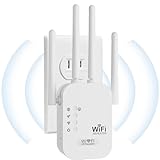

| Product | Best for | Key spec from the title |
|---|---|---|
| VERMEYEN 1200Mbps Dual Band Extender | Small office with an Ethernet device | 5000 sq ft claim, 35 devices |
| NETGEAR EX5000 | Known-brand AC1200 extender | 1,500 sq ft, 25 devices, WiFi 5 |
| Arazioe Long Range Extender | Larger spaces with many users | 12880 sq ft claim, 108 devices |
| eero 6 Add-On Extender | Existing eero mesh owners | 1,500 sq ft, Wi-Fi 6 |
| Auomiliya 2.4GHz Extender | Simple 2.4GHz coverage | Ethernet port, 45+ devices |
| RAGOAT Wall-Mount Extender | Wall-plug installs | 1200Mbps dual band, 105 devices |
| Aodcaopul WiFi Repeater | Basic repeater with a port | Ethernet port, 9800 sq ft claim |
| AERVY Long Range Extender | Widest stated coverage | 16,899 sq ft claim, Ethernet port |
How to Choose
Match the Standard to Your Router
An extender cannot exceed the standard of the router it repeats. The NETGEAR EX5000 is listed as WiFi 5 with AC1200, and the eero 6 is listed as Wi-Fi 6. A Wi-Fi 6 router paired with a Wi-Fi 5 extender will still work but loses some efficiency on the extended side. The eero 6 add-on requires an eero mesh system, which is not included, so it only makes sense if you already own one.
Device Count and Coverage Claims
Titles list claims such as 25, 35, 45+, 105 or 108 devices, and coverage from 1,500 to 16,899 square feet. Treat these as theoretical ceilings. A small clinic with fifteen devices and thick walls needs a more realistic target than the figure on the box. Match the device count to your actual staff, phones, printers and card terminals, and allow for growth.
Ethernet Port and Bands
An Ethernet port lets a printer, point-of-sale terminal or desktop connect by cable and is listed in several titles here. Dual-band models carry 5GHz for speed and 2.4GHz for range, so laptops and video calls get the faster lane, while the Auomiliya title names 2.4GHz only, which is slower but reaches farther through walls. Wall-mount designs plug straight into an outlet, which suits shops without shelf space. If you run a point-of-sale terminal, a wired connection is more dependable than Wi-Fi, so that port may matter more than any speed figure.
What to Ignore and Where Budget Extenders Cut Corners
Ignore speed claims like 4X faster, which compare against an unspecified baseline. Budget extenders often halve bandwidth because they use the same radio to receive and rebroadcast, and they rarely offer guest networks, logs or firmware support. For regulated data such as payment systems, check with your IT provider, since a consumer repeater may not meet your security policy.
The 8 Best Options
VERMEYEN 1200Mbps Dual Band Extender
This dual-band 5G extender lists 1200Mbps, a 5000 sq ft claim, 35 devices and an Ethernet port. It fits a small office that needs to connect a printer or desktop by cable while extending Wi-Fi to a back room. The dual-band label means a faster 5GHz side for laptops alongside a longer-reaching 2.4GHz side for phones and smaller devices.
- Ethernet port for wired equipment
- 35-device figure in the title
- Trade-off: coverage claims are the maker’s, not independent
Skip it if you need a recognized brand with a long support history or a stated Wi-Fi generation.
NETGEAR EX5000
A WiFi 5 AC1200 extender with a stated 1,500 sq ft range, 25 devices and a compact design that works with any router. It is the most modest listing here, and for a small shop or two-room office that modesty is realistic. The compact design means it can sit in an outlet without blocking the neighboring socket, and the any-router claim keeps the setup flexible if you change providers.
- Compatible with any router per the title
- Established networking brand
- Trade-off: 25 devices is the lowest count in the group
Skip it if your staff and equipment will exceed that number, or if you need Wi-Fi 6 features.
Arazioe Long Range WiFi Extender
The title claims up to 12880 sq ft and 108 devices, with quick setup. It targets larger spaces, such as a multi-room studio or small warehouse office, where the headline numbers are meant to impress. A buyer with many phones, tablets and laptops in one building may like the high device figure, though the real limit depends on the router behind it and the walls in between.
- High stated device capacity
- Quick setup is advertised
- Trade-off: the title lists no Ethernet port or band detail
Skip it if you need wired connections or a clear band description for planning.
eero 6 Add-On Extender
An add-on for an existing eero mesh, listed for 1,500 sq ft of Wi-Fi 6 coverage, with the eero mesh system not included. Two listings exist, one marked like-new. It fits businesses already running eero. Because it joins an existing mesh, the extra node shares the same network name and settings, which keeps staff devices from hopping between separate networks. The like-new listing offers the same specification line as the other.
- Wi-Fi 6 coverage
- Integrates with an eero mesh
- Trade-off: it does nothing without an eero system, and that system is sold separately
Skip it if your router is a different brand, because it cannot join a network from another maker.
Auomiliya 2.4GHz WiFi Extender
A 2.4GHz range amplifier for home or office with an Ethernet port, listing coverage up to 9995 sq ft and 45+ devices. The single band suits reach over speed, since 2.4GHz travels through walls better than 5GHz. That makes it a candidate for a shop with partitions, or for a storage area where only light traffic is needed.
- Ethernet port
- 45+ devices listed
- Trade-off: 2.4GHz only, so slower than dual-band units
Skip it if staff run video calls on the extended signal, since the 2.4GHz band is more crowded and slower than 5GHz.
RAGOAT Wall-Mount WiFi Extender
A wall-mounted dual-band 1200Mbps model with 5GHz and 2.4GHz, a 12880 sq ft claim and 105 devices, suitable for home and outdoor use. It plugs directly into a wall socket, so there is no cable to run and no shelf to clear. The outdoor mention makes it tempting for patios or yards, though the enclosure details should be verified.
- Dual-band 1200Mbps
- Wall-mount form saves shelf space
- Trade-off: outdoor suitability is vague, so check the enclosure protection class
Skip it if the outlet is crowded or if you need a unit with a stated enclosure detail for outdoor use.
Aodcaopul WiFi Repeater
A white repeater with an Ethernet port, a stated range up to 9800 sq ft and quick setup. It targets owners who want the simplest possible addition. With a repeater label and quick setup in the title, it suits non-technical owners who would rather plug in a unit than configure a network.
- Ethernet port
- Quick setup advertised
- Trade-off: the title omits device count and band details
Skip it if you need figures such as a device count to size your network.
AERVY Long Range WiFi Extender
The widest coverage claim here, 16,899 sq ft, with an Ethernet port, a wireless long-range amplifier and a 4X faster label. It is the choice for buyers chasing the biggest number. Because the title also lists an Ethernet port, it can serve a wired device or two, though the gap between its claim and real conditions is likely widest of all.
- Largest stated coverage
- Ethernet port included
- Trade-off: the 4X faster claim has no stated baseline
Skip it if you distrust headline claims or want a brand with documented support.
Which One Fits Your Situation
A Two-Room Shop
The NETGEAR EX5000 is a modest, recognized option for small spaces. With a 1,500 sq ft figure and 25 devices, it matches a counter, a stockroom and a small seating area without overpromising.
An Office With a Printer
The VERMEYEN 1200Mbps Dual Band Extender or the Auomiliya 2.4GHz Extender offer Ethernet ports for wired devices. The VERMEYEN adds a faster 5GHz band, while the Auomiliya trades speed for reach through partitions.
You Already Use eero
The eero 6 Add-On Extender is the natural fit, whether you pick the new or the like-new listing. It extends a mesh you already own with Wi-Fi 6, and no new network name or settings need to be created.
A Large Open Space
The Arazioe, RAGOAT or AERVY listings state the largest coverage and device counts. Keep expectations modest, since walls, shelving and appliances reduce the real range, and pair any of them with a placement plan.
Common Mistakes
- Trusting square-footage claims as guarantees.
- Placing the extender at the dead zone instead of midway between router and weak area.
- Ignoring the router standard and buying a mismatched extender.
- Using a consumer extender for sensitive payment traffic without IT guidance.
- Forgetting that single-radio extenders cut available bandwidth.
- Skipping a firmware check and leaving the extender on its factory settings, which leaves the default admin login in place.
Related guides
- Combination Smoke And Carbon Monoxide Detectors
- Aio Liquid Coolers For High Performance Gaming
- Graphics Cards For Low Wattage Power Supplies
Frequently Asked Questions
Is an extender enough for a business?
For small spaces, it can be, especially for a single dead room or a back office. Larger sites, or any with many staff and payment devices, usually need wired access points and professional configuration, because an extender shares bandwidth and offers few management options.
Where should the extender go?
Midway between the router and the weak area, in a spot that still receives a solid signal. Placing it in the dead zone itself only repeats a poor connection, and thick walls or metal shelving between the two points will reduce results further.
Do extenders slow the connection?
Single-radio models often do, because they share one radio for receiving and rebroadcasting, which can cut the usable speed roughly in half on the extended side. An Ethernet-connected model or a mesh system avoids part of that penalty.
Can one work with any router?
Most can, since titles like the NETGEAR one say it works with any router, but the eero add-on needs an eero system. Confirm the extender supports the band your router broadcasts before ordering.















