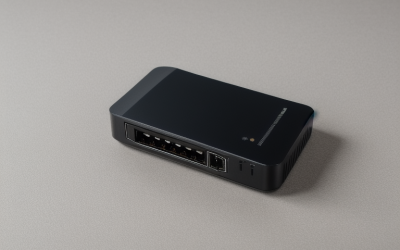
- Top Pick: NETGEAR Nighthawk WiFi 6 Router R6700AX, Up to 1,500 sq ft, 1.8 Gbps | Reliable Performance, Easy Set Up, 20 devices, 4× Gigabit Ports, Dual Band, AX1800
- Best Value: TP-Link AC1200 WiFi Router Dual Band Wireless Internet Router (Archer A54) | 4 x 10/100 Mbps Fast Ethernet Ports, EasyMesh Compatible, Support Guest WiFi, Access Point Mode, IPv6 & Parental Controls
- Premium Choice: TP-Link AC1200 Gigabit Dual Band WiFi Router (Archer A6) | MU-MIMO Wireless Internet Router, 4 x Antennas, OneMesh and AP Mode, Long Range Coverage
A basement is where Wi-Fi goes to die. Poured concrete, steel beams, ductwork and a full floor of joists between you and the router soak up the 5 GHz band that gaming relies on, so a router that looks fine on the first floor can leave a finished basement with a weak signal and dropped matches. Choosing a router for a basement is less about headline speed and more about where the signal has to go and how it gets there.
This guide is for people with a game room, home theater or office downstairs who want a router or mesh kit that reaches it. Eight options are compared on the facts in their titles: Wi-Fi generation, stated coverage area, port speeds, device counts and mesh support. In 2026 the practical question is usually whether to buy one stronger router, a mesh kit, or a simple router you pair with a wired access point, and the picks below span all three.
Quick Picks
As an Amazon Associate we earn from qualifying purchases at no extra cost to you.


| Product | Best for | Key spec from the title |
|---|---|---|
| eero 6 Mesh Router (1-pack) | Easy mesh expansion | Plans up to 900 Mbps, 1,500 sq ft, 75+ devices |
| NETGEAR Nighthawk R6700AX | Mid-size Wi-Fi 6 home | AX1800, 1,500 sq ft, 4 Gigabit ports |
| TP-Link Archer A54 | Simple budget router with AP mode | AC1200, EasyMesh, 10/100 ports |
| TP-Link Archer A6 | Gigabit wired devices on a small budget | AC1200, Gigabit, OneMesh, AP mode |
| TP-Link Archer A8 | Higher-speed Wi-Fi 5 | AC1900, MU-MIMO, Gigabit |
| NETGEAR Nighthawk RS140 | Larger home with newer devices | Wi-Fi 7 BE5000, 2,250 sq ft, one 2.5G port |
| Cudy WR1200 | Small spaces on a tight budget | AC1200, 1,100 sq ft, 5 Fast Ethernet ports |
| NETGEAR Orbi RBK13 | Whole-home mesh | Router plus 2 satellites, 4,500 sq ft |
How to Choose
Placement matters more than the model
The best basement upgrade is often moving the signal source. A router on the main floor, near the ceiling directly above the basement, delivers a stronger path than one in an upstairs corner. If you can run an Ethernet cable down, a second router in access point mode or a mesh node with wired backhaul beats any single high-power unit. Several TP-Link listings here mention AP mode or OneMesh, which is exactly this use case.
Wi-Fi generation and band behavior
Wi-Fi 5 (AC) models cover most basements if you are streaming and browsing. Wi-Fi 6 (AX) adds better handling of many devices, while Wi-Fi 7 (BE) mostly benefits new phones, laptops and consoles. Whatever the generation, the 2.4 GHz band passes through concrete better, and 5 GHz is faster but weaker through floors. A dual-band router lets you pin older devices to 2.4 GHz and keep the console on 5 GHz.
Ports and wired options
Ethernet ports are the part budget buyers overlook. Listings with Fast Ethernet (10/100 Mbps) ports cap wired speeds at 100 Mbps, which is below many internet plans. Gigabit ports remove that ceiling, and a 2.5G port, as on the Nighthawk RS140, suits faster plans and a wired gaming PC. If your basement setup has a console, PC and TV, count the wired devices before you pick.
Coverage claims and device counts
Coverage figures in titles are measured in open space, so treat 1,500 square feet as a best case and expect less through concrete. Device counts such as 20, 40, 75 or 80 describe how many connections the router is built to manage, not how many will perform well at once. A mesh kit with satellites is the safer choice when a basement is far from the main floor.
The 8 Best Options
eero 6 Mesh Router (1-pack)
The eero 6 supports internet plans up to 900 Mbps, covers up to 1,500 square feet and connects 75+ devices as a single unit, and it can be expanded as a mesh. It suits people who want a simple setup with an easy path to add a node for the basement later.
- Strength: stated support for many connected devices.
- Strength: mesh-capable design makes a basement node a later add-on.
- Trade-off: a single unit covers only the area the title states, so a basement may need a second.
Skip it if your internet plan is above 900 Mbps or if you want several wired ports for a console, PC and TV in the same room.
NETGEAR Nighthawk R6700AX
This Wi-Fi 6 router lists AX1800 speeds, coverage up to 1,500 square feet, support for 20 devices and four Gigabit ports in a dual-band build. The Gigabit ports allow wired consoles and PCs. For a basement, the sensible play is to put it on the main floor near the stairs and run a cable down if you need a wired console, since the Gigabit ports make that a good use of the cable.
- Strength: Wi-Fi 6 with four Gigabit ports.
- Strength: straightforward setup is stated.
- Trade-off: only 20 devices are listed, which can fill up in a connected household.
Skip it if you have many smart devices.
TP-Link Archer A54
The Archer A54 is an AC1200 dual-band router with EasyMesh compatibility, guest Wi-Fi, access point mode, IPv6 and parental controls. Its access point mode is the key basement feature, since it lets the unit serve as a downstairs hotspot connected by cable. Many buyers pick this model as a second unit that extends a hallway or lower level rather than as the main router, because the slow ports make it a better access point than a core router.
- Strength: AP mode and EasyMesh compatibility.
- Strength: guest network and parental controls.
- Trade-off: its four ports are 10/100 Fast Ethernet, not Gigabit.
Skip it if you have a fast internet plan or wired gaming PC.
TP-Link Archer A6
The Archer A6 is an AC1200 dual-band router with Gigabit ports, MU-MIMO, four antennas, OneMesh and AP mode, described as long range. It fits a budget basement where one wired device needs a full-speed port. The four antennas and long-range wording in the title point to a design meant for a larger floor plan than a studio apartment.
- Strength: Gigabit ports at the AC1200 tier.
- Strength: OneMesh and AP mode for extending an existing TP-Link network.
- Trade-off: Wi-Fi 5, so no Wi-Fi 6 efficiency.
Skip it if you want a newer standard.
TP-Link Archer A8
The A8 steps up to AC1900 with MU-MIMO, Gigabit ports, guest Wi-Fi support and a dual-band design. It is a stronger Wi-Fi 5 pick for a mid-size home where the basement is the problem area. Because the title leaves out a coverage figure, treat it as a stronger sibling to the A6 and plan on a wired access point if the basement sits far from the router.
- Strength: AC1900 tier with Gigabit ports.
- Strength: MU-MIMO helps serve several devices at once.
- Trade-off: the title does not list coverage area or mesh features.
Skip it if you plan to build a mesh.
NETGEAR Nighthawk RS140
This Wi-Fi 7 router lists BE5000 speeds, coverage up to 2,250 square feet, support for 80 devices, one 2.5G port and three Gigabit ports on a dual-band design. It is built for larger homes with newer hardware. If your plan is under a gigabit, the 2.5G port will not matter until you upgrade, but it keeps the router useful for the next few years of hardware.
- Strength: Wi-Fi 7 with a 2.5G port for faster wired links.
- Strength: largest stated coverage among the single routers.
- Trade-off: dual-band only, so benefits depend on having Wi-Fi 7 devices.
Skip it if you only have older devices.
Cudy WR1200
The Cudy lists AC1200 speeds, WPA3 security, five Fast Ethernet ports, 1,100 square feet and 40 devices, with MU-MIMO, beamforming and multiple modes. It is for a small apartment or a basement studio where requirements are modest. Its listed 1,100 square foot coverage is the smallest here, so it works best as a basement-only access point or in a compact home.
- Strength: five ports and WPA3 security.
- Strength: modes include a client option, handy for repurposing.
- Trade-off: 100 Mbps Ethernet ports limit wired speed.
Skip it if your plan or wired PC exceeds 100 Mbps.
NETGEAR Orbi RBK13
The Orbi RBK13 is a whole-home mesh system with one router and two satellites, listed for up to 4,500 square feet. A satellite can sit on the stairs or in the basement itself, which is the point of a mesh kit. Mesh kits like this are the usual answer when one router cannot reach every floor, and the two satellites let you cover the basement and a far bedroom at once.
- Strength: two satellites for a multi-level house.
- Strength: largest stated coverage in this list.
- Trade-off: the title does not list the Wi-Fi generation or port speeds.
Skip it if you only need a small single-room fix.
Which One Fits Your Situation
You live in a multi-level house with a finished basement
Start with the NETGEAR Orbi RBK13, since a satellite can sit near the stairs and shorten the path. Put the router on the main floor, one satellite on the upper level above the basement and the other where the signal drops off, then adjust based on where devices lose connection.
You can run Ethernet to the basement
Buy the TP-Link Archer A6 and use AP mode in the basement, wired back to your main router. A cable removes the biggest handicap, which is the signal passing through the floor, and the Gigabit ports on the A6 keep wired devices at full speed.
You have a fast plan and new gear
The NETGEAR Nighthawk RS140 gives you the 2.5G port and Wi-Fi 7 that this scenario needs.
You want something simple that can grow
The eero 6 starts as one unit and expands to a mesh when you add a second node. That makes it a low-commitment first step if you are not sure how weak the basement signal really is.
Common Mistakes
- Placing the router in an upstairs corner instead of near the center of the home.
- Trusting the coverage figure without allowing for concrete and floors.
- Choosing Fast Ethernet ports for a basement gaming PC.
- Putting every device on 5 GHz when 2.4 GHz would hold the connection better downstairs.
- Mixing brands in a mesh and expecting features like OneMesh or EasyMesh to work across them.
Related guides
- Battery Operated Smoke And Carbon Monoxide Detectors
- Combination Smoke And Carbon Monoxide Detectors
- Aio Liquid Coolers For High Performance Gaming
Frequently Asked Questions
Will one router cover a basement?
Sometimes. If the basement is directly under the router and smaller than the stated coverage, one unit may work. Otherwise, a mesh satellite or wired access point is more reliable.
Is Wi-Fi 7 necessary for a basement?
No. A well-placed Wi-Fi 5 or Wi-Fi 6 setup often does better than a poorly placed Wi-Fi 7 router.
What does AP mode do?
It turns a router into an access point that adds Wi-Fi from a wired connection instead of creating a second network.
Do I need Gigabit ports?
For a wired PC or console on a fast plan, yes. Fast Ethernet ports top out at 100 Mbps.