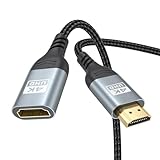
- Top Pick: Highwings 10K 8K 4K HDMI Extender Cable, HDMI Extension Cable 2.1 10K 8K@60Hz 4K@240Hz, Ultra high Speed HDMI Adapter Male to Female Compatible with PS5 Roku Stick Blu Ray Player HDTV Laptop 1FT
- Best Value: Silkland 8K HDMI Extension Cable 3.3FT HDMI Extender 2.1, 8K@60Hz 4K@120Hz | HDMI Male to Female Adapter, Support 48Gbps, 3D, HDR, eARC, Compatible with Fire Stick Roku TV Blu-Ray PC Laptop PS5/4 Xbox
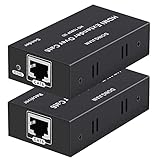
- Premium Choice: OREI HDMI Extender Over Cat5 165ft – 4K@30Hz with IR, Loop Out, EDID, PoC | HDMI Extenders, Ethernet to HDMI – AV signal distribution CAT5e/CAT6/CAT7 with DTS-HD, Dolby TrueHD, Deep Color plug-and-play
“HDMI extender” means two very different things, and mixing them up is the fastest way to buy the wrong box. One kind is a short male-to-female extension cable that adds a few inches or feet so a streaming stick, console or laptop reaches a crowded port. The other is a transmitter and receiver pair that carries video over Cat5e, Cat6 or Cat7 network cable for a hundred feet or more. They solve different problems, and the spec that matters most, supported refresh rate, differs between them.
That second point is where gamers get caught. The long-distance kits listed here top out at 4K@30Hz or 1080p, which is fine for a presentation or a cable box but a poor match for a 60Hz console. The short extension cables, by contrast, list 4K@60Hz or higher. Nine options are compared below from their titles alone, grouped by this split, with a note on where each one makes sense in a 2026 setup that might include a PC, a PS5 and a TV mounted across the room.
Quick Picks
As an Amazon Associate we earn from qualifying purchases at no extra cost to you.




| Product | Best for | Key spec from the title |
|---|---|---|
| Highwings 10K Extension Cable | High-refresh gaming at short range | HDMI 2.1, 8K@60Hz, 4K@240Hz, 1FT |
| Silkland 8K Extension Cable | Consoles and streaming sticks | 48Gbps, 8K@60Hz, 4K@120Hz, 3.3FT |
| OREI Cat5 Extender 165ft | Home theater across a room | 4K@30Hz, IR, loop out, PoC |
| VCE 4K Extension Cable | Tight spots behind a TV | 4K@60Hz, 5.5 inches |
| ZeniKon 4K Extension Cable | Console and streaming-stick reach | 4K@60Hz, 2K@120Hz, ARC, 3FT |
| DONGJIAN Cat5e/6/7 Extender | 1080p over existing network cable | 1080p up to 196ft, EDID, PoC |
| OREI 1×4 Splitter Extender | One source feeding four displays | 1×4, 230ft, 4K@30Hz, Dolby Vision |
| OREI Cat6 Extender 165ft | Single-cable room-to-room runs | 4K@30Hz, HDMI 1.4 compliant, HDCP 1.4 |
| PWAY HT275 Extender | Longest single run in the group | 230ft, 4K@30Hz, IR, loop out |
How to Choose
Decide between an extension cable and a network-cable kit
If the gap is under a few feet, buy a male-to-female extension cable. If the source and screen are across a room, or in different rooms, you need a transmitter and receiver pair running over Cat5e or better. Each category has its own spec language, so compare only within a category. Never try to chain a kit to reach a short distance, since it adds hardware you do not need.
Check refresh rate and resolution against your device
For gaming, look for 4K@60Hz as a floor, and 120Hz or higher if your console or PC supports it. The extension cables here range from 4K@60Hz to 4K@240Hz. Every network-cable kit lists 4K@30Hz or 1080p, so reserve those for media boxes, signage or office use. Match the HDMI generation: HDMI 2.1 wording and 48Gbps point to the higher-bandwidth cables, while HDMI 1.4 compliance means older limits.
Look at the extras: IR, loop out, EDID and power over cable
IR passthrough lets a remote work through the receiver. Loop out gives you a local copy of the signal at the source. EDID management helps the source and screen agree on a resolution. PoC (power over cable) lets the receiver draw power from the line, so only one end needs an outlet. These matter more than the distance figure for most installs.
Where budget extenders cut corners
Short cables claim big resolutions that depend on the cable and the ports at both ends. Network kits skimp on documentation, and the cabling you supply affects the real distance. Ignore the 8K and 10K headline unless your devices use it, and favor listings that state 48Gbps, ARC or eARC when you want to carry audio features.
A quick rule of thumb ties these categories together: count the feet between the source and the screen. Under about six feet, an extension cable almost always wins on simplicity and refresh rate. Past that, the network-cable kits become the realistic route, and you should accept the 4K@30Hz ceiling that comes with them. Write down the distance and the refresh rate you need before opening any listing, then eliminate everything that fails either test.
The 9 Best Options
Highwings 10K HDMI Extension Cable
A one-foot male-to-female cable with HDMI 2.1 wording for gamers who want to reposition a console or a laptop output without losing refresh rate. The listing states 8K@60Hz and 4K@240Hz and names PS5, Roku, Blu-ray and HDTV use.
- Strength: The highest refresh-rate claim in the group, 4K@240Hz.
- Strength: A short length keeps signal loss to a minimum.
- Trade-off: One foot adds very little reach.
Skip it if you need to bridge more than a short gap, since the length is fixed. It also asks you to trust a very large resolution claim, so the figure should be read as a ceiling for the connector, not a guarantee for your chain of devices.
Silkland 8K HDMI Extension Cable
A 3.3-foot cable that adds meaningful reach while keeping high-bandwidth wording. The title lists 8K@60Hz, 4K@120Hz, 48Gbps, 3D, HDR and eARC, with Fire Stick, Roku, PS5, PS4 and Xbox named.
- Strength: 48Gbps and eARC are both stated.
- Strength: Three feet suits a console shelf or a wall-mounted TV.
- Trade-off: 4K@120Hz is lower than the Highwings headline claim.
Skip it if you only need a few inches of reach. A shorter cable keeps the signal path tighter, and anyone adding length to an already long run should be cautious about stacking more.
OREI HDMI Extender Over Cat5, 165ft
This pair sends video over Cat5e, Cat6 or Cat7 for up to 165 feet. The title lists 4K@30Hz, IR, loop out, EDID, PoC, DTS-HD, Dolby TrueHD and plug-and-play use.
- Strength: IR passthrough, loop out and PoC are all listed.
- Strength: Lossless audio formats are named.
- Trade-off: 4K@30Hz is not a match for fast gameplay.
Skip it if your goal is console gaming on a far-away display. It fits better in a living room where a cable box or media player lives in a closet and the TV hangs on the opposite wall.
VCE 4K HDMI Extension Cable
The shortest product in the list at 5.5 inches, built for clearance behind a wall-mounted TV or beside a Chromecast or Roku stick. It lists 4K@60Hz and 3D support.
- Strength: A short, flexible fix for crowded ports.
- Strength: 4K@60Hz is supported.
- Trade-off: No 120Hz or 48Gbps wording.
Skip it if you want HDMI 2.1 features or any real distance. Its job is clearance, not reach, so treat it as a connector helper rather than a distance solution.
ZeniKon 4K HDMI Extension Cable
A three-foot cable that adds a modest gap between a console or streaming stick and the port. The listing names 4K@60Hz, 2K@120Hz, ARC, HDR and 3D, with Fire TV Stick, Roku, PS5, Xbox, HDTV and laptop compatibility.
- Strength: Mentions 2K@120Hz, useful for 1440p-class gaming.
- Strength: ARC is listed for audio return.
- Trade-off: No 4K@120Hz claim.
Skip it if you plan to run 4K at 120Hz. Those buyers should move to the Silkland or Highwings, which put higher refresh rates in the title.
DONGJIAN HDMI Extender Over Cat5e/6/7
A transmitter and receiver at 1080p over Ethernet cable, up to 196 feet, with EDID and PoC. It suits a classroom or office that already has network cable in the walls.
- Strength: EDID and PoC are both listed.
- Strength: 196 feet fits many room-to-room runs.
- Trade-off: It is limited to 1080p.
Skip it if you need 4K or a remote control passthrough, since the title lists neither. Schools and small offices that already have network drops are the natural audience, not home theater builders.
OREI HDMI Splitter Extender 1×4
One source, four receivers, up to 230 feet over Cat6. It lists 4K@30Hz, loop out, one-way IR, PoC, EDID, 10.2Gbps, HDR10, Dolby Vision, HLG and lossless audio formats.
- Strength: Feeds four displays from one source.
- Strength: HDR10 and Dolby Vision are named.
- Trade-off: It is complex for a single-screen setup.
Skip it if you only need one display. Running four receivers means four runs of cable, so the extra hardware only pays off when you genuinely have four screens to feed, such as a showroom or sports bar.
OREI HDMI Extender Over Cat6, 165ft
A single-cable kit for room-to-room runs. The title states 4K@30Hz, IR, loop out, PoC, HDCP 1.4, HDMI 1.4 compliance, EDID management and Deep Color.
- Strength: Single-cable installation reduces clutter.
- Strength: EDID management helps resolution negotiation.
- Trade-off: HDMI 1.4 compliance sets older limits.
Skip it if you want HDMI 2.1 features. Its strength is a tidy install between two rooms, such as a media shelf in a utility closet feeding a wall-mounted display, not high-refresh gaming.
PWAY 4K HDMI Extender (HT275)
The longest single run in the group, up to 230 feet, over Cat5, Cat6 or Cat7. It lists 4K@30Hz, 1080p, IR, loop out and PoC, with an easy-install design.
- Strength: 230 feet is the longest run for a single pair here.
- Strength: IR and loop out are listed.
- Trade-off: 4K@30Hz limits motion-heavy content.
Skip it if you need a high refresh rate. It is the kit for a distant projector or signage screen where length matters most and fast motion matters least.
Which One Fits Your Situation
You want to move a console a few feet
The Silkland cable gives reach with high-bandwidth wording, while the ZeniKon is a simpler 4K@60Hz alternative.
You need to reach a TV across the room
The PWAY HT275 offers the longest run for a media box or presentation. Pair it with decent network cable and keep the run well inside the stated 230 feet for the best chance of a stable picture.
You want to feed several screens
The OREI 1×4 splitter is built for one source and four displays. If you only need two screens, a smaller kit is usually less hassle to wire and label.
You have a cramped port behind a wall-mounted TV
The VCE at 5.5 inches clears the space, turning an awkward cable bend into a short, tidy connection that leaves the TV sitting flatter against the wall.
Common Mistakes
- Buying a network-cable kit for a 60Hz console.
- Assuming 8K claims apply to every device in the chain.
- Forgetting that the cable you supply sets the real distance.
- Skipping IR passthrough, then losing remote control.
- Stacking an extension cable on top of an already long cable.
Related guides
- Aio Liquid Coolers For High Performance Gaming
- How To Lower Input Delay In Competitive Shooters
- Wireless Gaming Headsets Under 100 For Pc
Frequently Asked Questions
Can I use an HDMI extender for gaming?
Short extension cables can, as long as they list your refresh rate. Network kits that top out at 4K@30Hz are better for media.
What does PoC mean?
Power over cable. The receiver draws power through the network line, so only the transmitter end needs an outlet.
Will an extension cable lower quality?
A longer path can introduce signal loss. Short cables with stated bandwidth, such as 48Gbps, reduce that risk.
Do I need Cat6 or will Cat5e work?
Most kits list Cat5e through Cat7, but check the title and use the highest grade you have for longer runs.