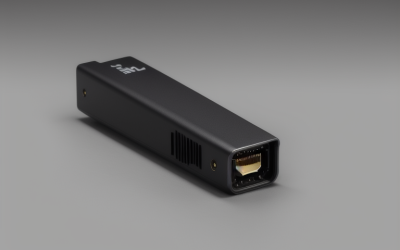
- Top Pick: 2026 Fastest WiFi Extender, WiFi Repeater, WiFi Booster, Covers Up to 10000 Sq.ft and 80 Devices, Internet Booster – with Ethernet Port, Quick Setup, Home Wireless Signal Booster
- Best Value: TP-Link AC750 WiFi Range Extender – Dual Band Cloud App Control Up to 750Mbps, One Button Setup Repeater, Internet Booster, Access Point Smart Home & Alexa Devices (RE220) (Renewed)
- Premium Choice: WiFi Extender Signal Booster: 2.4GHz WiFi Range Amplifier for Home/Office | 2026 Upgraded Internet Repeater with Ethernet Port, Range Covers Up to 9995 Sq.ft and 45+ Devices
Dead zones are rarely a router problem. They are usually a distance-and-walls problem, and a plug-in extender is the entry-level fix for the back bedroom, the garage office or the console that sits two rooms from the modem. The search for a budget extender comes with a catch, though: the listings in this category are full of enormous coverage claims, and the gap between a named networking brand and an unfamiliar one is easy to miss when every title shouts about square footage.
This guide is for people who want better signal in one or two trouble spots without replacing the router or running cable through the walls. It compares eight low-tier options based only on what each listing states, and it flags where a claim deserves skepticism. Whether the 2026 labels on some titles mean anything for real-world performance is something the spec sheet cannot answer, so the focus stays on bands, ports, device counts and setup style.
Quick Picks
As an Amazon Associate we earn from qualifying purchases at no extra cost to you.




| Product | Best for | Key spec from the title |
|---|---|---|
| FRWRJQ Fastest WiFi Extender | Wired console or TV in a far room | Ethernet port, up to 80 devices |
| TP-Link RE220 AC750 (Renewed) | Buyers who want a known networking name | Dual band, up to 750Mbps, app control |
| Auomiliya 2.4GHz Extender | Light use at home or office | 2.4GHz, Ethernet port, 45+ devices |
| VERMEYEN 1200Mbps Extender | Mid-sized homes needing 5GHz | Dual band, 1200Mbps, 5000 sq ft |
| Vahhilon Signal Booster | Plain plug-and-forget setups | 40+ devices, 9995 sq ft claim |
| NETGEAR EX5000 | Small homes, predictable behavior | AC1200, WiFi 5, 1,500 sq ft, 25 devices |
| Aodcaopul Long Range Extender | Quick installs with a wired jack | Ethernet port, 9800 sq ft claim |
| RAGOAT Wall-Mount Extender | Outbuildings and patios | Dual band 1200Mbps, 105 devices, outdoor use |
How to Choose
Dual band beats single band for gaming and video
A 2.4GHz-only extender reaches farther through walls but runs slower and shares a crowded band with microwaves and neighbors. A dual-band unit adds 5GHz, which is the band you want for streaming and console play. Check the title for “dual band” or “5GHz.” One listing here is 2.4GHz only, and several others say nothing about bands at all, which is itself informative.
Treat coverage and device claims as marketing
Coverage claims of nearly ten thousand square feet appear on small plug-in units. A useful yardstick is the NETGEAR listing, which states 1,500 square feet and 25 devices. If a comparable-looking product claims several times that, assume the figures are a best case and plan around the lower number. Device counts describe connections, not speed per device.
Look for an Ethernet port if anything is wired
A Gigabit or Fast Ethernet jack lets a console, smart TV or desktop connect directly to the extender, which is often steadier than Wi-Fi. Many titles list a port, but few specify its speed. If you plan to wire a game console, a port is more important than a headline Mbps number.
Watch where budget models cut corners
Low-tier extenders cut on documentation, app support and security updates. A recognized brand tends to mean a working setup app and firmware support; an unfamiliar one may rely on a button-only setup and no support after purchase. Renewed listings can also deliver a known brand at a smaller outlay, with the trade-off of refurbished condition.
The 8 Best Options
FRWRJQ Fastest WiFi Extender
This one targets a buyer who wants to wire a console or smart TV into an extender in a far room. The title lists an Ethernet port, quick setup and a claim of covering up to 10000 square feet and 80 devices. Plugged in halfway between the router and the far room, it gives a wired device a nearby jack instead of relying on a weak wireless link.
- Strength: Ethernet port makes it usable for a wired device.
- Strength: Quick setup is a stated feature.
- Trade-off: The title gives no band information, and the coverage claim is far above what the named-brand listings state.
Skip it if you need to know the band and speed before buying. Because the listing is silent on both, buyers who care about 5GHz should look at the VERMEYEN or RAGOAT instead, which say so outright.
TP-Link RE220 AC750 (Renewed)
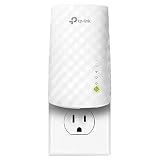
A recognized networking brand in a refurbished listing. It lists dual band, cloud app control, up to 750Mbps, one-button setup and use as an access point, with smart home and Alexa devices mentioned for compatibility. It is the smallest-footprint, most conventional choice in the group, and the app is useful for placing the unit where the signal is still healthy.
- Strength: App control and one-button setup lower the barrier for first-time users.
- Strength: Dual-band support is clearly stated.
- Trade-off: It is a renewed unit, and the AC750 label is the lowest speed tier in this group.
Skip it if you want a factory-new device or higher throughput. Households with several people streaming at once may outgrow the 750Mbps tier quickly, and anyone wary of refurbished electronics should pass.
Auomiliya 2.4GHz WiFi Extender
Aimed at home or office use where reach matters more than speed. The title states 2.4GHz, an Ethernet port and 45+ devices. It is the extender for a spare room where the goal is simply to get a phone, a tablet or a smart plug online, not to chase speed.
- Strength: The 2.4GHz band travels well through walls.
- Strength: An Ethernet port allows one wired connection.
- Trade-off: No 5GHz band means slower speeds for gaming and streaming.
Skip it if the extender will serve a gaming PC or console. The single band also shares airtime with every other 2.4GHz device in the neighborhood, so it can feel congested in dense buildings.
VERMEYEN 5G 1200Mbps Extender
One of two listings that clearly state a dual-band 1200Mbps design. It claims coverage up to 5000 square feet and 35 devices and mentions Ethernet. That makes it a sensible middle step for a two-story home where one room needs help, with a claim that is easier to believe than the five-figure numbers elsewhere.
- Strength: Dual-band 5G support is named in the title.
- Strength: The coverage claim is more modest than other unbranded listings.
- Trade-off: The brand is unfamiliar, and the title offers little detail about setup or support.
Skip it if you want a recognized networking brand. Shoppers who want an app and a clear support path may be happier with the TP-Link or NETGEAR listings.
Vahhilon WiFi Extender Signal Booster
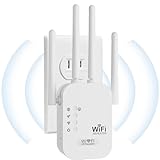
A minimal listing that states only coverage up to 9995 square feet and 40+ devices. It suits someone who wants a simple plug-in without reading a spec sheet, such as a relative setting up a bedroom at the end of the hall.
- Strength: Straightforward positioning for home use.
- Strength: A generous device count claim.
- Trade-off: No band, speed or port details appear in the title.
Skip it if you want to compare specifications before buying. With no band, speed or port information, it is the hardest listing to evaluate fairly, and buyers who like checking numbers should look elsewhere.
NETGEAR EX5000
The most conservative listing here, and the easiest to evaluate. It states up to 1,500 square feet, 1.2Gbps, 25 devices, WiFi 5, AC1200, compatibility with any router and a compact design. For an apartment or a one-story house with a single weak corner, that is the profile that matches reality.
- Strength: Realistic coverage figures from a known networking brand.
- Strength: Works with any router, per the title.
- Trade-off: Covers far less area than the unbranded claims suggest.
Skip it if your home is large and you want a single unit to cover it. The smaller footprint is the point, so larger layouts will need either a second unit or a different approach such as mesh.
Aodcaopul Long Range WiFi Extender
A white plug-in aimed at people who want a quick install. It lists an Ethernet port, quick setup and coverage up to 9800 square feet. It suits a renter who wants to plug it in, follow a short guide and connect a streaming box through the jack.
- Strength: Ethernet port is included.
- Strength: Quick setup is a stated feature.
- Trade-off: Band and speed are unspecified.
Skip it if you need dual band confirmed. The listing leaves out the band, the Mbps tier and the device count, so shoppers who prefer detailed specs will find little to compare.
RAGOAT Wall-Mount WiFi Extender
The only listing here built for home and outdoor use, with a wall-mount design. It lists dual band 5GHz/2.4GHz, 1200Mbps, coverage up to 12880 square feet and 105 devices. It makes sense for a detached garage, a workshop or a covered patio where signal has to cross open ground.
- Strength: Dual band and outdoor suitability are both named.
- Strength: A wall-mount form can sit high and clear of furniture.
- Trade-off: The coverage and device claims are the largest on the page and should be read cautiously.
Skip it if you only need an outlet-mounted unit for one room. The mounting hardware is wasted on a simple living-room fix, and the headline numbers should be treated as a best-case scenario rather than a promise.
Which One Fits Your Situation
You want to wire a console in a far room
Choose the FRWRJQ extender or the Aodcaopul, since both list an Ethernet port. Prefer the FRWRJQ if the larger device count matters, and the Aodcaopul if you would rather keep the setup short and plain.
You live in a small apartment or one floor
The NETGEAR EX5000 fits, as its stated range matches a small space and it names a clear Wi-Fi standard.
You need coverage for a patio or workshop
The RAGOAT is the only listing built for outdoor use, and its wall-mount form lets you place it high on an exterior wall or garage post. Keep the router signal strong at the mounting point, because an extender cannot repair a link that is already barely there.
You want a known brand at a lower tier
The renewed TP-Link RE220 fits, as long as 750Mbps is enough for your plan.
Common Mistakes
- Placing the extender at the dead spot instead of halfway between the router and the dead zone.
- Believing square-footage claims without checking the band.
- Assuming a device count means each device gets full speed.
- Skipping the Ethernet port when you plan to wire a console.
- Leaving the extender on its default name and password.
Related guides
- Aio Liquid Coolers For High Performance Gaming
- How To Lower Input Delay In Competitive Shooters
- Wireless Gaming Headsets Under 100 For Pc
Frequently Asked Questions
Where should I plug in an extender?
Plug it in where the router signal is still strong, usually halfway to the dead zone. If it sits in the dead zone, it can only repeat a weak signal.
Will an extender cut my speed?
Single-radio extenders often reduce throughput because they use one band to talk to the router and to your devices. Dual-band units and wired connections limit that effect.
Is a 2.4GHz extender enough?
For browsing and smart-home devices, yes. For gaming, video calls and streaming, a dual-band model with 5GHz is a better fit.
Is a mesh system better than an extender?
Mesh systems handle large homes more smoothly, but they sit in a higher budget tier. An extender is a reasonable first step for one trouble spot.