

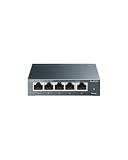
- Top Pick: TP-Link 8 Port Gigabit Ethernet Network Switch – Ethernet Splitter | Plug & Play | Fanless | Sturdy Metal w/ Shielded Traffic Optimization | Unmanaged | Lifetime Protection (TL-SG108)
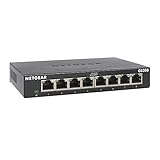
- Best Value: NETGEAR 8-Port Gigabit Ethernet Unmanaged Network Switch (GS308) | Home Network Hub, Office Ethernet Splitter, Plug-and-Play, Silent Operation, Desktop or Wall Mount, Essentials Model
- Premium Choice: TP-Link TL-SG108S-M2, 8-Port Multi-Gigabit 2.5G Unmanaged Ethernet Switch | Multi Gigabit Network Switch, Ethernet Splitter, Plug & Play, Desktop/Wall Mount, Silent Operation
Count the cables behind your desk. A console, a gaming PC, a NAS and a streaming box all want a wired connection, and the router in the hallway offers four ports at most. A gigabit switch fixes that in one move, and in 2026 it is still the cheapest way to turn a crowded wall jack into a proper wired network. The decision is less about speed, since every unit here handles gigabit links, and more about port count, management features and power delivery.
This guide is for gamers and home-office users who want a quiet box that disappears under the desk. The ten picks split into plain unmanaged switches, Easy Smart managed models that add VLAN and QoS controls, one multi-gigabit unit, and one PoE model for cameras and access points. Read the Key spec column to find your lane, then use the sections below to confirm the details before you buy.
Quick Picks
As an Amazon Associate we earn from qualifying purchases at no extra cost to you.



| Product | Best for | Key spec from the title |
|---|---|---|
| TP-Link TL-SG108 | Simple metal desktop switch | 8 ports, fanless, unmanaged |
| NETGEAR GS308 | Plug-and-play home hub | 8 ports, silent operation |
| TP-Link TL-SG108S-M2 | Fast NAS and 2.5G devices | 8-port multi-gigabit 2.5G |
| NETGEAR GS308E | Managed features on a budget | Easy Smart managed, 8 ports |
| TP-Link TL-SG108E | Traffic control for gaming | QoS, VLAN, IGMP, LAG |
| Tenda SG108 | Low-cost wall-mount setups | 8 ports, LED, fanless |
| TP-Link LS108GP | Cameras and access points | 8 PoE+ ports, 62W |
| D-Link DGS-108 | Media and gaming corners | 8 ports, energy saving |
| NETGEAR GS305 | Small desks | 5 ports, silent |
| TP-Link TL-SG105 | Minimal metal 5-port | 5 ports, shielded ports |
How to Choose
Pick the port count with spare room
Add up every wired device, then add two. A console, PC, NAS and printer already fill four ports, and the uplink to your router uses one more. Five-port models suit a single desk; eight ports give breathing room for a TV, a streaming box and a future upgrade without buying again. Ports are cheap, but running out of them means replacing the whole box.
Decide between unmanaged and Easy Smart managed
Unmanaged switches work the moment you plug them in and need no setup. Easy Smart managed models, such as the GS308E and TL-SG108E, add a web interface for VLANs, QoS and link aggregation, which helps if you want to prioritize game traffic or separate a guest network. If you never open a settings page, skip the premium and keep things simple.
Check the speed class and the uplink
Gigabit means 1000Mbps per port, which saturates most home internet plans and every console. The TL-SG108S-M2 is multi-gigabit at 2.5G, useful only if you also own 2.5G devices and the right cabling. Cat5e handles gigabit; Cat6 is safer for longer runs and for 2.5G links. A fast switch behind a slow router still runs at the router’s pace.
Watch power and noise
Fanless metal bodies stay silent. A PoE switch needs a power budget that covers all connected devices, and the LS108GP lists 62W. Cheap models cut corners with plastic cases, missing LEDs or no wall-mount holes, so confirm the mounting option if you want the switch off the desk and out of sight.
What to ignore: marketing phrases like “traffic optimization” tell you little by themselves, and an energy-saving label changes very little on a device this small. Focus on port count, management level and body material, because those three facts decide whether the switch still fits your setup two years from now.
The 10 Best Options
TP-Link TL-SG108
An eight-port unmanaged switch in a sturdy metal body with shielded ports and traffic optimization, aimed at buyers who want a durable desktop box with zero configuration. Lifetime protection is mentioned in the listing, a useful sign for something that will sit behind a desk for years.
- Fanless design means it makes no noise.
- Metal housing with shielded ports.
- Trade-off: no management interface, so no VLAN or QoS controls.
Skip it if you want to prioritize game traffic or segment your network. It is the pick for people who never want to open a settings page.
NETGEAR GS308
A plug-and-play eight-port unmanaged switch from the Essentials line, marketed as a home network hub and office Ethernet splitter. It suits users who want a recognizable brand and flexible desktop or wall-mount placement.
- Silent operation is listed, which matters in a bedroom or studio.
- Desktop or wall mount flexibility.
- Trade-off: unmanaged, so no traffic controls.
Skip it if you need QoS or VLANs. Buyers who want the same footprint with a settings page should look at the GS308E below.
TP-Link TL-SG108S-M2
An eight-port multi-gigabit 2.5G unmanaged switch, which makes it the odd one out in a gigabit roundup. It is for users with a 2.5G NAS, motherboard or router who want those links to run above gigabit speed instead of being capped.
- 2.5G support is listed in the title.
- Desktop or wall mount with silent operation.
- Trade-off: the speed benefit only appears when devices and cables support it.
Skip it if all your gear is gigabit, since a standard switch asks less of your budget and does the same job.
NETGEAR GS308E
An eight-port Easy Smart managed switch that adds a web interface to the Essentials formula. It fits users who want to try VLANs or QoS without moving to a business-class unit, and who still want desktop or wall placement.
- Easy Smart managed features in a small box.
- Silent operation with flexible mounting.
- Trade-off: management adds a learning curve you may never use.
Skip it if you want a switch you can forget about the day it arrives. The plain GS308 is the calmer choice.
TP-Link TL-SG108E
The feature-rich pick: Easy Smart managed with QoS, VLAN, IGMP and LAG support in a sturdy metal body with shielded ports. Gamers who share a connection with streamers or remote workers can shape traffic here instead of hoping for the best.
- QoS, VLAN, IGMP and LAG are all named in the title.
- Metal build with plug-and-play basics.
- Trade-off: more settings means more ways to misconfigure.
Skip it if you only need extra ports and nothing more, because the unmanaged TL-SG108 covers that for less.
Tenda SG108
An eight-port unmanaged switch with LED indicators, wall-mount support and a fanless quiet body, aimed at laptop, router, PC and NAS setups on a tight budget. The LEDs make dead links easy to spot at a glance.
- Fanless and quiet.
- Wall-mount design frees desk space.
- Trade-off: the title does not mention a metal case or shielded ports.
Skip it if you want the build assurances that the metal-bodied competitors state outright.
TP-Link LS108GP
An eight-port PoE+ gigabit switch with a listed 62W, Extend Mode and PoE auto recovery. It targets people powering security cameras, access points or VoIP phones from a single box rather than hunting for separate adapters.
- PoE+ on all eight ports with auto recovery.
- Silent operation with desktop or wall mount.
- Trade-off: it is overbuilt for a desk that only holds a PC and a console.
Skip it if no device on your network draws power over Ethernet.
D-Link DGS-108
An eight-port unmanaged switch pitched at office, media or gaming use, with a fanless metal body, shielded ports, traffic optimization and energy saving. It suits a media cabinet where a quiet, low-fuss box matters most.
- Fanless metal construction.
- Energy saving is noted in the listing.
- Trade-off: no managed features.
Skip it if you want VLAN or QoS controls. Pair it with a good router instead if traffic shaping is the goal.
NETGEAR GS305
A five-port unmanaged switch from the Essentials line with silent operation and desktop or wall mounting. It is for a single desk with a console, a PC and a couple of extras, where eight ports would be wasted.
- Compact five-port footprint.
- Plug-and-play with silent operation.
- Trade-off: five ports run out quickly once the uplink is counted.
Skip it if you expect to add devices later, since an eight-port model future-proofs the setup.
TP-Link TL-SG105
A five-port gigabit unmanaged switch with a fanless metal design, shielded ports and traffic optimization, aimed at small desks that want durable construction without paying for ports they will not use.
- Metal case with shielded ports.
- Fanless and plug and play.
- Trade-off: only five ports in total.
Skip it if you already own more than four wired devices, or if a NAS and printer are on the way.
Which One Fits Your Situation
A single gaming desk
The TP-Link TL-SG105 covers a PC, console and one extra with a metal body and no noise, and it takes almost no room next to the monitor stand. If a printer or NAS is likely to join later, step up to the NETGEAR GS308 for the extra ports.
Prioritizing game traffic in a busy home
The TP-Link TL-SG108E lists QoS and VLAN support, which lets you shape traffic on a busy household connection. The NETGEAR GS308E is the alternative if you prefer that brand. Either way, expect to spend a few minutes in the web interface the first time, and write down the settings you change.
Cameras and access points
The TP-Link LS108GP powers PoE devices directly, saving separate adapters and extra outlets near the ceiling or the garage. Add up the wattage each camera or access point needs and compare it with the listed 62W before you commit.
A NAS and a 2.5G upgrade path
The TP-Link TL-SG108S-M2 lets a 2.5G NAS and a 2.5G desktop talk faster than gigabit while older devices keep working, which is the sensible way to prepare for a faster network without replacing everything at once.
Common Mistakes
- Buying five ports when the uplink to the router already uses one, leaving only four for actual devices.
- Paying for managed features that never get configured.
- Expecting 2.5G speeds without 2.5G devices and matching cabling.
- Ignoring the PoE power budget when adding several cameras.
- Plugging a switch into itself or into the same router twice, which creates a loop.
Related guides
- Aio Liquid Coolers For High Performance Gaming
- How To Lower Input Delay In Competitive Shooters
- Wireless Gaming Headsets Under 100 For Pc
Frequently Asked Questions
Will a switch slow my internet?
A gigabit switch handles any home internet plan up to one gigabit. Slowdowns usually come from old cables, a congested wireless link or the router, not the switch itself. If a wired device feels slow, swap its patch cable first and check that the port light shows a gigabit link.
Do I need a managed switch for gaming?
Not for most setups. Unmanaged units work immediately, while QoS on a model like the TL-SG108E only helps if several people compete for bandwidth at once.
Can I chain two switches?
Yes. Connect one port from each with a single cable, and avoid linking them twice, which creates a loop unless link aggregation is configured on both sides. Keep the chain short, because every extra hop adds a small delay and one more box that can fail.
Is Cat5e good enough?
For gigabit, yes. Choose Cat6 when you want a longer run or plan to use the 2.5G model, since the better cable leaves more margin. Old, kinked or unlabeled cables are a more common cause of dropped speeds than the switch.















