

- Top Pick: OKN WiFi 6E AX5400 PCIe WiFi Card for Desktop PC (Intel AX210) Bluetooth 5.3, WPA3, 802.11AXE Tri Band Wireless Adapter with MU-MIMO, OFDMA, Ultra-Low Latency, Supports Windows 11, 10 (64bit)
- Best Value: WiFi 6E AX210 WiFi Card,PCIe WiFi Wireless Network Card with Bluetooth 5.3,AX5400 Tri-Band PC Wireless Card,Supports OFDMA & MU-MIMO, Ultra-Low Latency, WPA3, Low-Profile Bracket, Windows 10/11
- Premium Choice: GIGABYTE WiFi 6E GC-WBAX210 (2×2 802.11ax/ Tri-Band WiFi/Bluetooth 5.2/ PCIe Expansion Card)
A desktop with no wireless of its own is a common state of affairs: the motherboard has plenty of USB and M.2 slots but no antenna, and the router is two rooms away from where the PC lives. A PCIe WiFi card is the cleanest fix, because it plugs into a slot, carries its antennas outside the case and does not take up a USB port. It also lets you leave a long Ethernet run behind without giving up fast wireless gaming.
This guide is for desktop owners who want WiFi 6E and Bluetooth in one card. Every pick is judged only on what its listing title states: chipset, band support, Bluetooth version, operating system compatibility and extras like a heatsink. As of 2026 almost every card here uses an Intel AX210 or a Realtek alternative, so the real differences come down to chipset naming, Bluetooth version and how plainly the listing states its requirements.
Quick Picks
As an Amazon Associate we earn from qualifying purchases at no extra cost to you.


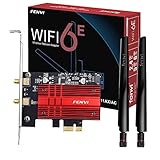


| Product | Best for | Key spec from the title |
|---|---|---|
| OKN AX5400 | Intel-based WiFi 6E | Intel AX210, BT 5.3, WPA3 |
| Generic AX210 Card | Plain tri-band card | AX5400, BT 5.3, OFDMA, MU-MIMO |
| GIGABYTE GC-WBAX210 | Brand-name hardware | 2×2 802.11ax, BT 5.2 |
| BZIZU Intel AX210 | Simple Intel option | 5400Mbps, BT 5.3 |
| FENVI FV-AXE3000 | Clear OS and router notes | AX210NGW, needs WiFi 6E router |
| Ubit WiFi Card 6E | Windows 10 and 11 | 6GHz, 5GHz, 2.4GHz, BT 5.3 |
| Cudy WE3000S | Heatsink included | Heatsink, 2402+574 Mbps |
| Ubit AX210 | Windows 11 and 10, 64-bit | 5400Mbps, 64-bit only |
| FENVI RTL8852CE | Non-Intel chipset | Realtek, 160MHz channel, WPA3 |
How to Choose
Chipset: Intel AX210 or Realtek
The Intel AX210 is the common choice for WiFi 6E cards, and it is widely supported by both Windows and Linux. Realtek alternatives exist, but driver support can differ across operating systems. If you dual boot, confirm that the chipset named in the listing works with every system you use before you buy. Titles that spell out a model such as AX210NGW are easier to verify than those that only say “WiFi 6E”.
Band Support and Router Requirements
WiFi 6E adds the 6GHz band, but you only get it with a WiFi 6E router. On a standard WiFi 6 or older router the card still works on 5GHz and 2.4GHz. The 5400Mbps figure seen in titles is a combined theoretical maximum across bands, not a speed any single connection reaches in practice.
Bluetooth Version and Antenna Setup
Bluetooth 5.3 is the newer standard listed here, while 5.2 is still fine for headsets and controllers. Most cards route Bluetooth through an internal USB header cable, so make sure your motherboard has a free header. External antennas improve range, but only if they sit outside the metal case, ideally on the desk rather than behind the tower.
Operating System and Where Budget Models Cut Corners
Some listings say Windows 10 and 11 64-bit only. Budget cards often cut corners on antenna quality, heat dissipation and documentation. A heatsink, a named chipset and clear OS compatibility are good signs, while vague claims about gaming speed tell you very little. Also confirm you have a free PCIe slot that is not blocked by a large graphics card, since the card and its antenna leads need clear access to the rear bracket.
The 9 Best Options
OKN WiFi 6E AX5400 PCIe Card
A tri-band card built around the Intel AX210, with Bluetooth 5.3 and WPA3 listed in the title. It is aimed at desktop owners who want current wireless security and a well-known chipset without paying for a motherboard-maker logo.
- The Intel AX210 chipset is named, which helps with driver support.
- Tri-band support, MU-MIMO and OFDMA are all listed.
- Trade-off: the listing says nothing about a heatsink or antenna build.
Skip it if you want a recognizable brand or a heatsink stated up front. Buyers who read warranty terms before ordering will find more to go on with a better-known label.
WiFi 6E AX210 PCIe Wireless Card With Bluetooth 5.3
A generic tri-band AX5400 card that lists Bluetooth 5.3, OFDMA and MU-MIMO. It is a basic choice for anyone who wants WiFi 6E and Bluetooth in a single slot and does not care whose name is on the box.
- The tri-band AX210 specification is clearly stated.
- Bluetooth 5.3 suits current headsets and controllers.
- Trade-off: generic branding means less visible support information.
Skip it if you prefer a recognizable manufacturer standing behind the card. Without a model number to search, finding drivers and manuals may take extra effort after installation.
GIGABYTE WiFi 6E GC-WBAX210
A brand-name option described as 2×2 802.11ax tri-band with Bluetooth 5.2, built for buyers who value a known motherboard maker. The model number in the title makes it easy to look up drivers and manuals.
- Brand-name hardware with a clear model number.
- A 2×2 tri-band 802.11ax design is stated.
- Trade-off: Bluetooth 5.2 is one step behind the 5.3 cards in this group.
Skip it if you want the newest Bluetooth version listed on the box. Bluetooth 5.2 handles headsets and controllers well, but it is still the older of the two versions on offer.
BZIZU WiFi 6E PCIe Card, Intel AX210
A concise listing built on the Intel AX210 chipset, with 5400Mbps and Bluetooth 5.3 for desktop PCs. There is little marketing fluff, which makes the specs easy to read at a glance.
- Intel AX210 naming makes the card easy to research.
- Bluetooth 5.3 is included.
- Trade-off: the title mentions no heatsink, OS notes or other extras.
Skip it if you want operating system details or cooling spelled out before buying. The listing is short on detail, which leaves more for you to verify yourself.
FENVI FV-AXE3000 WiFi 6E AX210 Desktop Card
The most upfront listing in the group: it names the AX210NGW module, Windows 11 and 10 64-bit support, and states that a WiFi 6E router is required for 6GHz. That honesty is its main selling point.
- Operating system and router requirements are spelled out.
- Tri-band 5400Mbps and Bluetooth 5.3 are listed.
- Trade-off: only Windows 11 and 10 64-bit are named.
Skip it if you run Linux and want explicit support information in the listing. Anyone running a different operating system should confirm driver availability first.
Ubit WiFi Card 6E 5400Mbps for Intel
A card covering 6GHz, 5GHz and 2.4GHz, with Bluetooth 5.3 and Windows 10 and 11 support. The wording leans on low latency and OFDMA, which suits a competitive gamer on a busy home network.
- All three bands are clearly stated.
- OFDMA and low-latency wording are included.
- Trade-off: no heatsink or chipset module number appears in the title.
Skip it if cooling or an exact module name matters to you. A compact case with several hot components would call for a model that mentions cooling.
Cudy WiFi 6E PCIe Adapter AX5400 (WE3000S)
The only listing here that mentions a heatsink, built on the Intel AX210 with Bluetooth 5.3. That makes it a sensible pick for a compact case where air does not move much around the expansion slots, and it is the one whose title most directly addresses heat.
- A heatsink is stated in the title.
- Speeds are listed as 2402+574 Mbps, with 6GHz support.
- Trade-off: that speed figure covers only two bands, so it reads differently from the 5400 labels.
Skip it if comparing mixed speed figures across listings feels like a chore. The other cards use the combined 5400 figure, so a quick side-by-side needs a little arithmetic.
Ubit AX210 WiFi 6E PCIe Wireless Card
Lists up to 5400Mbps across 6GHz, 5GHz and 2.4GHz, Bluetooth 5.3, OFDMA and MU-MIMO. It positions itself as a plain AX210 card for Windows desktops, a close cousin of the other Ubit listing but with a stricter operating system note.
- Tri-band support is stated clearly.
- MU-MIMO and OFDMA are both named.
- Trade-off: the title says Windows 11 and 10 64-bit only.
Skip it if you use 32-bit Windows or plan to run Linux on the same machine. A dual-boot builder is better off choosing a card with broader operating system notes.
FENVI WiFi 6E PCIe Card, RTL8852CE
A non-Intel option built on the Realtek RTL8852CE, with 160MHz channel support, MU-MIMO and WPA3. It is the pick for anyone specifically shopping for an alternative to the AX210.
- A 160MHz channel width is listed.
- The chipset is named, along with WPA3 security.
- Trade-off: a Realtek chipset may have different driver support from Intel cards.
Skip it if you want the widely supported Intel AX210 platform. Linux users in particular tend to prefer the chipset with the longest track record in driver support.
Which One Fits Your Situation
Windows 11 Gaming Desktop
The FENVI FV-AXE3000 spells out its requirements, which reduces guesswork for a straightforward Windows build with a WiFi 6E router. It is also a good choice for anyone who wants to double-check compatibility before the box arrives. Its Windows-only wording is a feature here, because it tells you the limit up front instead of hiding it.
Compact Case With Little Airflow
The Cudy WE3000S is the listing that states a heatsink, which counts for more when slots sit close to a hot graphics card. Other listings here make no cooling claim, which does not mean they run hot, only that nothing in the title says otherwise.
Brand-Name Preference
The GIGABYTE GC-WBAX210 is the named choice, with the trade-off of Bluetooth 5.2 instead of 5.3. It also suits people who simply trust a motherboard maker over an anonymous label.
Wanting Something Other Than Intel
The FENVI RTL8852CE offers Realtek hardware, while the OKN, BZIZU and Ubit cards stay with Intel. If you are unsure, the Intel cards carry the lower risk of driver surprises across operating systems.
Common Mistakes
- Expecting 6GHz speeds without a WiFi 6E router.
- Treating the 5400Mbps label as a real-world speed for one connection.
- Forgetting that Bluetooth usually needs a free internal USB header cable, and discovering the header is already used by a fan controller or RGB hub.
- Leaving antennas inside the metal case, where range suffers.
- Ignoring operating system compatibility on a dual-boot machine, then finding no driver for the second system.
Related guides
- Aio Liquid Coolers For High Performance Gaming
- Wireless Gaming Headsets Under 100 For Pc
- Ssds For Large Video And Raw Photo Files
Frequently Asked Questions
Do I need a WiFi 6E router?
Only for the 6GHz band. Without one, the card still connects on 5GHz and 2.4GHz and works as a normal WiFi 6 adapter. Upgrading the router later unlocks the 6GHz band without replacing the card.
Is Bluetooth included?
Yes, every card reviewed here lists Bluetooth in its title, with version 5.3 on most and 5.2 on the GIGABYTE model. The FENVI Realtek listing does not state a Bluetooth version, so check before assuming.
What does 5400Mbps actually mean?
It is a combined theoretical figure across the bands. A single device on a single connection will see a fraction of that number, and distance, walls and router quality all shape the result.
Should I choose Intel or Realtek?
Intel AX210 cards are the more common option and widely supported. A Realtek card can work too, but check driver support first, especially if you plan to use the machine with more than one operating system or want Bluetooth to behave on the first boot.















