

- Top Pick: Cisco MX68W-HW Meraki MX68W 802.11ac Router/Security Appliance w/ Power Adapter [Unclaimed & No License] (Renewed)
- Best Value: ASUS AC1900 Wireless Dual Band (5GHz + 2.4GHz) Gigabit Wi-Fi Router [RT-AC68U] Ultra-Fast 802.11ac 1900 Mbps Speed, 5X Gigabit LAN Ports, Broadcam TurboQAM Wi-Fi Acceleration, AiProtection Security
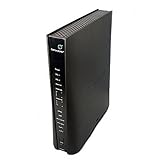
- Premium Choice: CenturyLink Prism TV Technicolor C2100T 802.11AC Modem Router Gigabit DSL Fiber 2.4/5GHz
Searching for an 802.11ac router in 2026 is a different decision than shopping for the newest standard. The label means a router built around the Wi-Fi 5 generation: 5 GHz radios, wide channels, and multi-user features that still cover most apartments, dorm rooms, and small offices. Plenty of capable hardware in this class is sold renewed, bundled with an internet provider, or aimed at business and mobile deployments, so the hard part is sorting the models that match your connection from the ones that only share a standard.
This guide is for buyers who already know they want 802.11ac: people replacing a failed router, building a budget gaming setup, wiring a small branch location, or reusing a cable or DSL line that does not justify a Wi-Fi 6 upgrade. Every pick below is judged only on what its listing states, so read each trade-off against your own line type, port needs, and tolerance for hardware that arrives refurbished or locked to a carrier.
Quick Picks
As an Amazon Associate we earn from qualifying purchases at no extra cost to you.




| Product | Best for | Key spec from the title |
|---|---|---|
| Cisco Meraki MX68W (Renewed) | Managed small-office networks | 802.11ac router and security appliance |
| Teltonika RUTM50 | Cellular failover or no wired line | 5G SA/NSA, 802.11ac, 3.4 Gbps |
| ASUS RT-AC68U | All-round home use | AC1900, five gigabit LAN ports |
| Technicolor C2100T | CenturyLink DSL or fiber lines | Modem router, gigabit, 2.4/5 GHz |
| MikroTik RB922UAGS-5HPacD | Advanced routing tinkerers | 802.11ac, SFP, PoE, USB, OSL4 |
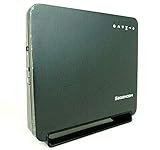
| Sagemcom F@st 5260 | Simple wired plus wireless setups | Dual band, four gigabit Ethernet ports |
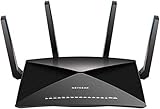
| Netgear Nighthawk X10 (Renewed) | Media-heavy households | AD7200, quad-core 1.7 GHz, Plex |
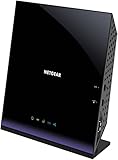
| Netgear D6400 | DSL users wanting one box | AC1600 VDSL/ADSL modem router |
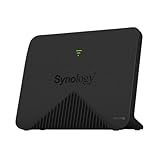
| Synology MR2200ac | Mesh-style home expansion | IEEE 802.11ac wireless router |
How to Choose
Match the router to the line coming into the building
A modem router combines both jobs and only works with the connection type it supports. The Netgear D6400 lists VDSL/ADSL, and the Technicolor C2100T lists DSL and fiber, so those are tied to specific providers. A plain router needs a separate modem or an ONT feeding it Ethernet. Confirm what your provider delivers before you pick a form factor.
Read the speed class, then discount it
Labels like AC1600 and AC1900 add the theoretical speeds of two bands together, so no single device will see that figure. Treat AC1900 as a step above AC1600, and treat the 3.4 Gbps figure on the Teltonika as a ceiling shared across radios. For a household with fewer than ten active devices, either class is enough; heavy 4K streaming and large downloads are where the higher classes help.
Count ports and special connectors
Four gigabit LAN ports fill up fast with a console, a desktop, a printer, and a network storage box. The ASUS lists five, the Sagemcom four. Business-oriented models add an SFP cage or PoE for cameras and access points, as the MikroTik does. Skip features you will never plug anything into, and remember that a switch can always add ports later, while a missing SFP or PoE option cannot be bolted on after the fact.
Know where budget and renewed models cut corners
Renewed listings can be a fine way into premium hardware, but check the return window and whether a power adapter ships with it. Managed enterprise gear may need a cloud license before it behaves like a normal router. Carrier-branded units can hide advanced settings. Ignore marketing terms like turbo acceleration unless the spec sheet backs them up, and look for plain, checkable details such as band support, port counts, and the firmware or license notes in the listing.
The 9 Best Options
Cisco Meraki MX68W (Renewed)
This is a router and security appliance with 802.11ac built in, sold renewed with a power adapter. It suits a small office or a technically comfortable home user who wants a business-class gateway rather than a typical consumer box.
- Strength: combines routing, security features, and Wi-Fi in a single appliance.
- Strength: the listing includes a power adapter, so setup needs no extra purchase.
- Trade-off: the title says unclaimed and no license, so cloud management may be limited until licensing is sorted out.
Skip it if you want plug-in simplicity or do not want to deal with licensing questions.
Teltonika RUTM50
The RUTM50 is a 5G router with Wi-Fi, listing 802.11ac/abgn, a 3.4 Gbps figure, and support for both 5G standalone and non-standalone modes in a North America version. It is aimed at people who need an internet source without a wired line, or a backup path for a site that cannot afford downtime.
- Strength: 5G SA/NSA support gives it flexibility across carrier network types.
- Strength: 802.11ac Wi-Fi is built in, so no extra access point is required.
- Trade-off: it needs a compatible SIM and data plan, which adds an ongoing recurring commitment.
Skip it if you already have a stable cable or fiber connection and only want a Wi-Fi router.
ASUS RT-AC68U
This AC1900 dual-band model lists five gigabit LAN ports, TurboQAM acceleration, and AiProtection security. It is the straightforward choice for a household that wants a familiar, full-featured router without carrier lock-in.
- Strength: five gigabit LAN ports leave room for several wired devices.
- Strength: AiProtection security is listed alongside dual-band 2.4 and 5 GHz radios.
- Trade-off: it is a router only, so you still need your own modem.
Skip it if your line is DSL and you want the modem built in.
Technicolor C2100T (CenturyLink Prism TV)
The C2100T is a modem router listing gigabit Ethernet, DSL and fiber support, and 2.4/5 GHz radios. It makes sense for someone already on CenturyLink who is replacing or adding a unit that matches that service.
- Strength: modem and router in one device keeps the desk tidy.
- Strength: dual-band 802.11ac covers both older and newer devices.
- Trade-off: the Prism TV branding signals provider-specific use, so it may not work on other networks.
Skip it if you are with a different provider or may switch soon.
MikroTik RB922UAGS-5HPacD
This US version RouterBOARD lists 802.11ac, 128MB of memory, one SFP port, PoE, USB, and an OSL4 license. It is a bare-bones, highly configurable board for network hobbyists and installers who like building their own rules.
- Strength: the SFP port and PoE support open doors that consumer routers close.
- Strength: the OSL4 listing points to a full-featured RouterOS license tier.
- Trade-off: it is a RouterBOARD, so expect a steep configuration curve and possibly no enclosure.
Skip it if you want a router you can set up from a phone app in five minutes.
Sagemcom F@st 5260
The F@st 5260 is a dual-band 802.11ac wireless router with four gigabit Ethernet ports. It fits a simple home setup where a few wired devices and a handful of wireless ones share the connection.
- Strength: four gigabit LAN ports handle a typical desk setup.
- Strength: dual-band radios give you a separate 5 GHz network for faster devices.
- Trade-off: the title lists no extra features such as security suites or storage support.
Skip it if you need USB sharing, an SFP uplink, or advanced management tools.
Netgear Nighthawk X10 AD7200 (Renewed)
The X10 lists 802.11ac/ad quad-stream Wi-Fi, a 1.7 GHz quad-core processor, a Plex Media Server feature, and Alexa compatibility. It targets media-focused homes where many devices stream at once and a strong processor matters.
- Strength: quad-core processing and quad-stream radios are aimed at crowded networks.
- Strength: Plex Media Server support turns it into a media source.
- Trade-off: it is a renewed unit, so confirm condition and return terms.
Skip it if your home is small and you do not stream media across many rooms.
Netgear D6400 AC1600 Modem Router
This unit pairs a VDSL/ADSL modem with an AC1600 dual-band 802.11ac gigabit router. It is meant for DSL households that want a single box in place of a separate modem and router.
- Strength: built-in VDSL/ADSL modem simplifies a DSL setup.
- Strength: dual-band gigabit design covers wired and wireless needs.
- Trade-off: it only suits DSL, so it is a poor fit for cable or fiber.
Skip it if your internet arrives over cable or fiber.
Synology MR2200ac
The MR2200ac is listed as an IEEE 802.11ac wireless router with Ethernet. It fits households that already use Synology gear or want a tidy device to extend coverage across a larger space.
- Strength: the 802.11ac standard is stated plainly, with no confusing branding.
- Strength: Ethernet connectivity supports wired backhaul and local devices.
- Trade-off: the title offers few details, so verify ports and features on the full listing.
Skip it if you want a long spec list visible before you buy.
Which One Fits Your Situation
You are on cable or fiber and want an easy upgrade
The ASUS RT-AC68U is the practical default. Five gigabit ports and a familiar feature set mean it slots in behind almost any modem or ONT. For a larger, media-heavy home, the Netgear Nighthawk X10 stands out on paper for its quad-core processor, quad-stream design, and Plex Media Server mention, while the Sagemcom F@st 5260 or Synology MR2200ac keeps a modest network simple.
You live on a DSL line
The Netgear D6400 combines the modem and the router, which removes a device from the shelf. If you are on CenturyLink specifically, the Technicolor C2100T is built for that provider.
You have no wired internet or need a backup
The Teltonika RUTM50 is the only pick here that lists 5G, which makes it the obvious option for cellular failover or temporary sites.
You want to build something custom
Choose the MikroTik RB922UAGS-5HPacD for its SFP port, PoE, and OSL4 listing. A small office with managed security needs may lean toward the Cisco Meraki MX68W instead, as long as the licensing situation is clear before the order goes in.
Common Mistakes
- Assuming an AC1900 or AC1600 label is the speed one device will see.
- Buying a modem router without checking whether it supports your line type.
- Ignoring license or activation notes on managed business hardware.
- Choosing a carrier-branded unit and expecting it to work on any network.
- Forgetting that a router-only model still needs a separate modem.
Related guides
- Aio Liquid Coolers For High Performance Gaming
- How To Lower Input Delay In Competitive Shooters
- External Hard Drives For Music Production
Frequently Asked Questions
Is 802.11ac still worth buying today?
For homes with modest internet connections and a mix of older and newer devices, yes. It covers streaming, video calls, and gaming comfortably. Newer standards matter most in dense households with many simultaneous devices.
Does 802.11ac work on both bands?
The 802.11ac standard itself applies to the 5 GHz band. Dual-band routers add a 2.4 GHz network for older gear, which is why most listings here mention both.
Are renewed routers a safe choice?
They can be, especially for older high-end models. Check the seller’s return policy and whether the original power adapter is included.
Do I need a modem router or a plain router?
Choose a modem router only if it matches your line type exactly, such as DSL. If your provider supplies a modem or you own one, a plain router gives you more flexibility.















