

- Top Pick: TP-Link AX1800 WiFi 6 Router (Archer AX21 V5) | Dual Band Wireless Internet, Gigabit, Easy Mesh, Works with Alexa – A Certified for Humans Device
- Best Value: TP-Link AC1200 Gigabit Dual Band WiFi Router (Archer A6) | MU-MIMO Wireless Internet Router, 4 x Antennas, OneMesh and AP Mode, Long Range Coverage
- Premium Choice: NETGEAR Nighthawk WiFi 6 Router R6700AX, Up to 1,500 sq ft, 1.8 Gbps | Reliable Performance, Easy Set Up, 20 devices, 4× Gigabit Ports, Dual Band, AX1800
Most Spectrum households start with a rented router that works well enough until the first video call stutters or the game console starts lagging in the back bedroom. Swapping in your own router is the usual fix, and Spectrum’s cable service is friendly to that move because a standalone router can sit behind the modem you already use. The real decision is therefore not whether a router will connect, but how much Wi-Fi standard, wired speed, and coverage your plan and your devices can actually use.
This 2026 guide is for subscribers on everything from basic internet tiers to Gigabit-class plans, and for gamers who want to wire a console or PC at full speed. The nine routers below cover Wi-Fi 5 up through Wi-Fi 7, plus one modem router combo for people who want to retire the rented gear completely. Each pick is judged on what its listing states about standards, ports, and coverage.
Quick Picks
As an Amazon Associate we earn from qualifying purchases at no extra cost to you.






| Product | Best for | Key spec from the title |
|---|---|---|
| TP-Link Archer AX21 | Entry-level Wi-Fi 6 | AX1800, gigabit, EasyMesh |
| TP-Link Archer A6 | Basic households | AC1200, MU-MIMO, 4 antennas |
| NETGEAR Nighthawk R6700AX | Apartments and mid-size homes | AX1800, up to 1,500 sq ft, 20 devices |
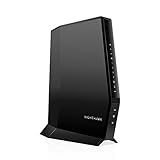
| NETGEAR Nighthawk CAX30 | Replacing modem and router together | DOCSIS 3.1, Wi-Fi 6, 2.7 Gbps |
| TP-Link Archer BE400 | Fast wired and wireless setups | BE6500, dual 2.5Gbps ports |
| TP-Link Archer A54 | Light use on a tight plan | AC1200, 10/100 Fast Ethernet ports |
| TP-Link Archer AXE75 | 6 GHz band users | AXE5400 tri-band, 2.5Gbps WAN |
| TP-Link Archer AX55 | USB sharing and VPN | AX3000, USB 3.0, VPN clients and server |
| TP-Link Archer BE230 | Wi-Fi 7 with mixed ports | BE3600, 2×2.5G plus 3x1G ports |
How to Choose
Match the router to your plan, not the box
If your Spectrum plan tops out well under a Gigabit, an AX1800 or AC1200 router will deliver everything the line can carry. Paying attention to the WAN port matters more once you pass Gigabit: a 2.5Gbps WAN port, like the ones in the BE400 and AXE75 listings, is what keeps a fast plan from being choked at the router.
Wi-Fi standard and band count
Wi-Fi 5 (AC) routers still work for browsing and streaming, but they struggle once many devices connect. Wi-Fi 6 (AX) handles crowded households better, Wi-Fi 6E adds a 6 GHz band, and Wi-Fi 7 (BE) adds multi-link features that only help if your phone or laptop supports the standard.
Ethernet ports and speed
Look at the wired side before buying. Fast Ethernet ports, listed at 10/100 Mbps, will cap a wired console far below a Gigabit plan, so gamers should choose gigabit or 2.5G ports. Count the number of wired devices you own and leave a spare.
What to ignore
Combined speed numbers like AX3000 or BE6500 add up several bands and are not a speed any single device will reach. Instead, weigh coverage area, device capacity, and the ports you will use.
The 9 Best Options
TP-Link Archer AX21
This is the practical starting point for Wi-Fi 6. The listing gives AX1800 dual-band wireless, gigabit ports, EasyMesh support, and Alexa compatibility, which suits homes that want a modern standard without buying the top tier. A subscriber on a mid-range Spectrum plan who mostly streams, browses, and video calls is the typical match, since the gigabit ports will not be the limiting factor on that kind of line.
- Strength: Wi-Fi 6 with gigabit ports.
- Strength: EasyMesh lets you add compatible extenders later.
- Trade-off: dual-band AX1800 is modest for crowded homes with many devices.
Skip it if you want multi-gig ports or a 6 GHz band.
TP-Link Archer A6
The Archer A6 is a Wi-Fi 5 gigabit router with AC1200 dual-band wireless, MU-MIMO, four antennas, and OneMesh and access point mode. It is aimed at smaller households that want longer reach on a simple setup. A renter with a modest plan and older devices can use it to replace the provider’s unit, and the AP mode means it can later serve as an access point if you move to a combo gateway.
- Strength: gigabit ports and four antennas.
- Strength: access point mode adds flexibility.
- Trade-off: an older Wi-Fi standard that struggles with many simultaneous devices.
Skip it if you own several Wi-Fi 6 devices and want to use their full capability.
NETGEAR Nighthawk R6700AX
The R6700AX is a dual-band Wi-Fi 6 router branded AX1800 with a 1.8 Gbps combined figure. It lists coverage up to 1,500 sq ft, support for 20 devices, easy setup, and four gigabit ports. That mix points to apartments and mid-size homes with a handful of phones, TVs, and one or two wired machines, where a simple Wi-Fi 6 upgrade over a rented unit makes sense.
- Strength: clear coverage and device-count claims.
- Strength: four gigabit Ethernet ports.
- Trade-off: coverage tops out around 1,500 sq ft, so larger homes need mesh.
Skip it if you have a large house or lots of smart devices.
NETGEAR Nighthawk CAX30 Modem Router Combo
This one combines a DOCSIS 3.1 cable modem with a Wi-Fi 6 router in a single box, listing 2.7 Gbps, multi-gig, four gig ports, guided setup, and Xfinity, Spectrum, and Cox compatibility. It suits households wanting to drop rented equipment altogether. Before choosing it, confirm the model appears on the provider’s supported list, because an unsupported modem will not activate no matter how good the Wi-Fi is.
- Strength: two devices become one.
- Strength: guided setup and expert help are listed.
- Trade-off: you cannot upgrade the router without replacing the modem.
Skip it if you already own a modem you like.
TP-Link Archer BE400
The BE400 is a dual-band Wi-Fi 7 router with BE6500 branding. The listing highlights dual 2.5Gbps ports, USB 3.0, coverage up to 2,400 sq ft, 90 devices, a quad-core CPU, HomeShield, and Private IoT. It is a forward-looking pick for a Gigabit-tier subscriber with a gaming desktop on a wired link and a growing pile of smart-home gear that can be kept on a separate network.
- Strength: dual 2.5Gbps ports suit fast plans and wired desktops.
- Strength: high device capacity and USB 3.0.
- Trade-off: Wi-Fi 7 benefits depend on having Wi-Fi 7 devices.
Skip it if your plan and devices are modest.
TP-Link Archer A54
The A54 is an AC1200 router with four 10/100 Mbps Fast Ethernet ports, EasyMesh compatibility, guest Wi-Fi, access point mode, IPv6 support, and parental controls. It targets simple households with basic needs, such as a family that wants kid-safe filters and a guest network but does not run any wired gaming gear. Anyone with a plan above the Fast Ethernet limit should look elsewhere on this list.
- Strength: parental controls and guest network are included.
- Strength: EasyMesh compatibility for future growth.
- Trade-off: Fast Ethernet ports cap wired speed below Gigabit.
Skip it if you plan to wire a console or PC on a fast plan.
TP-Link Archer AXE75
The AXE75 is a tri-band Wi-Fi 6E router, listed as AXE5400, with a 2.5Gbps WAN port, a 6GHz band, 160MHz channels, OneMesh, a dual-core CPU, and VPN and WPA3 support. It is aimed at gamers and streamers with 6 GHz-capable devices. The 160MHz channel width and the 2.5Gbps WAN port speak to a buyer who has a fast cable plan and a laptop or phone that can actually join the 6 GHz band.
- Strength: a dedicated 6 GHz band avoids crowded airwaves.
- Strength: a 2.5Gbps WAN port matches fast plans.
- Trade-off: only 6E-capable devices can use the extra band.
Skip it if your devices are older than Wi-Fi 6E.
TP-Link Archer AX55
The AX55 is a dual-band AX3000 Wi-Fi 6 router with gigabit ports, EasyMesh, OFDMA, MU-MIMO, and USB 3.0. It also lists VPN client and server support, HomeShield, and a secure-by-design label. A home office that needs a VPN endpoint and a shared drive plugged into the router, without moving up to the higher Wi-Fi 7 tier, is the natural audience.
- Strength: USB 3.0 for simple file sharing.
- Strength: VPN client and server features.
- Trade-off: gigabit ports, so no 2.5G wired speed.
Skip it if you want multi-gig wired connections.
TP-Link Archer BE230
The BE230 is a dual-band Wi-Fi 7 router, listed as BE3600, with two 2.5G ports and three 1G ports, USB 3.0, a 2.0 GHz quad-core CPU, and four antennas. MLO, VPN, EasyMesh, HomeShield, and Private IoT are listed too. It targets households that want Wi-Fi 7 with a mix of fast and standard wired ports, so a desktop and a NAS can use the 2.5G connections while everything else sits on 1G.
- Strength: a mix of 2.5G and 1G ports.
- Strength: Wi-Fi 7 features like MLO.
- Trade-off: BE3600 sits below the BE400 in the listed branding.
Skip it if you want the most capable Wi-Fi 7 option listed.
Which One Fits Your Situation
You have a mid-tier plan and a typical home
The Archer AX21 or the Nighthawk R6700AX gives Wi-Fi 6 with gigabit ports at a moderate tier. The AX21 adds EasyMesh for later expansion, while the R6700AX states a clear 1,500 sq ft and 20-device figure that helps you judge fit for a typical apartment.
You want to wire a gaming PC on a fast plan
The Archer BE400 and AXE75 both list 2.5Gbps ports, and the BE230 mixes 2.5G with 1G ports. Pair any of them with a wired cable rather than Wi-Fi for a desktop, since a cable keeps latency steadier for competitive play.
You want to drop rented equipment entirely
The NETGEAR CAX30 combines modem and router, so one box replaces two.
You need file sharing and VPN
The Archer AX55 lists USB 3.0 and VPN support, which suits home offices that want a shared drive and a private tunnel to a workplace network without adding more boxes to the desk.
Common Mistakes
- Buying a router with Fast Ethernet ports for a Gigabit-class plan.
- Treating the combined AX or BE number as a real-world speed.
- Choosing Wi-Fi 7 without any Wi-Fi 7 devices to use it.
- Forgetting that a modem router combo must be supported by Spectrum.
- Expecting one router to cover a multi-story home without mesh, then blaming the plan for weak signal in the far bedroom, or hiding the router in a cabinet where it blocks the signal more than any spec can fix.
Related guides
- Aio Liquid Coolers For High Performance Gaming
- How To Lower Input Delay In Competitive Shooters
- Wireless Gaming Headsets Under 100 For Pc
Frequently Asked Questions
Do I need Spectrum’s approval to use my own router?
A standalone router normally connects to the modem you already have. Modem router combos are different and need to be on the provider’s supported list.
Is Wi-Fi 6E worth it?
It adds a 6 GHz band that avoids congestion, but it only helps devices that support 6E.
How many Ethernet ports do I need?
Count the wired devices you own and add a spare. Gamers should prefer gigabit or 2.5G ports.
Can I add a mesh extender later?
Listings that mention EasyMesh or OneMesh are designed to pair with compatible TP-Link extenders.















