Best Thermal Paste Gaming 2026: How to Choose and Apply Thermal Compound
Thermal paste is a small part of a gaming PC with a big effect. It fills the microscopic gaps between the processor’s heat spreader and the cooler’s base, so heat can move into the heatsink. A good paste applied correctly keeps temperatures predictable, and a poor paste or a bad application can leave the CPU running hotter than it should. This guide explains how to choose the best thermal paste for gaming in 2026, how the main types compare and how to apply it without making mistakes. It is a buying guide built around product classes, and we have not run our own thermal comparisons for this article.
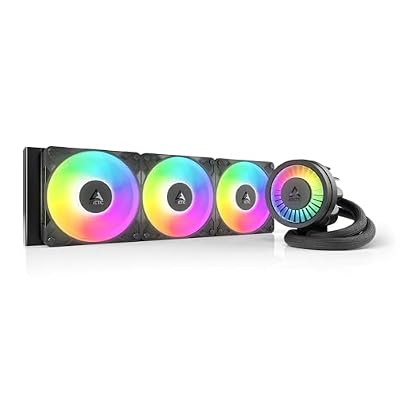
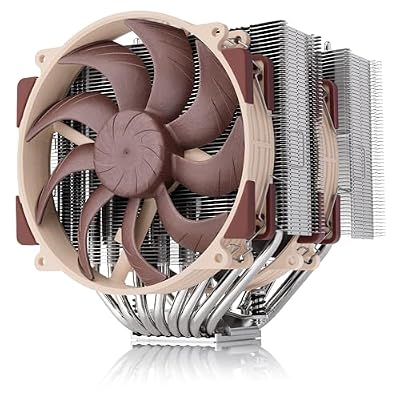
The hero listing was selected for the query “best thermal paste gaming” and may be a close match rather than the exact product you choose. Check the card for the compound type, the included quantity and the current price, and compare the alternatives below.
What Thermal Paste Does and Why It Matters
No metal surface is perfectly flat, so air fills the gaps between the processor and the cooler. Air is a poor conductor of heat, and thermal paste replaces that air with a compound that conducts heat much better. The job of the paste is to make the contact surface as thin and even as possible. A small amount in the right place does more than a large amount spread everywhere.
For most gaming builds, the difference between a decent paste and a premium paste is smaller than the difference between a good application and a poor one. A well-applied standard paste often performs close to a premium compound, so focus on technique first.
Thermal Paste Types
Silicone-Based Pastes
Silicone-based pastes are common, affordable and easy to apply. They work well for most builds and are a sensible default. Their main trade-off is that they can dry out or pump over time, so check the manufacturer’s guidance on replacement intervals.
Metal-Based Pastes
Metal-based pastes use metal particles to improve conductivity. They can perform better in some setups, but they require more care. Some are electrically conductive, so a spill near the board or VRM can cause problems. They also need careful application and clean-up.
Liquid Metal
Liquid metal is the most conductive option, and it is also the riskiest. It can short circuits if it leaks onto components, and it is not suitable for every cooler or processor. For most gaming builds it is not worth the risk, and the standard options are a safer choice.
Comparison Table: Thermal Paste Options
The table groups the main paste types. Prices are broad ranges, and you should confirm the exact product and price on the listing.
| Paste type | Ease of use | Best for | Main trade-off | Typical price range |
|---|---|---|---|---|
| Silicone-based paste (default class) | Easy to apply | Most gaming builds | May need replacing over years | Check current price |
| Premium non-conductive paste | Easy to apply | Hot CPUs and enthusiast builds | Higher cost for a modest gain | Check current price |
| Metal-based paste | Needs care | Experienced builders | Can be conductive; spill risk | Check current price |
| Liquid metal | Difficult | Specialist overclocking | Short-circuit risk; not for most builds | Check current price |
If you are choosing a cooler to go with your paste, our best air CPU coolers for gaming guide and the best CPU cooler for gaming article both cover mounting and performance considerations.
How to Apply Thermal Paste Correctly
Use a Small, Even Amount
A pea-sized dot in the centre of the processor is the most common method and works well for most coolers. Some builders prefer a thin line or an X pattern. Whichever method you choose, use a small amount. Too much paste can spread over the edges, while too little leaves gaps.
Clean Both Surfaces First
Remove old paste from the processor and the cooler base with isopropyl alcohol and a lint-free cloth. Make sure both surfaces are dry before applying new paste. Residue from old paste can trap air and reduce contact quality.
Mount With Even Pressure
Tighten the mounting hardware in a cross pattern and to the manufacturer’s recommended torque. Uneven pressure can leave gaps. Some coolers use spring-loaded screws, which make even pressure easier. Follow the instructions for your specific cooler.
When to Replace Thermal Paste
Paste can dry out, pump or harden over years of heat cycles. If the processor runs hotter than it used to under the same load, check the paste first. Reapplying paste is a quick and low-cost fix. It is also worth checking paste when you move a cooler or remove it for cleaning, since the old compound may be disturbed.
For a fuller guide to monitoring your system’s temperatures, the how to check GPU and CPU temperature article explains which readings matter. If you are building from scratch, the step-by-step gaming PC build guide covers the paste step in context.
Thermal Performance Expectations
We have not measured these pastes for this article, and we are not giving temperature figures. Paste differences exist, but for most gaming builds the cooler, the fan curve and the case airflow matter more. Use a reliable paste, apply it carefully and check temperatures after a few days of use. If the readings are high, look at the cooler mounting and case airflow before buying a premium compound.
Paste is one of several factors that set CPU temperatures. The best air CPU coolers for gaming guide and the best budget AIO liquid coolers roundup cover the coolers that paste sits under. For a complete build walk-through that includes the paste step, use the step-by-step gaming PC build guide, and check the RTX 5070 undervolting guide for cooler temperatures if your GPU runs hot. The best CPU for gaming article and the best PSU for gaming guide help you size the rest of the system, and the complete gaming PC buying guide ties the parts together.
Frequently Asked Questions
Is an expensive thermal paste worth it for gaming?
Usually not by a large margin. A good standard paste applied correctly performs well. Premium compounds help most with very hot processors or enthusiast builds where every degree matters.
Can thermal paste short a motherboard?
Non-conductive silicone and ceramic pastes do not short circuits under normal use. Metal-based and liquid metal pastes can be conductive, so they need careful handling and clean application.
How often should I reapply thermal paste?
There is no fixed schedule. Check temperatures over time, and consider reapplying if the CPU runs hotter than before under the same load. Many builders check after several years of use.
Do I need to remove the old paste first?
Yes. Clean both the processor and the cooler base with isopropyl alcohol before applying new paste. Old paste residue can reduce contact quality.
Final Recommendation
The best thermal paste for most gaming builds is a reliable non-conductive compound from a reputable brand, applied with a small, even amount and mounted with even pressure. It is a low-cost part that can make a real difference when applied well. Before buying, confirm the paste type and quantity on the card, and decide whether you need a premium compound or a standard one. For most builders, technique matters more than the brand, and a careful application will keep the processor cool for years.