CPU Contact Frame Ryzen AM5 2026: Should You Use One on Your Build?
A CPU contact frame is a small bracket that sits between the processor and the cooler’s mounting hardware. Its job is to spread the cooler’s clamping pressure more evenly across the processor, which can reduce the risk of uneven contact and help the cooler stay seated under heavy use. On AM5 Ryzen systems, contact frames have become a popular accessory for builders who want to get the most from their cooling. This article explains what a contact frame does, when it is worth using, what to check before buying and how it fits into an AM5 build. It is a buying guide built around the product class, and we have not run our own before-and-after temperature tests for this article.
The hero listing was selected for the query “CPU contact frame AM5” and may be a close match rather than the exact frame you need. Check the card for AM5 compatibility, the included hardware and the current price, and compare the alternatives below.
What a Contact Frame Does
On AM5 processors the cooler is mounted using the socket’s retention system and the cooler’s bracket. The clamping force is concentrated at the mounting points, and the processor’s integrated heat spreader can flex slightly under that pressure. A contact frame sits between the mounting hardware and the processor, so the force is spread over a wider area. The intent is more even contact between the cold plate or heatsink base and the heat spreader.
The benefit depends on the cooler, the mounting hardware and the processor. Some builders see a modest improvement in temperature, while others see little change. The frame is not a performance upgrade in the sense of a faster processor, and it does not replace good thermal paste or proper mounting. Treat it as a refinement.
Who Should Consider a Contact Frame
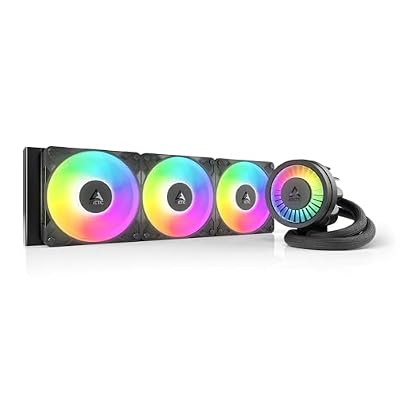
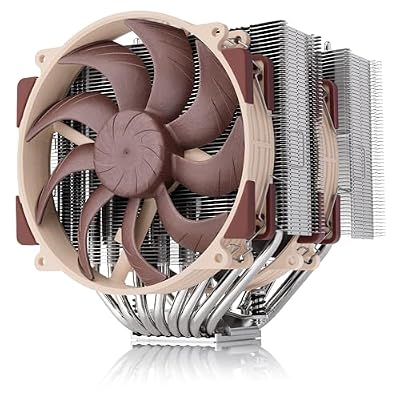
A contact frame makes the most sense for builders with a high-end processor that runs hot under sustained load, a heavy cooler or a 360mm or 420mm AIO where mounting pressure matters. It is also useful if you have noticed uneven contact after removing and refitting a cooler, or if you want to tune every part of a build for thermal consistency.
It is less necessary for a mainstream processor with a light air cooler, where the stock mounting is usually enough. Do not buy a frame to fix a problem that comes from poor thermal paste application or from case airflow. Those issues are more common and easier to fix.
Comparison Table: Contact Frame and Mounting Options
The table compares the main options you will see in the category. Prices are broad ranges, and you should confirm compatibility and price on the listing.
| Option | Purpose | Best for | Main trade-off | Typical price range |
|---|---|---|---|---|
| AM5 contact frame (this class) | Spreads mounting pressure | High-end CPUs and heavy coolers | Benefit varies by cooler and CPU | Check current price |
| Standard cooler bracket only | Stock mounting | Mainstream CPUs and light coolers | Less even pressure on some setups | Included with cooler |
| Reinforced mounting kit | Stronger retention | Large AIOs and dual-tower coolers | Compatibility checks needed | Check current price |
| Thermal paste upgrade only | Better heat transfer | Most builds | Does not address mounting pressure | Check current price |
Before changing hardware, our best thermal paste guide covers paste choices and application. For cooler matching, the best CPU cooler for gaming article explains which coolers suit which processors.
What to Check Before You Buy
AM5 Compatibility
Confirm that the frame is designed for AM5 and not for an older socket such as AM4. The mounting holes and retention points differ between platforms, and a frame for the wrong socket will not fit. Check the compatibility statement on the listing and cross-check it with your motherboard.
Cooler Compatibility
The frame has to work with your cooler’s mounting system. Some coolers use proprietary brackets or specific standoff layouts. Check that the frame’s hardware matches the cooler’s instructions, and confirm that the cold plate can still sit flat and centred on the heat spreader.
Included Hardware
Check what is in the box. Some frames include new screws or standoffs, while others rely on your existing hardware. Missing parts are a common problem, so confirm the kit before ordering.
Installation Notes for AM5
Remove the cooler and clean the processor and cooler base with isopropyl alcohol. Fit the frame according to its instructions, then apply thermal paste to the processor. Mount the cooler and tighten the hardware evenly in a cross pattern. Recheck the cooler’s position after the first few power cycles, since the mounting can settle slightly.
Handle the processor carefully. AM5 processors have pins on the socket side, and the processor itself should only be handled by its edges. Never force a frame or a cooler into place. If the fit is tight, check the compatibility statement and the orientation before continuing.
Thermal and Expectations
We have not measured the effect of any contact frame for this article, and we are not giving temperature figures. Any improvement depends on the cooler, the processor and the mounting pressure before the frame was fitted. Treat the frame as a refinement, measure temperatures before and after if you install one, and compare the results with the paste and fan curve you already use.
Maintenance and Long-Term Use
Check the mounting periodically, especially if you move the system often. Re-tighten the hardware if the cooler feels loose, and reapply thermal paste if temperatures rise over time. A contact frame does not wear out quickly, but it should be inspected whenever the cooler is removed for cleaning or upgrades.
For a full build around an AM5 platform, our best AM5 motherboard for gaming guide helps you choose a board, and the step-by-step gaming PC build guide covers the install order.
Before you add a frame, check the cooling basics. The best CPU cooler for gaming guide matches coolers to processors, and the best CPU for gaming article shows which chips run hot enough to need the extra attention. For the AM5 board itself, the Intel vs AMD gaming comparison explains the platform differences, and the best thermal paste guide covers the paste step. For the platform itself, the best AM5 motherboard for gaming guide and the Intel vs AMD gaming comparison explain the socket and board choices, and the step-by-step build guide shows where the frame fits in the install order. If memory height is a concern in the same build, the best DDR5 RAM for gaming guide covers module heights, and the best CPU for low-temperature gaming article is useful if you want to start from a cooler-running chip.
Frequently Asked Questions
Do I need a CPU contact frame for AM5?
Not always. It is most useful for high-end processors and heavy coolers. For mainstream CPUs with a light cooler, the standard mounting is usually enough.
Will a contact frame void my warranty?
It depends on the manufacturer’s policy. Check the processor and cooler warranty terms before installing aftermarket hardware, and keep the original parts in case you need to return the system for service.
Can a contact frame fix high temperatures?
It can help in some cases, but it is not a fix for every problem. High temperatures often come from thermal paste, fan curves, case airflow or cooler sizing. Check those first.
Does the frame work with any AM5 cooler?
Check the compatibility on the listing and the cooler’s instructions. Some frames work with a wide range of coolers, while others suit specific mounting systems.
Final Recommendation
A CPU contact frame for AM5 is a sensible option for builders who run a high-end processor hard, use a heavy cooler and want to tune their mounting for even pressure. It is not a must-have for every build. Before buying, confirm AM5 compatibility, check the cooler’s mounting system and make sure the included hardware is what you need. Measure temperatures before and after installation, and keep the frame only if it delivers a clear benefit in your build.