

- Top Pick: msi PRO MP243L E14 24-inch IPS 1920 x 1080 (FHD) Gaming Office Monitor, 144Hz, Free-Synch, HDR Ready, HDMI, VGA Port,VESA Mountable, Tilt, 4-Side Slim Bezel,1ms, Black
- Best Value: Sceptre New 22-Inch Gaming Monitor, FHD 1080p, Up to 144Hz, HDMI, DisplayPort, Built-in Speakers, Machine Black (E225W-FW144 Series, 2026)
- Premium Choice: LG 24G411A-B 24-inch Ultragear Full HD (1920 x 1080) IPS Gaming Monitor, 144Hz (O/C), 1ms MBR, NVIDIA G-Sync Compatible, AMD FreeSync, HDR10, HDMI, DisplayPort, Slim Stand, Black
Affiliate disclosure: As an Amazon Associate we earn from qualifying purchases. This post contains affiliate links — if you buy through them we may earn a small commission at no extra cost to you. This never affects our recommendations.
- Best Overall: LG 27GP850-B — The 1440p 144Hz Sweet Spot
- Best for Esports: ASUS VG258QM — 280Hz When You Need Every Frame
- Best Budget 144Hz: AOC 24G2 — 144Hz Without Breaking the Bank
- Best 4K 144Hz: LG 32GQ950-B — Ultra HD Smoothness
- What Refresh Rate Do You Actually Need?
- Frequently Asked Questions
- Related Articles
- Related Articles
A 144Hz gaming monitor is the single most impactful upgrade for competitive gaming. The jump from 60Hz to 144Hz is immediately noticeable — motion appears smoother, input feels more responsive, and fast-paced games become dramatically more enjoyable. Whether you’re grinding ranked in Valorant or dominating in Call of Duty, the best 144Hz gaming monitor gives you a measurable competitive edge.
As an Amazon Associate we earn from qualifying purchases at no extra cost to you.








In a hurry? See the top-rated 144Hz Gaming Monitor deals available right now:
🛒 Check 144Hz Gaming Monitor Prices on Amazon →🛒 Best Price Today on Amazon
Prime members get fast, free shipping on everything above, plus member-only deals. New members get a 30-day free trial — cancel anytime.
Start 30-Day Prime Free Trial →See Today’s Amazon DealsBest Overall: LG 27GP850-B — The 1440p 144Hz Sweet Spot
LG’s 27GP850-B is consistently rated the best 144Hz gaming monitor for 1440p gaming. The Nano IPS panel delivers 1ms GtG response time, 98% DCI-P3 color coverage, and a 165Hz native refresh rate (overclockable to 180Hz). Its anti-glare coating keeps the display usable in bright rooms, and G-Sync Compatible + FreeSync Premium Pro certification ensures smooth variable refresh rates. At its price, nothing competes with the overall package.

Best for Esports: ASUS VG258QM — 280Hz When You Need Every Frame
For competitive players who want the absolute smoothest motion, the ASUS VG258QM at 280Hz exceeds the 144Hz standard significantly. At 1080p, your RTX 4060 Ti or RX 7800 XT can realistically push 200+ FPS in CS2 and Valorant, giving you the headroom to fully utilize the monitor’s capabilities. The IPS panel with ELMB Sync technology supports simultaneous VRR and motion blur reduction — rare at this price tier.
Best Budget 144Hz: AOC 24G2 — 144Hz Without Breaking the Bank
The AOC 24G2 is the best budget 144Hz gaming monitor, delivering a 1080p IPS panel with 144Hz at an affordable price. It features 1ms MPRT response time, FreeSync Premium support, and accurate factory calibration. Color accuracy is strong for an entry-level display, and the thin bezels make it suitable for multi-monitor setups. The best starting point for gamers upgrading from 60Hz on a budget.
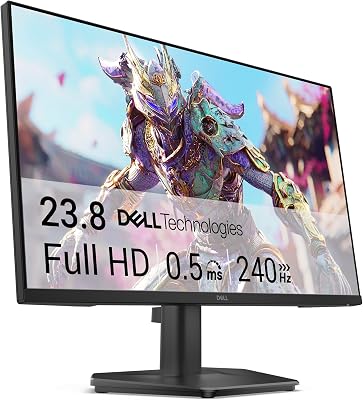
Best 4K 144Hz: LG 32GQ950-B — Ultra HD Smoothness
For those who want both 4K resolution and 144Hz refresh rate, the LG 32GQ950-B delivers with its Nano IPS panel. At 32 inches, 4K resolution looks exceptionally sharp, and 144Hz ensures smooth gameplay when your GPU can deliver the frames. Peak brightness of 1000 nits with VESA DisplayHDR 1000 certification makes it one of the best HDR gaming monitors at 4K. Pair with an RTX 4080+ for the full experience.
What Refresh Rate Do You Actually Need?
60Hz vs 144Hz: A Night-and-Day Difference
The jump from 60Hz to 144Hz is the most significant upgrade in PC gaming. Once you’ve experienced 144Hz, returning to 60Hz feels like watching a slideshow. For any game where you move the camera (all of them), 144Hz is worth the investment.

144Hz vs 240Hz vs 360Hz
Beyond 144Hz, diminishing returns set in. 240Hz offers a noticeable improvement in competitive FPS games. 360Hz benefits only the top 1% of competitive players who can genuinely perceive and react to the difference. For most gamers, 144Hz–165Hz is the optimal sweet spot of performance and cost.
Frequently Asked Questions
Do I need 144Hz for casual gaming?
Yes — even for casual gaming, 144Hz makes games feel smoother and more responsive. It’s worth the investment regardless of whether you play competitively.
What GPU do I need to run 144Hz?
Any modern discrete GPU can output a 144Hz signal. The question is whether your GPU can consistently produce 144+ FPS in your games. For 1080p 144Hz, an RTX 4060 or RX 7600 is ideal. For 1440p 144Hz, aim for RTX 4070 or RX 7800 XT.
Is 144Hz or 4K better?
For competitive gaming, 144Hz at 1440p beats 4K at 60Hz every time. For cinematic single-player games, 4K visuals may be preferred. Ideally, get a monitor that offers both 4K and 144Hz+ — several excellent options exist in 2025.
Related Articles
Looking for more on this topic? Browse the hand-picked guides below — each one applies the same scoring rubric used in this review.













