MSI Suprim RTX 5090 Review 2026: Is the Suprim Flagship Worth Choosing?
The MSI SUPRIM name is the premium gaming line in MSI’s graphics card range. It is known for a distinctive visual design, substantial cooling and a focus on thermal performance and build finish. Applied to the GeForce RTX 5090, the SUPRIM design aims at buyers who want the Blackwell flagship with a cooler that handles heavy loads and a look that suits a showpiece build. This guide explains who the SUPRIM RTX 5090 suits, what matters in the specification and how it compares with other flagship partner cards.
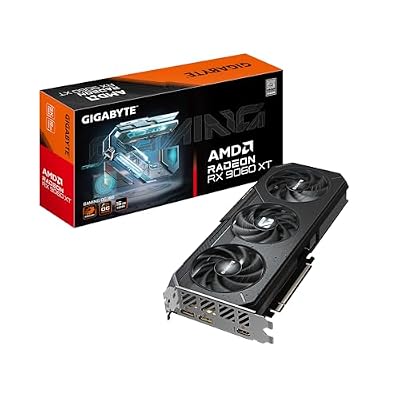
The card in the listing above may be a close match for the SUPRIM RTX 5090 rather than the exact model you have in mind. MSI sells several RTX 5090 designs under the SUPRIM and related names, and they differ in cooler configuration, factory clocks and card length. Confirm the model name, dimensions, warranty and price on the card itself. The guidance here applies to the SUPRIM RTX 5090 family as a whole, so it stays useful whichever variant suits you.


Who the SUPRIM RTX 5090 Suits
The SUPRIM RTX 5090 is for a buyer who wants flagship performance and a card that looks deliberate in a glass-fronted case. It suits a 4K gamer who plays demanding games with ray tracing and wants a cooler built to hold steady under long sessions. It also fits a creative user who runs GPU-heavy rendering, simulation or local AI tasks and needs the 32GB of memory with a cooler designed for sustained load.
It is a weaker choice for buyers with a compact case or a tight budget. The RTX 5090 is large and expensive in any partner form, and the SUPRIM models sit at the premium end of the market. If you need a smaller card or a lower price, an RTX 5080 or a 5070 Ti class card will serve most 1440p and 4K-with-upscaling players well.
What the RTX 5090 Specification Means for a SUPRIM Card
The RTX 5090 carries 32GB of GDDR7 memory on a 512-bit bus. Partner cards share that memory configuration, so the SUPRIM model has the same capacity as the reference card and other partner designs. The memory is valuable at 4K with large texture sets, in creative applications with big scenes and for local AI models that must fit into VRAM.
Board power is rated at 575W for the reference design. Partner boards can run slightly different power limits depending on factory settings. NVIDIA recommends a 1000W power supply, and that remains the correct starting point for a SUPRIM build. A quality 1000W unit with strong 12V output is the sensible choice for a high-end system.
The 12V-2×6 power connector must be seated fully at the card end. Avoid tight bends near the connector and do not run the card from a damaged or budget adapter. A card at this power level makes a poor connection a real hazard, so check the connector after installation and after any case movement.
Thermal Performance and Noise
The SUPRIM cooler is designed to handle heavy sustained load, and that is the main reason buyers choose the design. A cooler with a large heatsink and strong fans can hold temperatures down and keep the card stable through long gaming or rendering sessions. The benefit is most visible in a case with good airflow, because a cooler can only move heat as fast as the case can remove it.
Noise depends on the fan curve and how hard the card works. Most premium coolers can run quietly at moderate loads and ramp up under heavy use. Adjust the fan curve in the software you use to manage the card, and choose a setting that balances temperature and noise for your room. There is no single right answer, because tolerance for fan noise varies a lot from one person to another.

msi Gaming RTX 5080 16G SUPRIM Liquid SOC Graphics Card (16GB GDDR7, 256-bit, Extreme Performance: 2760 MHz, DisplayPort x 3 2.1a, HDMI 2.1b, NVIDIA Blackwell Architecture)


As an Amazon Associate we earn from qualifying purchases. Product prices and availability are accurate as of the date/time indicated.
To verify the card’s behaviour in your own build, our guide on how to check GPU and CPU temperature explains how to watch temperatures and fan speeds during a long session. A stable reading that levels off under load is a good sign, while a steady climb with no plateau points to airflow or fan curve problems.
Case Fit, Power and Cooling Planning
Measure the case before you buy. Check the card length, slot thickness and height against your motherboard and case. A large SUPRIM card can block a front fan or sit close to a drive cage. Make sure the power cable has room to bend at the card end without strain. A case with strong front intake and clear exhaust is the safest pairing for a card this large.
Power planning comes next. A 1000W power supply from a trusted brand, with good 12V output and a clean 12V-2×6 cable, is the correct starting point. Our guide to the best 1000W power supplies for RTX 5090 builds covers the options worth shortlisting.
Finally, plan the CPU cooling. A flagship GPU and a high-end processor produce heat together, and the case has to remove all of it. Our overview of CPU coolers for RTX 5090 builds helps you plan the cooling around the rest of the system.
SUPRIM RTX 5090 Against Other Partner Cards
The table below compares the SUPRIM RTX 5090 with the reference card, another flagship partner design and the RTX 5080. Prices are given as a reminder to check the live listing, since flagship prices change often.
| Card | Memory | Typical board power | Best for | Typical price range |
|---|---|---|---|---|
| MSI SUPRIM RTX 5090 | 32GB GDDR7 | About 575W | Heavy sustained load and a premium look | Check current price |
| RTX 5090 (reference design) | 32GB GDDR7 | About 575W | Buyers who want the base flagship | Check current price |
| Gigabyte AORUS RTX 5090 | 32GB GDDR7 | About 575W | Premium cooling and build quality | Check current price |
| RTX 5080 | 16GB GDDR7 | About 360W | High-end 4K or strong 1440p at lower cost | Check current price |
SUPRIM RTX 5090 or AORUS RTX 5090
Both are premium partner designs built on the same flagship silicon and memory. The choice comes down to cooler layout, styling, warranty and price on the day you buy. Compare the cooler specification and the warranty terms in your region before deciding. Our best GPU for gaming guide covers the wider partner market.
SUPRIM RTX 5090 or RTX 5080
The RTX 5080 is cheaper, smaller and easier to power, and it is the more practical choice for most 1440p players. The SUPRIM RTX 5090 is justified when you need the 32GB of memory, the highest 4K headroom or the creative workload benefits. Our RTX 5080 review explains why many builds choose the smaller card.
Buying Checklist for the SUPRIM RTX 5090
Before you order, confirm that the case fits the card with the power cable attached, that the power supply is 1000W or more from a trusted brand, and that your monitor can show what the card offers. Check the warranty terms and the seller’s return window. Confirm the card is from an authorised seller, because flagship cards are a common target for counterfeit and used-as-new listings.

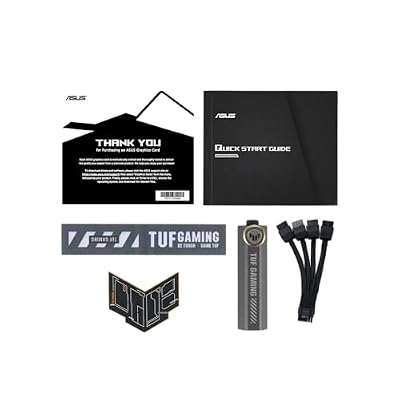
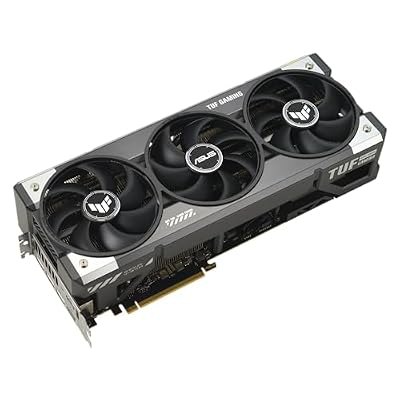
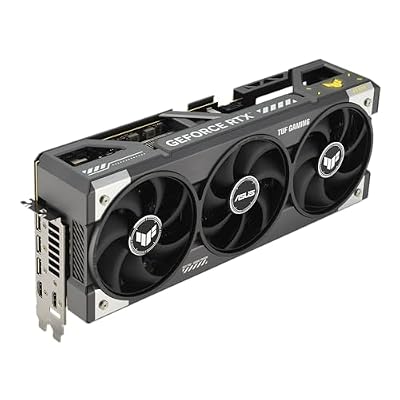
ASUS TUF Gaming GeForce RTX 5090 32GB GDDR7 OC Edition Gaming Graphics Card | PCIe 5.0, HDMI/DP 2.1, 3.6-slot, Military-grade Components, Protective PCB Coating, Axial-tech Fans










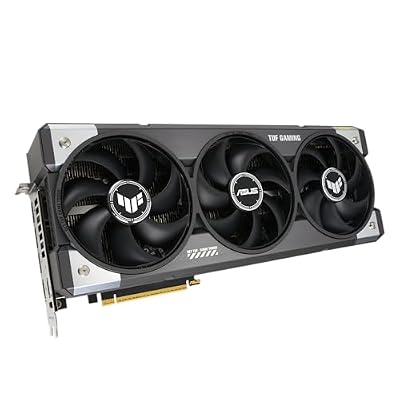

As an Amazon Associate we earn from qualifying purchases. Product prices and availability are accurate as of the date/time indicated.
After the card arrives, inspect the packaging and the card before you install it. Keep the box, invoice and serial number. Install the support bracket if your case provides one, since a heavy card should not depend on the motherboard slot alone. Check the connector seating after the first few sessions and watch temperatures during your first long gaming session.
For a wider view of the market, the best gaming graphics cards roundup and the RTX 5090 review on this site put the flagship in context against other options.
If a flagship is more than your build needs, our best graphics card for 1440p gaming guide and our RX 9070 XT review show cheaper cards that still play most titles well.
Frequently Asked Questions
Is the MSI SUPRIM RTX 5090 faster than the reference card?
The SUPRIM model uses the same RTX 5090 core and memory as the reference card. Any performance difference usually comes from factory clock settings and cooling behaviour. Check the clock speeds on the listing before you compare.
Does the SUPRIM RTX 5090 run cool?
The SUPRIM cooler is designed for heavy sustained load, and it usually keeps temperatures under control in a case with good airflow. Actual temperatures depend on the case, the room and the fan curve, so monitor the card after you build.
What power supply should I use with the SUPRIM RTX 5090?
NVIDIA recommends a 1000W power supply for the RTX 5090, and that applies to the SUPRIM model. Use a quality unit from a trusted manufacturer with solid 12V output and a properly seated 12V-2×6 cable.
Is the SUPRIM RTX 5090 worth the price over an RTX 5080?
For most 1440p and many 4K players, the RTX 5080 is the better value. The SUPRIM RTX 5090 is worth the premium only when you need the 32GB of memory, the highest 4K headroom or the creative workload benefits.