

Best Graphics Card Under $500 2026: How to Choose the Right Budget GPU
A graphics card under $500 is the sweet spot for most players who want smooth gaming without paying flagship prices. In 2026 the field is crowded: NVIDIA, AMD and Intel all sell cards in this band, and the differences between them come down to memory size, upscaling support, ray tracing headroom and how each card handles your favourite games. This guide explains how to choose, what the trade-offs look like, and how to avoid the most common budget mistakes.
This is a buying guide built around the product class, not a lab test of every card. We have not run our own benchmark suite on each model for this article. The hero listing below was chosen for the query “best graphics card under 500”, and the alternatives were pulled from the same search. Treat them as starting points, confirm the exact model and current price on each card, and compare specifications before you order.

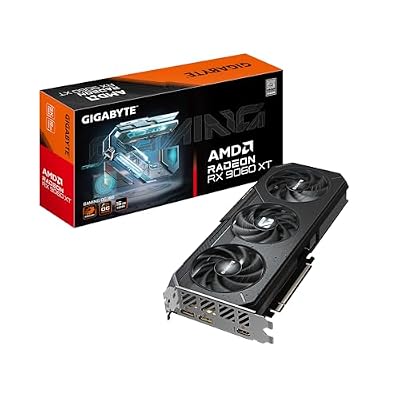
What You Actually Get for Under $500
Under $500 you can expect a card aimed at 1080p and 1440p gaming. If you are starting from a very small budget, our cheap graphics card for gaming guide covers the entry tier. At 1080p, most current titles run at high settings with solid frame rates on a mid-range card. At 1440p, you will usually need to trim a few demanding settings such as shadows, volumetric effects or ray tracing, and rely on upscaling where the game supports it. Going much higher than $500 buys you 4K capability and more headroom, but it also changes the entire budget of the build.
The most important number on the spec sheet for this price is memory. Cards with 8GB of VRAM can still run many games, but newer titles with high-resolution textures use more memory every year. A 12GB or 16GB option gives you more room to keep texture quality high without stutter. When two cards are close in raw speed, the one with more memory usually ages better.
Key Features to Compare Before You Buy
Memory Size and Bus Width
Look at the total VRAM first. A card with more memory will be less likely to hit a wall in newer games. The memory bus width also affects how quickly the card can move data, so compare bus width alongside capacity rather than treating either number on its own as decisive.
Upscaling and Frame Generation
Upscaling technologies such as DLSS, FSR and XeSS can make a budget card feel much faster by rendering at a lower internal resolution and reconstructing the image. Support differs by vendor and by game. If you play a large number of titles that support a specific upscaler, that support can matter more than a small difference in raw rasterization speed.
Ray Tracing Expectations
Ray tracing is still demanding at this price. Budget cards can run ray-traced effects in some games, but you should expect to combine them with upscaling and lower settings. If ray tracing is your priority, make sure the card’s ray tracing performance is confirmed by independent reviews for the games you actually play.
Budget GPU Comparison Table
The table below compares the main categories of card you will see under $500. Ranges are deliberately broad because prices move with supply, promotions and regional tax. Always check the live listing before buying.
| Card class | Typical memory | Best for | Typical price range |
|---|---|---|---|
| Mainstream NVIDIA 60-class (current generation) | 8GB to 16GB GDDR6 or GDDR7 | 1080p high settings, DLSS-supported titles | Check current price |
| Mainstream AMD 9060-class (current generation) | 8GB to 16GB GDDR6 | 1080p and light 1440p, strong raster value | Check current price |
| Intel Arc B-series budget card | 12GB GDDR6 | 1080p with generous memory, XeSS support | Check current price |
| Previous-generation mid-range card (new or open-box) | 8GB to 12GB GDDR6 | Budget 1080p builds on a tight plan | Check current price |
For a quick overview of the broader budget field, our guide to the best budget GPU for gaming explains how these classes compare over time. If your build is still taking shape, the best GPU for a gaming budget list covers value picks across several price points.

GIGABYTE GeForce RTX 5060 WINDFORCE OC 8G Graphics Card, Cooling System, 8GB 128-bit GDDR7, PCIe 5.0, Manufactured by NVIDIA, DisplayPort & HDMI - Video Output Interface, GV-N5060WF2OC-8GD Video Card


As an Amazon Associate we earn from qualifying purchases. Product prices and availability are accurate as of the date/time indicated.
Matching the Card to Your Monitor and Games
A card under $500 should match a monitor you can actually use it with. If your display is 1080p, a budget card can push high refresh rates in esports titles and run most single-player games at high settings. If your display is 1440p, expect to balance settings more carefully. Pairing a budget GPU with a high-refresh 1440p monitor can be a poor use of money if the card cannot fill the panel. Our 1080p gaming monitor guide helps you find a display that suits a budget build.
Think about the games you play most. Competitive shooters reward frame rate more than visual fidelity, so a card that delivers high frame rates at 1080p is often the best value. Story-driven and open-world games reward visual quality and memory headroom, so the extra VRAM in a 12GB or 16GB card can make a real difference.
NVIDIA Versus AMD Versus Intel at This Price
NVIDIA’s advantage is its upscaling ecosystem and driver maturity. AMD usually offers strong raster performance per dollar, and its upscaling has improved steadily. Intel’s Arc cards are a credible option with generous memory on some models, though driver consistency and game compatibility should be checked for the titles you care about. Compare each card on the specific games you play rather than relying on one headline number. For NVIDIA’s current mid-range options, read our RTX 5060 review and the RTX 5060 vs RTX 4060 comparison.
Upgrade Timing and Long-Term Value
A budget card will not stay at the top forever. Plan on upgrading when the games you play no longer run at your target settings and frame rate. If you have a modern CPU, a $500 card can be a sensible step, but pairing it with an old processor or a low-end power supply will limit results. Our $1000 gaming PC build guide shows how a budget card fits into a complete system, and the best power supply guide covers the wattage you need.
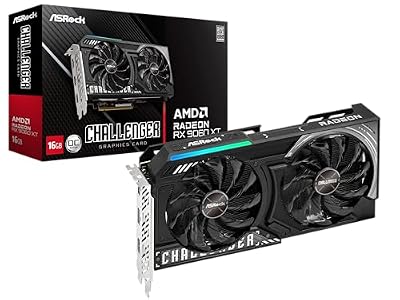
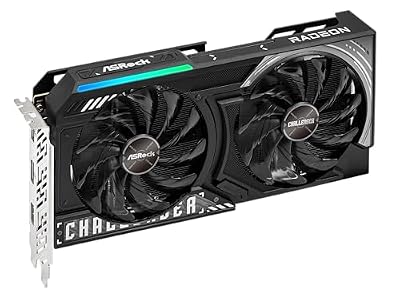
ASRock Radeon RX 9060 XT Challenger 16GB OC, RDNA 4, 3290MHz Boost, 16GB GDDR6 128-bit, PCIe 5.0, Dual Fans, 0dB Silent, LED Indicator, DisplayPort 2.1a, HDMI 2.1b


As an Amazon Associate we earn from qualifying purchases. Product prices and availability are accurate as of the date/time indicated.
Frequently Asked Questions
Is a graphics card under $500 good enough for 1440p gaming?
It can be, with the right expectations. Many cards in this band run 1440p at medium to high settings in demanding games, especially when upscaling is enabled. Check reviews for your specific titles before deciding, because results vary widely between games.
Should I buy an 8GB or 12GB card under $500?
If you can afford the 12GB or 16GB version, choose it. Extra memory helps with newer games that use large textures. An 8GB card can still work well for competitive titles and older games, but it will age faster.
Is NVIDIA or AMD better in this price range?
NVIDIA usually leads in upscaling support and ray tracing, while AMD often offers strong raster value. The better choice depends on the games you play most and whether you rely on specific features.
Is a used card under $500 a good idea?
It can be, but verify the warranty status, the seller’s return policy and whether the card has been used for mining or heavy overclocking. New cards with a clear warranty are the safer default for most buyers.
Final Recommendation
The best graphics card under $500 for most people is the one with enough memory for the games you play, strong support for the upscaling technology you will use, and a warranty you trust. Compare the hero listing and the alternatives on specifications, check the exact model and price, and buy from a retailer with a clear return policy. Pair the card with a quality power supply and a balanced CPU, and you will have a budget build that stays enjoyable for years. If you want to compare more options, see our low-cost graphics card roundup and the RTX 5060 Ti review for a step up in memory.







