Intel Arc B580 Graphics Card Review: A Budget Card Worth Considering?
The Intel Arc B580 is a budget graphics card from Intel’s Battlemage generation. It is aimed at 1080p gamers who want a modern card without spending mid-range money, and it competes on price with the entry and lower mid-range options from NVIDIA and AMD. This guide covers who the card suits, what its specification means in daily use, the software considerations that matter for Intel graphics, and how it compares with its closest rivals.
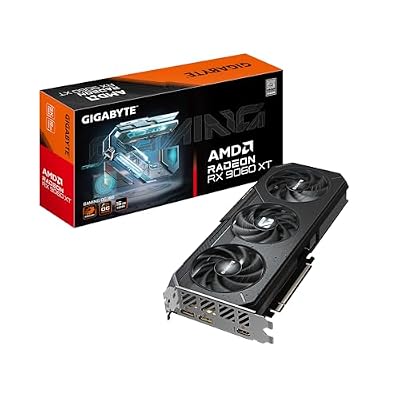
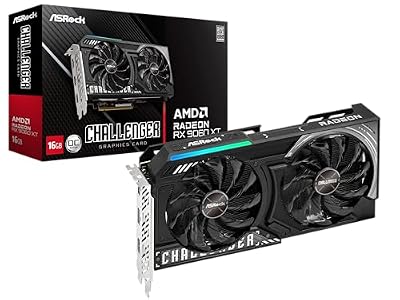
Check the listing above first. The card shown may be a close match rather than the exact Arc B580 model you have in mind, and partner designs differ in cooler size, fan layout and warranty. Confirm the exact model name, dimensions and price on the card itself. The advice in this guide applies to the Arc B580 family in general, so it holds for the design you pick.

Who the Arc B580 Is Built For
The Arc B580 is for a 1080p player on a tight budget who wants a current card with enough memory for modern titles. It is a good fit for a first mid-range build, a budget upgrade from an older GTX or RX card, or a second system where the game list is mainly popular titles and the monitor is 1080p. Players who want the highest settings at 1440p should look at a more powerful card, because this one is designed for a lower resolution target.
The card is less suitable if you need the most stable driver experience across older games. Intel’s driver support has improved considerably, but some older titles may still run less well than on a card from NVIDIA or AMD. If you depend on a specific older title, check its compatibility before you buy.
Specs That Shape the Experience
The Arc B580 carries 12GB of GDDR6 memory. That is a comfortable amount for 1080p gaming and a reasonable buffer for modern titles at medium to high settings. Memory capacity is one of the most useful things to check on a budget card, because a card that runs out of VRAM can show stuttering even when its raw speed looks adequate on paper.
Board power is rated at about 190W, which keeps the card and its power requirements modest. A quality 550W power supply is a sensible choice for a system with a mid-range processor, and most builds around this card will not need anything larger. As always, choose a reputable unit with solid 12V output instead of the cheapest option that meets the wattage figure.
Intel Arc cards depend on Resizable BAR support. This feature is part of the PCI Express configuration, and it must be enabled in your motherboard BIOS for the card to perform as intended. Check that your motherboard supports Resizable BAR and that it is turned on before you start gaming. Without it, performance can be noticeably lower than the card is capable of.
The card supports Intel’s XeSS upscaling in supported games. Upscaling is useful for holding frame rates in demanding titles, and it is a sensible feature to use on a card in this class when you want smoother play without dropping every setting to the minimum.
1080p Performance: What to Expect
This guide does not publish frame-rate figures. Results vary with the game, driver version, processor, memory and in-game settings, and a single number without those details does not tell you much about your own system. What you can expect is a card that handles 1080p gaming well at medium to high settings in many popular titles, with XeSS upscaling available when you need more headroom.
Esports and lighter titles generally run well on this class of card, and demanding modern games are more likely to need a lower preset or upscaling. Ray tracing is possible, but it is more demanding, and most buyers will get a better experience by keeping ray tracing modest or turning it off in heavier games. That is the normal trade-off for a budget card.
Thermals on a card with a 190W board power are usually manageable in a well-ventilated case. If you want to check temperatures after you build, our guide on how to check GPU and CPU temperature gives a simple monitoring routine that applies to any graphics card.
Arc B580 Against Its Budget Rivals
The Arc B580 is most often compared with budget cards from NVIDIA and AMD. The table below gives a simple overview. Prices are shown as a reminder to check the live listing, since budget card prices change often and quickly.
| Card | Memory | Typical board power | Best for | Typical price range |
|---|---|---|---|---|
| Intel Arc B580 | 12GB GDDR6 | About 190W | 1080p gaming on a budget | Check current price |
| Intel Arc B570 | 10GB GDDR6 | About 150W | Lower-cost 1080p builds | Check current price |
| RTX 5060 | 8GB GDDR7 | About 145W | 1080p with DLSS and ray tracing | Check current price |
| RX 9060 XT | Check the specific model | Lower than the RX 9070 | Budget 1080p and entry 1440p | Check current price |
Arc B580 or Arc B570
The B570 is the cheaper sibling with less memory and lower power. It is a reasonable choice for a tight budget, but the B580’s 12GB gives more room in newer games at higher settings. If the price gap is small, the B580 is the better long-term choice. Our Arc B580 review on this site covers the same card from a different angle.
Arc B580 or RTX 5060
The RTX 5060 offers strong DLSS support and ray tracing features, but it carries less memory than the Arc B580. For players who rely on DLSS and want ray tracing at 1080p, the RTX 5060 is a serious rival. For players who prioritise memory headroom and a lower price, the Arc B580 is a strong alternative. Read our RTX 5060 review before you choose.
Arc B580 or RX 9060 XT
The RX 9060 XT is AMD’s budget entry in the RDNA 4 family and competes directly for the same buyers. Check the specific model’s memory and price before you decide, since partner configurations vary. Our RX 9060 XT review covers the AMD option in more detail.
Buying Checklist
Before you buy an Arc B580, confirm a few things. First, make sure your monitor is 1080p, since the card is designed for that target. Second, check that your motherboard supports Resizable BAR and that it is enabled in the BIOS. Third, check your power supply and its 12V output, and make sure your case has room for the partner card. Fourth, confirm that the games you play are on Intel’s supported list or have a track record of running well.

GIGABYTE GeForce RTX 5060 WINDFORCE OC 8G Graphics Card, Cooling System, 8GB 128-bit GDDR7, PCIe 5.0, Manufactured by NVIDIA, DisplayPort & HDMI - Video Output Interface, GV-N5060WF2OC-8GD Video Card


As an Amazon Associate we earn from qualifying purchases. Product prices and availability are accurate as of the date/time indicated.
Warranty and return policy matter more on a budget card than many buyers expect, because a failed card is a bigger problem when money is tight. Check the warranty length, the seller’s return window and whether the card is covered in your region. Keep the packaging and receipt until you are satisfied with the card.
If you want to compare more budget options, the best budget GPU for gaming guide and the best cheap graphics card for gaming roundup cover other price points. The best GPU for gaming on a budget page is also worth a look.
For more context, see our best GPU for gaming guide and our RTX 5060 Ti review, which covers a step-up option for buyers who can spend more.
Frequently Asked Questions
Is the Arc B580 good for 1080p gaming?
Yes. The card is designed for 1080p and handles many popular titles well at medium to high settings. Demanding modern games may need lower presets or XeSS upscaling to hold smooth frame rates.
Does the Arc B580 need Resizable BAR?
Yes, Resizable BAR should be enabled. Check your motherboard BIOS to confirm support and turn it on before you start gaming. Without it, performance can be noticeably lower than the card is capable of.
Is 12GB of VRAM enough for the Arc B580?
For 1080p gaming, 12GB is a comfortable amount for the current generation of titles. Very demanding games at high settings can still push memory use, so choose medium or high presets in the heaviest titles to keep the experience smooth.
Should I buy the Arc B580 or save for a faster card?
If you game at 1080p and want to keep costs low, the Arc B580 is a sensible choice. If you plan to move to 1440p soon, saving for a faster card makes more sense, because the B580 is not designed to be a 1440p high-settings card.