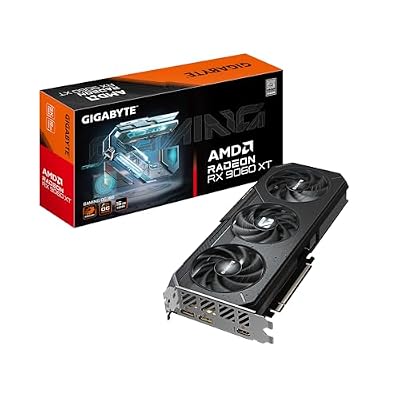
RTX 5080 Graphics Card Review 2026: Performance Tier, Buying Checks and Pairings
The RTX 5080 is NVIDIA’s high-end card for buyers who want strong 1440p performance with headroom for high refresh rates, and who want to push 4K with upscaling in demanding games. It sits below the flagship RTX 5090 and above the mid-range cards that most budget builds choose. Whether it is worth the price depends on your resolution, your monitor, and the rest of your system.
This review is not a benchmark chart. It explains what the card is positioned for, what to verify on a listing, and how to avoid the common mistakes that cost buyers money. The four alternatives in the comparison table are other listings from the same search. Confirm whether each is the same GPU in a different board design or a different model before comparing prices.
Where the RTX 5080 Fits in the NVIDIA Lineup
The RTX 5080 is aimed at players who want consistently high frame rates without paying for the top tier. In practice, it is most at home at 1440p with a high refresh monitor, and it can handle 4K when you rely on DLSS upscaling and adjust the most expensive settings. For a 1080p display, the card is usually more than most players need, so the money may be better spent elsewhere.
Compared with the RTX 5090, the 5080 costs less and draws less power, but it has less raw headroom for the heaviest 4K workloads. Compared with mid-range cards, it gives you more room for future games and higher frame rates. Our RTX 5090 review helps you see the gap between the two tiers.
Memory and what it means in practice
The RTX 5080 ships with 16GB of GDDR7 memory on the desktop card. That capacity is enough for most games at 1440p and useful for 4K with high-resolution textures. Some board partners sell variants with different clocks or cooling, but the memory amount is the same for the base card. If a listing claims a different memory size, verify it against the manufacturer’s page.
Frame rate targets for each resolution
Set your target before you shop. At 1440p with a 144Hz or 240Hz monitor, the 5080 is a strong fit for high settings in most titles. At 4K, you should expect to use DLSS or equivalent upscaling and accept that the most demanding ray-traced titles will need compromises. Use the 1440p GPU guide to compare the 5080 with other cards at the same target.
Features That Affect the Buying Decision
The RTX 5080 supports NVIDIA’s current feature set, including DLSS upscaling and frame generation, and ray tracing. These features can add significant frame rate in supported games, but they vary by title. When comparing cards, check whether your games support the features you care about, rather than assuming every game uses them.
Upscaling and frame generation trade-offs
Upscaling renders at a lower internal resolution and reconstructs the image, which usually gives a large frame rate gain with a small image quality cost. Frame generation adds generated frames to increase displayed frame rate, which can feel smoother but may add input latency in some cases. Test these modes in your own games and decide whether the trade-off suits your play style. Competitive players often prefer lower latency over higher displayed frame rate.
Ray tracing expectations
Ray tracing has a large performance cost. The RTX 5080 handles it better than most cards in its class, but heavy ray tracing at 4K still needs upscaling. If you rarely use ray tracing, prioritize raster performance and price. If you play titles where ray tracing is a major visual feature, the 5080 gives you more room to use it.
Buying Checks: Case, Power and Cooling
Partner cards differ in length, thickness, and cooling. A large triple-fan design may not fit a compact case, and some cases have limited clearance for the card’s power connector. Measure your case before buying, and check the listing for the card’s length and slot width.
Power matters too. Check the power supply’s wattage, its quality, and the number of PCIe power connectors it provides. A high-end card on a weak or unbranded power supply can cause crashes and, in the worst case, damage. Our power supply guide for high-end cards covers selection criteria, and the PSU buying guide explains brand and warranty checks.
Cooling and noise
Good cooling keeps the card quiet and stable. Look for reviews that cover temperatures and fan noise over long sessions. A well-cooled card can sustain its boost behavior, while a poorly cooled one throttles. If you build a case with strong airflow, most partner designs will do well, but a cramped case can hurt any card.
Comparison Table
The table below lists the hero listing and four alternatives from the same search. Confirm the exact model, board partner, memory size, card length, and warranty on each one. Prices and ratings are not hardcoded here; they are loaded from live product data when the page renders.
| Slot | ASIN | Best fit | Check before buying |
|---|---|---|---|
| Hero pick | B0DYVCGVK4 | RTX 5080 for 1440p high refresh and DLSS-assisted 4K | Card length, board partner, PSU connectors |
| Alternative 1 | B0DYRZZJZ1 | Alternative board design at a similar tier | Cooling design and noise reviews |
| Alternative 2 | B0DS2R6948 | Option for buyers who want a compact form factor | Card dimensions versus your case |
| Alternative 3 | B0DTPG3B1N | Option with a different factory clock profile | Stated boost clock and warranty terms |
| Alternative 4 | B0DQSMMCSH | Alternative for buyers who prioritize quiet operation | Fan configuration and reviewed temperatures |
Who Should Buy the RTX 5080
The RTX 5080 suits buyers who run a 1440p high refresh monitor or a 4K display and want headroom for the next few years of games. It also suits creators who use GPU acceleration for video editing or rendering. For a 1080p monitor, the card may be overkill, and a mid-range card will usually deliver better value.
If your budget is tight, compare the 5080 with the RX 9070 class and the RTX 5070 class. The RX 9070 versus RTX 5070 comparison and the RTX 5070 versus RX 9070 guide show where the trade-offs fall. For AMD versus NVIDIA on features and value, the AMD versus NVIDIA buyers guide covers the decision in more depth.
Frequently Asked Questions
Is the RTX 5080 good enough for 4K gaming?
It can handle 4K in many games when you use DLSS upscaling and adjust the most demanding settings. Heavy ray tracing at native 4K will still be difficult in some titles. Decide whether you want native 4K or high frame rates with upscaling before buying.
Does 16GB of memory matter?
For most games at 1440p and many at 4K, 16GB is sufficient. Memory becomes more important as textures and resolutions grow. If you plan to keep the card for a long time, the memory amount is one reason to choose the 5080 over a lower tier.
Will any power supply handle an RTX 5080?
Not reliably. Use a quality unit from a reputable brand with enough capacity and the right PCIe connectors. An unbranded or aging power supply is a common cause of instability with high-end cards.
Should I buy an RTX 5080 or wait for the next generation?
If you need a card now and your current GPU is holding you back, buying makes sense. If your current card works for your games, waiting can make sense, but no one can predict release timing or pricing. Decide based on your needs rather than rumors.
For broader context, see our best gaming graphics cards guide and the cooling guide for high-end GPU builds. The RTX 5060 versus RTX 4060 comparison is useful if you want to see how a lower tier compares.




As an Amazon Associate we earn from qualifying purchases. Product prices and availability are accurate as of the date/time indicated.