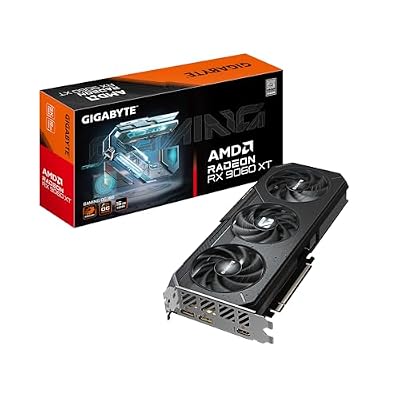
RTX 5090 vs RTX 5080 Performance Comparison
The RTX 5090 and RTX 5080 are both Blackwell-generation cards, but they target different buyers. The 5090 is the flagship, with the most memory and the highest power budget. The 5080 is a high-end card that costs considerably less and asks far less of the rest of the system. For most builders the real question is not which card is faster in a vacuum. It is whether the extra cost, power draw, cooling, and case size of the 5090 buy you anything you will actually use at your resolution and frame rate target.
This comparison deliberately avoids benchmark numbers. Published results vary widely by game, driver version, CPU pairing, and settings, and we have not run tests for this page. Instead, the sections below explain which specifications create real differences, how to read them, and how to decide. Always confirm current specifications on the manufacturer’s product page before buying.


RTX 5090 vs RTX 5080: The Specs That Actually Matter
When comparing two cards in the same generation, the differences usually come down to four things: the amount of video memory, the power budget, the number of processing units, and the memory bandwidth. Video memory is the most visible gap. The RTX 5090 ships with 32GB of GDDR7, while the RTX 5080 ships with 16GB of GDDR7. For most games at 1440p, 16GB is enough. The extra memory on the 5090 becomes relevant at 4K with high-resolution texture packs, in some creative workloads, and in future titles that use more memory. Check the memory spec on each product page, because partner models can differ.
Power is the second big difference. The RTX 5090 has a substantially higher board power than the 5080. That affects the power supply you need, the heat your case must remove, and the noise your fans make under load. A 5090 build is not just a GPU swap. It usually means a larger case, stronger cooling, and a higher-wattage power supply. NVIDIA publishes recommended system power figures for each card. Check those figures on the official specification pages and add headroom for the rest of the system.
Processing Units and Memory Bandwidth
The 5090 has more processing units and more memory bandwidth than the 5080, which is why it scales further at high resolution. In practice, this means the gap between the two cards widens as you increase resolution and enable heavier effects. At 1440p, the difference is often smaller, and the 5080 can be the more sensible choice if your monitor does not exceed that resolution. The exact gap depends on the game, so read reviews that test the titles you play rather than relying on a general ratio.
Comparison Table: Choosing Between the Two
The table below summarises the main differences and the checks to run for each card and its partner models. Pricing is intentionally not quoted, because the gap changes frequently and varies between retailers. Use the live price when you compare value.
| Factor | RTX 5090 | RTX 5080 | What to Verify |
|---|---|---|---|
| Video memory | 32GB GDDR7 | 16GB GDDR7 | Confirm on the partner card’s product page |
| Power budget | Highest in the lineup | Substantially lower | Official board power and recommended PSU |
| Target resolution | 4K and high-refresh 1440p | 1440p high settings, 4K with upscaling | Your monitor’s resolution and refresh rate |
| Case and cooling | Large case, strong airflow | Mid-size case workable | Card length and thickness against your case |
| Price and value | Premium tier | High-end, lower entry cost | Check live price and return policy |
| Featured listing (B0HRB5NDZV) | NVIDIA RTX 5090 reference listing | Not applicable | Confirm model and retailer warranty |
Read the table as a checklist. If the memory, power budget, or case size is a problem, the choice is already made. If none of those is a constraint, the decision moves to price and value, which depends on your resolution and how long you plan to keep the card.
Which Card Fits Which Buyer
When the RTX 5090 Makes Sense
Choose the 5090 if you play at 4K and want high settings with minimal compromise, if you run creative workloads that use large amounts of video memory, or if you want the most headroom for several years of new releases. It is also the better fit for a system where you can accept the power and cooling demands. Pair it with a high-end CPU and a case with serious airflow, and read the guide to the best CPU coolers for RTX 5090 builds before you commit.
When the RTX 5080 Makes Sense
Choose the 5080 if you play primarily at 1440p, if you want a high-end card without the flagship premium, or if your case, power supply, or budget cannot accommodate the 5090. The 5080 delivers very strong performance at high resolutions with upscaling, and its lower power budget makes it easier to build around. For a 1440p-focused comparison, the guide to the best GPU for 1440p gaming places the 5080 among its alternatives.
Power Supply and Platform Considerations
The power supply decision is where many builders get caught out. A 5090 system needs a high-quality unit with enough capacity for the card and the processor under combined load, plus headroom for transient spikes. The 5080 is more forgiving, but a poor-quality power supply will still cause trouble with either card. Read the guide to the best 1000W power supplies for RTX 5090 builds for the specific considerations on the flagship card, and check the 5080’s recommended system power on NVIDIA’s page before buying a unit.
The CPU pairing is also important. A flagship GPU paired with a weak processor will not reach its potential at 1080p or 1440p. At 4K the GPU carries more of the load, so the CPU requirement is less strict. Match the processor to the resolution and frame rate target.
Verification Checklist Before You Buy
- Confirm the exact memory size and board power on the partner model you are buying.
- Check the card’s length, thickness, and connector clearance against your case.
- Verify the recommended PSU wattage and buy a unit from a reputable brand with a long warranty.
- Compare live prices across retailers and check return terms.
- Read independent reviews for the games you play at your target resolution.
Related Guides
- RTX 5090 review
- RTX 5080 review
- best GPU for 4K gaming
- best GPU for gaming
- best PSU for gaming PCs
- best gaming GPU guide



As an Amazon Associate we earn from qualifying purchases. Product prices and availability are accurate as of the date/time indicated.
Frequently Asked Questions
Is the RTX 5090 worth it over the RTX 5080?
It depends on resolution and budget. The 5090 offers more memory, more processing units, and more power headroom, which matter most at 4K and in memory-heavy workloads. At 1440p the 5080 is often the more practical choice.
Does the RTX 5080 have enough memory for modern games?
For most current titles at 1440p with high settings, 16GB of GDDR7 is generally sufficient. Very high-resolution textures, 4K gaming, and some creative tasks can benefit from more memory, which is the main reason to consider the 5090.
Do I need a bigger case for the RTX 5090?
Often yes. The card’s size and cooling requirements mean you should check the length and thickness of the specific partner model against your case’s clearance before buying. A mid-size case may fit some models but not others.
Can I upgrade from an RTX 5080 to an RTX 5090 later?
Yes, in a desktop build, provided the power supply, case, and cooling can handle the 5090. Check the power and clearance requirements before buying the 5080 if you think an upgrade is likely.
Choose the card that matches your resolution, your case, and your power budget, not the one with the biggest number on the box. For most 1440p builders the 5080 is the more balanced purchase, and for 4K and memory-heavy work the 5090 earns its premium.