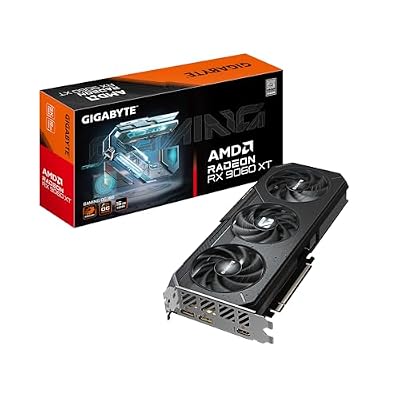
RTX 5050 Graphics Card Review 2026: Is It Worth Buying?
The NVIDIA RTX 5050 is the entry point of the RTX 50 series. It targets buyers who want current-generation features such as DLSS upscaling and frame generation in supported games, without the cost of the RTX 5060 class. The honest question for any entry card is simple: does it deliver a playable experience at the resolution most people use, and is there a better use of the same money? This review answers that question in a practical way, with a focus on the cases where the RTX 5050 makes sense and the cases where it does not.
We are not presenting frame-rate charts here, because published benchmark numbers vary by driver version, test scene and system. Instead, this guide explains what the card’s specification class allows and how to judge the listings in this group. The hero listing matches the query “NVIDIA RTX 5050”. The alternatives are other graphics card listings in the same budget tier, included so you can compare value directly.

What the RTX 5050 Is Built For
The RTX 5050 is a budget card. NVIDIA positions it for 1080p gaming and for players upgrading from older entry-level cards. Its memory is 8GB of GDDR6, which is a smaller pool than the RTX 5060 Ti and RTX 5070 class. That matters in games with high-resolution textures. If you plan to play at 1440p, you will need to lower some settings, and upscaling becomes important. If you plan to play at 1080p, the card is a better fit, especially in esports titles and older AAA games.
The feature set is the main argument for the card. DLSS upscaling lets the GPU render at a lower internal resolution and reconstruct a sharper image. In supported games, this can raise frame rates significantly. Frame generation, where supported, adds more frames on top of that. Neither feature changes the card’s raw limits, but both extend its useful life. For a benchmark-style comparison with the card below it, read our RTX 5060 review, and for the step up in the same family, see the RTX 5060 Ti review.
Performance Expectations by Resolution
Set realistic expectations before you buy. At 1080p, with medium to high settings and upscaling on in supported titles, the RTX 5050 can deliver smooth play in many popular games. At 1440p, expect to reduce texture quality, shadows and ray-tracing settings in demanding titles, and rely on upscaling to hold frame rates. At 4K, the card is not the right tool for demanding games. Use it for lighter titles or emulation, and plan a larger upgrade if 4K is the goal.
Games that suit this card
Competitive shooters, MOBAs and many indie titles are the strongest fit. These games tend to run well on modest hardware, and high frame rates matter more than maximum visual detail. Older AAA games also run well at 1080p. Check each game’s recommended specification and the performance mode options before you assume a title will run as you expect.
Games that push the card
Recent open-world titles with heavy ray tracing and large textures will struggle at high settings. The 8GB memory pool is the most likely limit. If your favourite games are in this group, the RTX 5060 class or a higher tier is a safer choice. Our guide to the best GPU for a gaming budget explains how to match the card to the games you actually play.
Power, Cooling and Compatibility
The RTX 5050 is a low-power card, which makes it a good candidate for compact builds and older office-style cases. It usually does not need a large power supply upgrade, but a reliable unit with enough headroom still matters for stability. Check the card length and the slot count on the listing, since some budget cards use compact coolers that fit a wider range of cases. The cooler design affects noise under load, so read a review that reports acoustic results before you buy a model with a small fan.
If you are upgrading an older system, check the motherboard’s PCIe generation and the processor. A modern card in an older system will still work, but the processor may hold back frame rates in some titles. Our guide to the best PSU for a gaming PC helps you confirm the power side of the upgrade.
Comparison With the Alternatives
The table below shows the hero listing next to four alternatives in the same budget bracket. Use the verification column as a checklist. Each listing should be checked for memory size, cooler design and the exact GPU model before purchase, because the same product name can appear in several configurations.
| Role | ASIN | Best for | Price | Rating | Verify before buying |
|---|---|---|---|---|---|
| Hero pick | B0FFXT3TRD | Entry-level RTX 50 series card for 1080p | See live listing | See live listing | Memory size (8GB GDDR6), GPU model, cooler |
| Alternative 1 | B0FFVFD58L | Buyers who want a different cooler design | See live listing | See live listing | Card length and fan noise |
| Alternative 2 | B0FRPFG6NW | Buyers who want a compact card | See live listing | See live listing | Slot count and case clearance |
| Alternative 3 | B0HHZ58929 | Buyers who want a lower price | See live listing | See live listing | Warranty and return policy |
| Alternative 4 | B0FG33PH79 | Buyers comparing a different brand | See live listing | See live listing | Factory boost clock and cooler |
The main alternative to the RTX 5050 is not another 5050. It is a step up to the RTX 5060 class if your budget allows, or a used card from a previous generation if you find one at a strong price. Compare these options before you commit. Our RTX 5060 vs RTX 4060 comparison shows how the newer generation changes value, and the best GPUs for 1440p gaming covers the higher tiers.
Who Should Buy the RTX 5050
The RTX 5050 suits a player on a tight budget who wants a current-generation card for 1080p gaming and access to DLSS features. It also suits a small-form-factor builder who needs low power draw. It is the wrong choice for anyone who plans to play modern AAA games at 1440p or higher with high settings, because the memory and raw performance will limit the experience. Buy a stronger card if that describes your plan.
Buying mistakes to avoid
Do not buy the card for 1440p AAA gaming without checking reviews of the games you care about. Do not assume the cheapest listing is the best value, since cooler quality and warranty terms vary. Check the return policy, and confirm the model is new and not a previously opened unit.

msi Gaming RTX 5050 8G Shadow 2X OC Graphics Card (8GB GDDR6,128-bit, Extreme Performance: 2617 MHz, DisplayPort x3 2.1a, HDMI 2.1b, NVIDIA Blackwell Architecture)


As an Amazon Associate we earn from qualifying purchases. Product prices and availability are accurate as of the date/time indicated.
Frequently Asked Questions
Is the RTX 5050 good enough for 1080p gaming?
For esports titles and many popular games at medium to high settings, yes. Demanding AAA titles may need lower settings, and upscaling helps in supported games.
Can the RTX 5050 handle 1440p?
Only with compromises. Expect to lower texture and shadow settings in demanding games and to rely on upscaling. A higher tier is the better choice for a consistent 1440p experience.
Is 8GB of memory a problem?
It can be, in games with large high-resolution textures. It is less of an issue at 1080p with moderate settings. Check the memory requirement for your favourite titles.
Does the RTX 5050 need a new power supply?
Usually not if your current unit is reliable and has enough capacity for the rest of the system. Check the card’s power requirement on the manufacturer page and confirm your unit’s rating.
Final Verdict
The RTX 5050 is a sensible entry card for 1080p gaming and for compact builds, and it gives you access to current upscaling features. It is not a 1440p card for demanding games. Check the memory size, the cooler and the warranty on the live listing, and compare the alternatives before you buy. For a wider view of value across budgets, our best budget GPU for gaming guide and the best cheap gaming PC cover the options around this card.