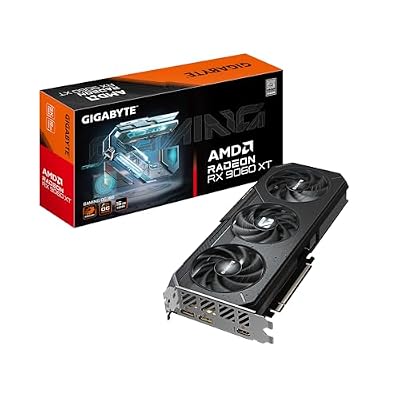
RTX 5070 Graphics Card Review 2026: Performance Per Dollar for 1440p Gaming
The RTX 5070 is the card most gamers look at when they want a strong 1440p experience without buying a flagship. This review explains what the card is built for, how it fits into a modern gaming PC, where it makes sense compared with its neighbours in the lineup, and what to check on a listing before you buy. It avoids invented frame-rate charts, because those numbers change with driver updates, game patches and test settings, and a number without that context is hard to trust.
Use this review as a decision guide. If you already know your target resolution and monitor, the questions below will tell you whether the 5070 is the right tier. If you are still choosing between a 5070, a 5070 Ti and a competitor card, the comparison sections will help you narrow the field.
What the RTX 5070 Is Designed For
The RTX 5070 uses NVIDIA’s Blackwell architecture, the generation that powers the RTX 50 series. It carries 12GB of GDDR7 memory, which is enough for most 1440p games at high settings. The card targets players who want a high-refresh 1440p display and modern features such as ray tracing and AI-based upscaling, rather than 4K ultra settings in every title. For a 1080p player, the card is more than most people need, and for a 4K player it is usually a step short.
The main value proposition is the combination of modern features and a price that sits below the top of the range. Blackwell’s AI upscaling and frame generation technologies can keep demanding games playable at higher settings. Those features depend on game support, so check whether the titles you play use them before deciding that they are essential.
Memory and why 12GB is the key number
Video memory decides how much texture and scene data the card can hold at once. At 1440p, 12GB is a reasonable target for most current games, but some titles with very large textures or heavy ray tracing settings will benefit from more. If you plan to keep the card for several years, watch how memory use grows in the games you play. Buyers who want more headroom for future releases should compare the 5070 with the 5070 Ti before committing.
Performance at 1440p and Where the Limits Are
This review does not publish frame-rate numbers, for the reasons above. In general, the RTX 5070 handles 1440p at high settings in most titles, with upscaling used in the most demanding games to hold a smooth frame rate. At 4K, the card will need heavier use of upscaling and lower settings in many titles, which is a fair trade for some players and a dealbreaker for others.
The CPU matters more at lower resolutions and at high refresh rates. If you pair the card with an older or very weak processor, you may find that the CPU, not the GPU, limits frame rates in competitive games. A balanced build avoids that problem. Our guide to the best CPU for 1440p gaming helps match a processor to a card like this.
Ray tracing and upscaling
Ray tracing adds visual quality but costs performance. The RTX 5070 is capable with ray tracing enabled in many games, especially when paired with upscaling. Turn on ray tracing for the effects you care about, and lower the others, because the cost of each effect differs between games. Read the settings guides for your specific games rather than relying on a single preset.
Power, Cooling and Build Requirements
The RTX 5070 is a mainstream card by power standards, which makes it easier to fit into a modest system than the flagship cards. Even so, check your power supply, case clearance and airflow before buying. Use a reputable PSU with enough capacity for the whole system, and check the connector your chosen card model uses. Many current cards use the 12V-2×6 connector, so confirm that your PSU has the correct cable or an adapter that is rated for the load.
Temperatures and noise depend on the card model and the case airflow. Custom cards with larger coolers are usually quieter and cooler than the base design, but they also take up more space. Check the card’s length and thickness against your case before you buy. If noise is a priority, read reviews that measure fan behaviour under sustained load.
Undervolting and thermal tuning
Many RTX 50 series owners tune their cards for lower temperatures and noise through undervolting. This can reduce heat without a large performance loss in some cases, but results vary by card and silicon quality. Our guide on how to undervolt an RTX 5070 for cooler temperatures walks through the process and the risks. Make changes gradually and test stability after each one.
Comparison Table: RTX 5070 and Its Main Rivals
The table compares the RTX 5070 with the adjacent options buyers usually consider. Price tiers are relative, and live prices and ratings appear in the product cards below.
| Card | Target resolution | Memory | Price tier | Best for |
|---|---|---|---|---|
| RTX 5060 class | 1080p to lower 1440p | Smaller pool | Entry | Budget builds with modest settings |
| RTX 5070 | 1440p high settings | 12GB GDDR7 | Mid to upper mid | High-refresh 1440p with modern features |
| RTX 5070 Ti class | 1440p ultra, light 4K | Larger pool | Upper mid to premium | Players who want more headroom |
| Competing AMD card | 1440p high settings | Varies by model | Similar tier | Buyers who weigh raster value and driver preference |
5070 Versus 5070 Ti and Versus AMD
The most common decision is between the 5070 and the 5070 Ti. The Ti tier costs more and offers more headroom for ultra settings and higher resolutions. If you are happy at 1440p with high settings and do not plan to move to 4K, the 5070 is the more sensible buy. If you want room to grow, or you already know your games are memory-hungry, the Ti is the safer choice. Our RTX 5070 versus 5070 Ti comparison covers the trade-offs in more detail.
The main rival at this tier is the AMD RX 9070 class. Compare the two on the games you play, the features you use and the driver experience you prefer. Our RTX 5070 versus RX 9070 review looks at the comparison in depth, and it is worth reading before you choose a brand.
Who Should Buy the RTX 5070
The RTX 5070 suits a gamer with a 1440p high-refresh monitor who wants modern features at a mainstream price. It is a good upgrade for a system that is limited by an older GPU, and it fits a balanced build with a current CPU and enough system memory. It also suits buyers who want a card that is easy to power and cool in a standard case.
It is less suitable for 4K players who want ultra settings in every title, for competitive players who already run very high frame rates and want the best possible margin, or for creators who need large amounts of video memory. In those cases the 5070 Ti or a higher tier will serve you better. For budget-focused builds, our budget GPU guide shows where cheaper cards fit.
Buying Checklist
Before you buy, confirm the card length and thickness against your case, the power connector and the PSU capacity, the monitor you plan to use, and the warranty terms of the specific model. Read reviews that test sustained performance and fan noise, not just a short run. If you are building a new system, our PC build guide for every budget shows how to balance the GPU against the rest of the parts.

GIGABYTE GeForce RTX 5070 Gaming OC 12G Graphics Card, 12GB 192-bit GDDR7, PCIe 5.0, WINDFORCE Cooling System, GV-N5070GAMING OC-12GD Video Card


As an Amazon Associate we earn from qualifying purchases. Product prices and availability are accurate as of the date/time indicated.
Related Guides
More reading that pairs with this topic:
- rtx 5070 review
- rtx 5060 review
- rx 9070 vs rtx 5070 comparison
- best gpu for 1440p gaming
- best gpu for gaming budget
- best 850w gaming psus 2026
- rtx 5070 ti review

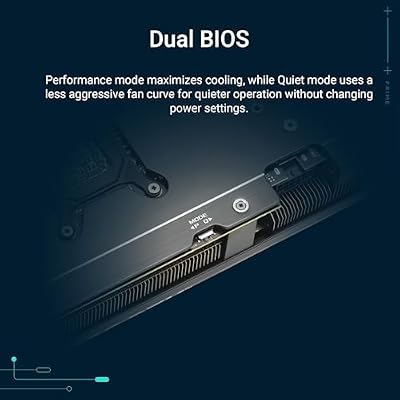
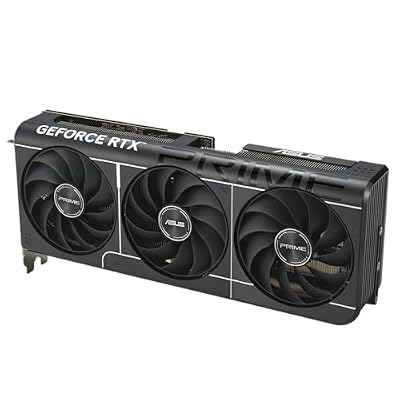
ASUS SFF-Ready Prime NVIDIA GeForce RTX 5070 Graphics Card (PCIe 5.0, 12GB GDDR7, HDMI/DP 2.1, 2.5-Slot, Axial-tech Fans, Dual BIOS), 3 Year Warranty




As an Amazon Associate we earn from qualifying purchases. Product prices and availability are accurate as of the date/time indicated.
Frequently Asked Questions
Is the RTX 5070 good for 1440p gaming?
Yes, it is designed for high-refresh 1440p gaming in most current titles, with upscaling used in the most demanding games. Check the games you play, because a few heavy titles may need lower settings.
Is 12GB of VRAM enough for the RTX 5070?
For most 1440p games it is enough. Very large textures and heavy ray tracing settings can push memory use higher, so buyers who want headroom for future games may prefer a card with more memory.
Should I buy the RTX 5070 or the 5070 Ti?
Buy the 5070 if 1440p high settings meet your needs and you want to save money. Choose the 5070 Ti if you want more headroom for ultra settings, higher resolutions or longer ownership.
Does the RTX 5070 need a special power supply?
You need a reputable PSU with enough capacity for the whole system and the correct power connector for your card model. Check the card’s requirements on the listing and the manufacturer’s site before buying.
Can I undervolt the RTX 5070 safely?
Undervolting can lower temperatures and noise in many cases, but results vary by card. Make small changes, test stability after each one, and keep your original settings available if something goes wrong.