

RTX 5060 Ti Graphics Card Review 2026: What the Specs Mean for 1080p and 1440p Gaming
The RTX 5060 Ti is a mainstream NVIDIA card built on the Blackwell architecture. It targets the gap between entry-level GPUs and the more expensive RTX 5070 class, and it is aimed at buyers who want modern features such as DLSS upscaling and frame generation without paying for a high-end card. This article is a buyer’s analysis based on the card’s published design and how it fits common builds. It is not a lab review, and it does not include benchmark numbers from our own test bench.
That distinction matters. Frame rates depend on the game, settings, CPU, memory speed, and driver version, and any figure you see in a headline will not match your system exactly. What you can judge with confidence is whether the card’s memory size, memory bus, and feature set fit the resolution and games you play. The listing below is the hero pick for this guide, with four alternatives from the same card family. Check the live card for the exact model, memory size, and price.
RTX 5060 Ti Graphics Card Review: Specs That Matter for Gaming
NVIDIA sells the RTX 5060 Ti in more than one memory configuration. The 16GB version is the one most buyers should consider for modern games, because video memory is now a limiting factor in many titles at 1440p and with high-resolution textures. The 8GB version is cheaper, but it leaves less headroom, and at higher settings you may see stutter in demanding games that the 16GB version handles more smoothly. Confirm the memory size on the listing before you buy, since the two versions sit close together in the product lineup.
The card uses a 128-bit memory bus. That is narrower than the buses on higher-tier cards, which means memory bandwidth is more limited. Blackwell’s newer memory technology and compression help offset this, but it is the main reason the card is positioned for 1080p and light 1440p rather than heavy 4K work. The card also uses PCIe 5.0 with an x8 link. On a modern motherboard that is not a problem, but on an older PCIe 3.0 board the narrower link can cost some performance, so check your platform before you buy.
DLSS and Frame Generation
The feature set is where the card earns most of its value. DLSS upscaling renders the game at a lower internal resolution and reconstructs the image, and frame generation can raise displayed frame rates in supported titles. These features can make a midrange card feel faster in games that support them, but they add latency in some cases and are not available in every game. Treat them as a way to reach a smoother experience, not as a substitute for the raw performance a card can deliver. Our guide to the best GPU for gaming covers how these features compare across price tiers.
Where the RTX 5060 Ti Fits in a Gaming Build
The RTX 5060 Ti is a strong fit for a 1080p high-refresh build and a reasonable fit for 1440p with the right expectations. At 1080p, the 16GB version gives room for high texture settings in current titles, and upscaling can carry the card through demanding games. At 1440p, you will likely need to combine upscaling with medium-to-high settings in the most demanding titles. That is normal for a card in this class, and it is worth planning for before you buy a 1440p monitor.
The card is a weaker fit for 4K gaming, heavy ray tracing at high resolution, and local AI workloads that need large amounts of memory. If those are your priorities, step up the lineup. Our RTX 5070 review explains the jump in memory and bandwidth you get for the higher price, and RTX 5070 vs RX 9070 compares it with the main competitor in the same bracket.

ASUS Dual GeForce RTX 5060 Ti 16GB GDDR7 OC Edition Gaming Graphics Card | PCIe 5.0, HDMI 2.1b, DisplayPort 2.1b, 2.5-slot, Axial-tech Fans, 0dB Technology, Dual BIOS
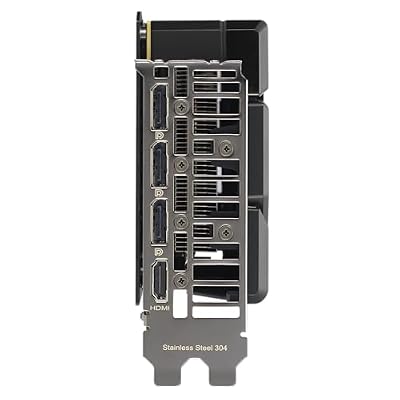


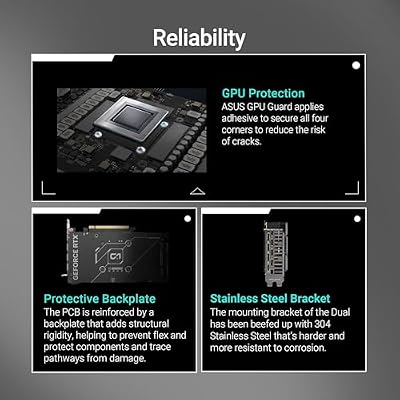


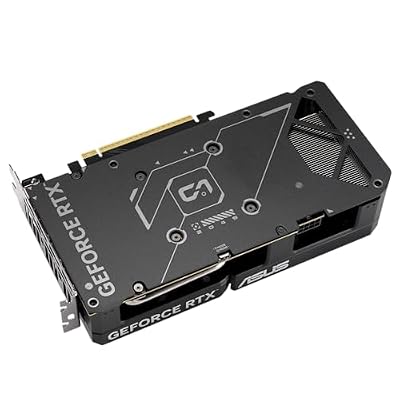


As an Amazon Associate we earn from qualifying purchases. Product prices and availability are accurate as of the date/time indicated.
Comparison Table: RTX 5060 Ti Hero and Alternatives
The table compares the five listings by what you should verify on each card. Specific factory clocks, cooler designs, and prices vary by board partner, and they change over time, so the live card is the authority. The table is a checklist, not a benchmark result.
| Listing | GPU | Verify on the card | Why it matters | Price |
|---|---|---|---|---|
| Hero (B0F7WB6LSH) | RTX 5060 Ti | Memory size (8GB or 16GB), cooler, length | Memory size sets the ceiling for texture settings | See live card |
| Alternative slot 1 (B0F4YRNHSJ) | RTX 5060 Ti | Memory size, board partner, factory clocks | Clock and cooler differences affect noise and temps | See live card |
| Alternative slot 2 (B0F32LPGBW) | RTX 5060 Ti | Card length and slot width | Compact cases need shorter cards | See live card |
| Alternative slot 3 (B0F4RXQS6M) | RTX 5060 Ti | Power connector and recommended PSU | A weak PSU causes crashes under load | See live card |
| Alternative slot 4 (B0F68R489D) | RTX 5060 Ti | Warranty and return policy | Board partner support varies | See live card |
Who Should Buy the RTX 5060 Ti and Who Should Wait
Buy the RTX 5060 Ti if you have a 1080p or 1440p monitor, play modern titles with upscaling enabled, and want the features of the current generation at a midrange price. It is also a sensible upgrade for someone on an older 8GB card who wants more memory headroom without moving to a high-end card.
Wait or look elsewhere if you need a card for 4K high-refresh gaming, if your games are mostly older titles that already run well on your current GPU, or if you plan to run large local AI models. In those cases, the memory bus and VRAM capacity will limit you before the rest of the system does. Check the GPU buying guide for a broader look at the current lineup before you commit.

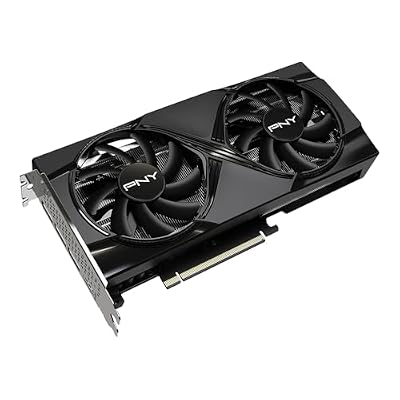
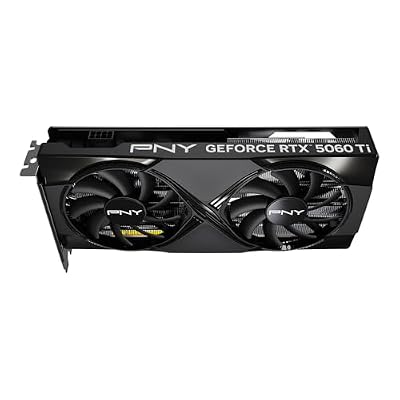
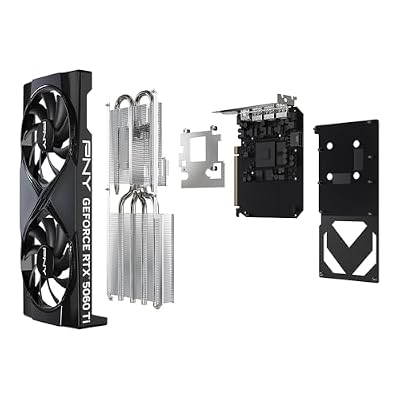
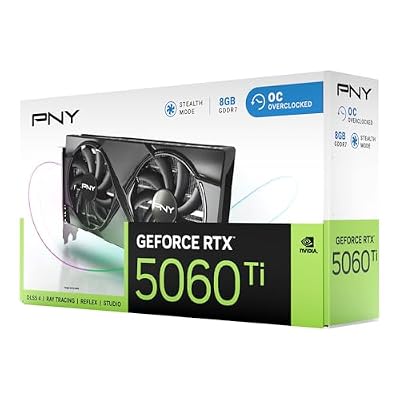
PNY NVIDIA GeForce RTX™ 5060 Ti 8GB OC Dual-Fan Graphics Card | 8GB G7, 128-bit, Boost Speed: 2692 MHz, SFF-Ready, PCIe® 5.0, HDMI®/DP 2.1, 2-Slot, NVIDIA Blackwell Architecture, DLSS 4.5


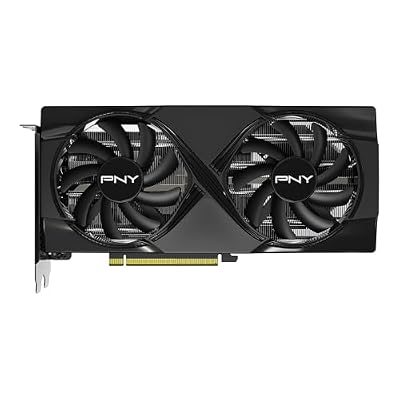





As an Amazon Associate we earn from qualifying purchases. Product prices and availability are accurate as of the date/time indicated.
Before You Buy: Checks That Save Money
Confirm the memory size first. The 8GB and 16GB versions are easy to confuse in a listing, and the cheaper one may not be what you want. Then check the case clearance for the card’s length, the power supply’s wattage and connectors, and the motherboard’s PCIe generation. If you are upgrading from an older GPU, make sure your driver setup and temperature monitoring are in order. Our guide on how to check GPU and CPU temperature covers the tools you need after installation.
If you are comparing this card with a competitor from AMD, our AMD vs NVIDIA buyer’s guide covers the trade-offs in software features, driver support, and value. For a cheaper GPU that still runs modern games, see the best budget GPU for gaming. For a cheaper card in the same family, see our RTX 5060 review.
Frequently Asked Questions About the RTX 5060 Ti
Is the RTX 5060 Ti good for 1440p gaming?
It can handle 1440p with upscaling and a mix of medium and high settings in demanding games. For the smoothest 1440p experience at high settings, a higher-tier card gives more headroom.
Should I buy the 8GB or 16GB version?
For most current games, choose the 16GB version. The 8GB model can work in lighter titles, but it leaves less room for high texture settings and can stutter in demanding games.
Will it work in an older PCIe 3.0 motherboard?
Yes, but the card uses a narrower PCIe 5.0 x8 link, and on PCIe 3.0 boards that can reduce performance in some titles. Check your platform before you buy if you are keeping an older system.
Is it worth it compared with the RTX 5070?
If you want more memory and more headroom for 1440p, the RTX 5070 is the step up. If your monitor is 1080p and your games run well at high settings with upscaling, the RTX 5060 Ti is the better value.
Final Verdict on the RTX 5060 Ti Graphics Card
The RTX 5060 Ti is a practical card for 1080p high-refresh gaming and a reasonable choice for 1440p with upscaling. Its strengths are the current feature set and a midrange price, and its limits are the narrower memory bus and the importance of choosing the 16GB version for modern titles. Pick the hero listing or an alternative based on memory size, cooler, case fit, and warranty, and check the live card for the current price before you buy.







