

Best 1080p Gaming Graphics Card 2026: Smooth Frame Rates on a Budget
1080p is still the most common gaming resolution, and for good reason. It is affordable, it pairs well with high-refresh monitors and it asks far less of the graphics card than 1440p or 4K. The best 1080p gaming graphics card in 2026 is the one that delivers high frame rates at high settings in your favourite games without wasting money on resolution headroom you will never use. This guide explains how to choose, what matters most at this resolution and how the main options compare.
This is a buying guide based on the product class, not a set of our own benchmark charts. We have not reviewed each card for this article. The hero listing below was selected for the query “1080p gaming graphics card”, and the alternatives come from the same search. Treat the listings as starting points, confirm the exact model, memory and price, and check reviews for the games you play.
What 1080p Asks From a Graphics Card
At 1920 x 1080 the GPU renders the fewest pixels of the common gaming resolutions. That means a mid-range card can often hit high frame rates in esports titles and run most single-player games at high settings. The key is not to overbuy. A flagship card at 1080p can sit idle waiting on the CPU, which wastes budget that could go to a better monitor or processor.
Memory still matters. Many current games use more VRAM when textures are set to high, even at 1080p. An 8GB card can work well for competitive titles and older releases, but a 12GB or 16GB option gives you more room for newer games. If you plan to keep the card through several game releases, the extra memory is worth a modest premium.
Key Factors for a 1080p Build
Refresh Rate and Frame Rate Targets
Match the card to your monitor. A 144Hz or 165Hz 1080p display rewards high average frame rates, especially in competitive shooters. A 60Hz panel needs less, so you may be able to choose a lower tier without losing smoothness. Decide your target frame rate first, then choose the card that reaches it in the games you play.
Upscaling and Frame Generation
Upscaling is less essential at 1080p than at 1440p or 4K, but it can still lift frame rates in demanding titles. The quality of each vendor’s upscaler matters, and some games support one vendor’s features but not another. Check the supported list for your library before deciding.
CPU Pairing
At 1080p, the processor often sets the ceiling for frame rate. A powerful GPU paired with an older CPU may underperform in high-refresh esports titles. Balance your build so neither part is wasted. Our 1080p high-FPS GPU and CPU combo guide shows pairings that suit a high-refresh 1080p setup.
1080p Card Comparison
The table below groups the main choices at 1080p. Ranges are intentionally broad because prices vary by region and promotion. Always check the live listing before buying.
| Card class | Memory | Best for | Typical price range |
|---|---|---|---|
| Current-generation 60-class | 8GB to 16GB GDDR7 | 1080p high settings, high-refresh esports | Check current price |
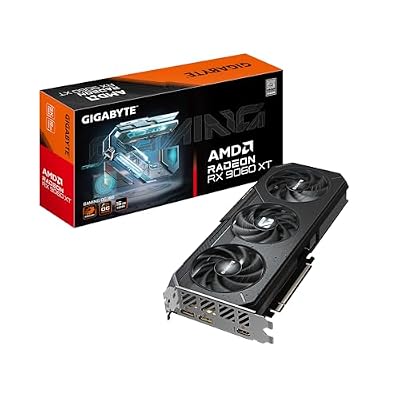
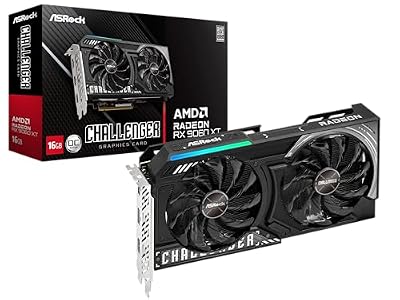
| Current-generation AMD 9060-class | 8GB to 16GB GDDR6 | 1080p high settings, strong raster value | Check current price |
| Entry 70-class (current or previous generation) | 12GB GDDR6 or GDDR7 | 1080p at ultra settings, room for future titles | Check current price |
| Previous-generation mid-range (new or open-box) | 8GB to 12GB GDDR6 | Budget 1080p builds on a tight plan | Check current price |
For a broader look at entry-level options, our cheap graphics card for gaming guide covers the lower end of the market, and the best GPU for gaming roundup places 1080p cards alongside higher tiers.

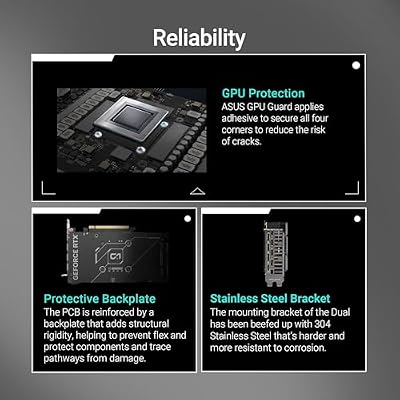
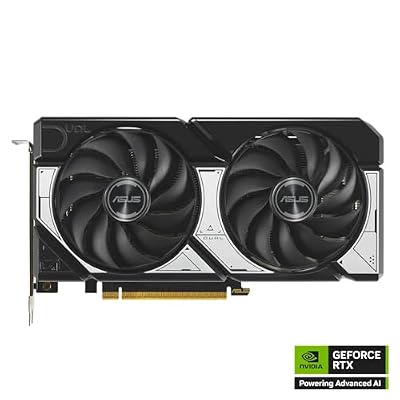
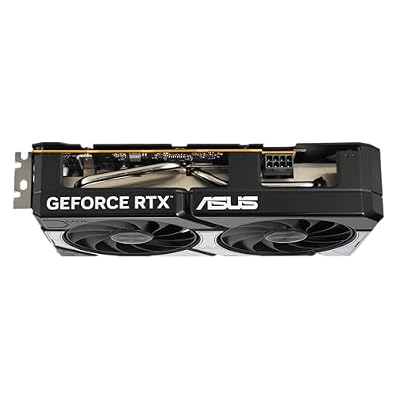
ASUS Dual NVIDIA GeForce RTX 5060 8GB GDDR7 OC Edition (PCIe 5.0, 8GB GDDR7, DLSS 4, HDMI 2.1b, DisplayPort 2.1b, 2.5-Slot Design, Axial-tech Fan Design, 0dB Technology), 3 Year Warranty






As an Amazon Associate we earn from qualifying purchases. Product prices and availability are accurate as of the date/time indicated.
Choosing the Right Monitor for 1080p
A good card deserves a good panel. For competitive play, a 1080p display with a high refresh rate and fast response time gives you the most benefit from a mid-range GPU. Our 1080p gaming monitor guide compares panel types and refresh rates, and the best 1080p monitor for gaming list shows models by use case.
If you are considering a step up to 1440p later, plan the upgrade path. A 1080p card may not be enough for a 1440p panel at high refresh, so think about whether you want to buy the monitor and card in the same cycle.
Budget Builds Built Around a 1080p Card
A 1080p card works best inside a balanced budget build. Our budget PC build for 1080p 144Hz gaming shows how to spend a limited budget across the CPU, memory, storage and power supply. If you prefer a single card recommendation for a specific build size, the budget 1080p 144Hz build guide covers the same logic in more detail.
For a second opinion on the entry-to-mid tier, read our RTX 5060 review and the RTX 5060 Ti review, which cover NVIDIA’s current 60-class options in depth.

GIGABYTE GeForce RTX 5060 WINDFORCE OC 8G Graphics Card, Cooling System, 8GB 128-bit GDDR7, PCIe 5.0, Manufactured by NVIDIA, DisplayPort & HDMI - Video Output Interface, GV-N5060WF2OC-8GD Video Card


As an Amazon Associate we earn from qualifying purchases. Product prices and availability are accurate as of the date/time indicated.
Frequently Asked Questions
Is 8GB of VRAM enough for 1080p gaming?
For many competitive and older games, yes. For newer titles with high-resolution textures at high settings, 12GB or more gives you more room and smoother performance over time.
Do I need a high-end GPU for 1080p at high refresh rates?
Not always. A current mid-range card can run many esports titles at high frame rates on a 1080p high-refresh monitor. Demanding single-player games may still need a higher tier for the best results.
Is it worth buying a 1440p monitor instead of upgrading the card?
That depends on your budget and games. A 1440p monitor needs more GPU power, so you may need to upgrade the card as well. Compare both costs before deciding.
Which brand is best for 1080p gaming?
NVIDIA leads on upscaling and ray tracing ecosystem features. AMD often offers strong raster value. Intel’s Arc cards are competitive on some models. Choose based on the games you play and the features you rely on.
Final Recommendation
The best 1080p gaming graphics card for most players is a current mid-range card with enough memory for the games you play and a frame rate that matches your monitor. Compare the hero listing and the alternatives on specs and reviews, confirm the exact model and price, and pair the card with a CPU that will not hold it back. A balanced 1080p build gives you high frame rates for years without paying for resolution you do not need.










