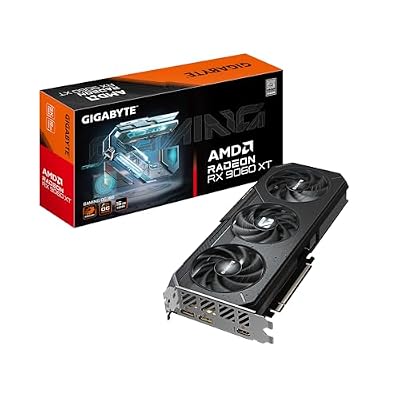
ASUS ROG Strix RTX 5090 Review 2026: Premium Flagship or Overkill?
The ASUS ROG Strix line is ASUS’s premium tier of graphics cards. It combines the most ambitious cooler designs, the most dramatic lighting and, usually, the highest factory clock settings in ASUS’s range. Applied to the GeForce RTX 5090, it produces one of the most expensive consumer graphics cards on the market. This guide explains who the ROG Strix RTX 5090 is for, what the premium tier actually changes, and when a cheaper partner card is the smarter purchase.
Check the listing above for the exact model. ROG Strix cards come in several variants with different clock speeds, cooler sizes and card lengths, and the card shown may be a close match rather than the precise model you have in mind. Confirm the model name, dimensions and price before you buy. The buying guidance here is written for the ROG Strix RTX 5090 family as a whole, so it stays useful whichever variant suits you.


Who the ROG Strix RTX 5090 Is For
The ROG Strix RTX 5090 suits a buyer who wants the best of everything and has a case, power supply and monitor to match. It makes sense for a 4K enthusiast who plays demanding games with ray tracing at high refresh rates, and for a builder who wants a showpiece system with consistent RGB lighting and premium cooling. It is also suitable for a creative professional who needs the flagship memory and can justify the price through work output.
It is a poor match for a buyer whose main concern is value. The premium tier costs more than the standard RTX 5090 for benefits that many buyers will not notice in play. If your budget is limited, a cheaper RTX 5090 partner card or a card in the RTX 5080 class will deliver most of the experience for less money. Our review of the RTX 5090 covers the base card in its own right.
What the Premium Tier Changes
The core of the RTX 5090 is the same across partner cards. It carries 32GB of GDDR7 memory on a 512-bit bus and is rated at 575W at the reference design. The ROG Strix tier does not change the memory or the GPU die. What it changes is the cooler, the factory clock settings, the lighting, the build materials and the software package that ships with the card.
Factory clock speed is the most meaningful of those changes. A premium variant usually runs at a higher boost clock than the reference card, which may give a small performance gain in some games. The size of that gain depends on the game, the cooling and the power limit, and it is rarely large enough to change the experience dramatically on its own. Treat factory overclocks as a bonus rather than the main reason to buy.
The cooler is the second major change. Premium cards typically use larger heatsinks and more fans, which can keep temperatures and noise lower under sustained load. That benefit matters most in a case with limited airflow or in a system that runs long gaming or rendering sessions. The lighting and styling are a matter of taste, but they add to the cost and the physical size of the card.
Power, Connector and Case Requirements
Power demands are the same as for any RTX 5090. NVIDIA recommends a 1000W power supply, and that is the correct starting point for a ROG Strix build. A quality unit with strong 12V output is necessary, and a high-end processor in the same system means you should look at the total draw rather than the card alone.
The 12V-2×6 connector needs care. Seat it fully at the card end, avoid sharp bends near the connector, and inspect it after installation. Premium cards are heavy, so use a support bracket if your case provides one, and check that the card does not put strain on the power connector over time. A sagging card can stress the connector and the PCIe slot, so support it properly.
Case clearance is the most common surprise with large premium cards. Measure the card length, slot thickness and height before you buy. A ROG Strix card can block a front fan or touch a drive cage in a compact case. A large case with strong front intake and clear exhaust is the safest pairing, and our overview of CPU coolers for RTX 5090 builds helps you plan the rest of the cooling.
Performance and Thermal Expectations
This review does not publish frame-rate numbers, because results depend on the game, driver version, processor, memory, resolution and in-game settings. A figure without those details is not a dependable guide. What you can expect is a card that leads the consumer market in raw performance and offers strong 4K results in demanding titles with ray tracing enabled.
DLSS with Multi Frame Generation is available in supported games and can raise displayed frame rates a lot. Frame generation adds latency, so the best experience usually comes when the base frame rate is already strong and frame generation is used to smooth the result. Test that balance in the games you play most, rather than trusting a single setting.
Thermals and noise depend on the cooler, the case and the fan curve. Premium cards usually run cooler and quieter under load than basic designs, but a closed case with poor intake will still raise temperatures. After you build, our guide on how to check GPU and CPU temperature describes the monitoring steps to follow during a long session.
ROG Strix RTX 5090 Against Its Rivals
The table below compares the premium variant with the reference RTX 5090, a cheaper partner card and the RTX 5080. Prices are a reminder to check the live listing, since premium pricing moves frequently.
| Card | Memory | Typical board power | Best for | Typical price range |
|---|---|---|---|---|
| ASUS ROG Strix RTX 5090 | 32GB GDDR7 | About 575W or higher at factory settings | Premium cooling, showpiece builds, top performance | Check current price |
| ASUS TUF RTX 5090 | 32GB GDDR7 | About 575W | Flagship performance with a calmer design | Check current price |
| RTX 5090 (reference design) | 32GB GDDR7 | About 575W | Buyers who want the base flagship design | Check current price |
| RTX 5080 | 16GB GDDR7 | About 360W | High-end 4K or strong 1440p at lower cost | Check current price |
ROG Strix RTX 5090 or TUF RTX 5090
The TUF line uses the same flagship silicon with a more restrained design and usually a lower price. Unless you need the premium styling or the extra cooling headroom, the TUF card is the better value. Our best GPU for gaming guide covers cheaper alternatives in more detail.
ROG Strix RTX 5090 or RTX 5080
The RTX 5080 is far less expensive, smaller and easier to power, and it is the right choice for most 1440p players and many 4K players. The ROG Strix RTX 5090 is justified only when you need the 32GB of memory, the top-end 4K headroom or the creative workload benefits. Our RTX 5080 review explains why the smaller card suits many builds.
Buying Checklist
Before you order a ROG Strix RTX 5090, check the case clearance first, then the power supply, then the monitor. Measure the card and confirm it will fit with the power cable attached. Confirm a 1000W power supply from a trusted brand is in place. Make sure your monitor can actually show the performance, since a 4K or high-refresh display is needed to justify the card. Finally, compare the warranty and seller terms, because a card at this price needs strong after-sales support.

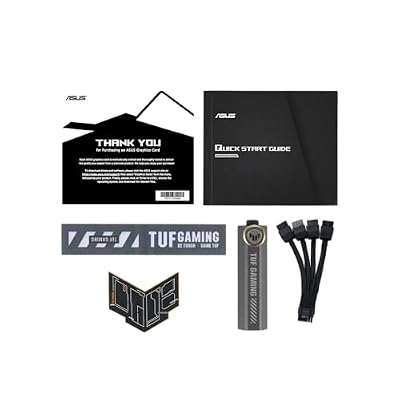
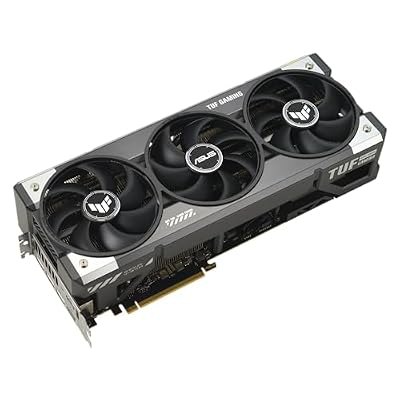
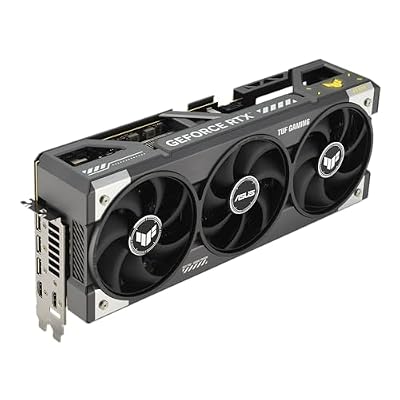
ASUS TUF Gaming GeForce RTX 5090 32GB GDDR7 OC Edition Gaming Graphics Card | PCIe 5.0, HDMI/DP 2.1, 3.6-slot, Military-grade Components, Protective PCB Coating, Axial-tech Fans










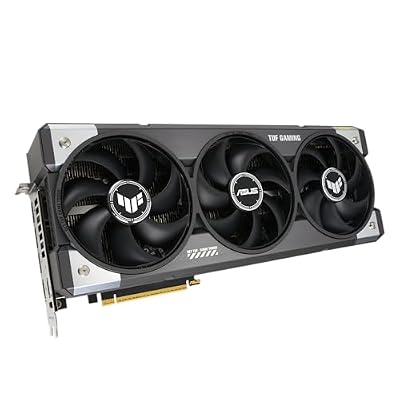

As an Amazon Associate we earn from qualifying purchases. Product prices and availability are accurate as of the date/time indicated.
Premium cards also carry higher risk when a return or warranty claim is needed. Keep the box, the invoice and any accessories. Register the product if the manufacturer requires it, and keep the serial number. If the card has an extra support bracket or mounting hardware, install it, because a heavy card supported only by the slot can strain the board over time.
For a wider view of the market, the best gaming graphics cards roundup and the graphics card hierarchy show where the 5090 sits among other options at different prices.
If a flagship is more than your build needs, our best graphics card for 1440p gaming guide and our RX 9070 XT review show cheaper cards that still play most titles well.
Frequently Asked Questions
Is the ROG Strix RTX 5090 faster than the reference RTX 5090?
It may be slightly faster in some games because of higher factory clock settings, but the difference depends on the game, the cooling and the power limit. Check the specific model’s clock speeds on the listing and treat the premium as a bonus rather than a dramatic upgrade.
Is the ROG Strix RTX 5090 worth the extra money?
For most buyers, the extra cost is hard to justify over the TUF or reference card. It makes more sense for buyers who want premium cooling, a showpiece build or the highest factory settings and who have the budget to match.
How big is the ROG Strix RTX 5090?
Premium RTX 5090 cards are large. Measure the card length, slot thickness and height against your case before you buy, and check that the front fans and drive cages will not be blocked. Dimensions vary by variant, so check the specific listing.
Does the ROG Strix RTX 5090 need a 1000W power supply?
NVIDIA recommends a 1000W power supply for the RTX 5090, and that applies to the ROG Strix model as well. Choose a quality unit with solid 12V output and a properly seated 12V-2×6 cable.