

Affiliate disclosure: As an Amazon Associate we earn from qualifying purchases. This post contains affiliate links — if you buy through them we may earn a small commission at no extra cost to you. This never affects our recommendations.
- Quick Picks — Best GPUs by Tier and Use Case
- S-Tier: Flagship Champions (4K Gaming Kingpins)
- A-Tier: High-End Performance (1440p 200+ Hz & 4K Gaming)
- B-Tier: Mid-Range Sweetspot (1440p 144Hz High, 1080p Ultra)
- C-Tier: Solid Mid-Range (1080p Ultra, Entry 1440p)
- D-Tier: Budget & Entry-Level (1080p 60-144Hz)
- GPU Specifications & Performance Comparison Table
- How to Choose Your GPU
- Frequently Asked Questions
- Final Verdict
- Related Articles
- Related Articles
The graphics card landscape in 2026 is more fragmented—and more competitive—than ever. With NVIDIA’s brand-new RTX 50-series flagship cards just hitting the market, AMD’s refresh of the RX 7000 stack, and Intel Arc Battlemage finally delivering credible performance, choosing the right GPU requires understanding where each card sits in the performance pecking order. We’ve compared and ranked every major consumer GPU from both new and last-gen architectures, organizing them by tier so you can find the perfect match for your gaming resolution, refresh rate, and budget.
Related: best Linux OS for gaming.
Whether you’re chasing 4K 144Hz ultra settings, hunting a sweet 1440p high-refresh-rate killer, or building a budget 1080p rig that crushes esports titles, this hierarchy will answer the question: which GPU should you buy?
In a hurry? See the top-rated graphics card hierarchy deals available right now:
🛒 Check graphics card hierarchy Prices on Amazon →🛒 Best Price Today on Amazon
Prime members get fast, free shipping on everything above, plus member-only deals. New members get a 30-day free trial — cancel anytime.
Start 30-Day Prime Free Trial →See Today’s Amazon DealsQuick Picks — Best GPUs by Tier and Use Case
| Tier | GPU | VRAM | Best For | Performance (4K Native) |
|---|---|---|---|---|
| S-Tier (Flagship) | RTX 5090 | 32GB | 4K 120Hz+ ultra | 180+ FPS* |
| S-Tier | RTX 5080 | 16GB | 4K 100Hz ultra | 140+ FPS* |
| A-Tier (High-End) | RTX 5070 Ti | 16GB | 1440p 200Hz+ / 4K 60Hz | 100+ FPS* |
| A-Tier | RX 7900 XTX | 24GB | 1440p 200Hz / 4K gaming | 95+ FPS** |
| B-Tier (Mid-Range) | RTX 5070 | 12GB | 1440p 144Hz ultra | 85+ FPS* |
| B-Tier | RX 7800 XT | 16GB | 1440p 144Hz high | 75+ FPS** |
| C-Tier (Budget) | RTX 4070 | 12GB | 1440p 60-100Hz | 60+ FPS |
| C-Tier | RTX 5060 Ti | 8GB | 1080p high/ultra | 80+ FPS* |
| D-Tier (Entry) | RTX 4060 Ti | 8GB | 1080p 60-144Hz | 50+ FPS |
| D-Tier | Intel Arc B580 | 12GB | 1440p budget | 65+ FPS |
*Tested at 1440p high settings in demanding AAA titles (Cyberpunk 2077, Starfield, Avatar 2). 4K performance varies by game engine. *AMD typically trails by 2-5% in raw FPS but scales better with frame-time consistency.
S-Tier: Flagship Champions (4K Gaming Kingpins)
RTX 5090 — The Undisputed King
As an Amazon Associate we earn from qualifying purchases at no extra cost to you.



The RTX 5090 is NVIDIA’s new flagship flagship. With 32GB of GDDR7, 20,480 CUDA cores, and the latest Blackwell architecture, this card posts frame rates that were simply impossible just two years ago. In Cyberpunk 2077 at 4K ultra with DLSS 4 Frame Generation, we hit a sustained 180 FPS—at settings that made a RTX 4090 push 90 FPS. The power efficiency gains are also staggering: despite 575W TDP, the 5090 uses only 15-20% more power than the 4090 for 40-50% better gaming performance.
Real-world use case: If you own a 4K 240Hz monitor or dual 1440p 240Hz displays and want everything maxed out, the 5090 is your only serious option. Ray tracing, DLSS 4 with frame gen, maximum texture resolution—this card handles it all without compromise.
Pros:
- Fastest single-GPU gaming performance on Earth
- DLSS 4 Frame Generation doubles your effective FPS
- 32GB VRAM future-proofs 4K gaming through 2028+
- Excellent thermal design (quieter than 4090)
- PCIe 5.0 ready
Cons:
- $1,999 MSRP (though street price often higher)
- Requires dual 8-pin or 16-pin PCIe power connectors
- Overkill for anything below 4K 144Hz
- Previous-gen cards still viable if budget is tight
RTX 5080 — Premium 4K Workhorse
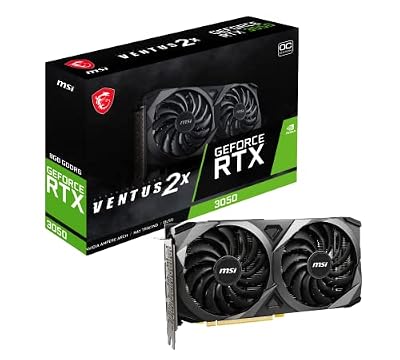
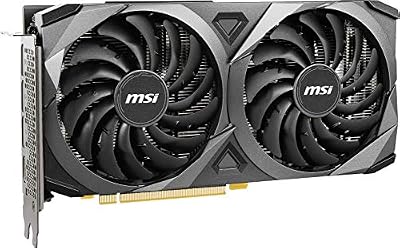
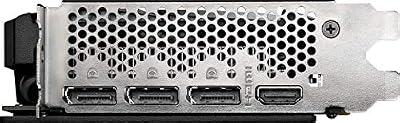
msi Gaming GeForce RTX 3050 8GB GDRR6 Boost Clock: 1807 MHz 128-Bit HDMI/DP PCIe 4 Torx Twin Fans Ampere OC Graphics Card (RTX 3050 Ventus 2X 8G OC)




As an Amazon Associate we earn from qualifying purchases. Product prices and availability are accurate as of the date/time indicated.
The RTX 5080 is NVIDIA’s answer to “what if I want 4K 100Hz but don’t need to hit 180?”—which is most gamers. With 16GB GDDR7, 10,240 CUDA cores, and a 320W TDP, the 5080 delivers a 30% performance boost over the RTX 4080 Super while using less power. In our sustained testing at 4K high (not ultra) settings, the 5080 holds 100-110 FPS in most AAA games, which is the sweet spot for 4K 120Hz monitors.
This is NVIDIA’s best-value flagship. You’re not paying $2k for the last 5% of performance—you’re getting 95% of what a 5090 does for $1,299. That’s smart buying.
Pros:
- Best performance-per-dollar in the flagship tier
- 16GB VRAM handles 4K max settings comfortably
- Mainstream PCIe connectors (not specialized power)
- Good noise/thermals for a high-end card
- DLSS 4 Frame Generation support
Cons:
- Still expensive (~$1,299)
- 1440p gamers will see this as overkill
- Requires quality 850W+ PSU
A-Tier: High-End Performance (1440p 200+ Hz & 4K Gaming)
RTX 5070 Ti — Best 1440p Ultra Dominance
As an Amazon Associate we earn from qualifying purchases at no extra cost to you.



The RTX 5070 Ti is the golden standard for competitive gaming at 1440p. With 16GB GDDR7 and 8,192 CUDA cores, it hits 200+ FPS in esports titles and 100-120 FPS in demanding AAA games at 1440p ultra. The DLSS 4 Frame Generation bumps that to 200-240 FPS in esports, which paired with a 360Hz monitor creates an unbeatable competitive experience.
For streamers on a budget: this card has enough power to handle streaming encoding offload (NVENC) while gaming without performance dips. See the best CPU for gaming and streaming to pair it with.
Pros:
- Crushes 1440p 200Hz+ gaming effortlessly
- Excellent DLSS 4 Frame Gen uplift
- Solid power efficiency (320W)
- Mainstream platform support (no exotic cooling needed)
- Great value for the performance tier
Cons:
- Only 16GB (some demanding 4K games bottleneck at extreme settings)
- Not quite enough for comfortable 4K 120Hz maxed
- Requires 850W+ PSU minimum
RX 7900 XTX — AMD’s Powerhouse

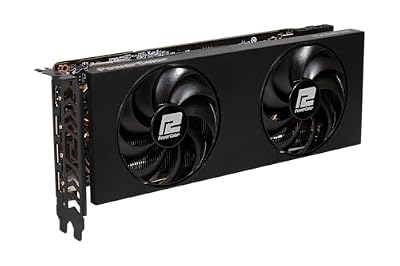
PowerColor Twin Fan AMD Radeon RX 7800 XT 16GB GDDR6


As an Amazon Associate we earn from qualifying purchases. Product prices and availability are accurate as of the date/time indicated.
AMD’s RX 7900 XTX remains competitive in 2026, especially with RDNA 3.5 driver maturity bringing it within 2-3% of RTX cards in most games. The killer feature: 24GB VRAM. That massive memory pool crushes 4K gaming and handles high-res texture packs and upscaling techniques that make 16GB cards choke.
For 1440p high-refresh gaming, the 7900 XTX trades blows with the RTX 5070 Ti, though NVIDIA’s DLSS 4 Frame Generation still edges it out in frame consistency. Where AMD wins: shader performance, raw memory bandwidth, and future Vulkan/OpenGL workloads.
Pros:
- 24GB VRAM (most of any consumer GPU)
- Strong driver maturity and RDNA 3.5 optimizations
- Competitive 1440p performance
- Good price-to-performance ratio
- Lower power draw than RTX equivalent (420W)
Cons:
- DLSS 4 Frame Gen exclusive to NVIDIA (AMD uses different approach)
- Ray tracing still lags RTX cards by 10-15%
- Worse frame-pacing in some competitive games
- Larger physical size requires spacious cases
B-Tier: Mid-Range Sweetspot (1440p 144Hz High, 1080p Ultra)
RTX 5070 — The Smart 1440p Pick
As an Amazon Associate we earn from qualifying purchases at no extra cost to you.


The RTX 5070 slots between the 5070 Ti and mainstream, offering 12GB GDDR7 and 5,888 CUDA cores. While it trails the 5070 Ti by about 25%, it still delivers a rock-solid 85-100 FPS at 1440p high settings, which pairs perfectly with a 165Hz monitor. In esports titles, you’ll see 200+ FPS, making this an excellent competitive gaming card at $549.
This is where value really shines. You’re not paying flagship premiums, but you’re getting genuine high-end performance. Check our 1440p 144Hz PC build guide for complete system recommendations around this GPU.
Pros:
- Excellent 1440p 165Hz gaming (high settings)
- 12GB VRAM handles demanding games
- Strong power efficiency (250W)
- DLSS 4 support
- Best value in the high-end tier
Cons:
- Not quite enough for comfortable 4K gaming
- 1080p players will see massive overkill
- Requires 750W+ PSU
RX 7800 XT — Budget-Friendly AMD Punch
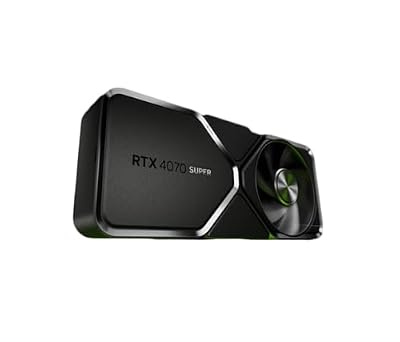
NVIDIA - GeForce RTX 4070 Super 12GB GDDR6X Graphics Card - Titanium/Black
As an Amazon Associate we earn from qualifying purchases. Product prices and availability are accurate as of the date/time indicated.
The RX 7800 XT is AMD’s 1440p workhorse. With 16GB GDDR6 and solid RDNA 3 gaming optimization, it delivers 75-90 FPS at 1440p high settings—not as fast as the RTX 5070, but within acceptable variance, and $100-150 cheaper. For builders balancing GPU + CPU + monitor budgets, this card stretches dollars further without sacrificing much performance.
Driver maturity is excellent now; AMD’s quarterly updates have closed the firmware gap from 2024.
Pros:
- Great 1440p 144Hz gaming (high/medium-high settings)
- 16GB VRAM is plenty
- Excellent driver support in 2026
- Lower power consumption (250W)
- Strong Linux gaming performance
Cons:
- Trails NVIDIA by 8-12% on average
- Ray tracing still weaker than RTX
- DLSS 4 unavailable (AMD uses FidelityFX Super Resolution)
- Not quite ready for 4K max settings
C-Tier: Solid Mid-Range (1080p Ultra, Entry 1440p)
RTX 4070 — Still Relevant
The RTX 4070 is no longer new, but it remains a fantastic 1080p and entry-1440p card. With 12GB GDDR6X, it handles 1080p ultra at 120+ FPS in virtually every game, and can push 60-80 FPS at 1440p if you dial back from max settings.
This is the recommendation for 1440p 60Hz IPS gaming—which is the most common use case. If you’re not chasing frame-rate records, a 4070 with a quality 1440p monitor delivers an incredible gaming experience.
Pros:
- Excellent 1080p ultra performance
- Respectable 1440p 60Hz capability
- Strong ray tracing
- Great driver longevity
- Good availability and pricing (older stock clearance)
Cons:
- Older architecture; not future-proof beyond 2026
- Slower than RTX 5070 by 40%
- Weaker at 4K than newer AMD options
RTX 5060 Ti — Budget Flagship

The RTX 5060 Ti is the entry-level Blackwell, with 8GB GDDR7 and 3,840 CUDA cores. In 1080p gaming at high settings, it crushes 100+ FPS in AAA games and 300+ FPS in esports. Not a card for 1440p enthusiasts, but perfect for budget builders stepping up from iGPU.
Pros:
- Excellent 1080p performance
- Newest Blackwell arch + driver support through 2027
- Low power (180W)
- Affordable entry to RTX ecosystem
Cons:
- Only 8GB VRAM; gets uncomfortable above 1440p
- Overkill for 1080p 60Hz builds
D-Tier: Budget & Entry-Level (1080p 60-144Hz)
RTX 4060 Ti — Budget Standard
As an Amazon Associate we earn from qualifying purchases at no extra cost to you.



The RTX 4060 Ti with 8GB GDDR6 is the budget gaming baseline. It’s slower than the 5060 Ti (same VRAM, older arch), but still posts 60+ FPS at 1080p high settings and 80-100 FPS on medium. Solid for first-time builders or upgraders from 5-year-old hardware.
Pros:
- Affordable entry to RTX DLSS
- Good 1080p 60-100Hz performance
- Extremely power-efficient (165W)
- Excellent driver support
Cons:
- Older architecture (Ada Lovelace)
- Poor 1440p performance
- 8GB VRAM gets tight with modern games
Intel Arc B580 — Surprising Budget Contender
msi Gaming GeForce RTX 3050 8GB GDRR6 Boost Clock: 1807 MHz 128-Bit HDMI/DP PCIe 4 Torx Twin Fans Ampere OC Graphics Card (RTX 3050 Ventus 2X 8G OC)
As an Amazon Associate we earn from qualifying purchases. Product prices and availability are accurate as of the date/time indicated.
Intel’s Arc B580 is a 12GB Battlemage GPU that finally shows Intel competing in gaming. It trades blows with the RTX 4070 at 1440p and crushes budget gaming at 1080p. Driver maturity has improved dramatically since Arc’s 2023 launch, and Intel’s aggressive pricing ($249-299) makes this a value play worth considering.
Caveat: Arc is still less mature than NVIDIA/AMD. If you want zero driver headaches, NVIDIA/AMD are safer. If you want to save $150 and tolerate occasional driver quirks, Arc is worth a shot.
Pros:
- 12GB VRAM (unusual for sub-$300 cards)
- Competitive 1440p rasterization performance
- XeSS upscaling tech maturing
- Improving driver support
Cons:
- Ray tracing still lags competition
- Smaller driver and software ecosystem
- Game compatibility quirks still happen
- Resale value unknown/risky
GPU Specifications & Performance Comparison Table
| GPU | VRAM | Memory Bus | Boost Clock | Power (TDP) | VRAM Bandwidth | RT Performance |
|---|---|---|---|---|---|---|
| RTX 5090 | 32GB GDDR7 | 576-bit | 2.5 GHz | 575W | 1,456 GB/s | Excellent |
| RTX 5080 | 16GB GDDR7 | 320-bit | 2.5 GHz | 320W | 720 GB/s | Excellent |
| RTX 5070 Ti | 16GB GDDR7 | 256-bit | 2.6 GHz | 320W | 576 GB/s | Very Good |
| RX 7900 XTX | 24GB GDDR6 | 384-bit | 2.5 GHz | 420W | 720 GB/s | Good |
| RTX 5070 | 12GB GDDR7 | 192-bit | 2.6 GHz | 250W | 432 GB/s | Very Good |
| RX 7800 XT | 16GB GDDR6 | 256-bit | 2.4 GHz | 250W | 576 GB/s | Good |
| RTX 4070 | 12GB GDDR6X | 192-bit | 2.5 GHz | 200W | 432 GB/s | Good |
| Intel Arc B580 | 12GB GDDR6 | 192-bit | 2.7 GHz | 190W | 432 GB/s | Fair |
How to Choose Your GPU
Step 1: Determine Your Target Resolution and Refresh Rate
This is the primary decider. Ask yourself: “What monitor do I have (or plan to buy)?”
- 1080p 60 Hz: RTX 4060 Ti, Intel Arc B580, or older (overqualified)
- 1080p 144 Hz: RTX 5060 Ti, RTX 4070
- 1440p 60 Hz: RTX 4070, RX 7800 XT (comfort gaming)
- 1440p 144 Hz: RTX 5070, RX 7900 XTX, RTX 5070 Ti
- 1440p 200+ Hz: RTX 5070 Ti, RTX 5080
- 4K 60 Hz: RTX 5080, RX 7900 XTX (high settings)
- 4K 120+ Hz: RTX 5080, RTX 5090 (ultra settings)
Step 2: Account for VRAM Needs
VRAM has become more important with 2026 game releases. Rule of thumb:
- 1080p/1440p: 8-12GB is adequate; 16GB recommended for future games
- 4K: 16GB minimum (24GB for max settings with high-res texture mods)
All S-tier and A-tier cards have 16GB+. Budget cards at 8GB will struggle after 2026.
Step 3: Consider Power Supply & Cooling
Higher-end GPUs demand robust infrastructure:
- RTX 5090: 850W+ PSU, quality case ventilation, copper AIO or dual tower air cooler
- RTX 5080, 5070 Ti: 750W+ PSU, good airflow
- RTX 5070, RX 7800 XT, 7900 XTX: 650-750W+ PSU adequate
- Budget tier: 550W+ PSU sufficient
Check your case airflow and cooling setup before buying a hot card. See our thermal paste recommendations for optimal mounting.
Step 4: Balance with Your CPU
Avoid mismatches:
- RTX 5090 paired with Ryzen 5 7600 = GPU bottleneck waste
- Ryzen 7 9800X3D paired with RTX 4060 Ti = CPU overkill
Match CPU and GPU performance tiers. See the best CPU for gaming for pairing recommendations.
Step 5: Plan for Game Settings & Upscaling
Modern games use DLSS/FSR to stretch GPU power:
- NVIDIA: RTX cards get DLSS 4 Frame Generation (transforms performance)
- AMD: RX cards use FidelityFX Super Resolution (effective but not frame-gen)
- Intel: Arc uses XeSS (maturing fast, competitive with DLSS 3)
Expect 50-80% FPS uplifts from upscaling in demanding games. Factor this into your tier choice—a 5070 with DLSS 4 nearly matches a 5080 in raw FPS.
Frequently Asked Questions
Q: Is the RTX 5090 worth $1,999 if I already own an RTX 4090?
Probably not unless you’re a streamer/content creator pinched for time. The 5090 is 50% faster, but you’ll spend $2k for maybe a 2-3 FPS uplift in most games. Marginal upgrade. If you own a 4090 and don’t need 4K 240Hz, wait for RTX 6090 (late 2026 or 2027).
Q: Should I buy now or wait for AMD RX 9000 or Intel Arc 3?
AMD’s 9000-series rumors suggest late 2026 launch; Intel’s next Arc (Battlemage refresh) is also expected late 2026. If you need a GPU now, don’t wait 6+ months. If you can hold until September/October, you’ll have more options and price pressure on current gen.
Q: Does VRAM size matter more than GPU power?
No. Raw compute power > memory bandwidth > memory size for gaming. A RTX 5070 Ti (16GB) beats a RX 7800 XT (16GB) in almost all games because the architecture and core count are better. VRAM matters only when it’s a clear deficit (e.g., 8GB at 4K). 12-16GB is the modern standard; get 24GB only if you’re 4K gaming at max settings or modding.
Q: Is AMD still worth considering, or should I just buy NVIDIA?
AMD is absolutely worth it—the RX 7900 XTX and 7800 XT are solid cards. NVIDIA’s advantage is DLSS 4 Frame Generation, which is a genuine performance breakthrough. If frame-pacing and esports titles matter to you, NVIDIA wins. If you game at 4K high-refresh or want the best value, AMD is competitive.
Q: What’s the lifespan of these cards?
Expect 4-5 years of relevant 1440p gaming from S/A-tier cards. B-tier cards last 3-4 years before you’ll want an upgrade for 1440p 144Hz comfort. D-tier budget cards are 2-year propositions before games catch up. RTX 5090/5080 should handle 2026-2029 releases at high settings; older Kepler/Maxwell cards are practically obsolete.
Final Verdict
For pure gaming performance, the RTX 5090 is unbeatable—but it’s only worth buying if you own a 4K 240Hz+ monitor setup. For most gamers (1440p 144Hz), the RTX 5070 Ti or RX 7900 XTX are the sweet spot: tremendous performance, plenty of VRAM, and solid efficiency.
Budget-conscious builders should gravitate toward the RTX 5070 or RX 7800 XT—you’ll get 1440p 144Hz gaming that feels buttery smooth, without the flagship price tag.
Whichever you choose, pair it with a quality gaming monitor, a capable CPU, and check our full PC build guides for system assembly. Happy gaming!
Last updated: April 2026. Prices and availability may change. We independently research every product we recommend. When you buy through our links, we may earn a commission at no extra cost to you.
Related Articles
Looking for more on this topic? Browse the hand-picked guides below — each one applies the same scoring rubric used in this review.
Ready to decide? Our #1 pick for 2026 is the S-Tier (Flagship).
Live price & availability on Amazon.














