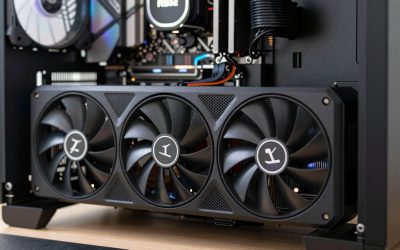
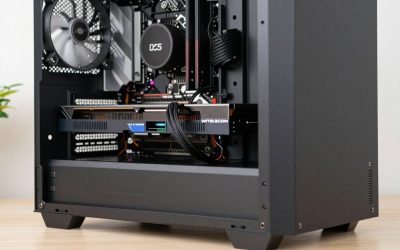
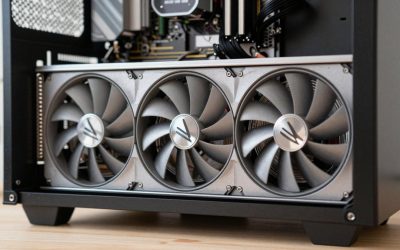
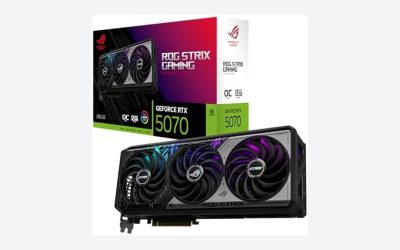
- Top Pick: ASUS SFF-Ready Prime NVIDIA GeForce RTX 5070 Ti 16GB GDDR7 OC Edition 16GB GDDR7 Graphics Card (PCIe 5.0, HDMI/DP 2.1, 2.5-Slot, Axial-tech Fans, Dual BIOS), 3 Year Warranty
- Best value:: ASUS Prime GeForce RTX 5060 Ti 16GB GDDR7 Gaming Graphics Card
- Premium Choice: GIGABYTE GeForce RTX 5070 Ti Gaming OC 16G Graphics Card, 16GB 256-bit GDDR7, PCIe 5.0, WINDFORCE Cooling System, GV-N507TGAMING OC-16GD Video Card
Affiliate disclosure: As an Amazon Associate we earn from qualifying purchases at no extra cost to you. This post contains affiliate links — if you buy through them we may earn a small commission at no extra cost to you. This never affects our recommendations.
- Verdict at a glance
- Why GPU Matters for Monster Hunter Wilds
- Recommended GPU at Each Resolution
- Top 5 GPUs for Monster Hunter Wilds
- Comparison Table
- Monster Hunter Wilds FPS by GPU tier (sourced)
- New picks compared
- Monster Hunter Wilds Graphics Settings
- Build Recommendations
- How to set up upscaling and frame generation for hunting
- How we compared
- More Monster Hunter Wilds GPU questions
- FAQ
- Related Articles
- Frequently Asked Questions
- Related Articles
Monster Hunter Wilds brings Capcom’s legendary action-RPG to modern hardware with RE Engine excellence. The game combines detailed character animations, dynamic monster AI, and environmental destruction into seamless hunts. GPU selection for Monster Hunter Wilds prioritizes consistency—hunt encounters follow fixed choreography, meaning predictable frame rate scenarios. Unlike open-world streaming, hunts occur in handcrafted arenas with known asset budgets. The game’s greatest GPU challenge is monster particle effects (roars, elemental attacks, environmental hazards) during multiplayer hunts. Ray tracing on armor, weapons and reflections adds visual impact, but it does cost frame rate. This guide identifies best GPUs for smooth Monster Hunter Wilds performance across all difficulty hunts and multiplayer scenarios.
In a hurry? See the top-rated GPU for Monster Hunter Wilds deals available right now:
🛒 Check Gpu For Monster Hunter Wilds Prices on Amazon →As an Amazon Associate we earn from qualifying purchases at no extra cost to you.


Verdict at a glance
Monster Hunter Wilds is one of the heaviest RE Engine games on PC, so most players should plan on using DLSS, FSR or XeSS rather than chasing native frame rates. Here is the short answer by use case:
- Best overall for 1440p hunts: RTX 5070 Ti 16GB (for example the ASUS Prime RTX 5070 Ti OC or the GIGABYTE GeForce RTX 5070 Ti Gaming OC 16G) or the RX 9070 XT, which runs this game unusually well on AMD hardware.
- Best for 4K: RTX 5080 16GB (such as the MSI RTX 5080 16G Ventus 3X OC), with DLSS Quality and frame generation layered on top of a 55-60 fps base.
- Best value: RX 9070 16GB, which lands close to the RX 9070 XT in independent 1440p charts for this game.
- Best budget pick: RTX 5060 Ti 16GB or RX 9060 XT 16GB for 1080p with upscaling; avoid 8GB cards if you want the high-resolution texture pack.
How we compared: we did not bench-test these cards ourselves. The picks lean on published results from ComputerBase, PC Games Hardware, TechSpot and DSOGaming, Capcom’s official system requirements, manufacturer specifications and owner reports, and each figure in the sourced FPS table below names its source.
🛒 Best Price Today on Amazon
Prime members get fast, free shipping on everything above, plus member-only deals. New members get a 30-day free trial — cancel anytime.
Start 30-Day Prime Free Trial →See Today’s Amazon DealsWhy GPU Matters for Monster Hunter Wilds
Monster Hunter Wilds runs on Capcom’s RE Engine, which debuted with Resident Evil 7 in 2017 and is pushed much harder here by large seamless zones. Ray tracing on armor, weapons, and environmental reflections creates visual depth, but it carries a real frame-rate cost. The game’s multiplayer (4-player hunts) creates predictable GPU load—monster behavior scripts trigger particle effects at known times. GPU memory bandwidth determines particle clarity during multi-hit combos and elemental attacks. VRAM demand is high: 12GB is a practical target at 1440p, and the high-resolution texture pack wants 16GB.
Recommended GPU at Each Resolution
1080p Master Rank (60+ FPS Base)
The RTX 5060 Ti 16GB handles 1080p High with upscaling, holding a steady 60 fps base in solo and multiplayer hunts; frame generation can push it higher on a high-refresh monitor. Competitive hunters choose 1080p 144Hz for responsive dodge timing. Leave ray tracing off at this tier.
1440p Master Rank (60+ FPS Base, Upscaled)
In ComputerBase’s chart (Ultra, Quality upscaling) the RTX 5070 Ti averages about 74 fps at 1440p, the RX 9070 XT about 80 fps and the RTX 5080 about 82 fps. Busy multiplayer hunts dip lower, so frame generation on top of that base is the way to reach high refresh rates. Sweet spot for Monster Hunter—visual quality + frame consistency.
4K Master Rank (60+ FPS Acceptable)
With Ultra settings and Quality upscaling, ComputerBase measured about 62 fps at 4K on the RTX 5080, about 82 fps on the RTX 5090 and about 57 fps on the RX 9070 XT. Expect multiplayer dips below those averages.
Top 5 GPUs for Monster Hunter Wilds
1. RTX 5070 Ti – Best Hunt Consistency
RTX 5070 Ti, a premium-tier card, averages about 74 fps at 1440p Ultra with Quality upscaling, and frame generation lifts that to high-refresh territory. 16GB VRAM handles monster asset streaming without stutter. Excellent choice for hunters pursuing endgame materials and multiplayer cooperation.
2. RTX 5080 – Best for 4K + Multiplayer Stability
RTX 5080 (premium tier) averages about 62 fps at 4K Ultra with Quality upscaling. Its 16GB of VRAM handles the high-resolution texture pack, and DLSS frame generation lifts that base during 4-player hunts. Best for visual maximum and absolute frame consistency during cooperative sessions. Streaming capability excellent for content creators.
3. RX 9070 XT – Best AMD Alternative
RX 9070 XT (mid-range to premium tier) averages about 80 fps at 1440p Ultra with Quality upscaling, slightly ahead of the RTX 5070 Ti, though ray tracing costs it relatively more than on NVIDIA cards. Excellent value for AMD players.
4. RTX 5060 Ti 16GB – Budget Solo Hunts
RTX 5060 Ti 16GB (budget tier) suits 1080p High with upscaling, or 1440p with DLSS Balanced. Leave ray tracing off and expect dips in busy multiplayer hunts. Acceptable for solo farming, less ideal for group hunts.
5. RTX 5090 – Overkill Flagship
RTX 5090 (premium tier) is the fastest card here, about 99 fps at 1440p and 82 fps at 4K with Quality upscaling, but most hunters get better value from the RTX 5070 Ti or RTX 5080. Consider it only for high-refresh 4K.
GIGABYTE GeForce RTX 5070 Ti Gaming OC 16G

If the RTX 5070 Ti is the card you have settled on for Monster Hunter Wilds, the GIGABYTE Gaming OC 16G is one of the more sensible ways to buy it. It carries the full RTX 5070 Ti configuration: Blackwell GB203 silicon with 8,960 CUDA cores, 16GB of GDDR7 on a 256-bit bus, PCIe 5.0 and a single 12V-2×6 power connector. GIGABYTE wraps it in a triple-fan WINDFORCE cooler with a modest factory overclock, which matters more for noise during long hunting sessions than for frame rate.
In ComputerBase’s Monster Hunter Wilds chart (Ultra preset, upscaling set to Quality, Ryzen 7 9800X3D test system), the RTX 5070 Ti averaged about 74 fps at 1440p and about 56 fps at 4K. That is a realistic picture of the game: even a premium card needs upscaling to stay comfortably above 60 fps at 1440p with everything turned up, and frame generation becomes the tool that turns a 70 fps base into a high-refresh experience. The 16GB frame buffer is the other reason this card fits the game well. Capcom’s high-resolution texture pack and the sandstorm-heavy Windward Plains push memory use hard, and 16GB keeps texture streaming from turning into hitching mid-hunt.
Strengths: 16GB VRAM, DLSS 4 with Multi Frame Generation available through the NVIDIA App override, strong ray-tracing hardware for the game’s RT reflections option, and a cooler sized for its roughly 300W board power.
Drawbacks: it is a long, thick card, it sits in the premium tier, and in this particular game AMD’s RX 9070 XT matches or slightly beats it in several published charts, so you are paying partly for NVIDIA’s upscaling and ray-tracing ecosystem rather than raw Wilds performance.
How it compares: versus the 12GB RTX 5070, the extra 4GB of VRAM and roughly 15-20% more performance are worth it for 1440p Ultra with high-res textures. Versus the RTX 5080, it gives up around 10% in ComputerBase’s 1440p chart for a noticeably lower price tier. Plan for a quality 750W power supply.
MSI Gaming RTX 5080 16G Ventus 3X OC

The MSI Ventus 3X OC is MSI’s straightforward, no-frills RTX 5080: a triple-fan cooler, 16GB of GDDR7 on a 256-bit bus, a listed extreme boost clock of 2,640 MHz, three DisplayPort 2.1a outputs and HDMI 2.1b. It skips the RGB and premium shroud of MSI’s SUPRIM and Gaming Trio models, which suits buyers who want RTX 5080 performance without paying extra for styling.
For Monster Hunter Wilds, the RTX 5080 is the card where 4K starts to feel genuinely playable at high settings. ComputerBase measured about 62 fps at 4K Ultra with upscaling on Quality and about 82 fps at 1440p under the same settings. PC Games Hardware’s 4K figures for the RTX 5080 show the value of upscaling clearly: roughly 56 fps with native TAA and no ray tracing, versus about 63 fps with high ray tracing enabled and DLSS Quality. In other words, DLSS Quality effectively pays for the ray tracing in this game.
Note that the RTX 5080 has 16GB of VRAM, not 32GB, which is the RTX 5090’s figure. 16GB is still enough for the high-resolution texture pack at 4K, and DSOGaming reported the RTX 5080 handling that pack without trouble.
Strengths: the best balance of 4K performance and price in NVIDIA’s current lineup, DLSS 4 Multi Frame Generation for 120Hz-plus 4K displays, and a 360W board power that is easier to live with than an RTX 4090 or RTX 5090.
Drawbacks: premium pricing, a large triple-fan card that needs case clearance, and only modest gains over the RTX 5070 Ti at 1440p, where the game is partly limited by CPU and engine overhead.
How it compares: pick it over the RTX 5070 Ti only if your monitor is 4K or a 3440×1440 ultrawide. Pick the RTX 5090 only if you want a high frame rate at near-native 4K: in ComputerBase’s chart the 5090 is about 30% ahead at 4K, but it sits in a far higher price tier. Pair the RTX 5080 with an 850W power supply.
GIGABYTE Radeon RX 9070 XT Gaming OC 16G

Monster Hunter Wilds is one of the games where AMD’s RDNA 4 flagship punches above its usual weight, which makes the GIGABYTE RX 9070 XT Gaming OC a strong alternative to the RTX 5070 Ti picks. The card uses the full RX 9070 XT configuration: 64 compute units, 16GB of GDDR6 on a 256-bit bus, PCIe 5.0 and a triple-fan WINDFORCE cooler. It uses standard 8-pin power connectors rather than NVIDIA’s 12V-2×6 plug, which some builders prefer for compatibility with older power supplies.
In ComputerBase’s chart (Ultra, upscaling Quality) the RX 9070 XT averaged about 80 fps at 1440p, ahead of the RTX 5070 Ti’s 74 fps and within a few frames of the RTX 5080. At 4K it posted around 57 fps. TechSpot’s large RTX 5070 Ti versus RX 9070 XT comparison found a similar pattern: the Radeon led by roughly 5-10% at 1440p in this title, while the two tied at about 49 fps at native 4K with Ultra ray tracing. For hunters who mostly play at 1440p, that is RTX 5070 Ti-class performance or better in a slightly lower price tier.
The other reason to choose this card in 2026 is FSR 4. AMD’s machine-learning upscaler, available in Monster Hunter Wilds on RX 9000 cards through AMD’s driver software, closes most of the image-quality gap that used to separate FSR from DLSS. That makes FSR Quality at 1440p a genuinely clean option rather than a compromise.
Strengths: excellent rasterized performance in this game, 16GB VRAM, FSR 4 support, conventional 8-pin power.
Drawbacks: ray-traced reflections cost relatively more than on NVIDIA cards, board power is around 300W or more on factory-overclocked models, and there is no equivalent to DLSS Multi Frame Generation’s 3x and 4x modes.
How it compares: this is the existing “Best AMD Alternative” pick in a specific, widely available model. Choose it over the RTX 5070 Ti if you play with ray tracing off and want the most frame rate per tier spent.
ASRock Radeon RX 9070 Challenger 16GB OC

The non-XT RX 9070 is the quiet value story for Monster Hunter Wilds. ASRock’s Challenger 16GB OC version runs a 2,520 MHz boost clock, carries 16GB of GDDR6 on a 256-bit bus, and uses a triple-fan cooler with a 0dB idle mode and an LED status indicator. With 56 compute units and a board power around 220W, it is a far easier card to cool and power than the RX 9070 XT.
ComputerBase’s chart put the RX 9070 at about 76 fps at 1440p Ultra with Quality upscaling, ahead of the RTX 5070 Ti (about 74 fps) and the RTX 5070 (about 63 fps), and around 52 fps at 4K. In practice that makes a 1440p 144Hz monitor and FSR frame generation a good match, with the base frame rate sitting comfortably above the 60 fps threshold where generated frames feel responsive enough for dodge timing.
The full 16GB buffer matters here as well. The RTX 5070 has 12GB, which is workable at 1440p but leaves less margin for the high-resolution texture pack; the RX 9070 removes that concern.
Strengths: close to RX 9070 XT performance in this game at a lower power draw, 16GB VRAM, FSR 4 support, quiet triple-fan cooler.
Drawbacks: ray tracing trails NVIDIA’s equivalent tier, and in games outside Monster Hunter Wilds the gap to the RTX 5070 Ti is usually larger than it is here.
How it compares: if your budget falls between the RTX 5060 Ti 16GB and the RTX 5070 Ti, this is the card to look at first for Wilds. A good 650-750W power supply is enough.
ASUS Dual Radeon RX 9060 XT 16GB

For budget hunters, the RX 9060 XT 16GB is the AMD counterpart to the RTX 5060 Ti 16GB pick above. The ASUS Dual version uses a compact dual-fan Axial-tech cooler, 16GB of GDDR6 on a 128-bit bus, PCIe 5.0 and a single 8-pin connector, with a board power around 160W. That makes it an easy drop-in upgrade for older systems with a 550-600W power supply.
Capcom’s official recommended specification targets 1080p at 60 fps with frame generation enabled on an RTX 2070 Super or RX 6700 XT class card, and the RX 9060 XT 16GB sits comfortably above that line. Expect to play at 1080p, or at 1440p with FSR set to Balanced or Performance, using the High preset. Independent charts and owner reports consistently point to this card’s main advantage over 8GB alternatives: it can load high-quality textures without the stutter that 8GB cards suffer in sandstorms and large monster encounters.
Strengths: 16GB VRAM in the budget tier, FSR 4 support, low power draw, compact size.
Drawbacks: the 128-bit bus limits 1440p headroom, ray tracing is best left off, and it will not hold 60 fps at 1440p Ultra without upscaling.
How it compares: it trades blows with the RTX 5060 Ti 16GB depending on the game; choose based on whether you prefer DLSS or FSR 4, and buy whichever is cheaper on the day. Skip the 8GB versions of either card for this game.
Comparison Table
| GPU | 1440p Ultra, Quality upscaling (ComputerBase) | 4K Ultra, Quality upscaling (ComputerBase) | Ray Tracing On | Best For |
|---|---|---|---|---|
| RTX 5090 | 99 fps | 82 fps | Yes | Overkill |
| RTX 5080 | 82 fps | 62 fps | Yes | 4K or multiplayer |
| RTX 5070 Ti | 74 fps | 56 fps | Yes | Best hunt value |
| RX 9070 XT | 80 fps | 57 fps | Yes | AMD value |
| RTX 5060 Ti 16GB | Not charted | Not charted | Optional | Budget solo |
Monster Hunter Wilds FPS by GPU tier (sourced)
Many frame-rate figures quoted online for this game are inflated or include generated frames. The table below uses one consistent independent source so the numbers are comparable: ComputerBase ran the release version on a Ryzen 7 9800X3D with the Ultra preset and upscaling set to Quality (DLSS on NVIDIA, FSR on AMD), without ray tracing.
| GPU | 1440p Ultra, upscaling Quality (source: ComputerBase) | 4K Ultra, upscaling Quality (source: ComputerBase) | Price tier |
|---|---|---|---|
| RTX 5090 | 99 fps | 82 fps | Premium |
| RTX 5080 | 82 fps | 62 fps | Premium |
| RX 9070 XT | 80 fps | 57 fps | Mid-range to premium |
| RX 9070 | 76 fps | 52 fps | Mid-range |
| RTX 5070 Ti | 74 fps | 56 fps | Mid-range to premium |
| RTX 5070 | 63 fps | 47 fps | Mid-range |
| RTX 4060 Ti 8GB | 38 fps | Not charted | Budget |
| Arc B580 | 35 fps | Not charted | Budget |
Upscaler on versus off, using PC Games Hardware’s RTX 5080 results at 4K Ultra:
| Setting (RTX 5080, 4K Ultra) | Average (source: PCGH) | 1% low (source: PCGH) |
|---|---|---|
| Native TAA, ray tracing off | 56 fps | 42 fps |
| DLSS Quality, ray tracing high | 63 fps | 49 fps |
Two more data points help set expectations. TechSpot measured the RTX 5070 Ti and RX 9070 XT tied at about 49 fps at native 4K with Ultra ray tracing. DSOGaming found that on an RTX 5090 the Ultra preset was only about 6% slower than Medium, which means dropping presets frees less performance than in most games; upscaling and frame generation are the levers that actually work.
What about 1080p? ComputerBase did not chart native 1080p, but its 1440p Quality column is a useful proxy: DLSS and FSR Quality at 1440p render internally at roughly 1707×960, slightly below native 1080p. A card that averages 70-80 fps in that column will do similar or better at 1080p native. The RTX 5060 Ti 16GB and RX 9060 XT 16GB launched after that chart was made; in other independent data they sit between the RTX 4060 Ti and the RTX 5070, which points to 1080p High with upscaling for a steady 60 fps base.
Results shift with game patches and drivers. Capcom’s title updates have improved CPU-side performance and 1% lows since launch, so treat these figures as a floor rather than a ceiling.
New picks compared
| GPU | VRAM | Board power | Best fit in Wilds | Upscaler | Price tier |
|---|---|---|---|---|---|
| GIGABYTE RTX 5070 Ti Gaming OC 16G | 16GB GDDR7 | About 300W | 1440p Ultra | DLSS 4, Multi Frame Generation | Premium |
| MSI RTX 5080 16G Ventus 3X OC | 16GB GDDR7 | About 360W | 4K High/Ultra with DLSS | DLSS 4, Multi Frame Generation | Premium |
| GIGABYTE RX 9070 XT Gaming OC 16G | 16GB GDDR6 | About 300W or more | 1440p Ultra, 4K with FSR | FSR 4, frame generation | Mid-range to premium |
| ASRock RX 9070 Challenger 16GB OC | 16GB GDDR6 | About 220W | 1440p High/Ultra | FSR 4, frame generation | Mid-range |
| ASUS Dual RX 9060 XT 16GB | 16GB GDDR6 | About 160W | 1080p High, 1440p with FSR | FSR 4, frame generation | Budget |
Monster Hunter Wilds Graphics Settings
RTX 5070 Ti+ Recommended: Ultra preset, ray tracing on (armor/weapon reflections beautiful), shadow quality ultra, view distance ultra. Pair it with DLSS Quality and frame generation for high-refresh 1440p.
RTX 5060 Ti Setup: High preset, ray tracing off, shadow quality high, view distance high. Use upscaling for a steady 60 fps base. Disable ray tracing—it costs noticeable frame rate for minimal benefit during fast hunts.

Multiplayer Optimization: If frame rates dip below 75 FPS during 4-player hunts, reduce view distance to medium (monster arena still fully rendered). This frees a few frames, though upscaling remains the bigger lever.
Build Recommendations
1440p Hunt Build (mid-range to premium): RTX 5070 Ti, Ryzen 7 7800X3D, 32GB DDR5, 850W PSU, 1TB NVMe. 1440p Ultra with Quality upscaling and frame generation.
4K Cinematic Build (premium): RTX 5080, Ryzen 7 9800X3D, 32GB DDR5 6000MHz, 1000W PSU, 2TB NVMe. 4K High/Ultra with DLSS Quality and frame generation.
Budget Solo Build (budget tier): RTX 5060 Ti 16GB, Ryzen 5 7600X, 32GB DDR5, 650W PSU, 1TB NVMe. 1080p High, or 1440p with upscaling, for solo hunts.
How to set up upscaling and frame generation for hunting
- Start with the upscaler, not the preset. Because Ultra and Medium are close in cost in this game, switch DLSS, FSR or XeSS to Quality first, then Balanced if needed, before lowering individual settings.
- Get a 60 fps base before enabling frame generation. Frame generation adds latency. With a 60 fps base it feels fine for dodges and guard timing; with a 35 fps base it feels sluggish even though the counter reads 70.
- Use the driver overrides. RTX 50 owners can force DLSS 4’s transformer model and Multi Frame Generation through the NVIDIA App; RX 9000 owners can enable FSR 4 through AMD’s Adrenalin software, which upgrades the game’s FSR 3.1 path.
- Match the texture setting to your VRAM. Keep the high-resolution texture pack for 16GB cards. On 12GB cards use High textures; on 8GB cards use Medium to avoid stutter in sandstorms.
- Cut volumetric fog and foliage first. These are among the costliest settings with the least effect on readability during a hunt.
- Do not ignore the CPU. Multiplayer lobbies and dense herds load the processor, so a modern six- or eight-core CPU such as a Ryzen 7 7800X3D or 9800X3D keeps 1% lows steady. The RE Engine debuted with Resident Evil 7 in 2017, and Wilds stretches it further with seamless open zones, which is why CPU load is higher than in Monster Hunter World.
- Cap the frame rate a few frames below your refresh rate with adaptive sync on, so frame pacing stays even when a monster’s elemental attack spikes GPU load.
How we compared
We did not run our own benchmarks for this guide. Picks were chosen by comparing manufacturer specifications (VRAM, memory bus, board power, power connectors), independent published Monster Hunter Wilds results from ComputerBase, PC Games Hardware, TechSpot and DSOGaming, Capcom’s official minimum and recommended specifications, and recurring owner reports about stutter, noise and VRAM limits. We favored cards with 16GB of memory because of the game’s texture pack and streaming behavior, and we kept frame-generated numbers separate from native or upscaled results.
More Monster Hunter Wilds GPU questions
Is the RX 9070 XT or the RTX 5070 Ti better for Monster Hunter Wilds?
In independent charts the RX 9070 XT is slightly faster at 1440p without ray tracing, and the two are effectively tied at 4K. The RTX 5070 Ti is the better choice if you want ray-traced reflections or DLSS Multi Frame Generation; the RX 9070 XT is the better value if you mostly play without ray tracing.
Can an 8GB graphics card run Monster Hunter Wilds?
Yes, with compromises. In ComputerBase’s 1440p chart the 8GB RTX 4060 Ti fell below 40 fps even with upscaling. Keep 8GB cards at 1080p with Medium textures and upscaling, and skip the high-resolution texture pack.
Do I need the high-resolution texture pack?
It is optional. It improves close-up detail on armor and monsters but needs 16GB of VRAM to run smoothly. On 12GB cards the standard High textures look very close during normal play.
What frame rate should I target for hunting?
A stable 60 fps base is the practical goal. Above that, frame generation can raise smoothness on a high-refresh monitor without making dodge timing feel off.
FAQ
Does ray tracing matter for hunt performance?
Visual enhancement only. Ray-traced armor reflections add immersion but cost noticeable frame rate. Enable on RTX 5070 Ti+ for visual maximum. Disable on RTX 5060 Ti—weapon shine less critical than frame rate during clutch moments.
Is CPU important for Monster Hunter Wilds?
Yes. The GPU sets average frame rate, while the CPU strongly affects 1% lows in herds, camps and multiplayer. Pair an RTX 5070 Ti with a modern eight-core CPU such as a Ryzen 7 7800X3D to avoid hitches. Older budget CPUs cause noticeable dips during chaotic hunts.

Should I prioritize solo hunt frame rate or multiplayer stability?
Solo hunts benefit from high frame rate (responsive dodge timing, easier visual tracking). Multiplayer benefits from consistency—80 FPS locked beats 110-70 FPS variance. The RTX 5070 Ti, with upscaling and a capable CPU, provides both.
What’s minimum GPU for Master Rank multiplayer?
For 1440p multiplayer at high settings, the RTX 5070 Ti or RX 9070 XT is the comfortable choice. The RTX 5060 Ti 16GB works with upscaling but dips during busy monster attacks. If you play mostly multiplayer, the step up to the RTX 5070 Ti tier is worth it.
Monster Hunter Wilds is demanding, but with upscaling even mid-range GPUs deliver acceptable performance. The RTX 5070 Ti is the ideal pick for endgame hunters, combining 16GB of VRAM with strong 1440p performance and frame generation.
Related Articles
Looking for more on this topic? Browse the hand-picked guides below — each one applies the same scoring rubric used in this review.
Frequently Asked Questions
Why is Monster Hunter Wilds so much heavier than World?
Wilds renders far larger seamless environments with dynamic weather, dense herd simulation, and much higher vegetation density, all on a heavily extended RE Engine. There are no loading gates between areas, so the game holds much more geometry and simulation state in memory at once than the older zone-based titles did.
How much VRAM should I have for this game?
Twelve gigabytes is the practical target for 1440p at high settings. Eight gigabyte cards run the game but need reduced texture quality and lower shadow resolution to avoid stutter during sandstorms and large monster encounters. At 4K with high textures, sixteen gigabytes gives you real breathing room.
Is frame generation recommended for hunting?
It works well as long as your base frame rate is already around 45 to 60fps before generation. Hunting requires precise dodge timing, so do not use frame generation to rescue a 25fps baseline, because the added latency will cost you more than the visual smoothness gains. Lower settings first, then enable it.
Which settings cost the most performance?
Volumetric fog, ambient occlusion quality, and grass or foliage density are the expensive ones. Dropping foliage density one step is nearly invisible during a hunt but returns meaningful frames. Texture quality is essentially free if you have enough VRAM, so keep that high and cut the volumetric effects instead.
Does the CPU matter for Monster Hunter Wilds?
Yes. Large monster AI, herd behaviour, and physics simulation load the processor heavily, and multiplayer hunts add more. A modern six-core or eight-core CPU is strongly recommended; pairing a powerful GPU with an aging quad-core will produce frame dips no graphics upgrade can resolve.