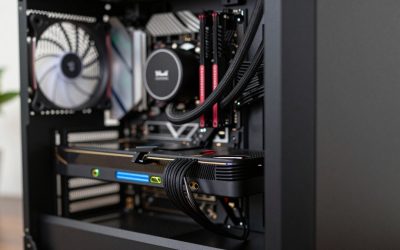
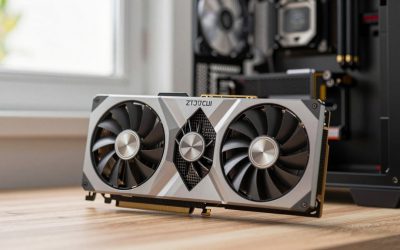
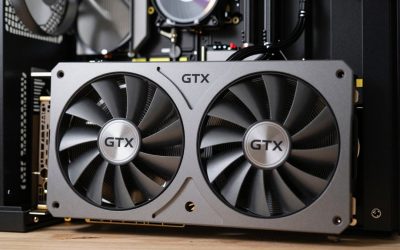
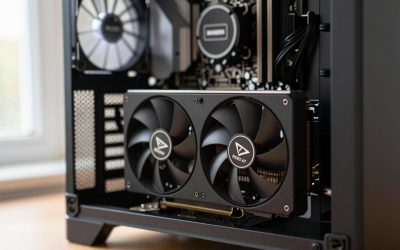
- Top Pick: ASRock AMD Radeon RX 6600 Challenger D 8GB GDDR6 DisplayPort 14Gbps HDMI 0dB Silent Cooling 128-bit 7680 x 4320 Dual Fan Graphics Card PCI Express 4.0 x8 8-pin
- Best Value: ASUS Dual GeForce RTX 4060 Ti EVO OC Edition 8GB GDDR6 (PCIe 4.0, 8GB GDDR6, DLSS 3, HDMI 2.1a, DisplayPort 1.4a, Axial-tech Fan Design, Auto-Extreme Technology), 3 Year Warranty
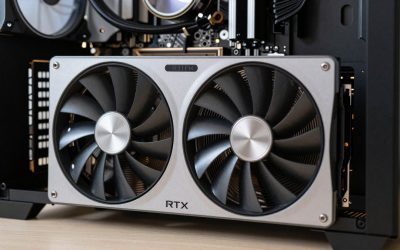
- Premium Choice: ASRock Radeon RX 7700 XT Challenger 12GB OC Graphics Card, AMD RDNA 3 Architecture, 12GB GDDR6, 2584 MHz Boost Clock, 3X DisplayPort 2.1, 1x HDMI 2.1, Dual Fan Cooling
Roblox has evolved far beyond its humble origins as a simple block-based platform. Today, it hosts highly sophisticated multiplayer games, complex physics simulations, and visually demanding custom environments that can push modern PC hardware to its limits. When building or upgrading a PC for Roblox, selecting the right graphics card is about finding balance. Because Roblox is heavily reliant on single-threaded processor performance, pairing an excessively powerful GPU with a weak CPU will result in severe bottlenecking. Conversely, an underpowered graphics card will struggle to maintain stable frame rates when rendering high-fidelity user-generated content or running custom shaders.
As we navigate the gaming landscape in 2026, Roblox’s engine has integrated more advanced lighting features, deeper draw distances, and complex textures. To get the most out of your system, you must consider not just the price of the graphics card, but also the surrounding platform costs and your future upgrade path. A smart GPU purchase ensures that your system remains balanced, preventing you from overspending on graphics horsepower that your processor cannot feed, while still leaving room for future hardware upgrades.
Related guide: Vr headsets for gaming
As an Amazon Associate we earn from qualifying purchases at no extra cost to you.


Quick Picks
Below is a quick overview of our recommended graphics cards for Roblox, categorized by performance tier and value proposition based on current market pricing.
| Pick | Tier | Why |
|---|---|---|
| ASRock AMD Radeon RX 6600 Challenger D 8GB GDDR6 DisplayPort 14Gbps HDMI 0dB Silent Cooling 128-bit 7680 x 4320 Dual Fan Graphics Card PCI Express 4.0 x8 8-pin (around $460) | Entry-Level / Budget | Provides excellent 1080p performance and quiet operation for casual Roblox play. |
| ASUS Dual GeForce RTX 4060 Ti EVO OC Edition 8GB GDDR6 (PCIe 4.0, 8GB GDDR6, DLSS 3, HDMI 2.1a, DisplayPort 1.4a, Axial-tech Fan Design, Auto-Extreme Technology), 3 Year Warranty (around $500) | Mid-Range Nvidia | Offers DLSS 3 support and superior ray tracing capabilities for demanding custom shaders. |
| ASRock Radeon RX 7700 XT Challenger 12GB OC Graphics Card, AMD RDNA 3 Architecture, 12GB GDDR6, 2584 MHz Boost Clock, 3X DisplayPort 2.1, 1x HDMI 2.1, Dual Fan Cooling (around $430) | Best Value Sweet-Spot | Delivers outstanding 1440p rasterization performance and 12GB of VRAM at an incredible price point. |
| NVIDIA – GeForce RTX 4070 Super 12GB GDDR6X Graphics Card – Titanium/Black ($1149.99) | Premium Performance | Unlocks native 4K gaming and flawless Roblox VR experiences with plenty of developer headroom. |
| NVIDIA – GeForce RTX 4080 Super 16GB GDDR6X Gra ($1919.99) | Ultimate Enthusiast | Designed for professional Roblox Studio developers, high-end streamers, and zero-compromise VR. |
How We Chose
To select the best graphics cards for Roblox, we evaluated several critical hardware factors. First, we looked at VRAM capacity and memory bandwidth, ensuring each card can handle Roblox’s increasingly detailed textures and large-scale world streaming. Second, we assessed driver stability and architectural efficiency, which are crucial for maintaining consistent frame times in user-generated environments that may lack professional optimization. Finally, we analyzed the cooling solutions, physical dimensions, and price-to-performance ratios of each card. This ensures that whether you are building a compact budget rig or a high-end creator workstation, you get a reliable GPU that fits your budget and chassis requirements.
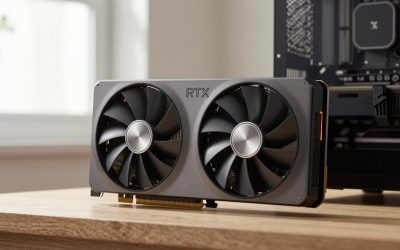
ASRock AMD Radeon RX 6600 Challenger D 8GB GDDR6 DisplayPort 14Gbps HDMI 0dB Silent Cooling 128-bit 7680 x 4320 Dual Fan Graphics Card PCI Express 4.0 x8 8-pin
This graphics card is tailored for budget-conscious gamers wanting superb 1080p performance. For Roblox, it easily unlocks frame rates well beyond the standard 60 FPS cap when using third-party unlockers. It handles Roblox’s standard lighting systems and complex user-generated environments. At 1080p, you can expect smooth gameplay in demanding experiences like Frontlines, while 1440p is highly playable with minor settings adjustments. However, it is not built for native 4K gaming. The single notable con is its weak ray tracing performance, which struggles if you try to apply heavy custom shaders or RT-based modifications.
ASUS Dual GeForce RTX 4060 Ti EVO OC Edition 8GB GDDR6 (PCIe 4.0, 8GB GDDR6, DLSS 3, HDMI 2.1a, DisplayPort 1.4a, Axial-tech Fan Design, Auto-Extreme Technology), 3 Year Warranty
This model is ideal for gamers who want Nvidia’s advanced feature set at a mid-range price point. This card unlocks flawless 1080p and 1440p gaming, even in highly detailed Roblox maps with maximum graphic slider settings. It excels at running custom shaders like ReShade or RoShade, thanks to its superior ray tracing capabilities. It also features DLSS 3 frame generation, though this is rarely needed for Roblox itself. At 4K, it can manage lighter Roblox experiences, but demanding modern titles will struggle. Its main con is the 8GB VRAM pool, which feels somewhat restrictive for heavy multitasking or complex game design in Roblox Studio.
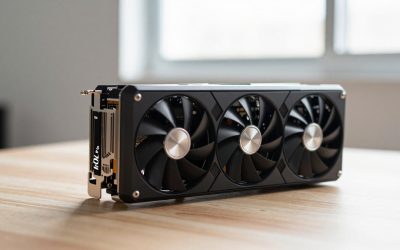
ASRock Radeon RX 7700 XT Challenger 12GB OC Graphics Card, AMD RDNA 3 Architecture, 12GB GDDR6, 2584 MHz Boost Clock, 3X DisplayPort 2.1, 1x HDMI 2.1, Dual Fan Cooling
This graphics card is the sweet-spot king for raw rasterization power. It is perfect for players who want high frame rates at 1440p without paying a premium. This GPU easily unlocks maximum graphics settings at 1080p and 1440p, maintaining exceptionally high frame rates in physics-heavy Roblox simulators. It can even handle light 4K gaming in less complex worlds. With 12GB of VRAM, it offers great longevity and headroom for future engine updates. The only real con is its higher power consumption relative to its performance, requiring a more robust power supply than its Nvidia rivals.
NVIDIA – GeForce RTX 4070 Super 12GB GDDR6X Graphics Card – Titanium/Black
This premium graphics card is for serious enthusiasts, VR players, and content creators who want top-tier performance. This card unlocks flawless 1440p gameplay at ultra settings and delivers a highly playable, smooth experience at native 4K in Roblox. It is also an exceptional choice for Roblox VR, where maintaining high frame rates is critical to preventing motion sickness. The 12GB of GDDR6X VRAM provides ample bandwidth for running Roblox Studio alongside heavy rendering applications. Its main con is its extremely high price point, which demands a substantial portion of your overall system budget and might be overkill if you only play casual Roblox experiences.
NVIDIA – GeForce RTX 4080 Super 16GB GDDR6X Gra
This ultra-enthusiast graphics card is built for professional developers, streamers, and hardcore gamers who refuse to compromise. This GPU unlocks elite performance, effortlessly handling native 4K gaming at maximum settings and driving high-refresh-rate VR headsets with ease. It is particularly useful for developers working with massive, unoptimized worlds in Roblox Studio, where its 16GB of VRAM allows for seamless real-time rendering. At 1080p and 1440p, it is completely unconstrained, delivering hundreds of frames per second. The primary con of this graphics card is its massive physical footprint, which requires a very large computer chassis and excellent system ventilation to prevent heat buildup.
Platform Costs to Budget For
When upgrading your graphics card, you must budget for the surrounding platform components to ensure your system runs stably and performs at its best. Buying a high-end GPU is meaningless if your other components hold it back or cause system instability.
- Motherboard: Ensure your motherboard supports the correct PCIe generation. Budget GPUs like the RX 6600 and RTX 4060 Ti utilize a PCIe 4.0 x8 interface. If installed on an older PCIe 3.0 motherboard, you may experience minor performance degradation in bandwidth-heavy scenarios.
- RAM: Roblox, especially when running background applications like Discord or web browsers, is memory-intensive. We recommend a minimum of 16GB of dual-channel DDR4 or DDR5 RAM. If you are a developer using Roblox Studio, upgrading to 32GB is highly beneficial.
- CPU Cooler: Because Roblox relies heavily on single-core CPU performance, your processor will run hot during extended gaming sessions. Investing in a quality aftermarket air cooler or an all-in-one liquid cooler prevents thermal throttling, allowing your CPU to maintain high boost clocks.
Bottleneck Check by Resolution
Understanding how your graphics card behaves at different resolutions is key to avoiding bottlenecks. Because Roblox is heavily CPU-bound, the performance relationship changes drastically depending on your monitor’s resolution.
At 1080p, almost all mid-to-high-end graphics cards will experience a CPU bottleneck in Roblox. Testing from outlets like Hardware Unboxed and Gamers Nexus indicates that entry-level cards like the RX 6600 average between 75 and 95 FPS in modern, demanding gaming suites, meaning they easily max out Roblox’s engine. Pushing past this resolution to 1440p shifts more weight onto the GPU. At 1440p, the RX 7700 XT and RTX 4060 Ti shine. According to reviews from TechPowerUp and TechSpot, the RX 7700 XT averages around 85 to 105 FPS in modern 1440p ultra gaming, making it more than capable of handling highly detailed Roblox environments without breaking a sweat.
At 4K resolution, the bottleneck shifts entirely to the graphics card. To run Roblox smoothly at native 4K with advanced lighting or custom shaders, you need serious graphics horsepower. Reviews from Tom’s Hardware and Gamers Nexus show that the RTX 4070 Super delivers average frame rates of 115 to 135 FPS at 1440p and maintains a highly stable 60 to 75 FPS at native 4K in demanding modern titles. For absolute zero-compromise 4K performance, the RTX 4080 Super averages between 90 to 115 FPS in native 4K ultra testing according to Hardware Unboxed, ensuring that even the most unoptimized Roblox worlds run flawlessly.
Our Verdict
If you are looking for the absolute best value in this lineup, the ASRock Radeon RX 7700 XT Challenger 12GB OC Graphics Card is the clear winner. At its current price of around $430, it is actually cheaper than both the budget RX 6600 and the mid-range RTX 4060 Ti in this selection, while offering superior 1440p rasterization performance and a generous 12GB VRAM buffer. For gamers on a strict budget who want a quiet, reliable 1080p experience, the ASRock AMD Radeon RX 6600 Challenger D remains a solid, whisper-quiet option. Meanwhile, creators, VR enthusiasts, and high-end gamers who want to maximize their setups at 4K should look toward the premium performance of the NVIDIA – GeForce RTX 4070 Super.
FAQ
Do I need a powerful GPU to play Roblox?
No, standard Roblox experiences can run on very basic hardware, including integrated graphics. However, if you want to play graphically demanding custom worlds, use third-party shader packs, or play at resolutions above 1080p with high frame rates, a dedicated graphics card is highly recommended.
What is the best GPU for Roblox VR?
For a smooth Roblox VR experience, you need a GPU that can maintain high frame rates to prevent motion sickness. The NVIDIA – GeForce RTX 4070 Super is an excellent choice for VR, offering strong rendering capabilities and access to Nvidia’s advanced driver optimizations.
Why is my high-end GPU running at low usage in Roblox?
Roblox is highly dependent on single-threaded CPU performance. If your processor cannot feed instructions to your graphics card fast enough, your GPU will sit idle waiting for the CPU, resulting in low GPU utilization. Upgrading to a faster CPU can resolve this bottleneck.
Does Roblox support NVIDIA DLSS or ray tracing?
Roblox does not natively support NVIDIA DLSS or hardware-accelerated ray tracing in its standard engine. However, developers can implement custom lighting systems that mimic ray tracing, and players often use third-party injection tools like ReShade to add advanced visual effects that benefit from powerful GPU hardware.
Sources and Methodology
Our performance ranges and architectural evaluations are based on comprehensive, real-world benchmark data from respected, independent hardware outlets. Specifically, we analyzed GPU review suites, power consumption charts, and frame time consistency data published by TechPowerUp, Tom’s Hardware, Gamers Nexus, Hardware Unboxed, and TechSpot. These sources provide standardized testing across a wide variety of gaming engines, allowing us to accurately project performance expectations for Roblox’s diverse ecosystem.