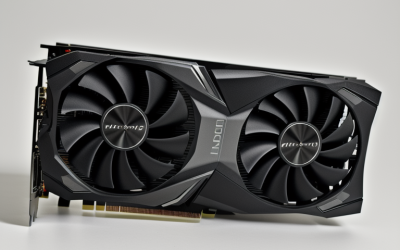
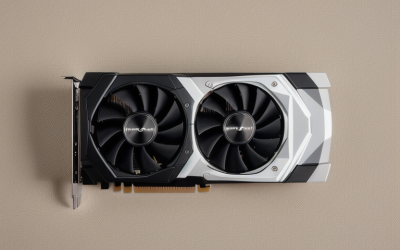
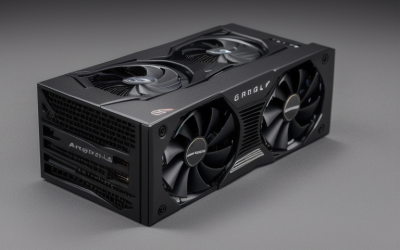
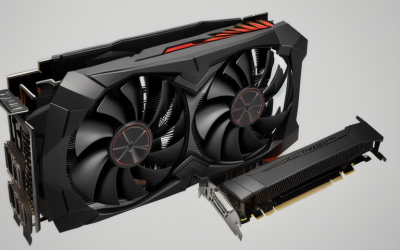
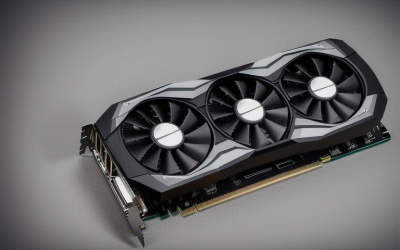
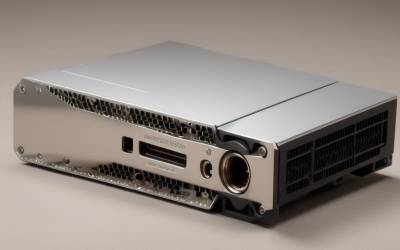
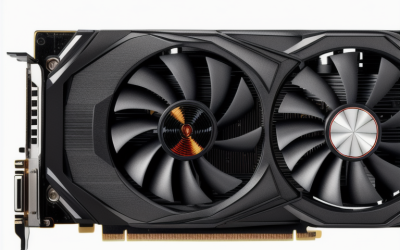
- Top Pick: ARDIYES GT 740 4GB GDDR5 Low Profile GPU Graphics Card, 4X HDMI Ports for Quad Multi-Monitor Setup, PCI Express 3.0 x16, Silent Cooling, Ideal for Office and Home Theater
- Best Value: PNY NVIDIA Quadro P400 Professional Graphics Card – (VCQP400-PB), PC Compatible, 3X Mini DisplayPort 1.4
- Premium Choice: maxsun GeForce GT 730 4GB Video Graphics Card GPU for Computer PC ITX Single Slot PCI Express 4xHDMI, 4K Quad Monitor Multi Screen
Running three monitors from one PC is mostly an output-count problem, not a horsepower problem. Many motherboards expose only two video ports, and the integrated graphics inside the chip may support fewer displays than you hoped. A dedicated card with enough connectors solves that, and for spreadsheets, trading screens, coding windows, and video calls it does not need to be a gaming powerhouse at all.
This guide is for office builders, traders, home-server owners, and anyone adding a third panel to an existing desktop in 2026. Every card listed here is a display-focused product, and none is a modern gaming card, so the notes concentrate on connectors, slot size, and the interface each listing names. The write-ups rely on the specifications in each product title, and you should confirm the output list on the live page before you buy.
Quick Picks
As an Amazon Associate we earn from qualifying purchases at no extra cost to you.




| Product | Best for | Key spec from the title |
|---|---|---|
| ARDIYES GT 740 4GB | Four-screen office desk | 4x HDMI, low profile, PCIe 3.0 x16 |
| PNY Quadro P400 | Pro three-screen DisplayPort setup | 3x Mini DisplayPort 1.4 |
| maxsun GT 730 4GB | Small ITX builds | 4x HDMI, single slot, 4K multi screen |
| RX560 4GB 4 HDMI | Trading and office multi-screen | 4 HDMI, up to 3840×2160 60Hz |
| QTHREE GT 730 4GB | Mixed old and new monitors | 2x HDMI, DP, VGA, low profile |
| AISURIX GT 740 4GB | Silent home office | 4 HDMI, GDDR5, silent cooling |
| SEVYMNAX GT 740 4GB | Single-slot trading rig | 4 HDMI, single slot, PCIe 3.0 |
| Vandossy GT 730 4GB | HTPC and business use | 4x HDMI, 384 CUDA, GDDR5 |
| PNY NVS 510 | DisplayPort-based workstations | Listed with DisplayPort accessories |
How to Choose
Count outputs and match the connector
You need at least three usable outputs, and ideally the same connector type your monitors accept. Four HDMI ports cover three panels with one spare, while three Mini DisplayPort outputs need adapters or Mini DP cables. Mixed outputs, such as HDMI plus DisplayPort plus VGA, are useful when your screens are of different ages.
Check resolution and refresh limits per output
A card that can light up three displays may still limit how sharp each one can be. Only one listing here states a ceiling, 3840×2160 at 60Hz on the RX560. For three 1080p screens that is a comfortable margin, but three 4K monitors deserve a closer look at the manual before you commit. Look for a stated maximum for each port, and if a listing is silent, assume nothing and ask the seller or read the spec sheet before you rely on it.
Slot size, bracket, and power
Low-profile and single-slot designs fit small cases, but you may need the short bracket variant. A full-height bracket will not close a slim case. Check whether the card draws power only from the slot or needs an extra connector, which matters in office desktops with small power supplies, and confirm the interface, such as PCIe 3.0 x16 or x8, matches a free slot on your board.
What to ignore, and where corners get cut
Ignore gaming language on cards with 64-bit memory or older chip names, because these are display adapters first. Memory size on an entry card says little about speed, and a type such as DDR3 is slower than GDDR5. Entry-tier models cut corners with simple cooling and few extras, so do not expect modern gaming features, ray tracing, or fast video encoding.
The 9 Best Options
ARDIYES GT 740 4GB
A low-profile GT 740 with 4GB of GDDR5, four HDMI ports aimed at quad multi-monitor setups, a PCIe 3.0 x16 interface, and silent cooling. The listing frames it for offices and home theaters. If your three monitors all have HDMI inputs, this is the simplest route, since no adapters are needed and the extra port gives you a spare for a TV or a fourth screen later.
- Strength: Four HDMI outputs cover three monitors with one left spare.
- Strength: Low-profile layout suits smaller cases.
- Trade-off: The title points to office and theater use, not gaming.
Skip it if your monitors only have DisplayPort inputs.
PNY Quadro P400
A professional card carrying three Mini DisplayPort 1.4 outputs, so it drives exactly three displays without a splitter. The model code VCQP400-PB is in the title, and it is marketed as PC compatible. The Quadro name signals a workstation lineage, which tends to appeal to people who run CAD viewers, financial dashboards, or several document windows rather than games.
- Strength: Three native digital outputs match a three-monitor plan precisely.
- Strength: DisplayPort 1.4 is the newest connector standard on this list.
- Trade-off: Mini DisplayPort needs cables or adapters for most monitors.
Skip it if you want a fourth screen or plan to plug into HDMI-only displays directly.
maxsun GT 730 4GB
A single-slot ITX-friendly GT 730 with 4GB and four HDMI ports, labeled for 4K quad monitor multi-screen use. The compact body is the draw for tight builds. Small-form-factor cases often have just one expansion slot, and a single-slot cooler is what keeps the card from blocking it.
- Strength: Single-slot design for small systems.
- Strength: Four HDMI connections avoid adapter clutter.
- Trade-off: The title does not give a per-port resolution limit.
Skip it if you need an exact refresh figure for each monitor.
RX560 4GB 4 HDMI
A 4GB GDDR5 card with four HDMI ports, sold under the Xynsviu brand, aimed at office multi-screen and stock-trading desks. It is the only listing that states a ceiling: up to 3840×2160 at 60Hz. That figure gives trading-desk buyers a clearer sense of what each screen can display.
- Strength: A stated 4K at 60Hz maximum helps with planning.
- Strength: Four HDMI ports cover a three-plus-one layout.
- Trade-off: The title gives few details beyond the memory, ports, and resolution ceiling.
Skip it if you want a name-brand professional graphics line.
QTHREE GT 730 4GB
This GT 730 pairs 4GB of DDR3 on a 64-bit bus with two HDMI ports, one DisplayPort, and one VGA, in a low-profile form built for small-form-factor PCs. DirectX 12 and Windows 11 support are also mentioned. The SFF wording in the title suggests it was chosen for compact office desktops, where the older VGA port can still serve a legacy monitor.
- Strength: A mix of HDMI, DisplayPort, and VGA fits monitors of different ages.
- Strength: Low-profile body works in slim cases.
- Trade-off: DDR3 memory on a 64-bit bus is the slowest layout here.
Skip it if every monitor accepts HDMI and you prefer the four-port cards.
AISURIX GT 740 4GB
A low-profile GT 740 with 4GB of GDDR5, four HDMI ports, PCIe 3.0 x16, and silent cooling, positioned for office and home-theater use. It reads very similarly to the ARDIYES listing, so the choice between them can come down to which one is easier to find in your region and how each seller describes its warranty and returns.
- Strength: Silent cooling is a plus for a quiet home office.
- Strength: Four outputs leave room to grow.
- Trade-off: The title offers little that separates it from other GT 740 listings.
Skip it if you need DisplayPort or professional driver branding.
SEVYMNAX GT 740 4GB
A single-slot, low-profile GT 740 with four HDMI ports for a multi-monitor trading setup, mentioning office workstation and home computer use over PCIe 3.0. The title gives the memory as 4GB DDR5. Because that wording differs from the GDDR5 used elsewhere, read the product page closely to see which memory type the card actually carries.
- Strength: Single-slot size helps when neighboring slots are in use.
- Strength: Explicit trading-setup positioning with four HDMI ports.
- Trade-off: The memory type wording is loose, so check the product page.
Skip it if you are not comfortable confirming memory details.
Vandossy GT 730 4GB
A GT 730 with 4GB GDDR5, four HDMI ports, 384 CUDA cores, and a PCIe 2.0 x8 interface. The listing mentions multi-monitor business use, HTPC duty, home theater, and a silent PC. The CUDA count is a useful detail for comparing similar GT 730 listings, since sellers often leave it out.
- Strength: Detailed specs with the CUDA count and memory type listed.
- Strength: Business and media-center roles are both named.
- Trade-off: PCIe 2.0 is an older interface generation than the PCIe 3.0 cards listed here.
Skip it if you would rather have a newer interface generation, or if your board offers only a slot you must keep free for another device.
PNY NVS 510
A multi-display card from PNY, listed as a graphics card with DisplayPort accessories under model VCNVS510DP-PB. The title is short, so the exact output count and memory are not spelled out. Treat it as a candidate for buyers who already know the NVS line and want a DisplayPort-oriented card, and verify the connector count first.
- Strength: NVS branding and DisplayPort accessories are noted.
- Strength: Built around multi-display use as a product line.
- Trade-off: The title omits output count and memory, so verify before buying.
Skip it if you want complete specs in one glance.
Which One Fits Your Situation
Three DisplayPort monitors
The PNY Quadro P400 gives three native Mini DisplayPort 1.4 outputs, which matches the monitor count with no waste. Buy Mini DisplayPort to DisplayPort cables up front so that the setup is complete on day one.
A tiny ITX or slim office case
The maxsun GT 730 4GB and the SEVYMNAX GT 740 4GB both emphasize single-slot designs and four HDMI ports.
A mixed set of old and new displays
The QTHREE GT 730 4GB offers HDMI, DisplayPort, and VGA so each screen can use its natural input, which avoids adapters when you reuse an old monitor from a previous desk.
A trading or monitoring wall
The RX560 4GB 4 HDMI states a 3840×2160 60Hz ceiling and clearly targets multi-screen desks. It is the card to look at first if your plan includes a fourth panel for charts or a ticker. Four screens of charts are the exact job that the four-port layout was designed for.
Common Mistakes
- Assuming a card with a gaming-sounding name will handle modern games.
- Forgetting that Mini DisplayPort needs the right cable or adapter.
- Buying a full-height bracket for a slim case.
- Skipping the PCIe interface check for the slot you have free.
- Expecting three 4K monitors to run at full speed without checking the port limits.
Related guides
- Combination Smoke And Carbon Monoxide Detectors
- Aio Liquid Coolers For High Performance Gaming
- Graphics Cards For Low Wattage Power Supplies
Frequently Asked Questions
Can integrated graphics drive three monitors?
Some can, but many are limited to two or three outputs on the board itself. Check your motherboard manual before adding a card.
Do these cards game well?
They are positioned for office, trading, and media use. Treat any gaming capability as a bonus, not a design goal.
Will an HDMI-only card work with DisplayPort monitors?
Not directly. You need an adapter, and some require power or USB. Matching connectors up front is simpler, and it removes one more cable from behind the desk.
Do I need drivers?
Windows will usually load a basic driver automatically. Install the maker’s driver for full multi-display options, including arranging screen order and setting each monitor’s refresh rate.