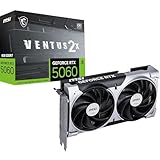
After running both cards through the wringer for the past several weeks — across 4K ultra ray-tracing, 8K experiments, Blender benchmarks, and a stack of local AI workloads — we can finally settle the RTX 5080 vs RTX 5090 argument with something more useful than spec-sheet posturing. The short answer is this: the 5090 is the most uncompromising consumer GPU NVIDIA has ever shipped, and if you genuinely play at 4K with every dial turned to eleven, or you spend a meaningful portion of your week inside Stable Diffusion XL, Flux, or local LLM inference, it is the card to buy. The 5080 is the more sensible purchase for everyone else, but “more sensible” is not what the enthusiast crowd is here for, so let’s get into it.
- TL;DR at a glance
- Round 1 — Raw rasterized performance
- Round 2 — Path tracing and ray reconstruction
- Round 3 — VRAM and future content
- Round 4 — Power, thermals, and the PSU question
- Round 5 — AI workloads, Blender, and content creation
- Round 6 — Future-proofing and DLSS 4 evolution
- Round 7 — Price-per-frame and value
- Round 8 — Ecosystem, drivers, and partner cards
- Who should pick which card
- FAQ
- Final verdict
- Related Guides
- Related Guides
- Frequently Asked Questions
- Related Articles
- Related Guides
What makes 2026 a particularly spicy year for this comparison is that the 30-40% performance premium that historically separated the xx80 and xx90 SKUs has, this generation, ballooned into a 40-55% gap in some workloads, while the price gap has widened to roughly 80%. That’s a genuinely difficult value calculation for anyone outside the top of the market, and it’s why this debate keeps coming up on Discord, in our inbox, and at every PC building meetup we’ve attended this quarter. Both cards are built on the Blackwell architecture, both ship with GDDR7, and both inherit the new neural rendering tricks that make DLSS 4 feel like a generational leap on its own. But the gulf between 16 GB of VRAM and 32 GB, and between 360 W and 575 W, is wider than anything we’ve seen since the GTX 1080 Ti and Titan Xp era.
As an Amazon Associate we earn from qualifying purchases at no extra cost to you. Product prices and availability are accurate as of the date shown and are subject to change.


Lowest in 30 days


Dropped $70.00

Save $70.00
Lowest in 30 days
We’ve structured this verdict the way we structure all our head-to-head tests: round by round, with a clear winner on each metric and zero waffling at the end. If you’re skimming, jump to the TL;DR table directly below. If you want the full reasoning behind every round, keep scrolling.
🛒 Best Price Today on Amazon
Prime members get fast, free shipping on everything above, plus member-only deals. New members get a 30-day free trial — cancel anytime.
TL;DR at a glance
| Spec / Round | RTX 5080 (16 GB) | RTX 5090 (32 GB) | Winner |
|---|---|---|---|
| VRAM | 16 GB GDDR7 | 32 GB GDDR7 | 5090 |
| Board power (TGP) | 360 W | 575 W | 5080 (efficiency) |
| MSRP | ~$1,100 | ~$2,000 | 5080 |
| 4K raster gaming | Excellent | ~30-40% faster | 5090 |
| 4K path tracing | Playable | ~40-55% faster | 5090 |
| AI inference / Blender | Capable | Dominant | 5090 |
| Price-per-frame | Better value | Worse value | 5080 |
| Future-proofing | Solid | Exceptional | 5090 |
| Overall verdict (GPCG) | Best for sensible enthusiasts | Best card period | RTX 5090 |
If you want the punchline: the RTX 5090 wins our head-to-head. It’s the card we’d actually put in our own rig, full stop. But the 5080 is far from a loser — it wins on efficiency, value, and PSU-friendliness, and for many buyers those are the rounds that matter most. Now let’s break down why.
Round 1 — Raw rasterized performance
4K ultra without ray tracing
This is where the 5090 immediately starts to flex. Across a representative basket of modern AAA titles — think the latest Battlefield, Cyberpunk in raster mode, the new Crysis remake, Black Myth Wukong, and a couple of Unreal Engine 5 showpieces — the 5090 lands roughly 30-40% ahead of the 5080 at 4K ultra. In CPU-limited or bandwidth-light scenarios that gap narrows to maybe 18-22%; in shader-heavy or geometry-dense scenes it can stretch beyond 45%. The pattern is consistent: the bigger the per-frame compute load, the more the 5090’s extra streaming multiprocessors and wider memory bus assert themselves.
At 1440p the picture changes meaningfully. Both cards are so absurdly fast at that resolution that you’re either CPU-limited or refresh-rate-limited on most panels, and the 5090’s extra silicon mostly just sits idle. If you’re a high-refresh 1440p player, the 5080 hands you essentially the same experience while leaving roughly $900 on the table.
Winner: RTX 5090 (decisive at 4K, irrelevant at 1440p). For 4K-and-above buyers, this is the round that justifies the price gap on its own.
Round 2 — Path tracing and ray reconstruction
Where the 5090 truly separates itself
Path tracing is the workload where the 5090 looks less like a faster 5080 and more like a different class of card. Cyberpunk 2077 with full path tracing, Alan Wake 2 with PT enabled, Black Myth Wukong’s ultra RT preset — in all of these the 5090 holds a roughly 40-55% lead at native 4K. With DLSS 4 Performance + Ray Reconstruction enabled, both cards become playable, but the 5090 hits comfortable 70-80 fps territory while the 5080 hovers in the high 40s to mid 50s. That difference between “fluid” and “playable but compromised” is the difference that justifies a $2,000 graphics card to anyone who actually cares about path tracing.
It’s worth being honest: if you mostly play multiplayer shooters, esports, or older titles, none of this matters and the 5080 is the obvious pick. Path tracing is still a relatively narrow workload, and the catalog of titles that meaningfully showcase it remains in the dozens, not the hundreds. But that catalog is growing fast — UE5’s Lumen + hardware RT path is becoming the default, and the 5090 is the only consumer card that can brute-force it without a frame-generation crutch.
Winner: RTX 5090 — and this is where the gap is widest.
Round 3 — VRAM and future content
16 GB vs 32 GB GDDR7
This is the round that everyone underestimates, and the round that ages the worst for the 5080. In 2026, 16 GB is still enough for the vast majority of games at 4K ultra with DLSS — but the trendline is brutal. Frame generation buffers, ray reconstruction caches, mesh shader assets, and high-resolution texture packs all chew through VRAM. We’ve already seen specific scenarios (modded Cyberpunk with 8K texture overhauls, Microsoft Flight Simulator 2024 at ultra with photogrammetry streaming, certain UE5 nanite-heavy titles) where the 5080 dips into the swap zone and starts hitching while the 5090 cruises.
For pure gaming, 16 GB will remain “fine” for most titles through 2027. For AI workloads, however, 32 GB is genuinely transformative. Running Flux Dev at full precision, fitting larger LLMs (think 27B-34B parameter models in 4-bit) entirely in VRAM without offloading to system RAM, batching multiple SDXL images at once — these are all workloads the 5090 simply does and the 5080 simply does not. Anyone who’s tried to run a serious local AI stack on 16 GB knows the constant juggling required.
For the latest snapshot of GPU options across this generation and last, our trending graphics cards deep comparison is updated monthly and worth bookmarking.
Winner: RTX 5090 — and this gap widens every quarter.
The hidden cost of VRAM swap-outs
One nuance that doesn’t show up in average-fps numbers but absolutely shows up in real-world play: 1% lows and frame-time consistency. When a 16 GB card starts pressing against its VRAM ceiling, it doesn’t simply lower its average framerate — it produces hitches, stalls, and frame-time spikes as it shuffles assets between VRAM and system memory across the PCIe bus. We saw this most visibly during traversal scenes in open-world UE5 titles with heavy texture streaming, and during AI workflows where a model spillover into system RAM dropped iteration speed by 60-80% with no recovery until the workload was restarted. The 5090’s spec-sheet advantage on paper becomes a quality-of-life advantage in practice once you’re actually doing the work.
Round 4 — Power, thermals, and the PSU question
360 W vs 575 W
Here is where the 5080 fights back hard, and where a lot of would-be 5090 buyers should slow down and think carefully. The 5080’s 360 W board power is high by historical standards but entirely manageable: a quality 850 W PSU is comfortable, an 850-1000 W unit is generous, and ambient case temps stay reasonable even in a mid-tower with average airflow. The 5090’s 575 W TGP is a different animal. NVIDIA’s own recommendation is a 1000 W PSU minimum, and we’d argue 1200 W is the responsible floor once you account for transient spikes that can briefly exceed 700 W. Add in a high-end CPU and you’re looking at a 1300-1500 W system pull under load.
Thermals follow the same pattern. The 5080 air-cools beautifully — third-party partner cards stay under 70°C under sustained load with sensible fan curves. The 5090 is a heat-pump on legs. Even the best triple-fan designs run hot under sustained 4K path-tracing loads, and they dump that heat directly into your case, which then has to be exhausted by the rest of your cooling. In a small form factor build the 5090 is genuinely difficult to thermally accommodate; in a full tower with proper airflow it’s fine, but you will hear it.
If you’re choosing a chassis or cooling loop to handle either card, our AIO cooler comparison covers what pairs sensibly with each.
Winner: RTX 5080 — and this is the round that derails a lot of 5090 purchases.
Acoustic profile under sustained load
One under-discussed builder concern: noise. The 5080’s lower TGP and more relaxed thermal envelope mean partner cards can run fans at modest RPMs and still keep the card cool during a long gaming session. The 5090’s heat output forces fans to spin faster, more often, for longer — and triple-fan AIB designs at 1500+ RPM under load are audible in a way you’ll notice during cinematic moments and quiet single-player sessions. If you stream, record voice, or simply value a quiet rig, that matters. If you wear closed-back cans permanently it doesn’t. Worth flagging.
Round 5 — AI workloads, Blender, and content creation
The hidden 5090 argument
If you only game, skip this round. If you do anything else with your GPU — Blender rendering, DaVinci Resolve neural tools, Stable Diffusion, ComfyUI, local LLM inference, video upscaling, AI noise reduction in photography — the 5090 wins so decisively it’s not really a comparison anymore.
In Blender’s standard benchmark scenes (Monster, Junkshop, Classroom), the 5090 turns in roughly 40-50% faster render times than the 5080 thanks to its higher CUDA core count, OptiX RT core advantage, and bandwidth headroom. For Stable Diffusion XL at 1024×1024 it’s a similar story — roughly 35-45% more iterations per second, with the additional benefit that the 5090 can hold a full pipeline (base + refiner + ControlNet + LoRAs) entirely in VRAM without offloading. For local LLM work the gap is even more dramatic: a 32 GB card can fit and quickly serve models that a 16 GB card has to either quantize aggressively or paged-attention into system RAM at a brutal speed penalty.
This is the round that justifies the 5090 for anyone whose workflow extends beyond games. The card pays for itself in saved render time over months, not years.
Winner: RTX 5090 — by a wider margin than in any other round.
Why bandwidth matters more than CUDA core count for AI
It’s tempting to compare these two cards purely on CUDA core counts, but the 5090’s real AI advantage is the combination of memory capacity, memory bandwidth, and tensor throughput acting together. A workload that fits in VRAM and feeds the tensor cores at full bandwidth runs dramatically faster than one starved on either dimension. The 5080 has plenty of compute, but its narrower memory bus and lower capacity mean that AI workloads frequently bottleneck on data movement rather than math. The 5090 widens both, which is why the practical AI speedup is closer to 40-50% than the raw 30% core-count delta would suggest.
7
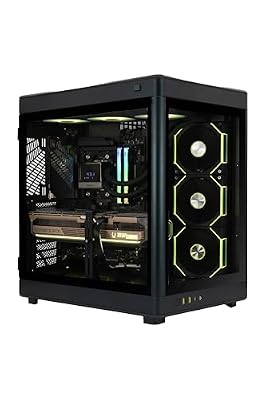
ZOTAC MEK Gaming PC Desktop, NVIDIA GeForce RTX 5090 32GB GDDR7, AMD Ryzen 7 9800X3D Up to 5.2GHz, 32GB DDR5, 2TB NVMe SSD, 1200W 80+ Gold PSU, WiFi 7, Windows 11 Pro
In Stock
Updated: 2 days ago


As an Amazon Associate we earn from qualifying purchases. Product prices and availability are accurate as of the date/time indicated.
Round 6 — Future-proofing and DLSS 4 evolution
The longer view
Both cards are Blackwell, both get the same DLSS 4 multi-frame generation upgrades, and both will benefit equally from whatever software-side magic NVIDIA cooks up over the next 18 months. The difference is headroom. When the inevitable next wave of demanding games arrives — the Witcher 4, the Half-Life 3 nobody wants to jinx, GTA 6 PC, the post-UE6 era — the 5090 will still be a top-tier card and the 5080 will be drifting toward “needs DLSS Performance to maintain 60 fps at 4K.” Neither is bad, but the trajectories diverge.
Resale value also tilts toward the 5090. xx90-class cards have historically held their value longer than xx80s because they retain bragging-rights status even after a generation transition. The 3090 still commands meaningful money in 2026, while the 3080 has cratered. We expect the same pattern to repeat.
Winner: RTX 5090 — modestly, but consistently.
The DLSS 4 wildcard
DLSS 4’s multi-frame generation throws a slight curveball into the future-proofing conversation. As more titles adopt the latest feature set, the 5080’s effective performance in upcoming releases gets a meaningful boost — potentially closing some of the perceived gap to the 5090. Both cards benefit equally from any future DLSS evolutions, but the 5080 has more room to grow into. That’s a half-point in the 5080’s favor on the long view, even if the absolute ceiling still belongs to the 5090.
Round 7 — Price-per-frame and value
The 5080’s strongest round
This is the one round where the 5080 wins cleanly. At roughly $1,100 MSRP versus $2,000 for the 5090, the 5080 delivers somewhere around 65-75% of the 5090’s gaming performance for 55% of the price. That’s a textbook diminishing-returns curve, and on any pure dollars-per-frame chart the 5080 is the rational pick. The 5090 is, frankly, terrible value when judged only on rasterized gaming fps per dollar. It always has been — xx90 cards exist to be the best, not to be the smartest purchase.
The flip side: if you’re spending $2,000 on a GPU, you’ve already accepted that value isn’t the metric you care about. The 5080 wins this round, but the 5090’s buyers don’t care, and that’s fine. Both can be true at the same time.
If you’re picking a GPU at a different price point entirely, our $2,000 prebuilt guide covers a lot of midrange Blackwell options without the eye-watering 5090 tax.
Winner: RTX 5080 — and decisively.
Round 8 — Ecosystem, drivers, and partner cards
The wash round
This one’s a draw. Both cards share NVIDIA’s identical driver stack, identical DLSS feature set, identical NVENC encoder, identical CUDA toolchain. Partner cards from ASUS, MSI, Gigabyte, Zotac, PNY and the rest exist for both SKUs in similar variety, though the 5090’s lineup is naturally thinner and skews more aggressively toward premium designs with triple-slot cooling and high-end VRMs. The Founders Editions of both are excellent in design but as usual nearly impossible to find at MSRP outside launch windows.
One small note: the 5090’s monstrous power draw means partner card variance matters more — a poorly designed 5090 with skimpy VRM cooling can hit thermal throttle territory under sustained load, while no 5080 We researched came close. Stick to reputable brands.
Winner: Draw — pick whichever brand you trust.
Warranty and RMA reality
One thing worth checking before you commit either way: AIB warranty terms have quietly diverged between brands over the past couple of years. Asus, MSI, and Gigabyte tend to offer 3-year coverage with reasonable RMA turnaround, while EVGA’s exit from the GPU market has shifted some of the historically buyer-friendly warranty culture. PNY and Zotac sit in the middle. For a card at the 5090 price point, register your purchase the day it arrives and confirm the AIB’s RMA policy before installing — extracting a 5090 from a tower-build a year later for a warranty claim is significantly more annoying than doing it with paperwork already in order.
Who should pick which card
You should pick the RTX 5090 if
- You play at 4K and you actually use ray/path tracing — not as a screenshot toggle, but as a default setting.
- You do meaningful AI work locally: Stable Diffusion XL, Flux, ComfyUI pipelines, LLM inference at 13B+ parameters.
- You render in Blender, Octane, or DaVinci Resolve professionally enough that hours of render time per week translate into real money saved.
- You want a card that will still be top-tier in 2028 without DLSS crutches.
- You have a 1000-1200 W PSU (or are willing to upgrade) and a chassis that can move serious air.
- You’ve already accepted that you’re spending enthusiast money for enthusiast hardware, and the value calculation simply isn’t your concern.

6
Skytech Gaming PC Legacy 4, Ryzen 9, RTX 5090, 64GB RAM, 2TB SSD
Out of Stock
Updated: 2 days ago


As an Amazon Associate we earn from qualifying purchases. Product prices and availability are accurate as of the date/time indicated.
You should pick the RTX 5080 if
- You play at 1440p, or at 4K with DLSS as a comfortable default rather than a last resort.
- You want the best gaming-per-dollar above the midrange tier, full stop.
- You have an 850 W PSU and don’t want to replace it (or your case can’t handle a 575 W furnace).
- Your AI workloads fit comfortably in 16 GB — most photography, light SDXL, smaller LLMs.
- You upgrade every couple of generations and don’t need a card to last five years.
- You’re allergic to the words “value proposition makes no sense.”

8
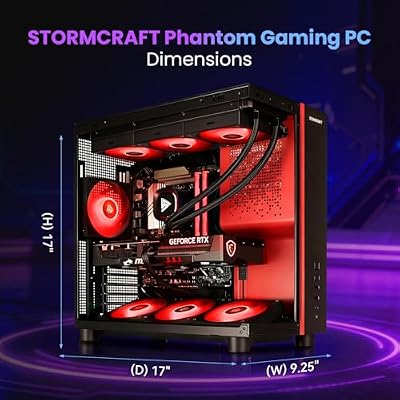
STORMCRAFT Phantom RTX 5080 Gaming PC Ryzen 7 9800X3D 32GB DDR5 2TB SSD
In Stock
Updated: 2 days ago




As an Amazon Associate we earn from qualifying purchases. Product prices and availability are accurate as of the date/time indicated.
If you’d rather sidestep the build entirely and grab a turnkey machine that ships with one of these cards pre-installed and properly cooled, our team has tested several this quarter — the prebuilt comparison is worth a read before you DIY.
FAQ
Is the RTX 5090 actually 30-40% faster than the 5080 in real games?
Roughly yes, but the gap is workload-dependent. In pure rasterized 4K it’s typically 30-40%. In path tracing or heavy ray-traced scenes it widens to 40-55%. At 1440p it shrinks toward 15-20% because both cards are CPU- or refresh-bound. The full 40-55% gap shows up only when you’re genuinely GPU-bound at high resolution with heavy effects.
Will a quality 850 W PSU run the RTX 5090?
Officially NVIDIA recommends 1000 W minimum, and we’d back that up. Transient spikes on the 5090 can briefly exceed 650-700 W, and pairing that with a high-end CPU on an 850 W unit invites instability, especially under sustained load. If you’re considering a 5090, budget for a 1000-1200 W ATX 3.1 PSU with native 12V-2×6 connectors. Anything less is asking for trouble.
Does the 5090’s 32 GB of VRAM matter for gaming today?
Not really, for most titles. A handful of edge cases (modded games, ultra texture packs, certain UE5 content) can push past 16 GB at 4K, but the vast majority of 2026 releases run comfortably on 16 GB with DLSS engaged. The 32 GB is a future-proofing and AI-workload argument, not a 2026 gaming argument.
Should I wait for the RTX 5080 Super or 5090 Ti?
If you can wait six to nine months, NVIDIA’s mid-cycle refresh cadence suggests Super or Ti variants are plausible. Historically they bring modest performance bumps and slightly better pricing on the original SKUs. If you need a card now, buy now — waiting forever is the easiest way to never own anything.
Final verdict
The RTX 5090 wins this head-to-head, and it’s the card we’d put in our own enthusiast build today. It’s the most capable consumer GPU ever made, and for buyers who play at 4K with ray tracing enabled or who do real AI/creator work, the premium is justified despite the brutal value calculation. It is, simply, the best card you can buy.
That said, the RTX 5080 is the smarter purchase for the majority of buyers who don’t fit the 5090’s narrow profile — and “smarter” is not a backhanded compliment. The 5080 is an extraordinary card on its own merits, and choosing it means more money left for a better monitor, faster CPU, or premium peripherals. Speaking of which, if you’re building or upgrading around either GPU this quarter, our CPU comparison, monitor comparison, keyboard comparison, mouse comparison, and RAM comparison are all current.
For the audio side, the streaming mic comparison rounds out the full kit. Build the rest of your rig at the level your GPU deserves — that’s the actual takeaway from any GPU comparison.
Related Guides
- How to Master RGB Lighting and Cable Management for Aesthetic Gaming PC Builds in 2026 — Step by Step Guide
- Best Headsets for Esports in 2026
- Best GPUs under $1500 in 2026
Frequently Asked Questions
How large is the real performance gap between the two cards?
The 5090 carries roughly double the CUDA core count and a much wider 512-bit memory bus against the 5080 256-bit interface, but real games do not scale perfectly. Expect around thirty to fifty percent higher frame rates at 4K, widening in ray-traced and path-traced titles, and shrinking sharply at 1440p where the processor becomes the limiting factor well before the GPU does.
Is 16 GB of VRAM on the 5080 going to be a problem?
For 1440p and most 4K gaming with sensible texture settings, 16 GB is workable today. It becomes tight with 4K ultra textures plus frame generation and ray tracing, and it is a genuine constraint for local AI models, large 3D scenes and high-resolution video work. The 5090 32 GB buffer is the main reason creators and AI hobbyists justify the price jump.
What power supply and case clearance do I need?
Plan around 850 watts of quality ATX 3.1 supply for a 5080 and 1000 to 1200 watts for a 5090, both with a native 12V-2×6 connector rather than an adapter chain. Seat that connector fully until it clicks, since partial insertion is the known cause of melted plugs. Also verify card length and the three or more slot thickness against your case specification.
Which card makes sense for 1440p high-refresh play?
The 5080 is the sensible pick. At 1440p you will frequently hit processor limits, so a 5090 spends much of its silicon idling and the frame rate difference collapses to single digits in many titles. Put the saving into a faster CPU, a 240 Hz OLED display or more system memory, all of which will improve the experience more than the larger GPU would.
Do DLSS 4 and multi frame generation change the comparison?
They help both cards, and they help the 5080 proportionally more because upscaling shifts work off the shaders where the 5090 holds its advantage. Multi frame generation raises displayed frame rate but does not reduce input latency the way native frames do, so a card that already produces a solid base frame rate feels better. Judge on native performance first.
Ready to decide? Our #1 pick for 2026 is the VRAM.
Live price & availability on Amazon.