Updated November 2026 – The GeForce RTX 3050 is good for 1080p gaming at medium settings in esports and older titles, but it is an older entry-level design; for a new laptop or desktop, the RTX 5050 (or RTX 4050 laptop) is the better starting point, and the exact RTX 3050 version, 6 GB or 8 GB, matters a great deal.
Is the RTX 3050 good for gaming laptops? It can be, but there is no single RTX 3050. NVIDIA has sold several versions with different memory sizes, core counts and power limits, and a laptop RTX 3050 can be a very different product from a desktop RTX 3050. This guide explains each version, how the laptop power limit changes performance, what 6 GB and 8 GB of video memory mean in practice, and how the RTX 3050 compares with the RTX 4050 and RTX 5050. It also answers the laptop questions that tend to come up alongside it, such as ASUS TUF versus HP Victus, MSI versus HP, mini LED screens and quiet laptops.
Quick Reference: RTX 3050 Versions and Successors
| Graphics chip | Memory and bus (as listed) | Power (as listed) | Verdict |
|---|---|---|---|
| Desktop RTX 3050 8 GB | 8 GB GDDR6, 128-bit, 2,560 CUDA cores | Retail TGP around 115 W, 130 W listed in one source | Fine for 1080p medium to high in many games |
| Desktop RTX 3050 6 GB | 6 GB GDDR6, 96-bit, 2,304 CUDA cores | 70 W, about 300 W power supply suggested | Efficient but slower; good for small or low-power PCs |
| Laptop RTX 3050 4 GB | 4 GB, 128-bit, 2,048 CUDA cores | Configurable roughly 35 to 95 W | Aging; 4 GB limits newer games |
| Laptop RTX 3050 6 GB | 6 GB, 96-bit | Configurable roughly 35 to 80 W | Entry 1080p; performance depends heavily on the laptop |
| Laptop RTX 4050 | 6 GB GDDR6, 96-bit, 2,560 shaders | 35 to 115 W plus Dynamic Boost | Clear step up with DLSS 3 support |
| Laptop RTX 5050 | 8 GB GDDR7, 2,560 CUDA cores | 35 to 100 W | Current entry choice for new laptops |
| Desktop RTX 5050 | 8 GB GDDR6, 128-bit, 2,560 CUDA cores | Up to 130 W, 550 W power supply suggested | Current entry desktop card |
RTX 3050 Desktop: 6 GB vs 8 GB
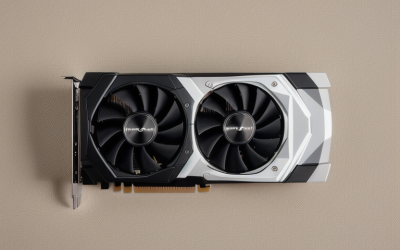
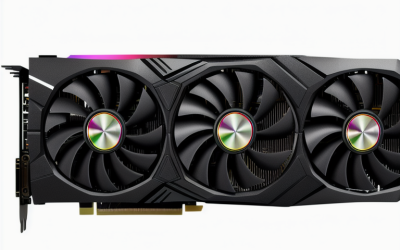
The two desktop cards are not minor variants. The 8 GB card uses 128-bit memory with 2,560 CUDA cores and higher clocks, while the 6 GB card uses a narrower 96-bit bus with 2,304 CUDA cores and lower clocks. Memory bandwidth is listed at 224 GB/s for the 8 GB card and 168 GB/s for the 6 GB card.
Reviewers report a clear gap: TechPowerUp found the 8 GB card about 28 percent faster on average at 1080p, while ComputerBase put the 6 GB card around 20 percent slower. The 6 GB card’s selling point is efficiency, with a 70 W rating that suits small systems and modest power supplies. Tom’s Hardware described it as drawing about half the power of the 8 GB card for around 20 percent less performance, though it also noted it did not beat older rivals like the GTX 1660 Ti. If you can choose, the 8 GB card is the one to prefer for gaming.
RTX 3050 Laptop: Why Power Limits Decide Everything
A laptop RTX 3050 is not one fixed speed. NVIDIA lets laptop makers set total graphics power across a range, listed as roughly 35 to 80 W for the 6 GB version. A thin machine running the chip at the low end can perform much worse than a thicker one running it near the top. Cooling, the processor and Dynamic Boost also change sustained speed.
What to look for in a laptop listing
- The graphics power figure (often shown as TGP or watts). Higher is generally better, within what the cooling allows.
- The memory size: 4 GB is limiting for current games, 6 GB is workable at 1080p, and 8 GB is more comfortable.
- Whether the display is 1080p or higher. An entry-level graphics chip does best at 1080p.
- RAM in dual-channel configuration and an SSD with space for several large games.
6GB VRAM Gaming Laptops and 8GB VRAM Gaming Laptops
Video memory decides how high you can push texture quality. Six gigabytes suits 1080p at medium to high settings in most games, but newer titles can exceed it at high texture settings, which causes stutter until you lower textures one step. Eight gigabytes gives more headroom and is now what NVIDIA lists on the RTX 5050 laptop chip, which uses GDDR7. The RTX 3050 6 GB laptop chip and RTX 4050 laptop chip both have 6 GB. If you plan to keep a laptop for several years, 8 GB is the safer target.
RTX 3050 vs RTX 4050 vs RTX 5050
The RTX 4050 laptop chip lists 2,560 shaders, 6 GB of GDDR6 at 16 Gbps and a 35 to 115 W power range, and supports DLSS 3. Benchmark aggregators put it roughly 28 percent ahead of the RTX 3050 6 GB laptop chip in synthetic scores and around 35 to 50 percent ahead at 1080p in one comparison, with the gap depending on the power limit of each laptop. A 115 W RTX 4050 gets closer to the desktop card, while a 35 to 60 W thin machine trails.
The RTX 5050 laptop chip also lists 2,560 CUDA cores, but pairs them with 8 GB of GDDR7 and a 35 to 100 W range, on newer Blackwell architecture. The desktop RTX 5050 has 8 GB of GDDR6 on a 128-bit bus, 320 GB/s of bandwidth, a 130 W power limit and launched in July 2025. For a new purchase, either of these is a better starting point than an RTX 3050.
Best 5050 Gaming Laptop: What to Compare
There is no single best RTX 5050 laptop, because the graphics power, screen and cooling differ by model. Notebookcheck’s review of an HP Victus 15 with an RTX 5050 reported a graphics power limit of 80 W, compared with 115 W for another RTX 5050 laptop it listed. A roundup of RTX 5050 laptops lists the ASUS TUF Gaming F16 and TUF Gaming A16 at a 115 W maximum graphics power, using 8 GB of GDDR7.
| Factor | Why it matters | Example from reports |
|---|---|---|
| Graphics power limit | Higher limit usually means higher frame rates | Victus 15 at 80 W versus TUF F16 and A16 at 115 W |
| Display | Resolution, refresh rate and color coverage | TUF F16: 1920×1200, 165 Hz; TUF A16: 2560×1600, 165 Hz per one roundup |
| Battery and build | Affects portability and comfort | Victus 15 reported at 70 Wh with a plastic build |
| Memory and storage | Often upgradeable | 16 GB DDR5 listed on several models |
ASUS TUF Gaming Laptop and HP Victus Gaming Laptop
The ASUS TUF Gaming line and the HP Victus line both target the entry to mid-range. Reviewers describe TUF models as offering higher graphics power limits and stronger screens at similar tiers, while Victus models often cost less and sometimes ship with more memory. Because configurations change frequently, compare the actual graphics power, screen and RAM on the specific model.
MSI vs HP Gaming Laptop
This comparison depends on the specific model rather than the brand. HP’s Victus line is aimed at value, and MSI sells several lines from thin to heavy-duty. Compare the graphics chip, its power limit, the cooling design and the screen instead of the logo. Also note that HP’s Omen gaming range now sits under the HyperX name, so older Omen listings may appear under different branding.
Mini LED Gaming Laptop: Is It Worth It?
Mini LED screens use thousands of small backlight LEDs with many local dimming zones. ASUS lists its 2024 ROG Strix Scar 18 with 2,304 dimming zones and the Scar 16 with 2,048, both at up to 1,100 nits peak for HDR. The benefit is stronger contrast and brighter HDR than a standard backlit panel. The downside is blooming, a halo around small bright objects on dark backgrounds, which reviewers report on some panels. Mini LED panels appear mostly in higher-priced laptops, so they are not usually found alongside an RTX 3050 or RTX 5050 class chip.
Quietest Gaming Laptop: How to Judge Noise
Noise depends on the cooling design and the power limit rather than the graphics chip name. A laptop running an entry-level chip at a modest power limit usually produces less fan noise than one pushing the same chip to its maximum. Look for models that offer quiet or silent profiles, large vents and fans, and reviews that report noise levels in decibels. Using a quiet profile lowers frame rates a little, which is a reasonable trade for an entry-level GPU.
Is the RTX 3050 Still a Good Buy?
It remains a usable chip for 1080p esports and older games, and a discounted 8 GB desktop RTX 3050 or a laptop with a high power limit can still work for casual gaming. For a new purchase, an RTX 5050 offers newer features, more memory on laptops and a cleaner upgrade story. For a used purchase, prefer the 8 GB desktop card and a laptop with a documented power limit near the top of its range.
Frequently Asked Questions
Is the RTX 3050 good for gaming laptops?
It is acceptable for 1080p gaming at medium settings in esports and older games. Performance varies a lot with the laptop’s graphics power limit and the 4 GB or 6 GB memory size.
What is the difference between the RTX 3050 6GB and 8GB?
The 8 GB desktop card has a 128-bit bus, more CUDA cores and higher clocks, and reviewers report it is around 20 to 28 percent faster. The 6 GB card draws much less power.
Is 6GB VRAM enough for a gaming laptop?
Yes for 1080p at medium to high settings in most games. Newer titles with high texture settings may need lower textures or more memory.
Is the RTX 5050 better than the RTX 3050?
Yes. It uses newer architecture, and the laptop chip lists 8 GB of GDDR7 against 6 GB or less on RTX 3050 laptops.
Should I buy an ASUS TUF or an HP Victus gaming laptop?
Compare the exact models. Reports show some TUF models run the RTX 5050 at 115 W with stronger screens, while a Victus 15 was reported at 80 W with lower cost.
Is a mini LED gaming laptop worth it?
It can be if you watch HDR content and play visually rich games, since it offers strong contrast and brightness. Be aware of possible blooming and the higher price.