Updated November 2026 – Short answer: yes, the Intel Arc B580 is a good 1080p and light 1440p graphics card thanks to its 12 GB of memory, as long as your system has Resizable BAR and a reasonably recent processor, since older CPUs can hold it back.
Is the Intel Arc B580 good for gaming? Reviewers broadly say it gave budget buyers a strong option at launch, with more video memory than most rivals in its class. The catch is that it asks more of the rest of your PC than an AMD or Nvidia card of similar speed.
Is the Intel Arc B580 Good for Gaming? Key Specs
Intel launched the Arc B580 in December 2024 as part of its Battlemage family. The maker lists these headline specs:
- 20 Xe cores on the Xe2 architecture
- 12 GB of GDDR6 memory on a 192-bit bus
- A PCIe 4.0 x8 connection
- A total board power rating of about 190 W
- Support for XeSS upscaling, including frame generation in supported games
The 12 GB of memory stands out. Many cards in the same price tier carry 8 GB, and newer games increasingly want more than that at high texture settings.
1080p and 1440p: Where the B580 Fits
Reviewers describe the B580 as a strong 1080p card and a capable one at 1440p in many games, especially with upscaling. Outlets such as Tom’s Hardware and Hardware Unboxed covered it at launch and reported that it generally beat cards in its tier that came with less memory. Exact frame rates depend on the game and settings, so treat any specific number you see as tied to that reviewer’s hardware and settings.
| Use case | Verdict | What to pair it with |
|---|---|---|
| 1080p high settings | Very good | A recent 6-core or 8-core CPU with Resizable BAR on |
| 1440p medium to high settings | Good in many games, helped by 12 GB and XeSS | A 1440p monitor, upscaling for demanding titles |
| Ray tracing | Better than the previous Arc generation, still demanding | Use upscaling and moderate settings |
| Esports at high refresh | Good, mind processor overhead | A fast recent processor |
| Older PC with a 2018-2020 processor | Risky, see overhead section | Consider a Radeon or GeForce card instead |
| 4K | Not its target | A higher-tier card |
Resizable BAR Is Required, Not Optional
Intel states that Arc graphics need Resizable BAR enabled for proper performance. Resizable BAR lets the processor access the graphics card’s full memory, and the setting lives in the motherboard BIOS. Its menu name differs by maker, often listed as Resizable BAR or Above 4G Decoding, so follow your motherboard manual. Many boards from roughly 2019 onward support it, but older boards may need a BIOS update or may not offer it at all.
Before buying, confirm that your board supports it. Changing BIOS settings can cause instability if you alter the wrong option, so change only what the manual describes and note the original values. If you are unsure, ask the motherboard maker’s support team.
Driver Maturity and Game Compatibility
Intel’s early Arc cards had a rough start with drivers, and the company has improved them steadily since. Reviewers report that Battlemage launched in a better state, with smooth results in popular modern games. Older DirectX 9 and some older titles have been handled by translation layers in the past, and reviewers have noted occasional oddities in less common games. Keep the driver updated and check the maker’s release notes for your games.
CPU Overhead: The Main Caveat
The most discussed issue is processor overhead. Hardware Unboxed reported that the B580 lost more performance on older or slower processors, such as certain Ryzen 5 2600 and similar chips, than competing cards did. In practice, an Arc card can leave frame rates on the table if the processor is the bottleneck.
- With a recent mid-range or better processor, the effect is small in most games.
- With an older 6-core chip from several years back, results can drop noticeably, especially at 1080p.
- Playing at higher resolutions or settings eases the effect, since the graphics card becomes the limit.
If you plan to drop a B580 into an older system, look for benchmark results that use a similar processor to yours, and be ready to upgrade the processor too.
Is Intel Arc Graphics Good for Gaming in General?
Intel’s discrete Arc cards, like the B580, are now credible gaming options. Intel Arc integrated graphics, found in processors such as the Core Ultra series, are a different thing. They are far smaller than a discrete card but are considerably better than older Intel UHD graphics. Reviewers report that the best of them suit light and medium games at low resolutions, which makes them good for thin laptops and compact PCs but not a replacement for a card like the B580.
Is Intel Arc Integrated Graphics Good for Gaming?
It depends on the chip. The newest Arc-branded integrated graphics handle esports and many older games well at 1080p with lowered settings. Modern demanding games need low settings and upscaling. For serious gaming, a discrete card such as the B580 is a much larger step up.
B580 vs RTX 5060 vs RX 7600
| Card | Best for | Key stated specs | Limits |
|---|---|---|---|
| Intel Arc B580 | 1080p and light 1440p with more memory | 12 GB GDDR6 · 192-bit · PCIe 4.0 x8 | Needs Resizable BAR, processor overhead on older CPUs |
| GeForce RTX 5060 | 1080p with Nvidia features such as DLSS | 8 GB GDDR7 · Blackwell | 8 GB of memory, can run into texture limits |
| Radeon RX 7600 | 1080p with mature drivers | 8 GB GDDR6 · RDNA 3 · PCIe 4.0 x8 | 8 GB of memory, older generation |
| Radeon RX 6600 | Used budget 1080p | 8 GB GDDR6 · RDNA 2 · PCIe 4.0 x8 | Older, limited ray tracing |
Intel Arc B580 – Best for Memory Headroom
The B580 gives the most memory in this group, which helps in games with large textures. It is a good fit for a recent platform.
GeForce RTX 5060 – Best for Nvidia Features
The RTX 5060 offers DLSS and Nvidia’s feature set and has fewer compatibility concerns. Its 8 GB of memory is the main drawback.
Radeon RX 7600 – Best for Simple Drop-In Use
The RX 7600 works on older systems with fewer settings requirements, since reviewers have not flagged Resizable BAR as a make-or-break setting for Radeon cards the way it is for Arc. It suits older platforms, though enabling it where available is still worthwhile.
PSU, Case and Cooling Notes
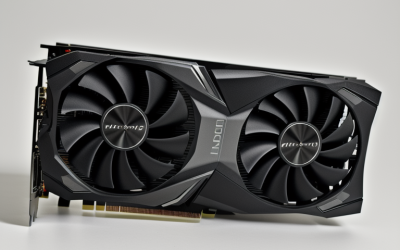
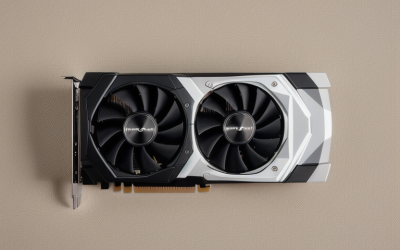
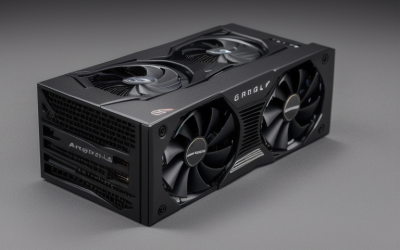
With a rating of about 190 W, the B580 needs a decent power supply. Follow the maker’s listed power recommendation for your specific card, and use the connector the board partner specifies. Partner cards vary in length and thickness, so measure your case before buying. If you build in a small case, favor a two-fan model and good airflow.
Upgrade Path
The B580 suits a platform you do not plan to change soon. If you later move to a faster processor, the card will benefit most. If you want an even bigger step, Intel also offers a smaller sibling, the B570 with 10 GB, and larger Battlemage cards may arrive. Resale of Arc cards has been less predictable than Nvidia or AMD cards, so weigh that if you plan to resell.
Upscaling and Frame Generation on Arc
Intel’s XeSS is its answer to DLSS and FSR. Intel lists XeSS 2 for Battlemage cards, including frame generation and a low-latency mode, in games that add support. It helps most at 1440p, where it lets a mid-range card keep playable frame rates with modest image loss. Support depends on each game, so the number of titles with XeSS is smaller than for older rival technologies. AMD’s FSR works on Arc cards too, which fills many gaps.
Who Should Buy the B580 and Who Should Skip It
The B580 suits builders with a recent platform, such as a Ryzen 5 7600-class or Intel 12th-generation or newer processor, who want more memory than 8 GB cards offer. It also suits people who build their own system and are comfortable changing a BIOS option. It is a weaker fit for anyone with an older board that lacks Resizable BAR, for players of very old DirectX 9 titles who need guaranteed smoothness, and for buyers who depend on a specific Nvidia-only feature in creative software. In those cases a Radeon or GeForce card is simpler.
Setup Steps for a Smooth First Boot
- Update the motherboard BIOS using the maker’s instructions before installing the card.
- Enable Resizable BAR and Above 4G Decoding in the BIOS, following the manual.
- Install the card, connect the power cable the partner specifies, and plug the display into the graphics card, not the motherboard.
- Install the latest Intel graphics driver and restart.
- Confirm in Intel’s driver software that Resizable BAR shows as enabled.
If the system will not boot after a firmware change, power off, unplug the machine, and consult the motherboard manual or the maker’s support before trying again.
Frequently Asked Questions
Do I need Resizable BAR for the Arc B580?
Yes, Intel states it is needed for proper performance. Enable it in your BIOS, using your motherboard manual for the menu name. Without it, performance can drop sharply.
Is the Arc B580 good for 1440p?
In many games, yes, particularly with XeSS upscaling and 12 GB of memory. Demanding titles may need medium settings. A faster card gives more room.
Will the Arc B580 work with an old CPU?
It will work, but reviewers report lower frame rates on older processors than with rival cards. Check benchmarks that use a similar chip before buying.
Are Intel Arc drivers good now?
They have improved a lot, and reviewers report a much smoother experience on Battlemage. Occasional problems still appear in less common games, so keep drivers current.
Is the B580 better than the RTX 5060?
It depends on the buyer. The B580 has more memory, while the RTX 5060 has Nvidia’s features and lighter demands on the processor. Reviewers’ charts for your games will settle it.
Is Intel Arc integrated graphics good enough for gaming?
For light and older games, yes, on newer chips. It does not match a discrete card such as the B580 for modern titles.