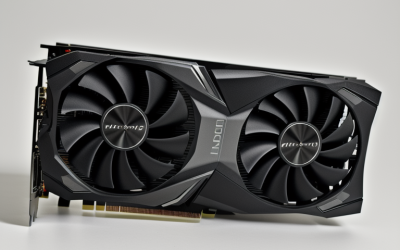
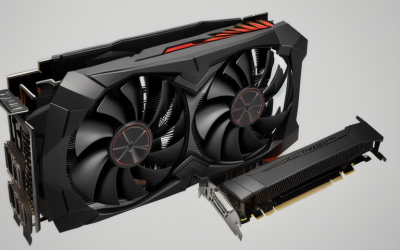
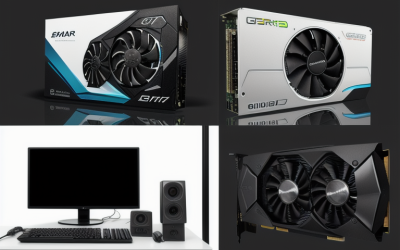
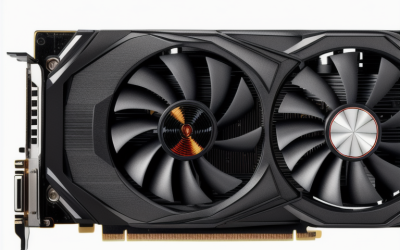
- Top Pick: 51RISC GeForce RTX 3050 LP Graphics Card, Low Profile 6GB GDDR6 Small Form Factor Video Card for Gaming 8K Display Desktop/Mini PC SFF Video Card (RTX 3050 6GB- Low Profile)
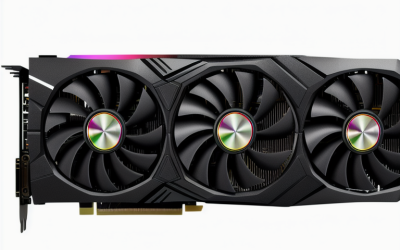
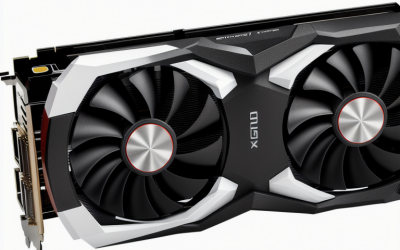
- Best Value: ZER-LON GeForce GTX 1660 Super 6GB Graphics Cards, GDRR6 192Bit PCIE 3.0X16 Computer Gaming Gpu, Dual Freeze Fans Video Card with HDMI/DP/DVI Ports Support 4K and 8K HD
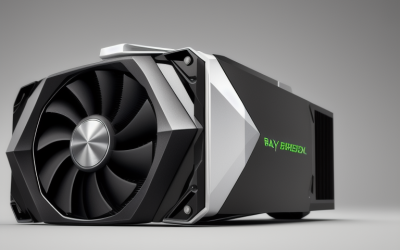
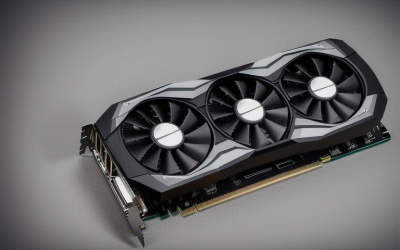
- Premium Choice: ASRock Phantom Gaming D RX580 4G OC, 1424MHz Boost, 4GB GDDR5 256-bit, PCIe 3.0, Dual Fan, 8K Support Graphics Card
Shopping for an 8K graphics card means answering a question that the product pages rarely spell out: do you need a card that can send a 7680 by 4320 signal to a panel, or one that can actually render games at that resolution? Those are very different jobs. An 8K frame holds roughly 33 million pixels, four times a 4K frame, and the spec sheets for the cards below describe display capability, memory and connectors rather than frame rates. This guide reads each listing on those terms only.
It is written for builders who have an 8K television or monitor, a small-form-factor case, or a media and creative setup where output resolution matters more than raw gaming speed. If you want smooth 8K gameplay in demanding titles, a 2026 shopping list looks nothing like this one. If you want a card that drives a very high resolution display, fits a slim chassis, or gives a creator machine a lot of video memory, the six cards here cover those niches.
Quick Picks
As an Amazon Associate we earn from qualifying purchases at no extra cost to you.


| Product | Best for | Key spec from the title |
|---|---|---|
| 51RISC RTX 3050 LP | Slim desktops driving an 8K display | 6GB GDDR6, low profile |
| ZER-LON GTX 1660 Super | Full-size builds needing three output types | 6GB GDDR6, 192-bit, HDMI/DP/DVI |
| ASRock Phantom Gaming D RX580 | Older full-size cases with a dual-fan card | 4GB GDDR5, 256-bit, 1424MHz boost |
| MAXSUN Radeon RX 550 | ITX and compact media builds | 4GB GDDR5, 128-bit, DirectX 12 |
| SOYO RTX 3050 6GB | Half-height cases with newer ports | HDMI 2.1, DP 1.4a, PCIe 4.0 x8 |
| ASRock Arc Pro B60 Creator | Workstations and multi-display creative rigs | 24GB GDDR6, 4x DP 2.1, PCIe 5.0 |
How to Choose
Check the output standard before the GPU name
Connectors decide whether an 8K screen runs at a usable refresh rate. HDMI 2.1 and DisplayPort 1.4a can both carry an 8K signal with compression, while HDMI 2.0 tops out well below that. DisplayPort 2.1 raises the bandwidth ceiling further. If the listing says only “8K support” without naming the port version, look at the connector line on the spec sheet and confirm that your display input matches.
Match the card to your case
Low-profile and half-height cards fit slim desktops and small chassis, but they usually ship with a short bracket and a compact cooler. Measure slot height and length before ordering, and confirm the bracket you need is in the box. Full-size dual-fan cards need clearance and a power connector, so check your power supply as well. A blower design, like the one on the workstation card here, exhausts heat out of the back of the case, which suits cramped layouts.
Look at memory type and bus width together
Capacity alone is misleading. GDDR6 is the newer memory type, and bus width in bits shows how much data moves at once. A 6GB card on a narrow 96-bit bus behaves differently from a 6GB card on a 192-bit bus, and older GDDR5 cards sit lower still. For 8K desktop work or video playback, 4GB can be enough; for large creative projects, look at the 24GB tier instead.
Ignore marketing resolution claims without detail
Phrases like “supports 8K” describe the maximum signal a port can send, not how a game will perform. Skip any listing that leans on the resolution badge but leaves out memory, bus width and port versions. Budget models cut corners on cooling and power delivery, so treat a missing spec as a reason to compare, not to assume. Also check whether the listing names a PCIe generation and a lane count, since a card using fewer lanes can behave differently in an older slot than the headline number suggests.
The 6 Best Options
Note: a seventh listing, an entry-level GT 730 card with DDR3 memory aimed at basic office and media-box use, was left out because it does not suit an 8K-focused shopper.
51RISC GeForce RTX 3050 LP
This card is for people who own a slim desktop or mini PC and want a modern GeForce part with 8K display output named in the listing. The title shows 6GB of GDDR6 memory and a low-profile form factor aimed at small-form-factor builds.
- Strength: low-profile design suits compact cases that cannot take a full-height card.
- Strength: 6GB of GDDR6 is the newer memory type.
- Trade-off: the title does not list port versions, so confirm connectors against your display.
It also reads as a straightforward upgrade over integrated graphics for a pocket-sized machine that sits behind a television. Skip it if your case is a full tower and you want a dual-fan cooler, or if you need the title to state the exact HDMI or DisplayPort version.
ZER-LON GeForce GTX 1660 Super
The ZER-LON targets a standard-height build where you want a mix of HDMI, DisplayPort and DVI outputs on one card. The listing names 6GB of GDDR6 on a 192-bit bus, a PCIe 3.0 x16 interface, dual fans, and support for 4K and 8K.
- Strength: a 192-bit bus is wider than the narrow buses on the low-profile cards here.
- Strength: three output types help if you mix older and newer displays.
- Trade-off: it is a full-size card, so slim cases are out.
The Super suffix in the name places it above the plain version of the same family, which gives it a sensible role as the all-rounder in a classic desktop. Skip it if you need a half-height bracket, or if you want PCIe 4.0 and the newest output standards.
ASRock Phantom Gaming D RX580 4G OC
ASRock lists a 1424MHz boost clock, 4GB of GDDR5 on a 256-bit bus, a PCIe 3.0 interface and a dual-fan cooler, along with 8K support. It suits a builder with a full-size case who wants a known Radeon design and a wide memory bus.
- Strength: 256-bit width is the widest bus among the 4GB-class cards in this list.
- Strength: a factory overclock and dual fans are stated in the title.
- Trade-off: GDDR5 is the older memory type.
Buyers who upgrade an older system and already have a spare power connector will find the format familiar. Skip it if you want the newest memory or a compact footprint for a slim case.
MAXSUN AMD Radeon RX 550
The MAXSUN is an ITX-oriented Radeon card with 4GB of GDDR5, a 128-bit bus, DirectX 12 support and a PCIe x16 3.0 interface. It offers DVI-D dual link, HDMI and DisplayPort outputs, which keeps it flexible for a compact media or office machine.
- Strength: ITX-friendly design is clear from the listing.
- Strength: a mix of DVI-D, HDMI and DisplayPort covers many monitors.
- Trade-off: the title never mentions 8K, so verify the maximum resolution before buying for an 8K screen.
It is best read as a compact display adapter with gaming branding, not an 8K solution. Skip it if an 8K panel is the whole point of the purchase.
SOYO GeForce RTX 3050 6GB Low Profile
SOYO describes a half-height SFF design with 6GB of GDDR6, a 96-bit bus, 2304 shader processors, HDMI 2.1 and DP 1.4a, and a PCIe 4.0 x8 interface. That combination of newer ports and a slim bracket is why it fits slim desktop owners with a modern display.
- Strength: HDMI 2.1 is named, which matters for high-resolution televisions.
- Strength: PCIe 4.0 and half-height design suit current slim builds.
- Trade-off: the 96-bit bus is narrower than the full-size cards here.
Of the two RTX 3050 listings, this one is the better fit for a buyer who cares about connector generation, because the port versions are written out in full. Skip it if you want a wide memory bus or a large cooler.
ASRock Intel Arc Pro B60 Creator 24GB
This is a different kind of card: a workstation GPU with 24GB of GDDR6 on a 192-bit bus, a 2400MHz clock, Xe2-HPG architecture, PCIe 5.0 and four DisplayPort 2.1 outputs, cooled by a blower. It is for creators who need a lot of video memory and many high-resolution displays.
- Strength: 24GB of memory is far above the other cards listed.
- Strength: four DP 2.1 ports support a multi-monitor desk.
- Trade-off: it is a workstation product rather than a gaming-branded card.
Creators who work with large scenes, multi-screen timelines or heavy asset libraries are the target audience here, and the listing is clear about that focus. Skip it if gaming is the main use or you have a small case.
Which One Fits Your Situation
You own an 8K television and a slim media PC
The SOYO RTX 3050 is the clearest match, since the title names HDMI 2.1 alongside a half-height design. The 51RISC is the alternative if you prefer its listing language, but check its ports first.
You are building in a standard mid-tower
The ZER-LON GTX 1660 Super gives you a wider bus and three output types, while the ASRock RX580 gives you a 256-bit bus and a factory boost clock.
You edit video or run several displays
The ASRock Arc Pro B60 Creator is built for this, with 24GB of memory and four DisplayPort 2.1 outputs. Make sure the case and power supply can handle a blower workstation card.
You need a compact office or ITX box
The MAXSUN RX 550 is the small-footprint choice, as long as the display you plan to use does not require an 8K signal. If you do need that signal in a slim case, move up to the 51RISC or SOYO instead and verify the ports on the spec sheet.
Common Mistakes
- Treating “8K support” as proof of playable frame rates in games.
- Ignoring the HDMI or DisplayPort version and then discovering the display input is limited.
- Buying a low-profile card without measuring the case slot and checking the bracket in the box.
- Comparing memory capacity but ignoring bus width and memory type.
- Forgetting that full-size cards need power supply headroom and case clearance.
Related guides
- Battery Operated Smoke And Carbon Monoxide Detectors
- Combination Smoke And Carbon Monoxide Detectors
- Aio Liquid Coolers For High Performance Gaming
Frequently Asked Questions
Can these cards play games at 8K?
The listings describe 8K display output, not gaming performance. Modern titles at that resolution demand far more than the cards in this list are described as offering, so treat 8K here as a desktop, video and productivity target.
Do I need HDMI 2.1 for an 8K television?
For a television, HDMI 2.1 is the standard that carries 8K signals with compression, so it is the safest port to look for. Only one listing here names it, so check the others against your display input and read the manual of the television for the exact port that accepts 8K.
Is more video memory always better for 8K?
More memory helps with large textures and creative projects, but bus width and memory type also affect throughput. The 24GB workstation card is the memory leader in this list.
What does low profile mean?
It means a shorter bracket and a compact cooler designed for slim cases. Confirm your case supports it, and look for a half-height bracket in the package. Many slim cases use a riser or a single narrow slot, so write down the clearance for height, length and fan noise before choosing. Cards in this class generally trade cooling headroom for size.