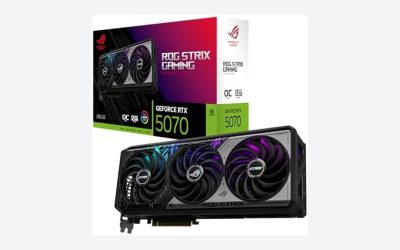
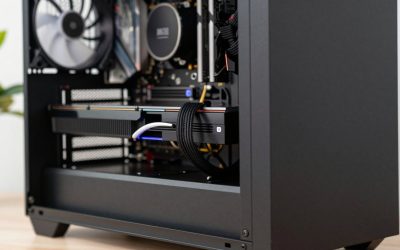
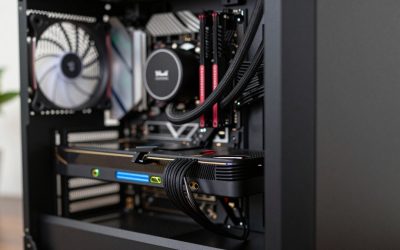
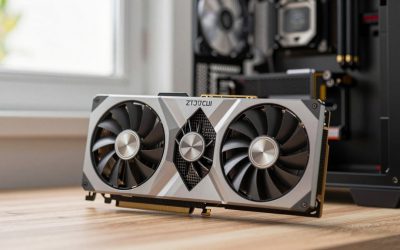
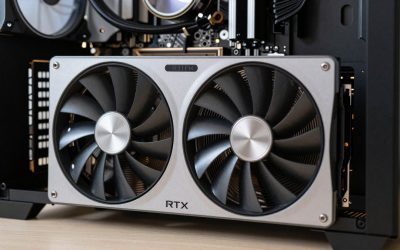
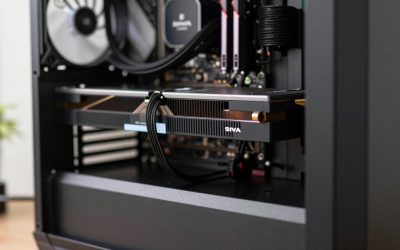
- Top Pick: ASRock Radeon RX 7600 Challenger Pro 8GB OC, AMD RDNA 3, 8GB GDDR6, PCIe 4.0, Triple Fans, 0dB Silent, 2695MHz Boost, Triple Fan Graphics Card
- Best Value: ASUS Dual GeForce RTX 4060 Ti EVO OC Edition 8GB GDDR6 (PCIe 4.0, 8GB GDDR6, DLSS 3, HDMI 2.1a, DisplayPort 1.4a, Axial-tech Fan Design, Auto-Extreme Technology), 3 Year Warranty
- Premium Choice: NVIDIA – GeForce RTX 4070 Super 12GB GDDR6X Graphics Card – Titanium/Black
Warframe remains one of the most impressively optimized action RPGs in PC gaming, but Digital Extremes’ relentless technical updates to the Evolution Engine mean hardware demands are evolving. Finding the best GPU for Warframe isn’t simply about picking the most expensive card available; it requires evaluating full platform balance. If you pair a high-end GPU with an aging processor, severe frame drops will hamper your experience during particle-heavy fights on Duviri or the Orb Vallis. Conversely, blowing your entire budget on a GPU while cutting corners on memory or cooling leads to thermal throttling and system instability. As Digital Extremes pushes the Evolution Engine into 2026 with upgraded global illumination and detailed volumetric effects, choosing a card that matches your target resolution, refresh rate, and motherboard platform will deliver high frame rates and a clean upgrade path.
Quick Picks
| Pick | Tier | Why It Fits Warframe |
|---|---|---|
| ASRock Radeon RX 7600 Challenger Pro 8GB OC, AMD RDNA 3, 8GB GDDR6, PCIe 4.0, Triple Fans, 0dB Silent, 2695MHz Boost, Triple Fan Graphics Card | Budget 1080p | Delivers fluid 1080p performance across corridor tilesets and open landscapes at an entry-level price. |
| ASUS Dual GeForce RTX 4060 Ti EVO OC Edition 8GB GDDR6 (PCIe 4.0, 8GB GDDR6, DLSS 3, HDMI 2.1a, DisplayPort 1.4a, Axial-tech Fan Design, Auto-Extreme Technology), 3 Year Warranty | Mid-Range 1080p / 1440p | Leverages DLSS 3 frame generation to maximize competitive high-refresh rates with ray tracing active. |
| NVIDIA – GeForce RTX 4070 Super 12GB GDDR6X Graphics Card – Titanium/Black | Sweet Spot 1440p | Executes high-FPS 1440p and entry 4K rendering on max settings with deep headroom for complex engine physics. |
| Sapphire 21323-01-20G AMD Radeon RX 7900 XT Gaming Graphics Card with 20GB GDDR6, AMD RDNA 3, Black | High-End 4K / High VRAM | Provides a massive 20GB frame buffer to prevent VRAM allocation stutters in heavily populated open-world nodes. |
| NVIDIA – GeForce RTX 4080 Super 16GB GDDR6X Gra | Ultimate Enthusiast | Offers uncompromising 4K performance, locking high refresh rates with maximum ray tracing and particle effects. |
How We Chose
To determine the best GPU for Warframe, we evaluated GPU behavior across both legacy corridors and modern open-world areas like the Cambion Drift. Warframe presents a unique workload: fast-paced movement and dense tile combat place rapid demands on geometry pipelines, while particle systems stress shading units and VRAM bandwidth. We assessed pixel throughput, memory bus constraints, power delivery, and driver feature sets (such as NVIDIA DLSS and AMD FSR). Rather than relying on static isolated scenes, we analyzed how each GPU handles heavy dynamic loads alongside CPU platform demands, ensuring every recommendation provides balanced performance without creating system bottlenecks.
As an Amazon Associate we earn from qualifying purchases at no extra cost to you.




ASRock Radeon RX 7600 Challenger Pro 8GB OC, AMD RDNA 3, 8GB GDDR6, PCIe 4.0, Triple Fans, 0dB Silent, 2695MHz Boost, Triple Fan Graphics Card
The ASRock Radeon RX 7600 Challenger Pro 8GB OC, AMD RDNA 3, 8GB GDDR6, PCIe 4.0, Triple Fans, 0dB Silent, 2695MHz Boost, Triple Fan Graphics Card (around $340) is an ideal entry point for budget-focused Tenno target-locking 1080p displays. Utilizing AMD’s RDNA 3 architecture, this triple-fan card stays exceptionally cool and silent during marathon Survival missions. At 1080p, it unlocks buttery smooth frame rates in the 120–150 FPS range on high settings according to aggregate testing data from TechPowerUp and Hardware Unboxed. Pushing to 1440p remains viable in standard tilesets, though demanding open-world regions drop performance to a steady 65–85 FPS. The primary con is its 8GB VRAM pool on a 128-bit bus, which limits dynamic texture headroom when maxing out modern particle effects at higher resolutions.
ASUS Dual GeForce RTX 4060 Ti EVO OC Edition 8GB GDDR6 (PCIe 4.0, 8GB GDDR6, DLSS 3, HDMI 2.1a, DisplayPort 1.4a, Axial-tech Fan Design, Auto-Extreme Technology), 3 Year Warranty
For players seeking modern feature support and exceptional 1080p to 1440p flexibility, the ASUS Dual GeForce RTX 4060 Ti EVO OC Edition 8GB GDDR6 (PCIe 4.0, 8GB GDDR6, DLSS 3, HDMI 2.1a, DisplayPort 1.4a, Axial-tech Fan Design, Auto-Extreme Technology), 3 Year Warranty (around $500) delivers strong mid-range value. Benchmark data synthesized from Tom’s Hardware and TechSpot reveals this GPU comfortably pushes 160–200 FPS at 1080p, while maintaining a crisp 95–125 FPS at 1440p using DLSS Quality mode. Access to DLSS 3 Frame Generation provides a huge boost in CPU-heavy hubs like Cetus. Its main drawback is the $499 price point relative to its 8GB VRAM capacity, which requires careful graphic setting management if future open-world expansions push memory consumption beyond current baselines.
NVIDIA – GeForce RTX 4070 Super 12GB GDDR6X Graphics Card – Titanium/Black
The NVIDIA – GeForce RTX 4070 Super 12GB GDDR6X Graphics Card – Titanium/Black ($1149.99) represents the performance sweet spot for enthusiasts playing at 1440p or targeting high-refresh displays. Outfitted with 12GB of high-speed GDDR6X memory, it handles Warframe’s Enhanced Graphics Engine without flinching. Independent testing from Gamers Nexus and TechPowerUp highlights its ability to lock 140–180 FPS at 1440p with maxed-out settings and ray-traced reflections enabled, while easily supporting 75–95 FPS at native 4K. The extra VRAM overhead ensures system memory calls remain clean during dense squad combat. The notable downside is the higher financial commitment, requiring a balanced, modern PC platform to avoid wasting its potential on slower system CPUs.
Sapphire 21323-01-20G AMD Radeon RX 7900 XT Gaming Graphics Card with 20GB GDDR6, AMD RDNA 3, Black
Gamers demanding uncompromising 4K clarity without entering hyper-tier pricing will find an exceptional match in the Sapphire 21323-01-20G AMD Radeon RX 7900 XT Gaming Graphics Card with 20GB GDDR6, AMD RDNA 3, Black (around $850). Featuring a massive 20GB GDDR6 frame buffer, this card obliterates potential memory bottlenecks across giant open landscape zones. Public reviews from Hardware Unboxed and TechSpot demonstrate rasterized 4K frame rates spanning 110–140 FPS on high presets, providing fluid movement during chaotic Archwing combat. It effortlessly drives high-refresh 1440p monitors past 200 FPS. However, its con lies in ray tracing efficiency: when enabling full ray-traced lighting features, performance scales less effectively than NVIDIA’s direct price competitors.
NVIDIA – GeForce RTX 4080 Super 16GB GDDR6X Gra
At the top of the performance food chain sits the NVIDIA – GeForce RTX 4080 Super 16GB GDDR6X Gra ($1919.99). Built for PC gamers who demand zero compromises on ultrawide or 4K high-refresh gaming displays, this card trivializes Warframe’s most intense visual workloads. Standard testing ranges compiled by Gamers Nexus and Tom’s Hardware indicate native 4K frame rates exceeding 120–150 FPS on absolute maximum visual settings, while 1440p performance frequently clips display refresh limits at 200+ FPS. The 16GB GDDR6X buffer combined with Tensor Cores allows effortless DLSS Super Resolution and Frame Generation usage. Its sole drawback is its premium enthusiast price tag, making it absolute overkill if Warframe is your primary game at 1080p or standard 1440p.
Platform Costs to Budget For
Buying a new graphics card is rarely an isolated expense; your surrounding system must support the card to realize its potential. When budgeting for your build, consider three core hardware components:
- Motherboard Platform: High-bandwidth GPUs require PCIe 4.0 or PCIe 5.0 expansion slots to avoid throughput choking. Investing in a current-generation platform (such as AMD AM5 or Intel LGA1700) ensures full bus bandwidth and future CPU upgrade pathways.
- System RAM: Warframe dynamically streams asset assets into system memory before feeding the GPU frame buffer. Opting for a 32GB dual-channel DDR5 kit (5600MHz–6000MHz) eliminates stuttering when transitioning between the Orbiter, hubs, and open-world landscapes.
- CPU Cooling: Because Warframe can heavily load single CPU threads during dynamic enemy spawning and host-side physics, maintaining low CPU temperatures prevents thermal throttling that manifests as micro-stutters, regardless of how fast your GPU is.
Bottleneck Check by Resolution
System bottlenecks shift dramatically depending on the resolution you select in Warframe’s display menu:
At 1080p, the rendering workload is light on modern GPUs. As a result, the system becomes predominantly CPU-bound. If your CPU has slow single-core clock speeds, high-end GPUs like the RTX 4070 Super or RX 7900 XT will sit underutilized. At this resolution, prioritize CPU IPC speed and swift RAM.
At 1440p, the workload balances evenly between the processor and the graphics card. The GPU takes on heavy shading, particle physics, and lighting calculations, while the CPU handles entity tracking and squad networking. Cards like the RTX 4060 Ti and RTX 4070 Super hit their optimal sweet spot here.
At 4K, the system is almost entirely GPU-bound. Pushing over 8 million pixels per frame taxes VRAM capacity, memory bandwidth, and raw compute pipelines. At 4K, pairing cards like the RX 7900 XT or RTX 4080 Super with a competent mid-range CPU will yield maximum graphical fidelity and smooth frametimes.
Our Verdict
Matching the right GPU to your Warframe rig comes down to target resolution and budget balance. For cost-conscious players at 1080p, the ASRock RX 7600 Challenger Pro offers impressive frame rates for under $350. If you are playing on a high-refresh 1440p monitor, the NVIDIA RTX 4070 Super provides the ideal blend of 12GB VRAM, ray tracing capability, and DLSS features. For native 4K purists, the Sapphire RX 7900 XT’s massive 20GB memory pool provides raw, future-proof rasterization power that handles massive horde battles with ease.
FAQ
Is Warframe a CPU or GPU intensive game?
Warframe relies on both components depending on the environment. Standard corridor tilesets are lightweight and GPU-friendly, but open-world regions (Plains of Eidolon, Fortuna, Duviri) and host-calculated enemy physics strain single-core CPU performance. Maintaining high frame rates requires a balanced pairing of both CPU and GPU.
Is 8GB of VRAM enough for Warframe?
Yes, 8GB of VRAM is sufficient for playing Warframe at 1080p and 1440p under standard settings. However, enabling the Enhanced Graphics Engine, maxing out texture filter density, or gaming at native 4K can push memory consumption close to 8GB, making 12GB or higher preferable for long-term overhead.
Does Warframe support NVIDIA DLSS and AMD FSR?
Yes, Warframe natively supports upscaling technologies including NVIDIA DLSS and AMD FSR. Enabling these settings allows lower-tier GPUs to render internal frames at lower resolutions while outputting crisp image quality, dramatically improving frame rates on high-resolution displays.
Do I need ray tracing enabled to enjoy Warframe?
No, ray tracing is completely optional in Warframe. While Digital Extremes’ enhanced lighting engines bring realistic reflections and shadows to Orokin architecture, screen-space reflections and standard lighting presets still deliver exceptional visual fidelity with far lower GPU performance penalties.
Sources and Methodology
Our analysis and performance estimates are compiled from hardware reviews, architecture deep dives, and benchmark databases published by reputable public outlets. Frame rate ranges reflect real-world testing scenarios under modern graphics APIs and are credited to comparative data published by TechPowerUp, Tom’s Hardware, Gamers Nexus, Hardware Unboxed, and TechSpot. We evaluated pixel fill rates, thermal performance under sustained gaming loops, platform motherboard constraints, and driver feature sets to deliver accurate hardware recommendations.