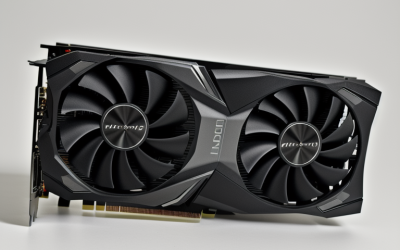
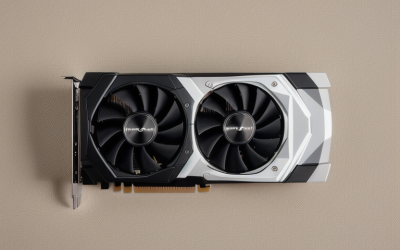
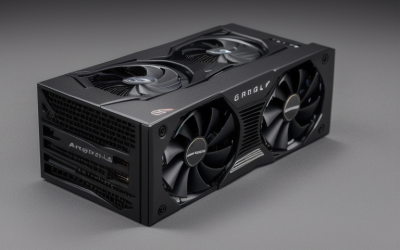
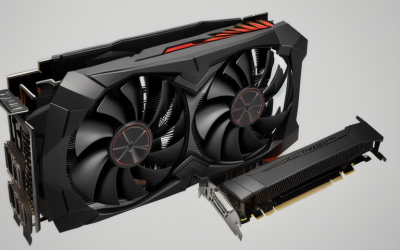
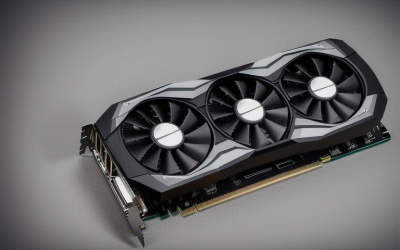
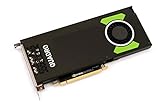
- Top Pick: PNY TECHNOLOGIES Nvidia Quadro P4000 – The World'S Most Powerful Single Slot Professional Graphics Card (VCQP4000-BLK)
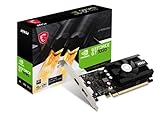
- Best Value: msi Gaming GeForce GT 1030 4GB DDR4 64-bit HDCP Support DirectX 12 DP/HDMI Single Fan OC Graphics Card (GT 1030 4GD4 LP OC)
- Premium Choice: PNY NVIDIA Quadro K2200 Graphics Card VCQK2200-PB
CAD work stresses a graphics card differently from gaming. Instead of chasing frame rates, you care about smooth rotation of large assemblies, stable viewport behavior, enough video memory for complex models, and drivers that the software vendor has validated. That is why workstation-class cards, such as the Quadro and Radeon Pro families, show up in CAD recommendations while gaming-oriented parts rarely do. The question for a 2026 build is how much card your drawings really need and which generation still makes sense for your operating system.
This guide is for hobbyists, students, and small-shop designers upgrading a desktop that runs 3D modeling or drafting software. It covers six cards: four workstation-class models and two entry-level display cards for light 2D work. Four other listings in the candidate pool were left out because their titles pitch them at office use and home theater rather than design, and the comparisons below rely strictly on what each listing states.
Quick Picks
As an Amazon Associate we earn from qualifying purchases at no extra cost to you.


| Product | Best for | Key spec from the title |
|---|---|---|
| PNY Quadro P4000 | Compact professional workstations | Single-slot professional card, VCQP4000-BLK |
| PNY Quadro K2200 | Older workstation refresh | Quadro K2200, VCQK2200-PB |
| NVIDIA Quadro M4000 | Heavier models needing more memory | 8GB, VCQM4000-PB |
| AMD Radeon Pro W7500 | Current-generation AMD workstation card | 8 GB GDDR6, full-height, DisplayPort |
| msi GeForce GT 1030 | Light 2D drafting on a small build | 4GB DDR4, 64-bit, DP/HDMI, low profile |
| SOYO GeForce GT 740 | Slim desktops with older monitors | 4GB DDR3, 128-bit, HDMI/VGA/DVI-D |
How to Choose
Workstation cards versus display cards
A workstation card, such as a Quadro or Radeon Pro, is sold with drivers aimed at professional applications, and the software vendor often lists which ones it validates. A consumer-style display card, such as the GT-series boards here, can show a drawing but its listings do not mention certified drivers. If your employer, school, or software license asks for certified hardware, start with the professional cards and skip the display models. For personal projects, a display card can be a stopgap, but expect to upgrade as soon as files grow past a handful of parts. Whichever route you pick, write down your software name and version first, because every other choice follows from it.
Video memory
Memory limits how large an assembly you can load before the viewport slows. The M4000 and Radeon Pro W7500 list 8GB, a reasonable floor for sizable 3D models. The GT 1030 and GT 740 here list 4GB, which can suit flat drafting but is thin for big assemblies. Remember that memory type and bus width matter too: a 64-bit bus moves less data than a 128-bit one, a gap that shows in the GT 1030 and GT 740 listings. If the drawings you open now are the biggest you expect to see, buy to that ceiling; if your projects are growing, buy for the next step up, because video memory cannot be added later.
Form factor and ports
Check case height and slot count. The Quadro P4000 is billed as single slot, and the msi GT 1030 and SOYO GT 740 are low-profile or half-height for small cases, while the Radeon Pro W7500 is full-height. Match output ports to your monitors: the W7500 lists DisplayPort, the GT 1030 lists DP and HDMI, and the SOYO adds VGA and DVI-D for older screens. Also confirm the motherboard slot and the power supply before ordering, since a card that physically fits is not always one the rest of the system can feed. Measure the case twice, note the monitor inputs, then order, and keep the packaging for a clean return if the bracket height turns out wrong for your chassis.
Generation and support
Older Quadro models may no longer receive current driver updates, so confirm your operating system and software version are supported before buying. Read the vendor’s supported-hardware page for the exact program you run, since that list outranks any marketing line on a listing.
Where budget cards cut corners: they limit memory, bus width, and driver validation, which can matter more in CAD than raw clock speed. Also ignore gaming-style claims such as DirectX level or overclock labels, because they say little about how smoothly a wireframe or shaded model rotates in a design program.
The 6 Best Options
PNY Quadro P4000
The P4000 listing bills it as a professional single-slot graphics card, which makes it attractive for compact workstations where slot space is tight. It suits a designer who wants a Quadro-branded card for CAD applications and prefers a slim form factor. The title does not list memory capacity, so check the manufacturer sheet before comparing it with the 8GB cards. The headline claim is about being a powerful single-slot professional board, which is a useful angle if the motherboard has another expansion card sitting right next to the graphics slot.
- Single-slot design helps in cramped or multi-card cases.
- Professional Quadro branding signals a workstation lineage rather than a gaming one.
- Trade-off: the listing omits memory and port details, so confirm them elsewhere.
Skip it if you want a newer architecture with long-term driver support.
PNY Quadro K2200
The K2200 listing is brief: a PNY-built Quadro card with the part number VCQK2200-PB. It is the entry point into professional drivers for someone refreshing an older workstation or running lighter drafting software where model complexity stays modest. Because the title gives no memory figure, treat it as a card to verify against the maker specification before relying on it for heavy assemblies. A buyer who is matching an existing PNY workstation image or a school lab spec may find the part number the most useful detail on the page.
- Quadro lineage means driver validation aimed at design software.
- A compact listing keeps the decision straightforward.
- Trade-off: it belongs to an older generation, so software compatibility needs checking.
Skip it if you work with large assemblies or newer software releases.
NVIDIA Quadro M4000
The M4000 lists 8GB of memory and is the most memory-rich Quadro here by title. That makes it a sensible pick for a modeler working with mid-sized assemblies or multiple parts in view at once. Its part number, VCQM4000-PB, helps you match it against the manufacturer sheet. Think of it as the middle step for someone moving up from a basic card who handles parametric parts, multi-body files, or architectural models with many components loaded at once.
- 8GB gives breathing room for larger models than the 4GB cards.
- Quadro driver lineage is aimed at professional applications.
- Trade-off: the title does not state ports or slot size, so verify the layout fits your case.
Skip it if you need modern codec features or the newest software certification.
AMD Radeon Pro W7500
The W7500 is the newest workstation card in this group, listed with 8 GB of GDDR6, a full-height design, and DisplayPort video output. It fits a designer on a modern desktop who wants current-generation memory and a professional AMD driver path, as long as the case has room for a full-height bracket. Check the available DisplayPort connections against your monitor count too, since the title names DisplayPort as the video output interface and no HDMI port.
- GDDR6 memory is the newest type listed in this guide.
- DisplayPort output suits modern monitors.
- Trade-off: full-height form factor will not fit slim or small-form-factor cases.
Skip it if your software vendor validates only a different brand of workstation card.
msi GeForce GT 1030 4GB
This msi card lists 4GB of DDR4, a 64-bit bus, DirectX 12 support, DP and HDMI ports, a single fan, and a low-profile model name. It makes sense for a small build that needs to run flat 2D drafting and drive a couple of displays without a power-hungry card. Treat it as an honest entry option: it covers display needs, while the workstation cards above cover professional driver paths and larger memory.
- Low-profile design fits compact cases.
- DP and HDMI cover modern monitors.
- Trade-off: a 64-bit bus and DDR4 memory limit 3D viewport work, and the listing mentions no certified CAD drivers.
Skip it if you model large 3D assemblies.
SOYO GeForce GT 740 4GB
The SOYO is a low-profile, half-height board with 4GB of DDR3, a 128-bit bus, 384 shader processors, and triple output over HDMI, VGA, and DVI-D, aimed at slim desktops. It is the one to consider when the monitors are older and need legacy connectors. The listing says it supports Windows 11 through 7, which is useful when the host PC is a slim office machine that you are repurposing for drafting.
- 128-bit bus is wider than the 64-bit buses on some other entry-level cards.
- VGA and DVI-D ports support older monitors.
- Trade-off: DDR3 memory and an older architecture make it a light-duty choice.
Skip it if you want a card validated for professional CAD software.
Which One Fits Your Situation
Small workstation with limited slots
The PNY Quadro P4000 is the compact professional pick, listed as single slot. It lets a designer keep a second card, such as a capture or network adapter, in the neighboring slot without blocking airflow.
Large assemblies on a tight timeline
The NVIDIA Quadro M4000 and AMD Radeon Pro W7500 both list 8GB. The W7500 brings GDDR6 and a newer generation, while the M4000 may suit an older platform. Pick based on which one your software vendor lists as supported, since a matching driver path beats a bigger spec line when files get complicated.
Light 2D drafting in a small case
The msi GT 1030 gives DP and HDMI in a low-profile form, enough for flat drawings and multiple displays. It is the realistic choice for a student laptop-replacement build or a family PC that sometimes opens a floor plan, rather than a production machine.
Legacy monitors
The SOYO GT 740 supplies VGA and DVI-D for older displays on a slim desktop.
Common Mistakes
- Buying a display card for 3D modeling and expecting workstation-grade viewport behavior.
- Ignoring the size of the case and ending up with a full-height card that does not fit.
- Skipping a check of the software vendor’s list of supported cards.
- Assuming more memory alone fixes a slow viewport when bus width and architecture also matter.
- Overlooking monitor connectors, which forces adapters later.
Related guides
- Aio Liquid Coolers For High Performance Gaming
- How To Lower Input Delay In Competitive Shooters
- External Hard Drives For Music Production
Frequently Asked Questions
Is a workstation card required for CAD?
Not always. Hobby drafting often works on simpler cards, but professional users or employers may require validated drivers, which workstation cards are built for.
How much video memory is enough?
For light 2D drawings, 4GB can do. For large 3D assemblies, 8GB or more gives more headroom. Memory type matters as well, so a GDDR6 card and a DDR3 card with similar capacity behave quite differently on large scenes.
Are older Quadro cards still worth buying?
They can work, but older generations may lose driver updates. Check your operating system and software support first.
Does a low-profile card limit CAD work?
It limits cooling and typically performance, which matters more for heavy 3D than for flat drawing. Choose it only when the case demands it, and keep the work you ask of it to flat drafting, schematics, or small parts.