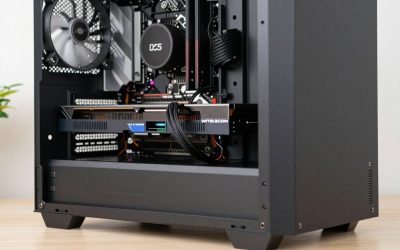
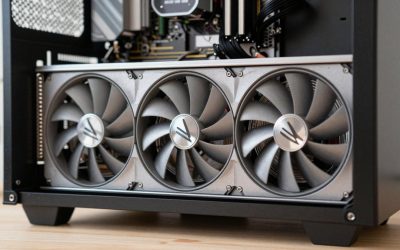
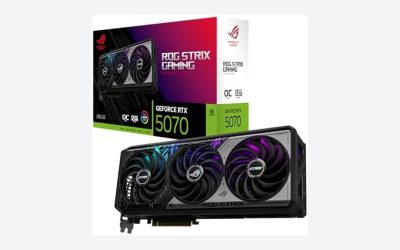
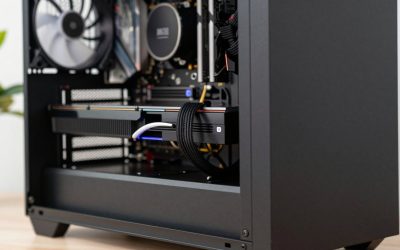
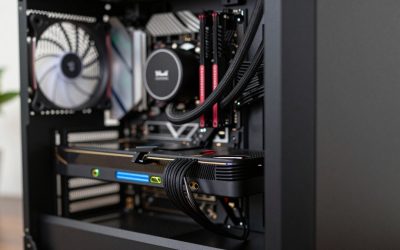
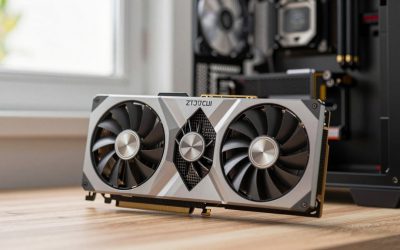
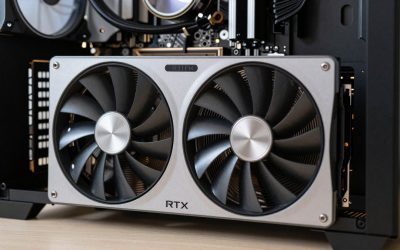
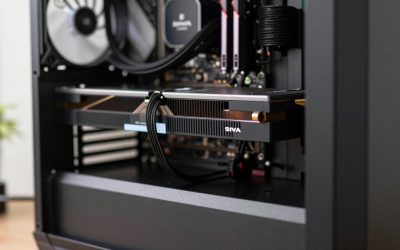
- Top Pick: NVIDIA – GeForce RTX 4070 Super 12GB GDDR6X Graphics Card – Titanium/Black
- Best Value: GIGABYTE GeForce RTX 4070 Super WINDFORCE OC 12G Graphics Card, 3X WINDFORCE Fans, 12GB 192-bit GDDR6X, GV-N407SWF3OC-12GD Video Card
- Premium Choice: ASUS Dual GeForce RTX 4070 Super EVO OC Edition 12GB GDDR6X (PCIe 4.0, 12GB GDDR6X, DLSS 3, HDMI 2.1a, DisplayPort 1.4a, 2.5-Slot Design, Axial-tech Fan Design, 0dB Technology), 3 Year Warranty
For most players, the best graphics cards for 1440p 144Hz gaming in 2026 are the Radeon RX 9070 and GeForce RTX 5070 class for a balanced build, with the RX 9070 XT and RTX 5070 Ti as the step up for demanding AAA games at high settings. Which one is right depends less on brand and more on what you play: hitting 144 fps in a competitive shooter needs a fraction of the GPU power that the same frame rate demands in a modern open-world game.
Instead of ranking cards by a single benchmark average, this guide works backwards from the 144Hz frame-time budget and maps each GPU tier to the type of game you actually play.
As an Amazon Associate we earn from qualifying purchases at no extra cost to you.


The 144Hz frame-time budget
A 144Hz monitor refreshes every 6.94 milliseconds. To fill every refresh, your GPU and CPU together must deliver a new frame within that window. Here is how the budget scales:
| Target | Frame time | Relative GPU work vs 60 fps |
|---|---|---|
| 60 fps | 16.7 ms | 1.0x |
| 100 fps | 10.0 ms | 1.7x |
| 144 fps | 6.94 ms | 2.4x |
| 165 fps | 6.06 ms | 2.75x |
The practical takeaway: if a card averages 60 fps in a game at 1440p ultra, you need roughly 2.4 times its throughput to reach 144 fps at the same settings. That is why the smarter path is usually a mix of a capable card, upscaling such as DLSS or FSR in Quality mode, and one or two settings dropped from ultra to high. With a variable refresh rate monitor, you also do not need a locked 144; anything from around 90 fps upward feels smooth.
GPU for 1440p high refresh: tiers by game type
The table below groups current cards by what they can realistically sustain at 1440p. The ranges are approximate and assume high settings without ray tracing, with upscaling where noted.
| GPU class | VRAM | Esports titles (Valorant, CS2, Overwatch 2) | Modern AAA, high settings | AAA with ray tracing | Typical market range |
|---|---|---|---|---|---|
| Arc B580 / RTX 5060 Ti 16GB / RX 9060 XT 16GB | 12–16GB | 144+ easily | 70–100 fps, 100–130 with upscaling | Needs upscaling + frame gen | usually $250–$500 |
| RTX 5070 / RX 9070 | 12GB / 16GB | 200+ | 100–140 fps native, 144 with Quality upscaling | 60–90 fps with upscaling | usually $550–$650 |
| RTX 5070 Ti / RX 9070 XT | 16GB | 240+ | 130–170 fps native | 80–120 fps with upscaling | usually $650–$850 |
| RTX 5080 | 16GB | CPU-limited | 160+ fps native | 100–140 fps with upscaling | usually $1,000–$1,300 |
The RTX 5080 is listed for reference, but it is beyond what most 1440p 144Hz monitors need. At that level the CPU often becomes the limit, and the money is usually better spent on a faster monitor or a 4K panel.
Best value 1440p GPU: the sweet spot
For the best value 1440p GPU, the RTX 5070 and RX 9070 are the strongest candidates. They differ in useful ways:
Radeon RX 9070 (16GB)
- Advantage: 16GB of VRAM, which gives more headroom for high-resolution textures over the next few years.
- Advantage: efficient, with a board power around 220W.
- Consideration: FSR 4 upscaling is a big improvement but is supported in fewer games than DLSS.
GeForce RTX 5070 (12GB)
- Advantage: DLSS 4 with Multi Frame Generation, very broad game support, and stronger ray tracing.
- Advantage: Reflex support in most competitive titles, which lowers system latency.
- Consideration: 12GB is adequate at 1440p today but leaves less margin than 16GB for heavily modded or texture-heavy games.
If you mainly play competitive shooters and big-name releases that support DLSS, the RTX 5070 is an easy pick. If you keep cards for four or more years, play many titles at native resolution, or enjoy texture mods, the 16GB RX 9070 is the safer long-term bet.
1440p 144fps graphics card decision matrix
| Your main games | Settings goal | Recommended class |
|---|---|---|
| Esports only | 144–240 fps, competitive settings | RTX 5060 Ti 16GB or RX 9060 XT 16GB |
| Mix of esports and AAA | 144 in shooters, 90–120 in AAA | RTX 5070 or RX 9070 |
| Mostly AAA, high settings | Close to 144 with upscaling | RX 9070 XT or RTX 5070 Ti |
| AAA with ray tracing on | 90+ fps with upscaling | RTX 5070 Ti |
| Tight budget, 1440p entry | 90–120 in lighter games | Arc B580 or RX 9060 XT 16GB |
Do not forget the CPU and power supply
At 144 fps the CPU has to prepare every frame in under 7 ms, which is harder than it sounds in simulation-heavy or large multiplayer games. A pairing guide that keeps the GPU from waiting:
- RTX 5060 Ti / RX 9060 XT class: a six-core chip such as the Ryzen 5 7600 or Core i5-14400F is enough.
- RTX 5070 / RX 9070 class: a Ryzen 5 7600X, Ryzen 7 7700 or Core i5-14600K keeps frame times consistent.
- RTX 5070 Ti / RX 9070 XT class: a Ryzen 7 9800X3D or Ryzen 7 7800X3D extracts the most from high refresh rates, especially in CPU-bound shooters.
For the power supply, add the GPU’s board power to roughly 150–200W for the rest of the system, then add about 30% headroom. That puts the RX 9070 and RTX 5070 at a quality 650W unit, and the RX 9070 XT and RTX 5070 Ti at 750W.
Settings that close the gap to 144 fps
If your card lands just short of 144, these changes recover the most performance for the least visual cost:
- Upscaling in Quality mode: renders internally at about 960p and reconstructs to 1440p, usually adding 30–45% frame rate.
- Shadows from ultra to high: often worth 5–10% with little visible change.
- Volumetric fog and clouds to medium: another 5–10% in open-world games.
- Keep textures high: they cost VRAM, not frame rate, so leave them up if the memory allows.
Bottom line
The RTX 5070 and RX 9070 are the best balance of price and performance for a 1440p 144Hz monitor, the RTX 5070 Ti and RX 9070 XT suit players who want high settings in demanding games without compromises, and the 16GB versions of the RTX 5060 Ti and RX 9060 XT cover esports-first builds. Match the tier to the games you play, use upscaling wisely, and you can keep that monitor running near its refresh rate for years.