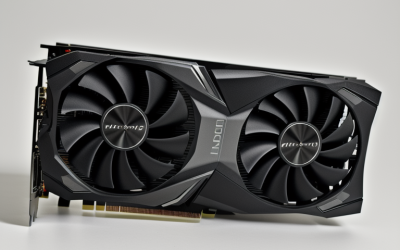
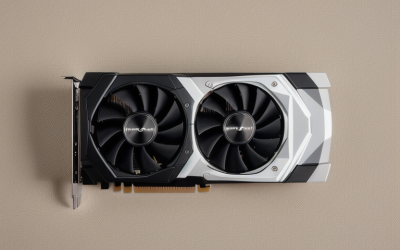
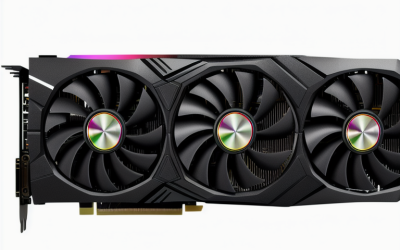
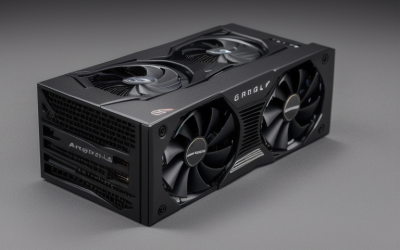
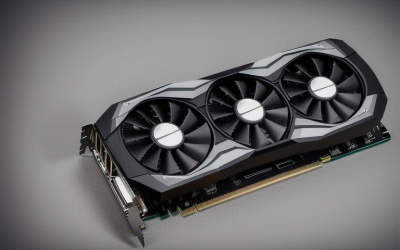
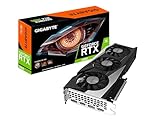
- Top Pick: GIGABYTE GeForce RTX 3050 WINDFORCE OC V2 6G Graphics Card, 2X WINDFORCE Fans, 6GB GDDR6 96-bit GDDR6, GV-N3050WF2OCV2-6GD Graphics Card
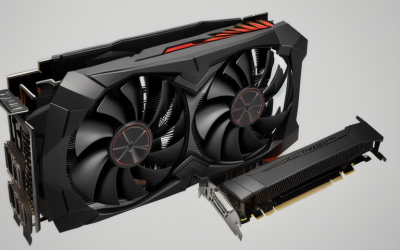
- Best Value: MOUGOL AMD Radeon RX 580 8GB GDDR5 Gaming Graphics Card, HDMI/DP/DVI White | 256-Bit 2048SP PCIe X16 3.0 GPU, HDMI/DP/DVI Triple Output, Dual Fan Cooling Video Card, for Windows 11/10/7 Desktop PC
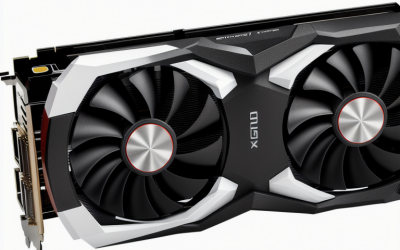
- Premium Choice: AISURIX RX 590 Graphics Card, Real 8GB, GDDR5, 256 Bit, RX 580 2304SP Pc Gaming Video Card, 2XDP, HDMI, PCI Express 3.0 with Freeze Fans Graphics Card for Gaming pc
Setting a ceiling of under 200 dollars on a graphics card forces a real decision: do you want the newest architecture with less memory, or older silicon with a wider memory bus and more video RAM? The seven cards here span that whole tension, from a modern RTX 3050 with 6GB down to a bare-bones GT 1030 that exists mainly to give a desktop a display output. Which one makes sense depends on what the rest of your PC looks like.
This guide is for people upgrading an aging desktop, building a first gaming rig on a tight cap, or reviving an office tower for esports titles. Listings shift all the time, so treat the cap as something to confirm when you order. The comparison below uses only what each product title states, as of 2026, and flags where a listing is vague or confusing.
Quick Picks
As an Amazon Associate we earn from qualifying purchases at no extra cost to you.



| Product | Best for | Key spec from the title |
|---|---|---|
| Gigabyte RTX 3050 WINDFORCE OC V2 6G | Modern features at entry level | 6GB GDDR6, 96-bit |
| MOUGOL Radeon RX 580 8GB | Memory-hungry 1080p games | 8GB GDDR5, 256-bit |
| AISURIX RX 590 8GB | Multi-monitor setups | 8GB GDDR5, 2 DisplayPort plus HDMI |
| MSI RTX 3060 Ventus 2X 12G OC | Most video memory | 12GB GDDR6, 192-bit, PCIe 4 |
| Gigabyte RTX 3060 Gaming OC 12G | Cooler-focused build | 12GB GDDR6, 3 fans |
| MAXSUN Radeon RX 550 4GB | Compact ITX systems | 4GB GDDR5, 128-bit |
| MSI GeForce GT 1030 4GB | Display output and light use | 4GB DDR4, 64-bit |
How to Choose
Look at Memory Size and Bus Width Together
A 12GB card on a 192-bit bus handles modern texture settings far more gracefully than a 6GB card on a 96-bit bus. At 1080p, 8GB is a comfortable floor for recent releases, while 4GB and below limits you to older or lightweight games. Bus width matters because a narrow bus caps how fast that memory can feed the chip. Ignore boost clock numbers when comparing across architectures, since they say little about real speed on their own.
Check Your Power Supply and Slot
Every card here uses a PCIe x16 slot, but extra power connectors differ by model, and the titles do not list them. Read the full spec sheet for connector type and recommended power supply wattage before you buy, especially in a pre-built desktop with a small supply. Cards labeled PCIe 4 still work in a PCIe 3.0 slot, just with the older link speed.
Match the Cooler to the Case
Twin-fan and triple-fan designs run quieter under load but are physically longer. A single-fan or compact card fits small cases but may get louder as it works. For an ITX or low-profile chassis, measure the available length and slot height first, since the titles do not give dimensions.
Be Careful With Unfamiliar Brands
Several budget-tier listings come from lesser-known sellers and describe chips by their older names with unusual suffixes such as 2048SP or 2304SP. Read each title closely, confirm the actual GPU, the memory type, and the return terms, and prefer a clear manufacturer warranty where possible. A name you recognize does not guarantee better frame rates, but it does make support easier. Also compare outputs: a monitor with only DVI or only DisplayPort can narrow your choices quickly.
The 7 Best Options
Gigabyte GeForce RTX 3050 WINDFORCE OC V2 6G
This is the modern-architecture choice at the low end, built for a first gaming PC that needs current GeForce features. The title lists 6GB of GDDR6 on a 96-bit interface and two WINDFORCE fans, a pairing that keeps the card small enough for common mid-tower cases. It is a sensible fit for someone coming from integrated graphics who wants a clean, modern driver path without chasing the largest memory pool, and the OC V2 wording points to a factory-tuned clock.
- GDDR6 memory and an RTX-class name from a well-known brand
- Two WINDFORCE fans for cooling
- Trade-off: only 6GB over a 96-bit bus, which limits demanding texture settings
Skip it if you want the most memory available at this cap, because other cards in this group list far more.
MOUGOL AMD Radeon RX 580 8GB
The RX 580 8GB is the roomy older-generation option. The title lists 8GB of GDDR5, a 256-bit bus, PCIe x16 3.0, dual fans, and HDMI, DisplayPort, and DVI outputs, so it connects easily to both new and older monitors. The DVI port is the quiet selling point for anyone still running an older panel, and the wide bus helps the card hold up when games ask for large textures.
- 8GB on a 256-bit bus gives a generous memory pool
- Three output types cover a wide range of monitors
- Trade-off: GDDR5 and an older design, with a lesser-known seller behind it
Skip it if you need a recognizable board partner or a card with warranty support from a major maker.
AISURIX RX 590 8GB
This listing shows 8GB of GDDR5, a 256-bit bus, two DisplayPorts, HDMI, and PCIe 3.0 with “freeze fans.” It suits a gamer who runs more than one monitor and wants DisplayPort connections without adapters. Gamers moving from an older Radeon will find the layout familiar, though the unusual naming deserves a second look before you order.
- Two DisplayPort outputs plus HDMI
- 8GB over a 256-bit bus
- Trade-off: the title mentions both RX 590 and RX 580 2304SP, which makes the exact chip unclear
Skip it if you want an unambiguous product description, and ask the seller to confirm the GPU model before you commit.
MSI Gaming GeForce RTX 3060 Ventus 2X 12G OC V1
The Ventus 2X is the memory-rich Ampere option. The title lists 12GB of 15Gbps GDDR6, a 1807 MHz boost clock, a 192-bit bus, HDMI and DisplayPort, PCIe 4, and a Torx twin-fan cooler, giving it the strongest spec sheet among these seven. The 12GB pool is the feature to prioritize if you play modded games, edit video, or want room for future texture packs.
- 12GB of GDDR6 on a 192-bit bus
- Torx twin-fan cooling from an established brand
- Trade-off: it sits in the top tier of this group, so check the listing against the cap carefully
Skip it if your power supply is small or your case is compact, since the full requirements are not in the title.
Gigabyte GeForce RTX 3060 Gaming OC 12G (REV2.0)
Where the MSI uses two fans, this Gigabyte version lists three WINDFORCE fans, 12GB of GDDR6, and a 192-bit bus. It fits a builder who values cooling headroom and plans to keep the card for several years. The REV2.0 tag in the title is worth noting when you compare listings, since revisions can differ in board design while sharing the same memory size.
- Three fans for extra cooling capacity
- 12GB GDDR6 on a 192-bit bus
- Trade-off: a larger cooler likely needs more case clearance
Skip it if your case is small, or if the cap is firm, because the larger 12GB cards are the hardest to fit under it.
MAXSUN AMD Radeon RX 550 4GB ITX
A compact option for small builds. The title lists 4GB of GDDR5, a 128-bit bus, DirectX 12, PCIe x16 3.0, and DVI-D dual link, HDMI, and DisplayPort outputs, with an ITX focus. A tiny media-center PC or a compact office build is the natural home, where a quiet card with several outputs matters more than frame rates.
- Small format for ITX systems
- Three video outputs, including DisplayPort
- Trade-off: entry-level silicon better suited to older titles and esports games
Skip it if you want to play recent AAA games at high settings; that is a job for the 8GB and 12GB cards above.
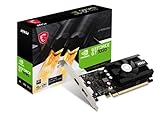
MSI Gaming GeForce GT 1030 4GB DDR4
The GT 1030 is the minimal choice, aimed at replacing a failed card or adding a display output to an office PC. The title lists 4GB of DDR4, a 64-bit bus, DirectX 12, HDCP support, DP and HDMI outputs, and a single fan, and the LP in the model code usually indicates low profile. That combination makes it easy to drop into a slim office tower that has no spare power connector, though you should confirm the bracket size on the spec sheet.
- Compact single-fan design
- HDCP support and HDMI plus DisplayPort outputs
- Trade-off: DDR4 on a 64-bit bus, which is the slowest memory setup in this group
Skip it if gaming performance is a priority, since the narrow bus limits it even in older titles.
Which One Fits Your Situation
You Want the Most Games Playable at 1080p
Aim for the MSI RTX 3060 Ventus 2X or the Gigabyte RTX 3060 Gaming OC. Both list 12GB of memory, the largest pool here, if one fits under your cap. Between the two, the Gigabyte lists three fans and the MSI lists two, so pick by case size and noise preference rather than memory.
You Are Upgrading an Old Office PC
The Gigabyte RTX 3050 WINDFORCE is the more balanced step up, with modern architecture and a modest cooler, though you should confirm your power supply first. If the old machine uses a proprietary supply, a compact card with a low power draw is safer than a large one.
You Run Several Monitors
The AISURIX RX 590 lists two DisplayPort outputs plus HDMI, while the MOUGOL RX 580 lists three connector types. Either avoids adapter clutter, and the MOUGOL also keeps a DVI port for an older panel on the same desk.
You Are Building a Tiny Case
The MAXSUN RX 550 ITX and the MSI GT 1030 are the compact choices, best for lighter games, media playback, and esports titles at modest settings. Neither is meant for new releases.
Common Mistakes
- Choosing a card on boost clock alone while ignoring memory size and bus width.
- Skipping the power supply check, since the titles rarely list connector requirements.
- Trusting a listing with confusing chip names without asking the seller to confirm the GPU.
- Pairing a modern card with a very old processor that holds back frame rates.
- Forgetting to measure case length and slot width before ordering a triple-fan model.
Related guides
- Aio Liquid Coolers For High Performance Gaming
- How To Lower Input Delay In Competitive Shooters
- Wireless Gaming Headsets Under 100 For Pc
Frequently Asked Questions
Is 6GB of video memory enough?
For many esports and older titles at 1080p, yes. Recent releases with high texture settings may want 8GB or more, and the narrow 96-bit bus on a 6GB card adds another limit.
Are older RX 580 and RX 590 cards still worth considering?
They offer a lot of memory for the cap, but they use older GDDR5 memory and lack newer upscaling features. Treat them as a memory-for-features trade rather than a clear upgrade, and check that the seller offers clear return terms.
Will a PCIe 4 card work in a PCIe 3.0 slot?
Yes. The card runs at the slower link speed, which usually matters little at entry-level performance.
Do I need a new power supply for these cards?
It depends on the model. Read the full spec sheet for the required connector and recommended wattage, and compare it to your existing supply. A reputable supply with spare capacity is a better foundation than the card itself.