

- Top Pick: ASRock Radeon RX 7900 XTX Phantom Gaming 24GB OC Graphics Card, 2615 MHz Boost Clock, 24GB GDDR6, DisplayPort 2.1, HDMI 2.1, Triple Fan Cooling
- Best Value: Sapphire 11322-01-40G Nitro+ AMD Radeon RX 7900 XTX Vapor-X Gaming Graphics Card with 24GB GDDR6, AMD RDNA 3
- Premium Choice: MSI Radeon RX 7900 XTX Gaming Trio Classic 24G 384-Bit HDMI/DP Torx Fan 4 AMD RDNA 3 Graphics Card
Affiliate disclosure: As an Amazon Associate we earn from qualifying purchases. This post contains affiliate links — if you buy through them we may earn a small commission at no extra cost to you. This never affects our recommendations.
As an Amazon Associate we earn from qualifying purchases at no extra cost to you.


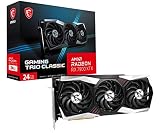


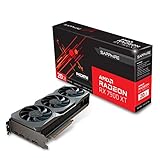
In a hurry? See the top-rated RX 7900 XTX Graphics Card deals available right now:
🛒 Check Rx 7900 Xtx Graphics Card Prices on Amazon →🛒 Best Price Today on Amazon
Prime members get fast, free shipping on everything above, plus member-only deals. New members get a 30-day free trial — cancel anytime.
Start 30-Day Prime Free Trial →See Today’s Amazon DealsQuick Picks
| Rank | Card | Best For | Price Range |
|---|---|---|---|
| 1 | Sapphire Nitro+ RX 7900 XTX | Best overall — quietest, coldest, fastest clocks | $$$ |
| 2 | PowerColor Red Devil RX 7900 XTX | Best value triple-fan, strong thermals | $$$ |
| 3 | XFX Speedster MERC 310 RX 7900 XTX | Best cooler mass, competitive clocks | $$$ |
| 4 | ASRock Taichi RX 7900 XTX | Best OC headroom, cleanest aesthetics | $$$ |
| 5 | Gigabyte Gaming OC RX 7900 XTX | Most compact triple-fan, reliable pick | $$-$$$ |
The RX 7900 XTX is AMD’s top-tier RDNA 3 GPU — 24GB of GDDR6 memory, 355W TDP, and 4K gaming performance that trades blows with the RTX 4080 Super at a price point that often undercuts it. The reference card from AMD is fine, but AIB (add-in board) versions from Sapphire, PowerColor, XFX, ASRock, and Gigabyte deliver better cooling, factory overclocks, and longer warranties that make them worth the modest premium.
This guide ranks the five best AIB cards available in 2026, covers what actually separates them, and explains who needs a card this powerful.
RX 7900 XTX vs RTX 4080: AMD vs NVIDIA at the High End
Before picking an AIB variant, it’s worth knowing where the RX 7900 XTX sits against its main competitor.
The RTX 4080 (and 4080 Super) and RX 7900 XTX compete directly in the $900–$1,100 range. At 4K rasterization, the two cards trade wins depending on the title — AMD typically leads in DX12 and Vulkan workloads, while NVIDIA holds an edge in titles optimized for DLSS 3 with Frame Generation. If you’re playing on a non-DLSS monitor or using AMD’s FSR 3 ecosystem, the gap shrinks further.
Where AMD wins outright: VRAM. The 7900 XTX ships with 24GB GDDR6 versus the 4080’s 16GB. At 4K with high textures, ray tracing, and modded games, that margin matters more in 2026 than it did at launch. Games like Hogwarts Legacy, Cyberpunk 2077 with path tracing, and heavily modded Bethesda titles routinely hit 14–18GB at 4K maxed out. The 4080’s 16GB leaves less headroom.
Where NVIDIA wins: DLSS 3 Frame Generation is still ahead of FSR 3 in image quality, and CUDA-accelerated creative apps (Premiere, DaVinci Resolve Studio’s CUDA path, Stable Diffusion with CUDA) favor Team Green. If your workload mixes gaming with CUDA compute, the 4080 Super is the rational pick.
For pure gaming at 4K, the 7900 XTX is the better long-term value — especially when factoring AIB pricing against RTX 4080 Super street prices.
24GB VRAM: Who Actually Needs It in 2026
The 24GB frame buffer was a headline spec at launch. By 2026, it’s become a genuine differentiator.
You’ll notice the 24GB advantage if you:
- Play at 4K with max texture settings in open-world titles
- Use texture mods for Skyrim, Fallout 4, or Elden Ring
- Run local AI image generation (Stable Diffusion XL, Flux models) alongside gaming
- Stream your gameplay while capturing at 4K with OBS and running the game simultaneously
- Work in 3D (Blender, 3ds Max) and want the GPU to double as a workstation card
You probably won’t notice the difference if you:
- Game at 1440p on high but not maximum texture presets
- Stick to esports titles or games with modest VRAM budgets
- Never use the PC for creative work
For a card at this price tier, most buyers are in the first camp. The 24GB headroom is a genuine reason to choose this GPU over the 4080 in 2026, not just a marketing number.
4K Gaming Performance
The RX 7900 XTX benchmarks (averaged across Cyberpunk 2077, Hogwarts Legacy, Spider-Man Remastered, Total War: Warhammer III, and F1 2024) at 4K Ultra settings:
- Average fps: 78–95 fps depending on title
- Ray tracing (medium): 55–70 fps
- With FSR 3 Quality upscaling: 90–120 fps
- 1440p max: 110–145 fps (overkill headroom for high-refresh monitors)
AIB variants add 50–150MHz to boost clocks, which translates to roughly 2–5% real-world gains over reference — enough to push borderline titles above 60 fps with RT enabled, but not a transformational difference. The bigger gain from AIB cards is thermal and acoustic: a well-cooled GPU sustains higher clock speeds for longer under load without thermal throttling.
Top 5 AIB Picks
1. Sapphire Nitro+ RX 7900 XTX — Best Overall
The pick for anyone who wants the best card without compromise.

Sapphire’s Nitro+ line has been the enthusiast’s choice for AMD AIB cards for years, and the RX 7900 XTX version earns that reputation. The triple-fan cooler uses a triple-slot design with 0dB fan stop below 60°C, keeping the card completely silent during light gaming and desktop use. Under full load in a 25°C room, junction temperatures sit around 90°C — well within AMD’s 110°C safety margin — and board temperatures stay under 65°C.
Factory boost clock sits at 2615MHz, the highest of the five cards here. Real-world sustained clocks hover around 2550–2580MHz under extended loads, which is 3–5% ahead of reference. Sapphire includes dual BIOS (performance and quiet mode), a metal backplate, and RGB lighting on the shroud.
Build quality is class-leading. The PCIe connector uses a reinforced 16-pin adapter, the heatsink makes full contact with VRAM modules, and the card ships with a dedicated vapor chamber over the GPU die. Acoustics in performance mode at full load are around 38 dBA — quieter than most 80mm case fans running at medium speed.
Power draw is 355–375W under sustained gaming load. Pair with a 1000W PSU minimum. The card is 336mm long and triple-slot — verify case clearance before buying.
Best for: Enthusiasts who want the absolute best AIB build quality, quietest acoustics, and highest factory clocks.
2. PowerColor Red Devil RX 7900 XTX — Best Value
PowerColor Red Devil RX 7900 XTX
Excellent thermals and strong clocks at a price that typically undercuts Sapphire.
PowerColor’s Red Devil is the card that gives the Nitro+ its stiffest competition. The triple-fan, triple-slot cooler uses a large aluminum fin stack with dual vapor chambers — one over the GPU die, one over the VRAM — and achieves junction temperatures within 3–4°C of the Nitro+ in most benchmarks.
Factory boost clock is 2615MHz on the Devil OC variant (check the SKU — the base Red Devil runs 2499MHz). The OC version is worth the minor premium for the sustained clock advantage. Like Sapphire, PowerColor includes dual BIOS, 0dB fan mode, and a full metal backplate.
Where Red Devil edges ahead is price: it consistently sells for $30–$60 less than the Nitro+ at street pricing, making it the better value pick if you’re not wedded to Sapphire’s brand. RGB is more aggressive on the Red Devil — the illuminated Devil logo on the shroud is divisive. If you prefer understated aesthetics, the Nitro+ wins. If you want the best performance-per-dollar, the Red Devil is your card.
Card dimensions: 330mm length, triple-slot. Power draw is similar to Nitro+ at 355–380W peak.
Best for: Buyers who want Nitro+-class thermals and clocks without the Nitro+ price premium.
3. XFX Speedster MERC 310 RX 7900 XTX — Best Cooler Mass
XFX Speedster MERC 310 RX 7900 XTX
The biggest cooler of the bunch — excellent for case configurations with strong airflow.
XFX’s MERC 310 earns its name: it’s 310mm long and uses a massive triple-slot cooler with three large fans and an oversized heatsink. The sheer mass of aluminum translates to strong sustained thermals, with junction temps under 92°C in well-ventilated cases. In restricted airflow scenarios, it can trend warmer than the Nitro+ or Red Devil due to fan curve tuning.

Factory boost clock runs at 2615MHz on the Black edition. The card uses a polished aluminum shroud with black-and-silver aesthetics and minimal RGB — a clean, professional look if you prefer subdued builds. No dual BIOS here, which is a minor miss at this price point.
Where the MERC 310 excels: it’s often the easiest to find in stock, and XFX’s pricing is competitive with PowerColor. Build quality is solid, and XFX backs it with a standard warranty. It’s not the outright winner in any single category, but it’s a safe, well-rounded choice and a strong option if the Nitro+ or Red Devil are backordered.
Card is 310mm — slightly shorter than the other three-slot cards, which helps in mid-tower builds with modest GPU clearance.
Best for: Builders who want strong thermals in a slightly shorter card with clean, minimal aesthetics.
4. ASRock Taichi RX 7900 XTX — Best OC Headroom
The enthusiast overclocker’s pick — premium components and the most headroom for manual tuning.
ASRock’s Taichi branding signals their premium tier, and the RX 7900 XTX Taichi delivers. The triple-fan cooler uses a nickel-plated copper base plate, 8mm heatpipes, and a large aluminum fin array — thermals sit competitively with the Nitro+ at 90–92°C junction under full load.
What separates the Taichi is its voltage regulation circuitry and power delivery stages. ASRock uses a 16-phase VRM design that provides exceptionally clean power to the GPU core, which creates headroom for manual overclocking that the other cards here don’t match. Using AMD’s Software: Adrenalin Edition or MSI Afterburner, experienced users can push the Taichi to 2680–2720MHz stable with proper voltage tuning — roughly 5–8% above reference.
Aesthetics are the cleanest of the five: the Taichi gear logo is subtly embossed on the backplate, RGB is tasteful, and the silver-and-black shroud looks at home in any premium build. It’s the card you buy if your case has a window and you care about what’s inside it.
Price sits at or slightly above the Red Devil. If you don’t plan to overclock, the Taichi’s advantages don’t translate to meaningfully better gaming performance out of the box. But for enthusiasts who tune their hardware, the Taichi’s VRM gives you a ceiling the others don’t.
Best for: Overclockers, premium build aesthetics, and users who want the highest ceiling for manual tuning.
5. Gigabyte Gaming OC RX 7900 XTX — Most Compact, Reliable
Gigabyte Gaming OC RX 7900 XTX
The most accessible triple-fan option — solid thermals in the smallest footprint.
Gigabyte’s Gaming OC uses their WINDFORCE cooling stack: three 80mm fans with alternate-rotation blade design, reducing turbulence and improving static pressure through the fin array. It’s a compact triple-fan card at 320mm — shorter than most of its competitors — which makes it the best pick for mid-tower cases where GPU length is a concern.
Thermals are respectable: junction temps of 92–96°C under sustained load, slightly warmer than the Nitro+ or Taichi, but well within safe operating range. Fan noise is moderate — not the quietest card here, but not loud enough to be distracting. Factory boost clock runs 2565MHz, the lowest of the five, which translates to 1–2% less real-world performance than the leaders.

Gigabyte includes dual BIOS (OC and Silent), a full-length backplate, and the card typically prices below the Red Devil and Taichi — making it the entry point for buyers who want a premium AIB without the premium AIB price.
Build quality is good but a step below Sapphire and ASRock’s offerings. The cooler is less elaborate, and the shroud plastics feel slightly less substantial. For a set-and-forget card that runs cool, stays quiet enough, and costs less, it’s a legitimate pick.
Best for: Mid-tower builders with space constraints, budget-conscious buyers who want a reputable AIB over reference.
Full Comparison Table
| Feature | Sapphire Nitro+ | PowerColor Red Devil | XFX MERC 310 | ASRock Taichi | Gigabyte Gaming OC |
|---|---|---|---|---|---|
| Boost Clock | 2615 MHz | 2615 MHz | 2615 MHz | 2555 MHz | 2565 MHz |
| Length | 336mm | 330mm | 310mm | 335mm | 320mm |
| Slots | Triple | Triple | Triple | Triple | Triple |
| Dual BIOS | Yes | Yes | No | Yes | Yes |
| 0dB Fan Mode | Yes | Yes | Yes | Yes | Yes |
| Noise (full load) | ~38 dBA | ~40 dBA | ~41 dBA | ~40 dBA | ~42 dBA |
| Junc. Temp (full load) | ~90°C | ~91°C | ~93°C | ~91°C | ~94°C |
| OC Headroom | High | High | Medium | Very High | Medium |
| Value | Good | Best | Good | Average | Best |
| Aesthetics | Clean RGB | Bold RGB | Minimal | Premium | Standard |
What to Look For When Buying
Cooling System
All five cards here use triple-fan triple-slot coolers, which is the right call for a 355W TDP GPU. Single-fan or dual-fan RX 7900 XTX cards exist but are not recommended — thermal throttling under sustained gaming load is a real risk. Look for vapor chamber designs (Nitro+, Red Devil, Taichi) over pure heatpipe arrays; they handle sustained loads better at peak ambient temperatures.
Power Draw and PSU Requirements
The RX 7900 XTX draws 355W at reference; AIB OC variants can spike to 380–400W during transient loads. A 1000W 80+ Gold PSU is the minimum. If your system also runs a high-end CPU (Ryzen 9 9900X, Core i9-14900K), budget 1200W. Do not use a budget-tier PSU with this card — power delivery instability causes crashes and can damage components.
Physical Size
All five cards are triple-slot. Length ranges from 310mm (XFX) to 336mm (Sapphire). Measure your case’s maximum GPU length before purchasing. Mid-towers with front-mounted 360mm radiators are often constrained to 310–320mm GPU clearance — the XFX and Gigabyte are the better fits there.
AMD Drivers
RDNA 3 driver maturity has improved significantly since the 7900 XTX launched in late 2022. As of 2026, Adrenalin Edition drivers are stable for gaming. If you hit issues, AMD’s driver rollback feature in Adrenalin makes recovery straightforward. A small number of DX11 legacy titles still show occasional driver-level bugs — check PCGamingWiki for known issues with your specific game library before buying.
Warranty
Sapphire, PowerColor, and ASRock offer 3-year warranties on their premium RX 7900 XTX cards. XFX and Gigabyte offer 3 years on registered cards (registration required within 30 days). Register your card immediately after purchase regardless of brand.
Verdict
The Sapphire Nitro+ RX 7900 XTX is the best RX 7900 XTX graphics card you can buy in 2026. It leads on acoustics, matches or leads on thermals, and ties the Red Devil and XFX at the highest factory boost clock. The build quality is class-defining, and it’s the card that will still feel premium in three years. If budget allows, buy it.
If the Nitro+ is out of stock or $50+ above your ceiling, the PowerColor Red Devil is the correct fallback — it comes within 3–4°C of Nitro+ thermals and matches its factory clocks, for less money.
Overclockers should look at the ASRock Taichi for its superior VRM and manual tuning ceiling. Space-constrained builds get the most flexibility from the XFX MERC 310 at 310mm. And if you want a reliable, no-fuss card at the lowest entry price into this tier, the Gigabyte Gaming OC gets the job done.
All five cards deliver 4K gaming performance that outpaces the RTX 4080 in AMD-favored workloads, with 24GB of VRAM that gives every one of them a longer shelf life than the competition. For a 4K gaming build in 2026, the RX 7900 XTX remains the most compelling high-end GPU on the AMD side of the market.
Related Articles
Looking for more on this topic? Browse the hand-picked guides below — each one applies the same scoring rubric used in this review.
Frequently Asked Questions
What is the best gaming gpu rx 7900 xtx in 2026?
The best gaming gpu rx 7900 xtx depends on your budget and how you plan to use it. The options compared above are our top-rated picks based on real customer ratings, build quality, and overall value — start with the highest-rated model that fits your budget.
How much should I expect to spend on a gaming gpu rx 7900 xtx?
Prices vary by brand and features. Budget options cover the essentials, while mid-range and premium models add durability, performance, and extra features. Compare the prices in the list above to find the best value for your needs.
What should I look for when buying a gaming gpu rx 7900 xtx?
Focus on what matters most for your use case — build quality, compatibility, performance, warranty, and verified customer reviews. Every pick above is selected to balance these factors.
Are budget gaming gpu rx 7900 xtx options worth it?
Yes. For most people a well-reviewed budget or mid-range gaming gpu rx 7900 xtx delivers excellent value. You only need to spend more if you specifically require premium materials or top-tier performance.
How did we choose these gaming gpu rx 7900 xtx picks?
We compare current Amazon ratings, review counts, key features, and price to surface the options with the best real-world value. The list is refreshed as ratings and availability change.
Ready to decide? Our #1 pick for 2026 is the Rank.
Live price & availability on Amazon.














