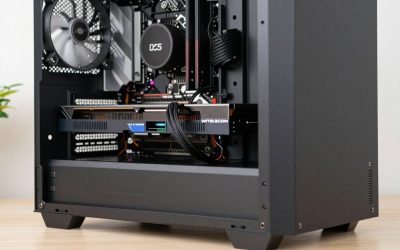
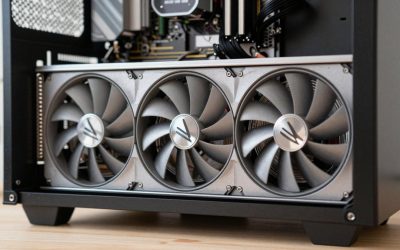
- Top Pick: Sapphire Nitro+ AMD Radeon RX 9070 XT 16GB Crimson Desert Gaming OC Version
- Best Value: ASRock Radeon RX 9070 XT Challenger 16GB OC Graphics Card – AMD RDNA 4 Architecture, 2970 MHz Boost Clock, GDDR6, PCIe 5.0, DisplayPort 2.1a, HDMI 2.1b, Triple Fan Cooling 800W
- Best value:: XFX Swift AMD Radeon RX 9070 XT Triple Fan Gaming Edition with 16GB GDDR6 HDMI 3xDP, RDNA 4 RX-97TSWF3B9, Graphics Card, Compatible with Desktop PCs
Affiliate disclosure: As an Amazon Associate we earn from qualifying purchases. This post contains affiliate links — if you buy through them we may earn a small commission at no extra cost to you. This never affects our recommendations.
- Verdict at a glance
- The Best RX 9070 XT Graphics Cards in 2026: Top 5 AIB Picks Compared
- Why the RX 9070 XT Is a Compelling Buy in 2026
- Quick Comparison Table: Top RX 9070 XT AIB Cards
- Top 5 Best RX 9070 XT Cards in 2026
- More RX 9070 XT cards worth considering
- Best 9070 XT: How the Top Cards Rank for Gaming
- Best 9070 XT Tier List: Which Model and Brand Should You Buy?
- How to Choose the Best RX 9070 XT for Your Build
- Products at a glance: RX 9070 XT partner cards by label
- Current-generation GPU tiers: where the RX 9070 XT fits
- AMD vs Nvidia: RX 9070 XT or GeForce?
- Final Verdict
- Related Articles
- How we compared
- What Is the Best GPU Brand for AMD RX 9070 XT?
- RX 9070 XT questions answered
- Frequently Asked Questions
- Related Articles
As an Amazon Associate we earn from qualifying purchases at no extra cost to you.


In a hurry? See the top-rated RX 9070 XT Graphics Card deals available right now:
🛒 Check Rx 9070 Xt Graphics Card Prices on Amazon →Verdict at a glance
Short answer: the best 9070 XT for most buyers is the Sapphire Nitro+, but every RX 9070 XT uses the same 64-compute-unit RDNA 4 chip with 16GB of GDDR6, so factory overclocks only change performance by a few percent. Pick on cooler, noise, size and power connector. Updated October 2026.
- Best overall: Sapphire Nitro+ RX 9070 XT, the strongest all-round premium design.
- Best for quiet builds: PowerColor Hellhound RX 9070 XT, dual-BIOS with a silent mode and two 8-pin connectors.
- Best high-clocked flagship: ASRock RX 9070 XT Taichi OC or XFX Mercury OC, both rated up to 3,100 MHz boost.
- Best value: ASRock RX 9070 XT Steel Legend, reference clocks and a sensible 2.9-slot cooler at a lower tier.
- Best Nvidia alternative: GIGABYTE RTX 5070 Ti WINDFORCE SFF, for DLSS 4 and stronger ray tracing.
🛒 Best Price Today on Amazon
Prime members get fast, free shipping on everything above, plus member-only deals. New members get a 30-day free trial — cancel anytime.
Start 30-Day Prime Free Trial →See Today’s Amazon DealsThe Best RX 9070 XT Graphics Cards in 2026: Top 5 AIB Picks Compared
AMD’s RDNA 4 generation arrived with something to prove, and the RX 9070 XT delivers on nearly every front. Positioned as AMD’s flagship mid-high tier GPU, it targets the serious 1440p gamer while offering credible 4K performance — especially when paired with FSR 4’s machine-learning upscaling. With 16GB of GDDR6 memory on a 256-bit bus, a completely rebuilt compute architecture, and a price tag that undercuts Nvidia’s RTX 5070 Ti, its closest rival, the 9070 XT has quietly become one of the most compelling GPU purchases of 2026.
But the GPU itself is only part of the equation. Every RX 9070 XT sold at retail comes from an add-in board (AIB) partner — Sapphire, PowerColor, ASUS, XFX, ASRock, and others each put their own stamp on the silicon with different cooler designs, factory overclocks, power limits, and build quality tiers. Choosing the right AIB card can mean the difference between a card that runs whisper-quiet under load and one that throttles in a cramped mid-tower.
Here is how the main partner designs compare.
Why the RX 9070 XT Is a Compelling Buy in 2026
RDNA 4 Architecture
RDNA 4 represents the most significant microarchitectural jump AMD has made in several generations. The compute units have been substantially redesigned for higher instruction-level parallelism, and AMD reports clear per-clock gains over RDNA 3. Ray tracing performance — historically AMD’s weakest point — has improved dramatically, narrowing (though not closing) the gap with Nvidia’s RT cores.
The 9070 XT ships with a 256-bit memory bus, which provides sufficient bandwidth headroom for 1440p workloads and eliminates the bottlenecks that plagued narrower-bus cards in texture-heavy open-world titles. Memory compression improvements in RDNA 4 also help stretch effective bandwidth further than the raw specs suggest.
16GB VRAM Advantage
Sixteen gigabytes of GDDR6 VRAM is not just a marketing number in 2026 — it is a practical differentiator. Modern AAA titles regularly push past 10GB at 1440p with high texture settings enabled, and several games with aggressive asset streaming routinely spike past 12GB at 4K. The RTX 5070’s 12GB allocation already shows strain in these scenarios, causing texture pop-in and stuttering that the 9070 XT sidesteps entirely.
For content creators running GPU-accelerated workloads alongside games — video encoding, AI inference, 3D rendering — the 16GB buffer provides meaningful headroom that 12GB cards simply cannot match.
FSR 4 and Fluid Motion Frames
FSR 4 is a generational leap over FSR 3. Where FSR 3 relied on hand-tuned temporal upscaling algorithms that could produce ghosting and edge artifacts at aggressive quality settings, FSR 4 uses a machine-learning model trained on high-resolution reference frames. The result is upscaling quality that competes directly with DLSS 4 in most scenarios, with particularly strong performance in the Quality and Balanced presets.
Fluid Motion Frames 2 (FMF2) adds frame interpolation support that works across the driver level, meaning virtually any DirectX 11 or 12 title benefits without needing developer integration. At 1440p with FSR 4 Quality enabled and FMF2 active, displayed frame rates in demanding titles like Cyberpunk 2077 and Black Myth: Wukong rise substantially on the 9070 XT, though generated frames add some input latency.
Performance vs RTX 5070 Ti
At native 1440p rasterization, the RX 9070 XT trades blows with the RTX 5070 Ti — sometimes ahead, sometimes behind, depending on the title and driver optimization state. Where AMD has the clearest advantage is price: the 9070 XT AIB cards typically land a price tier below equivalent RTX 5070 Ti models, offering similar rasterized performance for less outlay.
Nvidia retains an edge in ray tracing-heavy titles and in DLSS-optimized games, and CUDA remains the dominant compute platform for professional workloads. But for a gaming-first buyer prioritizing rasterization performance per dollar at 1440p, the 9070 XT argument is strong.
Quick Comparison Table: Top RX 9070 XT AIB Cards
| Product | Boost Clock (rated) | VRAM | Board Power | Power Connectors | Price Tier |
|---|---|---|---|---|---|
| Sapphire Nitro+ RX 9070 XT | Up to 3,060 MHz | 16GB GDDR6 | 330W | 1x 12V-2×6 (hidden) | Premium |
| PowerColor Red Devil RX 9070 XT | Up to 3,060 MHz (OC BIOS) | 16GB GDDR6 | 330W | 3x 8-pin | Premium |
| ASUS TUF Gaming RX 9070 XT OC | Up to 3,060 MHz (3,080 OC mode) | 16GB GDDR6 | About 330W | 3x 8-pin | Premium |
| XFX Swift RX 9070 XT | 2,970 MHz (reference) | 16GB GDDR6 | 304W | 2x 8-pin | Mid-range |
| ASRock Challenger RX 9070 XT | 2,970 MHz (reference) | 16GB GDDR6 | 304W | 2x 8-pin | Mid-range |
Top 5 Best RX 9070 XT Cards in 2026
1. Sapphire Nitro+ RX 9070 XT
Best Overall AIB Pick
Sapphire’s Nitro+ RX 9070 XT is the card to beat. Sapphire has been AMD’s most trusted AIB partner for years, and the Nitro+ line consistently represents the top-tier execution of whatever silicon AMD puts in front of them. The 9070 XT version is no exception.
The cooler is Sapphire’s most refined yet: a vapor chamber base plate feeds into a dense aluminum fin stack cooled by a triple-fan array, in a 3.2-slot, roughly 331mm design.
The factory overclock pushes the boost clock to 3,060 MHz, roughly 3% above AMD’s 2,970 MHz reference spec, with board power raised from 304W to 330W. Real-world performance gains over reference are modest — expect 2–4% in most benchmarks — but the thermal headroom means the card sustains those clocks reliably rather than bouncing around the boost target.
Sapphire also includes an ARGB lighting strip along the top edge and a steel backplate with passive airflow cutouts. Build quality feels premium throughout: the PCIe connector housing, fan shroud, and IO bracket all have the kind of solidity that justifies the price premium.
Pros:
- Best-in-class thermal solution among 9070 XT AIBs
- Among the highest factory overclocks, with a hidden 12V-2×6 power connector
- Vapor chamber ensures consistent performance under extended load
- Premium build quality with solid backplate and ARGB
Cons:
- Sits at the top of RX 9070 XT pricing
- 3.2-slot design may conflict with PCIe spacing in tighter ATX cases
- ARGB implementation requires Sapphire TriXX software for full control
Sapphire Nitro+ RX 9070 XT on Amazon
2. PowerColor Red Devil RX 9070 XT
Best Enthusiast Alternative
PowerColor Red Devil RX 9070 XT has been the perennial Sapphire Nitro+ challenger, and the RDNA 4 generation keeps that rivalry very close. With its OC BIOS the Red Devil boosts up to 3,060 MHz, matching the Nitro+, with board power raised to 330W and three 8-pin connectors. Its large triple-fan cooler is built for sustained load.
The standout feature is the dual-BIOS switch. OC mode runs the full 3,060 MHz boost, while the Silent BIOS drops the boost to 3,010 MHz and favors lower fan noise at the cost of a few percent of peak performance. For users in noise-sensitive environments or living situations, Silent mode makes the Red Devil usable at near-inaudible levels under moderate gaming loads.
The aesthetic leans into the “devil” branding with red accents and aggressive styling — not to everyone’s taste, but the build quality underneath is first-rate. At about 340mm long, it needs a case with generous GPU clearance.
Pros:
- Dual-BIOS OC/Silent modes offer real flexibility
- Flagship-class clocks and cooling, close to the Nitro+
- Standard 8-pin connectors work with any PSU
- Strong brand support and warranty backing
Cons:
- Aggressive red-and-black aesthetic divides opinion
- Long, heavy card that needs good case clearance; PowerColor lists a 900W PSU minimum
PowerColor Red Devil RX 9070 XT on Amazon
3. ASUS TUF Gaming RX 9070 XT OC
Best Build Quality and Warranty
ASUS TUF Gaming RX 9070 XT OC targets the builder who prioritizes long-term reliability over chasing the last few MHz of clock speed. TUF Gaming cards undergo ASUS’s military-grade component validation process — capacitors, MOSFETs, and chokes are rated to higher tolerance thresholds than standard consumer components — and ASUS backs the card with one of the strongest warranty programs in the AIB space.
The triple-fan cooler performs well and keeps temperatures well within safe operating margins under full load. A dual-BIOS switch lets you choose a quieter profile without installing software.
The aesthetic is deliberately understated: matte black shroud, minimal branding, a clean backplate with subtle TUF logo. If the red accents of a Red Devil or the ARGB glow of a Nitro+ are not your style, the TUF Gaming is the premium AIB card that will not clash with a monochrome build theme. ASUS Aura Sync integration is present but tasteful.
The factory overclock, rated up to 3,060 MHz (3,080 MHz in OC mode), sits at the top of the premium pack, and ASUS’s GPU Tweak III software is among the better AIB utilities for manual overclocking if you want to push further.
Pros:
- Military-grade component certification for long-term reliability
- Industry-leading warranty support from ASUS
- Clean, understated aesthetic compatible with any build theme
- Dual-BIOS switch for a quieter profile
Cons:
- Three 8-pin connectors mean more cables to route
- ASUS Aura Sync requires installation of ASUS software ecosystem
- 3-slot footprint limits case compatibility similar to Nitro+
ASUS TUF Gaming RX 9070 XT on Amazon
4. XFX Swift RX 9070 XT
Best Cool-Running Reference-Clocked Pick
The XFX Swift RX 9070 XT is XFX’s entry triple-fan design for RDNA 4 (the older Speedster Merc 310 name belongs to the RX 7000 series). It runs AMD’s reference clocks, but the cooler is the bulkiest in this roundup: XFX rates it at 3.5 slots, in practice it can block a fourth slot, and it is about 325mm long.
Because it pairs that large heatsink with the reference 304W board power, independent reviews such as TechSpot’s 9070 XT roundup found it among the cooler-running models, with fans that can stay at lower RPM during typical 1440p gaming sessions.
Its 2,970 MHz boost is AMD’s reference spec, so it trails the factory-overclocked flagships by roughly 4–6% in GPU-bound games — visible in benchmarks, much less so in play. It sits a price tier below the Nitro+, includes dual BIOS, and uses two 8-pin connectors.
The styling is plain, with no ARGB beyond a backlit XFX logo, and a white version is also offered.
Pros:
- Very large heatsink keeps temperatures and noise down
- Lower price tier than Nitro+ and TUF with a small performance delta
- Lower fan RPM at equivalent workloads means quieter operation
- Dual BIOS and two 8-pin connectors
Cons:
- 3.5-slot (effectively four-slot) design is the most demanding on case clearance
- Reference clocks, a few percent slower than Nitro+, Red Devil, and TUF
- XFX software utilities remain the weakest in this group
5. ASRock Challenger RX 9070 XT
Best Value and Compact Option
The ASRock Challenger RX 9070 XT is the card for builders who want 9070 XT performance without the premium AIB price tag, or who need a shorter card for a smaller mid-tower. At about 290mm long and 2.8 slots thick, it is the most compact card of the five, and it sits a price tier below the Nitro+ while delivering the same GPU at AMD’s reference clocks.
The triple-fan cooler does its job adequately, but its smaller heatsink runs warmer and louder under sustained full load than the flagship designs. This is the trade-off of a compact cooler, and it is worth understanding before purchasing: in a well-ventilated mid-tower with good case airflow, the Challenger handles 1440p gaming sessions without issue. In a cramped mATX build with limited airflow, you may hear the fans working harder during demanding sessions.
Its 2,970 MHz reference boost clock is shared with the XFX Swift and trails the flagships, but the actual gaming performance difference versus the Nitro+ is only a few percent — you would not notice it without benchmark numbers in front of you.
Build quality is honest rather than premium: the shroud is plastic, although ASRock adds a metal backplate and a 0dB idle fan mode. For a budget-conscious buyer who just wants the RX 9070 XT GPU in a lower price tier, the Challenger delivers exactly that.
Pros:
- Lower price tier than the flagship RX 9070 XT AIBs
- Shortest card here at about 290mm, with two 8-pin connectors
- Full 9070 XT GPU with no silicon compromises
- Good choice for builds with strong case airflow already
Cons:
- Runs warmer than the flagship coolers under sustained load
- Plastic shroud lacks premium feel of higher-tier AIBs
- Not recommended for poorly ventilated cases
More RX 9070 XT cards worth considering
The five AIB designs above are not the only good options. The cards below fill gaps in the line-up: a quieter two-connector card, a high-clocked flagship, a value triple-fan model, and the Nvidia card that the RX 9070 XT actually competes with. Specifications come from manufacturer pages and independent reviews.
ASUS TUF Gaming Radeon RX 9070 XT OC Edition
The TUF OC is the ASUS card most buyers should consider for the RX 9070 XT, although it is frequently out of stock; the ASUS Prime RX 9070 XT OC is the closest ASUS option that is easier to find. It is rated up to 3,060 MHz boost in default mode and 3,080 MHz in the GPU Tweak III OC mode, with a default board power of around 330W that can be raised further. It draws power through three 8-pin connectors and includes a dual-BIOS switch, so you can choose a quieter profile without software. The cooler is a large triple-fan design a little over three slots thick and around 330mm long, with a metal shroud and backplate.
Who it’s for: buyers who want a well-built, understated card with strong cooling and a factory overclock above reference.
Strengths: high factory clocks, dual BIOS, solid build quality, and ASUS’s widely used GPU Tweak III utility.
Drawbacks: three 8-pin connectors mean more cables to route, and its size needs a case with good GPU clearance. It typically sits at the upper end of RX 9070 XT pricing.
How it compares: it is in the same class as the Sapphire Nitro+ and PowerColor Red Devil. The Nitro+ hides its single 16-pin connector for a cleaner look; the TUF uses standard 8-pin cables that work with any PSU.
PowerColor Hellhound Radeon RX 9070 XT

The Hellhound is PowerColor’s mid-tier design and a favorite for quiet builds. It has a dual BIOS: Silent mode runs reference clocks (up to 2,970 MHz boost), while OC mode raises boost to 3,010 MHz. It uses two 8-pin connectors and a board power listed at the reference 304W, which keeps heat and fan speed down compared with the 330W-plus flagships. The triple-fan cooler and understated styling, with optional lighting, suit most builds.
Who it’s for: buyers who want an RX 9070 XT that runs quietly without spending on a flagship model, and those with power supplies that only have two free 8-pin cables.
Strengths: quiet operation, two 8-pin connectors, dual BIOS, and a moderate price tier.
Drawbacks: lower power limit means less overclocking headroom than the Red Devil, TUF, Taichi or Mercury OC.
How it compares: it delivers nearly the same gaming performance as the flagship cards, within a few percent, while running cooler and quieter than the high-power models.
XFX Mercury Radeon RX 9070 XT OC Gaming Edition

XFX’s Mercury OC is one of the highest-clocked RX 9070 XT cards, rated up to 3,100 MHz boost with a 2,570 MHz game clock. It draws through three 8-pin connectors and XFX recommends at least an 800W power supply. TechPowerUp measured a higher default power limit than most partner cards, which gives it extra headroom for tuning. The large triple-fan cooler includes RGB lighting.
Note the naming: the non-OC Mercury runs the reference 2,970 MHz boost with two 8-pin connectors. Check the model code before buying.
Who it’s for: enthusiasts who want maximum factory clocks and power headroom for undervolting and overclocking.
Strengths: top-tier clocks and power limit, robust cooler, and RGB styling.
Drawbacks: high power draw under load, large size, and an 800W PSU recommendation. The extra clocks add only a few percent in games.
How it compares: it is a step above the XFX Swift models in our main list in clocks and cooling, and matches the ASRock Taichi OC as the highest-clocked option.
ASRock Radeon RX 9070 XT Steel Legend

The Steel Legend runs at AMD’s reference 2,970 MHz boost with a modest board power around 310W and two 8-pin connectors. Its triple-fan cooler is about 2.9 slots thick and roughly 298mm long, making it easier to fit than the three-slot-plus flagships. The white-and-silver styling matches ASRock’s Steel Legend motherboards.
Who it’s for: value-focused builders and white or light-themed builds that need a card that fits mid-tower cases.
Strengths: shorter than many triple-fan cards, two 8-pin connectors, attractive styling, and a lower price tier.
Drawbacks: no dual BIOS and no factory overclock. Overclocking headroom is limited by the lower power limit.
How it compares: it is close to the ASRock Challenger in our top picks, but with a light-themed design. Against the Hellhound, it is similar in performance; pick on looks and size.
GIGABYTE GeForce RTX 5070 Ti WINDFORCE SFF 16G

The RTX 5070 Ti is the RX 9070 XT’s real competitor, not the RTX 5070. Independent reviews show the two trade blows in rasterized games at 1440p and 4K, with the 5070 Ti ahead in heavy ray tracing and path tracing. It has 8,960 CUDA cores, 16GB of GDDR7 on a 256-bit bus and a rated board power around 300W. GIGABYTE’s WINDFORCE SFF version uses a compact Windforce cooler built for small-form-factor cases and runs at near-reference clocks (about 2,452 MHz core), so it trades overclocking headroom for a shorter card.
Who it’s for: buyers who play ray-tracing-heavy games, rely on DLSS 4 and Multi Frame Generation, or use CUDA-accelerated software for creative work and AI.
Strengths: stronger ray tracing, DLSS 4 with broad game support, NVENC encoding, and 16GB of faster GDDR7.
Drawbacks: it usually sits a price tier above the RX 9070 XT, and it uses a 16-pin 12V-2×6 connector.
How it compares: if your games are mostly rasterized and you are happy with FSR 4, the RX 9070 XT gives you similar performance for less. If ray tracing or CUDA matters, the 5070 Ti is worth the step up.
Best 9070 XT: How the Top Cards Rank for Gaming
The best 9070 XT is the Sapphire Nitro+ RX 9070 XT for most buyers, with the PowerColor Hellhound RX 9070 XT ahead for quiet builds and the ASRock RX 9070 XT Steel Legend for value.
| Priority | Pick | Why it leads |
|---|---|---|
| Premium cooling and build | Sapphire Nitro+ RX 9070 XT | Large cooler and the highest rated boost in the group |
| Quiet builds | PowerColor Hellhound RX 9070 XT | Dual-BIOS silent mode, two 8-pin connectors |
| Small cases | ASRock Challenger RX 9070 XT | Reference power limit, shorter cooler |
| Value | ASRock RX 9070 XT Steel Legend | Reference clocks at a lower tier |
Because all of these cards share the same RDNA 4 chip with 16GB of GDDR6, the gap between the best 9070 XT and a mid-tier model is usually only a few percent in frame rate. The real differences are noise, temperatures, card length and the power connector layout.
Best 9070 XT Tier List: Which Model and Brand Should You Buy?
The best 9070 XT for most buyers is the Sapphire Nitro+ RX 9070 XT, and the best 9070 XT brand overall is Sapphire for cooler quality, followed by PowerColor and ASUS. Because every card uses the same RDNA 4 chip with 16GB of GDDR6, this tier list ranks the models by cooler design, noise, power connectors and price tier rather than raw speed.
RX 9070 XT Tier List by Model
- Top tier (premium cooling): Sapphire Nitro+ RX 9070 XT · hidden 12V-2×6 connector · up to 3,060 MHz boost. PowerColor Red Devil RX 9070 XT · three 8-pin connectors · dual BIOS.
- Strong tier (build quality and high clocks): ASUS TUF Gaming RX 9070 XT OC · up to 3,060 MHz boost · dual BIOS. XFX Mercury OC · rated up to 3,100 MHz boost.
- Quiet tier: PowerColor Hellhound RX 9070 XT · two 8-pin connectors · silent BIOS · 304W board power.
- Value tier: XFX Swift RX 9070 XT, ASRock Challenger RX 9070 XT and ASRock Steel Legend · reference clocks near 2,970 MHz · lower price.
Best 9070 XT Brand by Buyer Type
- Best for cooling and quality: Sapphire, because the Nitro+ pairs a large cooler with a premium build.
- Best for quiet builds: PowerColor, thanks to the Hellhound silent BIOS and the two-connector design.
- Best for ecosystem and styling: ASUS, if you already use Armoury Crate and Aura Sync lighting.
- Best for budget: XFX and ASRock, which offer reference-clocked cards at lower price tiers.
Treat this as a research-based guide built from manufacturer specifications and published reviews. A few percent of extra boost clock rarely changes the experience, so buy the cooler and connector layout that fits your case and power supply.
Best 9070 XT Model for a Small Case
For compact builds, the ASRock Challenger RX 9070 XT and PowerColor Hellhound RX 9070 XT are the safest picks, because they use the reference 304W power limit and avoid the heavier cooler and higher power draw of the flagship designs. Always check card length and slot thickness against your case before ordering.
How to Choose the Best RX 9070 XT for Your Build
Boost Clock Differences
The rated boost spread across these five cards ranges from the 2,970 MHz reference (ASRock, XFX) to 3,060 MHz (Sapphire, PowerColor, ASUS). That gap translates to roughly 3–5% performance difference in GPU-bound scenarios at 1440p. For most gaming workloads, you will not notice that difference in practice — frame generation and upscaling have a far larger impact on perceived smoothness. Unless you are benchmarking competitively or buying the card specifically to push further via manual overclocking, the clock speed difference between AIB tiers should not be your primary decision driver.
Cooler Quality and Noise
Cooler quality matters more than clock speed for everyday usability. A card that runs 5°C hotter will also run its fans faster and louder to compensate. If you game for long sessions, work in a quiet room, or have a windowed case where aesthetics matter, investing in the Nitro+ or Red Devil’s superior thermal solutions is worth the premium. The XFX Swift’s oversized heatsink achieves good results through brute force volume — effective, but it requires case clearance that not all builds have.
Power Requirements
The RX 9070 XT AIB cards range from the 304W reference board power (ASRock Challenger, XFX Swift) to about 330W (Nitro+, Red Devil, TUF). Partner recommendations start at a 750W PSU minimum and rise to 800–900W for some overclocked models, so 750W is the sensible floor for a system pairing the 9070 XT with a modern high-core-count CPU. A quality 850W unit gives you headroom for overclocking and prevents any PSU instability during peak transient power spikes. Do not pair this card with aging 550W or 600W units — even if the average power draw fits, transient spikes can exceed what those supplies handle safely.
1440p vs 4K Gaming with FSR 4
At native 1440p, the RX 9070 XT is a powerhouse — expect 90–120+ fps in modern AAA titles at high settings without upscaling. With FSR 4 Quality mode enabled, those framerates push to 130–160+ fps depending on the title, making it an excellent card for high-refresh-rate 1440p gaming at 144Hz or 165Hz.
At native 4K, the card handles medium-to-high settings in most titles at 60+ fps. With FSR 4 Quality mode, 4K gaming at 60–80 fps becomes comfortable and visually sharp. If 4K at maximum settings with no upscaling is your goal, you are looking at RTX 5080 or RTX 5090 territory, since AMD has no faster card in this generation.
RX 9070 XT vs RTX 5070 Ti: When to Choose AMD
Choose the RX 9070 XT if:
- You prioritize rasterization performance per dollar
- You plan to use FSR 4 / FMF2 for upscaling and frame generation
- You need 16GB VRAM for content creation or future-proofing
- You are not running DLSS-exclusive software or CUDA-dependent workloads
Choose the RTX 5070 Ti if:
- You use DLSS-optimized titles where Nvidia’s upscaling has a clear quality edge
- You have a CUDA-dependent workflow (DaVinci Resolve GPU acceleration, AI tools)
- You prioritize ray tracing in titles where Nvidia’s RT pipeline leads
Budget
For most buyers, the XFX Swift or ASUS TUF represent the sweet spot — the Swift for quiet reference-clocked value, the TUF for build quality and higher clocks. Only go for the Nitro+ or Red Devil if you specifically want the best thermal performance or the dual-BIOS flexibility. The ASRock Challenger is the right call for compact builds or buyers who want the 9070 XT GPU in a lower price tier and understand the thermal trade-off involved.
Products at a glance: RX 9070 XT partner cards by label
| Card | Label | Boost clock (rated) | Power connectors | Dual BIOS | Price tier |
|---|---|---|---|---|---|
| Sapphire Nitro+ RX 9070 XT | Best overall | Factory OC | 1x 12V-2×6 (hidden) | Yes | Premium |
| ASRock RX 9070 XT Taichi OC | Best high-clocked flagship | Up to 3,100 MHz | 1x 12V-2×6 | Yes | Premium |
| XFX Mercury RX 9070 XT OC | Best for tuning headroom | Up to 3,100 MHz | 3x 8-pin | Check model | Premium |
| ASUS TUF Gaming RX 9070 XT OC | Best build quality | Up to 3,060 MHz (3,080 OC mode) | 3x 8-pin | Yes | Premium |
| PowerColor Red Devil RX 9070 XT | Best enthusiast alternative | Up to 3,060 MHz (OC BIOS) | 3x 8-pin | Yes | Premium |
| PowerColor Hellhound RX 9070 XT | Best for quiet builds | Up to 3,010 MHz (OC BIOS) | 2x 8-pin | Yes | Mid-range |
| ASRock RX 9070 XT Steel Legend | Best value | 2,970 MHz (reference) | 2x 8-pin | No | Mid-range |
| GIGABYTE RTX 5070 Ti WINDFORCE SFF | Best Nvidia alternative | Factory OC | 1x 12V-2×6 | – | Mid-range to premium |
A note on the ASRock Taichi OC
ASRock’s Taichi OC is the flagship of its RX 9070 XT range and one of the two highest-clocked versions, with a rated boost up to 3,100 MHz, a default board power around 340W, dual BIOS, and a single 12V-2×6 16-pin connector rather than multiple 8-pins. It is a three-slot, roughly 330mm card. If it is available at a sensible price, it competes directly with the Sapphire Nitro+ for the best overall slot. Make sure your power supply has a native 12V-2×6 cable or use the included adapter carefully.
Current-generation GPU tiers: where the RX 9070 XT fits
To judge whether an RX 9070 XT is the right card, it helps to see the whole current line-up from AMD and Nvidia. The tiers below are based on official specifications and the consensus of independent reviews from outlets such as TechPowerUp, Hardware Unboxed and Tom’s Hardware.
| GPU | VRAM | Rated board power | Upscaling / frame generation | Best resolution | Price tier |
|---|---|---|---|---|---|
| Radeon RX 9070 | 16GB GDDR6 | 220W | FSR 4, FSR frame generation | 1440p | Mid-range |
| GeForce RTX 5070 | 12GB GDDR7 | 250W | DLSS 4, Multi Frame Generation | 1440p | Mid-range |
| Radeon RX 9070 XT | 16GB GDDR6 | 304W (reference) | FSR 4, FSR frame generation | 1440p high refresh, 4K with upscaling | Mid-range to upper mid-range |
| GeForce RTX 5070 Ti | 16GB GDDR7 | 300W | DLSS 4, Multi Frame Generation | 1440p high refresh, 4K with upscaling | Upper mid-range |
| GeForce RTX 5080 | 16GB GDDR7 | 360W | DLSS 4, Multi Frame Generation | 4K | Premium |
| GeForce RTX 5090 | 32GB GDDR7 | 575W | DLSS 4, Multi Frame Generation | 4K high refresh, 8K | Flagship |
AMD does not currently sell a Radeon card above the RX 9070 XT in this generation, so if you want more performance than a 9070 XT or 5070 Ti, the RTX 5080 and RTX 5090 are the only options.
AMD vs Nvidia: RX 9070 XT or GeForce?
The comparison that matters is RX 9070 XT versus RTX 5070 Ti, with the RTX 5070 as the cheaper alternative. Independent reviews broadly agree on the following points:
- Rasterized performance: the RX 9070 XT is clearly faster than the RTX 5070 and lands close to the RTX 5070 Ti on average at 1440p and 4K, with results varying by game.
- Ray tracing: RDNA 4 roughly doubled AMD’s ray tracing throughput per compute unit compared with RDNA 3, but Nvidia still leads in heavy ray tracing and path tracing titles. The RTX 5070 Ti is the stronger choice if you play games like Cyberpunk 2077 or Alan Wake 2 with path tracing.
- Upscaling: FSR 4 uses machine learning and is a big improvement on FSR 3, approaching DLSS quality in many games. DLSS 4 still has wider game support and Multi Frame Generation on RTX 50 cards. AMD’s FSR Redstone features, such as Ray Regeneration, are expanding FSR 4’s toolset on RX 9000 cards.
- VRAM: the RX 9070 XT and RTX 5070 Ti both have 16GB, while the RTX 5070 has 12GB. That gap matters at 4K and in texture-heavy games.
- Power and connectors: most RX 9070 XT cards use standard 8-pin connectors, which suit older PSUs. RTX 50 cards use the 16-pin 12V-2×6 connector.
- Software and creative work: Nvidia leads in CUDA-based applications, AI tools and broadcast features. AMD’s Adrenalin software is strong for gaming features like Anti-Lag 2 and Fluid Motion Frames 2.
Bottom line: choose the RX 9070 XT if you mostly play rasterized games at 1440p or 4K with upscaling and want 16GB of VRAM at a lower tier. Choose the RTX 5070 Ti if ray tracing, DLSS-only features or CUDA workloads matter to you.
Final Verdict
The RX 9070 XT is one of the best GPU value propositions in 2026, and all five AIB variants reviewed here are worth recommending with the right caveats.
Best Overall: Sapphire Nitro+ RX 9070 XT — the finest thermal solution, among the highest rated clock speeds, and the kind of premium build quality that justifies its price premium. If you want the best RX 9070 XT card available, this is it.
Best Quiet Value: XFX Swift RX 9070 XT — a very large triple-fan cooler at reference clocks, a price tier below the flagship picks, and only a small real-world performance gap. For the best value outside these five, see the ASRock Steel Legend above.
Best for Compact Builds: ASRock Challenger RX 9070 XT — the shortest card of the five at about 290mm and 2.8 slots, and a lower-tier path to 9070 XT performance. Best suited for well-ventilated mid-tower builds where case airflow does the heavy lifting.
Whichever you choose, the RX 9070 XT delivers a genuinely compelling gaming experience at 1440p in 2026 — and with FSR 4’s machine-learning upscaling continuing to improve through driver updates, the card’s effective performance ceiling will only grow over time.
Related Articles
Looking for more on this topic? Browse the hand-picked guides below — each one applies the same scoring rubric used in this review.
How we compared
Updated October 2026. We compared RX 9070 XT partner cards using AMD’s reference specifications, manufacturer spec pages for clocks, board power, connectors and dimensions, and independent reviews from publications including TechPowerUp, KitGuru, Guru3D and PC Perspective, plus owner reports from enthusiast forums. We did not bench-test these cards ourselves. Labels reflect value, design and features for typical builds rather than our own measurements.
What Is the Best GPU Brand for AMD RX 9070 XT?
Sapphire is the best GPU brand for the AMD RX 9070 XT for most buyers, thanks to the Nitro+ cooler and build; PowerColor is the pick for quiet systems.
AMD does not sell the RX 9070 XT directly, so you choose from partner brands that all use the same GPU and memory. Brand choice therefore comes down to cooler design, warranty experience, software and price tier.
- Sapphire: AMD-only specialist; the Nitro+ pairs a large cooler with a premium build and suits long gaming sessions.
- PowerColor: the Hellhound adds a silent BIOS and two 8-pin connectors, which keeps cabling simple on many power supplies.
- ASUS: the TUF Gaming OC edition suits builders who already use Armoury Crate and Aura Sync lighting.
- XFX: the Swift and Mercury lines cover both a reference-clocked option and a high-clocked flagship.
- ASRock: the Challenger and Steel Legend are the practical choices for compact cases and tighter budgets.
If two brands are in your price range, pick the model that fits your case length and power supply connectors first, then compare fan noise in published reviews. A few percent of extra boost clock rarely changes how a game feels.
RX 9070 XT questions answered
Is the RX 9070 XT better than the RTX 5070?
In most rasterized games, yes. Independent reviews show the RX 9070 XT clearly ahead of the RTX 5070 and close to the RTX 5070 Ti, with 16GB of VRAM versus 12GB. The RTX 5070 is the better choice only if DLSS 4 support or ray tracing matters more to you than raw performance.
What power supply do I need for an RX 9070 XT?
AMD’s reference board power is 304W, and high-clocked partner cards run around 330–340W. A quality 750W PSU is a sensible minimum for most systems, and some partners recommend 800W for their top models. Check whether your card uses two 8-pin, three 8-pin or a 12V-2×6 connector.
Do factory-overclocked RX 9070 XT cards perform much better?
No. Factory boost clocks range from the reference 2,970 MHz to around 3,100 MHz, a difference of roughly 3–4% at most. Cooling, noise and size have a bigger effect on everyday experience.
Does the RX 9070 XT support FSR 4?
Yes. FSR 4 is exclusive to RX 9000 series cards and runs on their AI accelerators. It is supported in a growing list of games and can be applied to many FSR 3.1 titles through AMD’s Adrenalin driver.
Is the RX 9070 XT good for 4K gaming?
Yes, with upscaling. It handles many games at native 4K on high settings, and FSR 4 Quality mode makes demanding titles smooth. For native 4K at maximum settings with ray tracing, an RTX 5080 or RTX 5090 is a better fit.
Related reading: top cloud gaming platforms.
Frequently Asked Questions
What is the best gaming gpu rx 9070 xt in 2026?
The best gaming gpu rx 9070 xt depends on your budget and how you plan to use it. The options compared above are our top picks based on published specifications, independent reviews, build quality, and overall value — start with the highest-rated model that fits your budget.
How much should I expect to spend on a gaming gpu rx 9070 xt?
Prices vary by brand and features. Budget options cover the essentials, while mid-range and premium models add durability, performance, and extra features. Compare the price tiers in the list above to find the best value for your needs.
What should I look for when buying a gaming gpu rx 9070 xt?
Focus on what matters most for your use case — build quality, compatibility, performance, warranty, and verified customer reviews. Every pick above is selected to balance these factors.
Are budget gaming gpu rx 9070 xt options worth it?
Yes. For most people a well-reviewed budget or mid-range gaming gpu rx 9070 xt delivers excellent value. You only need to spend more if you specifically require premium materials or top-tier performance.
How did we choose these gaming gpu rx 9070 xt picks?
We compare manufacturer specifications, independent reviews, key features and price tier to surface the options with the best real-world value. The list is refreshed as availability changes.