

- Top Pick: ASRock Radeon RX 7900 XTX Phantom Gaming 24GB OC Graphics Card, 2615 MHz Boost Clock, 24GB GDDR6, DisplayPort 2.1, HDMI 2.1, Triple Fan Cooling
- Best Value: PowerColor Hellhound AMD Radeon RX 7900 XTX Graphics Card
- Premium Choice: Sapphire 11322-01-40G Nitro+ AMD Radeon RX 7900 XTX Vapor-X Gaming Graphics Card with 24GB GDDR6, AMD RDNA 3
Affiliate disclosure: As an Amazon Associate we earn from qualifying purchases. This post contains affiliate links — if you buy through them we may earn a small commission at no extra cost to you. This never affects our recommendations.
Title: Best RX 7900 XTX Graphics Card in 2026: Top 5 AIB Picks Reviewed
As an Amazon Associate we earn from qualifying purchases at no extra cost to you.


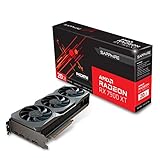

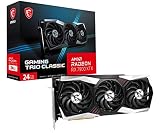

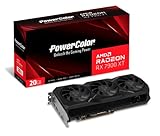
The AMD Radeon RX 7900 XTX remains one of the most compelling high-end GPUs you can buy in 2026. Built on AMD’s RDNA 3 architecture, it packs 24GB of GDDR6 VRAM onto a 384-bit bus — making it the go-to card for 4K gaming, high-resolution content creation, and any workload that taxes VRAM. While Nvidia’s RTX 4080 Super edges ahead in ray tracing and benefits from DLSS 3, the 7900 XTX punches back hard on rasterized performance-per-dollar, memory bandwidth, and raw VRAM capacity.
The reference card is fine. The AIB (add-in board partner) versions are better. Each partner tweaks the cooler, power delivery, factory clock speeds, and aesthetics — and those differences matter when you’re spending over $900. This guide breaks down the five best RX 7900 XTX graphics cards available in 2026, who each one is built for, and exactly what you get for the premium.
In a hurry? See the top-rated RX 7900 XTX Graphics Card deals available right now:
🛒 Check Rx 7900 Xtx Graphics Card Prices on Amazon →🛒 Best Price Today on Amazon
Prime members get fast, free shipping on everything above, plus member-only deals. New members get a 30-day free trial — cancel anytime.
Start 30-Day Prime Free Trial →See Today’s Amazon DealsWhy the RX 7900 XTX Still Makes Sense in 2026
Before the picks, a quick grounding in what the chip brings to the table:
- Architecture: RDNA 3, 5nm TSMC process node
- Compute Units: 96 CUs, 12,288 stream processors
- VRAM: 24GB GDDR6, 384-bit bus, ~960 GB/s bandwidth
- TDP: 355W (reference), AIB cards range 355–400W
- Display outputs: Up to 4 displays; DisplayPort 2.1 support (up to 16K @ 60Hz or 4K @ 240Hz)
- Interface: PCIe 4.0 x16
- Key software features: FSR 3 Frame Generation, Radeon Super Resolution (RSR), AV1 hardware encode/decode, Radeon Anti-Lag+
Against the RTX 4080 Super: AMD wins on VRAM (24GB vs 16GB), price (typically $80–120 cheaper), and pure rasterized 4K throughput in AMD-optimized titles. Nvidia wins on ray tracing performance (roughly 20–25% ahead), DLSS 3 Frame Generation quality, and driver polish. If your workload is 4K gaming at high refresh, content creation in DaVinci Resolve, or large-model ML inference, the 7900 XTX is the stronger argument. If you live in ray-traced AAA titles or rely on Nvidia-specific tools (Tensor cores, CUDA), the 4080 Super is worth the premium.
PSU requirement: A minimum 850W PSU is recommended. Cards pulling 380–400W under AIB boost clocks benefit from a 1000W unit if you’re running a high-core-count CPU alongside.
Quick Comparison: Best RX 7900 XTX AIB Cards
| Card | Boost Clock | TDP | Cooler Size | Est. Price |
|---|---|---|---|---|
| ASUS ROG Strix RX 7900 XTX | 2615 MHz | 400W | 3.5-slot, 360mm | ~$1,049 |
| Sapphire Nitro+ RX 7900 XTX | 2615 MHz | 400W | 3.5-slot, 340mm | ~$999 |
| XFX Speedster MERC 310 RX 7900 XTX | 2615 MHz | 400W | 3.5-slot, 355mm | ~$959 |
| PowerColor Red Devil RX 7900 XTX | 2600 MHz | 390W | 3.5-slot, 340mm | ~$939 |
| MSI Gaming X Trio RX 7900 XTX | 2525 MHz | 366W | 3-slot, 330mm | ~$919 |
Prices reflect US market averages as of Q2 2026. Street prices fluctuate — check Amazon for current listings.
The 5 Best RX 7900 XTX Graphics Cards
1. ASUS ROG Strix LC RX 7900 XTX
ASUS ROG Strix RX 7900 XTX on Amazon
The ROG Strix is ASUS’s flagship treatment of the 7900 XTX — and it shows. ASUS went all-in on thermal headroom and build quality, resulting in a card that runs cooler and louder under peak load only if you push it, but stays whisper-quiet during normal gaming sessions.
Key Specs
- Boost Clock: 2615 MHz (OC mode)
- TDP: 400W (up from 355W reference)
- Cooler: Triple Axial-tech fans, 2.9-slot aluminum heatsink, 6 copper heatpipes
- Dimensions: ~358mm length, 3-slot (some revisions 3.5-slot)
- Power Connectors: 3x 8-pin (via adapter to 16-pin on select configs)
- I/O: 2x HDMI 2.1, 3x DisplayPort 2.1, 1x USB-C
- Lighting: ARGB Aura Sync
- Price: ~$1,049
Pros & Cons
Pros:
- Best sustained performance of any 7900 XTX AIB in extended workloads
- Exceptional build quality — metal backplate, reinforced PCIe slot
- GPU Tweak III software is mature and feature-rich
- Whisper-quiet at gaming loads below 90% TGP
- USB-C output for VR headsets
Cons:
- Most expensive pick on this list
- Large physical footprint — check case clearance carefully
- ARGB lighting connector required for full sync (minor cable management note)
Who It’s For
Enthusiast builders who want the absolute best thermal performance and don’t want to think about temps. Ideal for open-loop water cooling hybrid builds or cases with strong airflow. Content creators who run sustained GPU compute workloads will appreciate the thermal headroom — the card doesn’t throttle during long DaVinci Resolve or Blender renders.
2. Sapphire Nitro+ RX 7900 XTX
Sapphire Nitro+ RX 7900 XTX on Amazon
Sapphire has been AMD’s most trusted AIB partner for years, and the Nitro+ is the card that justifies that reputation. It matches the ROG Strix in peak clock speed, beats most rivals in thermals-per-noise-level, and ships with a dedicated hardware button for switching between OC and Silent BIOS profiles.

Key Specs
- Boost Clock: 2615 MHz (OC BIOS), 2510 MHz (Silent BIOS)
- TDP: 400W (OC) / 355W (Silent)
- Cooler: Tri-X triple fan, 3.5-slot, dual-BIOS, vapor chamber base
- Dimensions: ~341mm length
- Power Connectors: 2x 16-pin (or 3x 8-pin via adapter)
- I/O: 2x HDMI 2.1, 3x DisplayPort 2.1, 1x USB-C
- Lighting: ARGB with Sapphire TriXX software
- Price: ~$999
Pros & Cons
Pros:
- Dual BIOS hardware switch — instant toggle between performance and quiet modes
- Vapor chamber base plate for exceptional heat spreading
- Slightly shorter than ROG Strix — easier case fit
- Sapphire TriXX software is stable and offers detailed fan curve control
- Strong resale value historically
Cons:
- Premium pricing without fully distinguishing from the ROG Strix at identical clocks
- Slightly aggressive fan ramp in default OC BIOS under sustained load
- Fewer regional availability options than ASUS/MSI in some markets
Who It’s For
The Nitro+ is the best all-rounder on this list. It suits builders who want maximum flexibility — crank it up with OC BIOS for gaming sessions, flip to Silent for late-night work. Content creators running overnight renders will value the Silent BIOS’s 355W profile keeping acoustics low. If you can only pick one 7900 XTX and want to be confident you chose correctly, this is it.
3. XFX Speedster MERC 310 RX 7900 XTX
XFX Speedster MERC 310 RX 7900 XTX on Amazon
XFX’s MERC 310 is a bold card in every sense. It’s physically large, aggressively clocked at the same 2615 MHz as the Nitro+ and ROG Strix, and priced around $40–90 less than those two. It’s the pick for builders who want top-tier clock speeds without top-tier pricing — and don’t mind a beefy cooler.
Key Specs
- Boost Clock: 2615 MHz
- TDP: 400W
- Cooler: Triple fan, 3.5-slot, aluminum fin stack, 8 heatpipes
- Dimensions: ~355mm length
- Power Connectors: 3x 8-pin
- I/O: 2x HDMI 2.1, 3x DisplayPort 2.1
- Lighting: Minimal RGB edge accent
- Price: ~$959
Pros & Cons
Pros:
- Matches flagship clock speeds at a lower price point
- Solid thermal performance — keeps the GPU under 75°C in most 4K gaming scenarios
- Minimal RGB — suits builders who prefer a clean aesthetic
- Strong overclocking headroom on the power delivery
Cons:
- No USB-C output — relevant for VR users
- Software ecosystem (XFX GPUTweak) is less polished than ASUS or Sapphire
- Build quality feels slightly less premium than Nitro+ or ROG Strix on close inspection
- No hardware BIOS switch
Who It’s For
Value-focused enthusiasts who want the same gaming performance as the $1,049 ROG Strix while saving $90. The MERC 310 makes most sense for pure 4K gamers who aren’t doing content creation workflows and don’t need USB-C. If you’re building in a mid-tower with good airflow and want maximum rasterized performance without paying the premium brand tax, this is your card.
4. PowerColor Red Devil RX 7900 XTX
PowerColor Red Devil RX 7900 XTX on Amazon
PowerColor’s Red Devil has a cult following among AMD enthusiasts, and the 7900 XTX version earns it. It comes in slightly under the peak 2615 MHz at 2600 MHz, but compensates with a refined dual-BIOS system, excellent VRM quality, and one of the best fan stop implementations — the card runs completely silent at idle and low load.
Key Specs
- Boost Clock: 2600 MHz (Performance BIOS), 2450 MHz (Silent BIOS)
- TDP: 390W (Performance) / 355W (Silent)
- Cooler: Triple fan, 3.5-slot, dual-BIOS, axial fan with fan stop
- Dimensions: ~340mm length
- Power Connectors: 2x 8-pin + 1x 6-pin
- I/O: 2x HDMI 2.1, 3x DisplayPort 2.1, 1x USB-C
- Lighting: ARGB with Red Devil Halo ring design
- Price: ~$939
Pros & Cons
Pros:
- Completely silent at idle — fan stop kicks in below ~55°C GPU temp
- USB-C output included despite lower pricing than Nitro+/ROG Strix
- Dual BIOS hardware switch
- 390W TDP in performance mode means slightly less heat than 400W rivals
- Strong VRM design for overclocking
Cons:
- 15 MHz lower boost clock than top-tier rivals — imperceptible in real gaming
- Power connector config (2x 8-pin + 6-pin) is slightly awkward vs. standardized 3x 8-pin or 16-pin
- Availability can be inconsistent outside North America
Who It’s For
The Red Devil is ideal for noise-sensitive builders — home office setups, small apartments, or anyone who leaves their PC running through the day. The fan stop feature means zero GPU fan noise during browsing, video playback, or light work. 4K gamers on a slight budget who still want USB-C for VR will find it hard to beat the Red Devil at ~$939.
5. MSI Gaming X Trio RX 7900 XTX
MSI Gaming X Trio RX 7900 XTX on Amazon
The MSI Gaming X Trio is the most conservative card on this list — and that’s intentional. It runs a lower 366W TDP, ships at 2525 MHz boost clock, and prioritizes quiet, cool operation over maximum clock speed. The result is a card that’s genuinely easy to live with long-term.

Key Specs
- Boost Clock: 2525 MHz
- TDP: 366W
- Cooler: TORX Fan 5.0 triple fan, 3-slot, 8mm heatpipes
- Dimensions: ~330mm length
- Power Connectors: 3x 8-pin
- I/O: 2x HDMI 2.1, 3x DisplayPort 2.1
- Lighting: Mystic Light RGB (subtle)
- Price: ~$919
Pros & Cons
Pros:
- Lowest TDP on this list — friendliest for 850W PSU setups
- Shortest card at 330mm — fits in more cases, including some mid-tower builds
- Consistently quiet under gaming load — TORX Fan 5.0 is among the best in the industry
- Most competitive price of the five picks
- MSI Center software is well-maintained
Cons:
- 90 MHz lower boost clock than the top three — visible in GPU-limited 4K benchmarks (roughly 2–4% delta)
- No hardware BIOS switch
- No USB-C output
- Less overclocking headroom due to conservative power delivery
Who It’s For
The MSI Gaming X Trio suits smaller case builders and anyone running a quality 850W PSU who wants to stay comfortably within power headroom. It’s also the right pick for first-time high-end GPU buyers who want a premium card without the complexity of dual BIOS or aggressive overclocking. The performance gap versus the 2615 MHz cards is real but narrow — about 2–4% in GPU-bound 4K scenarios, easily within the noise of frame-to-frame variance.
Buyer’s Guide: What to Know Before You Buy
Who Actually Needs 24GB VRAM?
Most 4K games in 2026 don’t saturate 16GB VRAM, so why does the 7900 XTX’s 24GB matter?
- Content creators: DaVinci Resolve, Blender, and Stable Diffusion model loading all benefit massively from VRAM headroom. Running 4K timelines with ProRes RAW, complex node graphs, or diffusion models above 20B parameters — 24GB becomes essential rather than optional.
- Modded gaming: Heavily modded titles (Skyrim 4K texture packs, MHW texture overhauls) regularly exceed 16GB. With 24GB, you stop worrying.
- Future-proofing: VRAM demand in games has increased roughly 2–4GB per generation cycle. 24GB buys longevity that 16GB increasingly cannot.
- Multi-monitor and VR: High-res VR headsets and multi-4K display setups push VRAM harder than single-monitor gaming.
FSR 3 and AMD’s Software Stack
FSR 3 Frame Generation is AMD’s answer to DLSS 3 Frame Generation. In supported titles, it can roughly double effective frame output — turning a native 60 fps into a perceived ~120 fps. Unlike Nvidia’s DLSS 3, FSR 3 is open-source and works on non-AMD hardware too, but the 7900 XTX benefits from tight driver integration.
Radeon Super Resolution (RSR) applies upscaling at the driver level — no per-game integration required. It won’t match native or FSR 2 quality, but it’s a useful universal boost for older titles.
AV1 encode/decode is increasingly important for content creators. The 7900 XTX’s RDNA 3 media engine encodes AV1 at high quality, directly competing with Nvidia’s NVENC AV1 encoder (which has a slight quality edge but not a dramatic one).
4K Gaming Performance Expectations
At 4K Ultra settings, the RX 7900 XTX typically delivers:
- CPU-limited titles: 90–130+ fps (Cyberpunk 2077 RT Ultra aside)
- GPU-limited titles: 65–100 fps depending on engine optimization
- With FSR 3 Frame Generation enabled: effective 100–180+ fps in supported titles
The card handles 4K 144Hz gaming in most titles with FSR 3 Quality + Frame Generation enabled. For native 4K 60fps, it’s more than sufficient in virtually every current title.
What PSU Do You Need?
- Minimum: 850W — adequate for the MSI Gaming X Trio and PowerColor Red Devil Silent BIOS
- Recommended: 1000W — comfortable headroom for 400W AIB cards paired with a 12th/13th/14th gen Intel or Ryzen 7000 CPU under gaming load
- High-end system (overclocked CPU + OC GPU): 1200W for peace of mind
Use a PSU with an 80+ Gold or Platinum rating. The card’s power delivery is sensitive to voltage fluctuations — a cheap PSU is not the place to save money in a system built around a $939+ GPU.
FAQ
Q: Is the RX 7900 XTX still worth buying in mid-2026?
Yes. The card has held its value relative to competing options at its price tier. Nvidia’s RTX 5000 series occupies higher price points; the 7900 XTX remains the strongest AMD option for 4K at under $1,100.
Q: Which AIB card should I buy if I just want the best performance?
ASUS ROG Strix or Sapphire Nitro+ — both hit 2615 MHz and have the best thermal solutions. The Nitro+ is slightly better value.

Q: Does the 7900 XTX work well for machine learning / AI inference?
It works for inference with ROCm-compatible frameworks. However, CUDA dominance in the ML ecosystem means Nvidia remains the standard for serious ML workloads. For hobbyist inference (running LLMs locally), 24GB VRAM is genuinely useful.
Q: Can I fit these cards in a mid-tower case?
The MSI Gaming X Trio (330mm) fits most mid-towers. The ASUS ROG Strix (358mm) requires a full-tower or large mid-tower. Check your case’s GPU clearance spec before buying.
Q: How loud are these cards under load?
At 4K gaming loads, the Sapphire Nitro+ (Silent BIOS) and MSI Gaming X Trio are the quietest — typically 35–38 dBA at 1 meter. The ROG Strix and MERC 310 run slightly louder at max load but remain reasonable.
Verdict
Best overall: Sapphire Nitro+ RX 7900 XTX — dual BIOS flexibility, vapor chamber cooling, and peak clocks at a fair price make it the safest choice for most buyers.
Best for enthusiasts: ASUS ROG Strix RX 7900 XTX — no compromises, best sustained thermal performance, ideal for heavily loaded systems.
Best value at peak performance: XFX Speedster MERC 310 RX 7900 XTX — same 2615 MHz clocks as the flagships, $90 cheaper.
Best for quiet builds: PowerColor Red Devil RX 7900 XTX — fan stop, dual BIOS, USB-C, and competitive pricing.
Best for compact/budget-conscious builds: MSI Gaming X Trio RX 7900 XTX — shortest card, lowest TDP, quietest fan profile, entry price.
The RX 7900 XTX is a serious card. Any of these five AIB versions will deliver outstanding 4K gaming, strong content creation performance, and the comfort of 24GB VRAM that will remain relevant well into the latter half of this decade. Choose based on your case, PSU, noise tolerance, and budget — not on clock speed differences that round down to 2–4% in real-world use.
Related Articles
Looking for more on this topic? Browse the hand-picked guides below — each one applies the same scoring rubric used in this review.
Frequently Asked Questions
Is the RX 7900 XTX still a good 4K card in 2026?
Yes for raster performance. Its 24GB of VRAM and wide memory bus keep it comfortable at 4K in most titles, often trading blows with far pricier Nvidia cards in pure rasterisation. The weakness remains heavy ray tracing and path tracing, where Nvidia’s dedicated hardware and upscaling ecosystem still pull clearly ahead.
What power supply does an RX 7900 XTX need?
AMD recommends 800W, and that is sensible given board power around 355W and transient spikes well above it. Use a quality 850W unit with two separate 8-pin PCIe cables rather than a single daisy-chained cable. Undersized or low-quality supplies cause shutdowns under load that are easily mistaken for card faults.
How much does 24GB of VRAM actually help?
It matters most at 4K with ultra textures, in heavily modded games, and in creative workloads like Blender and video editing. Several 2026 titles already exceed 16GB at 4K with high texture settings, so the extra headroom is genuine future-proofing rather than a spec-sheet flourish, particularly for people who keep cards for years.
Should I buy a reference card or an AIB partner model?
Partner cards from Sapphire, PowerColor, ASUS and XFX use larger triple-fan coolers that run noticeably cooler and quieter than the reference blower-style design, and they usually ship with modest factory overclocks. The tradeoff is size: many are three slots wide and over 320mm long, so verify case clearance before ordering.
Does FSR compare well to DLSS on this card?
FSR has closed much of the gap and works on any GPU, which is a real advantage. In motion, DLSS still resolves fine detail and thin geometry slightly more cleanly, especially at lower internal resolutions. At 4K quality mode the difference is small enough that most players will not notice during actual gameplay.
Ready to decide? Our #1 pick for 2026 is the Card.
Live price & availability on Amazon.


