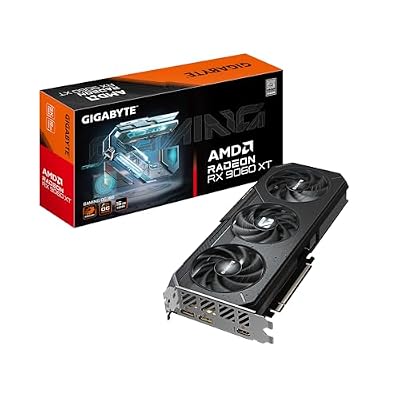
ASUS TUF RTX 5090 Review 2026: Is the TUF Gaming Build Worth the Premium?
The ASUS TUF Gaming line is ASUS’s durability-focused range of graphics cards. It is positioned below the premium ROG Strix tier and aims to deliver the same core silicon with a more conservative cooler and styling. When the TUF design is applied to the GeForce RTX 5090, the result is a flagship card built for buyers who want the top performance of the Blackwell generation without the most expensive aesthetics. This guide covers who the TUF RTX 5090 suits, what to check before you buy, and how it fits into the wider 5090 market.
The card in the listing above may be a close match for the TUF RTX 5090 rather than the exact variant you are considering. ASUS releases several models under the same family name, and they differ in clock speed, cooler and card length. Confirm the exact model, dimensions and price on the card before you order. The buying approach in this guide applies to any TUF RTX 5090 variant, so the checklist stays useful whichever one you choose.


Who the TUF RTX 5090 Suits
The TUF RTX 5090 is for the buyer who wants flagship GeForce performance in a card that looks restrained and is built to run for years. It suits a 4K gamer who plays demanding games with ray tracing and wants a stable, quiet card in a large case. It also suits a creative professional who uses GPU-accelerated rendering and wants the 32GB of memory without a flashy design. Buyers who want RGB lighting, dramatic shrouds and the most aggressive factory clocks should look at the ROG Strix tier instead.
The TUF line is a poor fit for buyers who need the most compact card. The RTX 5090 is large in any form, and the TUF variants are no exception. If your case is small or your motherboard is tightly packed, measure before you commit and consider whether a smaller 5080 would meet your needs.
Specs and What They Mean for a TUF Card
The RTX 5090 carries 32GB of GDDR7 memory on a 512-bit bus. Those figures do not change between partner models, so the TUF variant has the same memory headroom as any other RTX 5090. Extra memory matters for 4K gaming with large texture packs, for creative software with large scenes, and for local AI models that need to fit into VRAM.
Board power is rated at 575W for the reference design. Partner boards may run slightly different power limits depending on the factory configuration. NVIDIA recommends a 1000W power supply, and that remains the correct starting point for a TUF RTX 5090 build. A quality 1000W unit with strong 12V output is the safe choice for a system with a high-end processor.
The 12V-2×6 power connector needs careful handling. Fully seat the cable at the card end until you hear or feel it lock, avoid sharp bends close to the connector, and do not use a damaged or cheap adapter. Check the connector after you install the card and again after you move the case, since a connector that looks seated can be slightly loose.
Performance Expectations for the TUF Variant
This review does not publish frame-rate figures. Performance depends on the game, the driver, the processor, the memory setup and the in-game settings, and a single figure without those details is not dependable. The TUF RTX 5090 uses the same core silicon as other RTX 5090 partner cards, so the performance difference between models is driven mainly by factory clock speed and cooling behaviour, not by a different GPU.
In practice, the card should deliver a strong step up from the RTX 5080 in demanding 4K titles, especially with ray tracing enabled and textures set high. DLSS with Multi Frame Generation is available in supported games, and it can raise displayed frame rates a lot. Remember that frame generation adds latency, so use it when the base frame rate is already healthy.

ASUS TUF Gaming GeForce RTX 5090 32GB GDDR7 OC Edition Gaming Graphics Card | PCIe 5.0, HDMI/DP 2.1, 3.6-slot, Military-grade Components, Protective PCB Coating, Axial-tech Fans





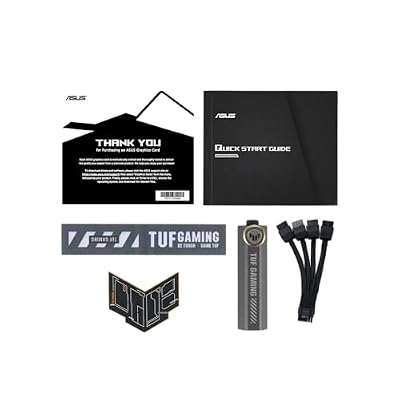


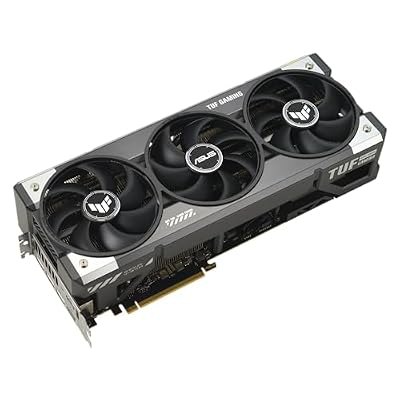


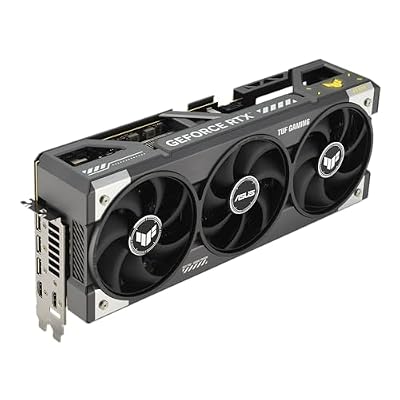

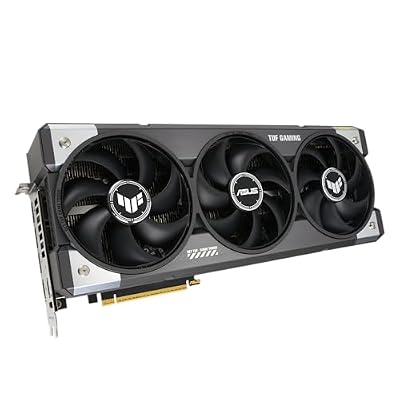

As an Amazon Associate we earn from qualifying purchases. Product prices and availability are accurate as of the date/time indicated.
Noise is where a conservative cooler design can help. A card that runs its fans at moderate speeds under load can be quieter than one tuned for maximum clocks, which matters in a living room or a shared workspace. The trade-off is that the most aggressive factory tuning may not be part of the package. If quiet operation is a priority, check reviews that measure noise under sustained load, not just short benchmark runs.
Case, Cooling and Power Checklist
Start with the case. Measure the card length, slot thickness and height, and check the clearance around the card for the power cable. Large RTX 5090 cards can block a front fan or touch a drive cage if the case is tight. A case with strong front intake and good exhaust is the safest pairing. Our overview of CPU coolers for RTX 5090 builds helps you plan the rest of the thermal setup.
Next, check the power supply. NVIDIA’s guidance is 1000W, and our roundup of the best 1000W power supplies for RTX 5090 builds lists options worth considering. Buy from a reputable manufacturer and avoid budget units that meet the wattage on paper but have weak 12V rails.
Last, monitor temperatures after the build. Our guide on how to check GPU and CPU temperature explains how to watch core temperature, hot spot and fan speed during a long session. A healthy card in a well-ventilated case should settle into a steady state rather than climb without limit.
TUF RTX 5090 Against Other Flagship Options
The table below compares the TUF RTX 5090 with the reference RTX 5090 and two cards that buyers often consider as alternatives. Prices are given as a reminder to check the live listing.
| Card | Memory | Typical board power | Best for | Typical price range |
|---|---|---|---|---|
| ASUS TUF RTX 5090 | 32GB GDDR7 | About 575W | Quiet, durable flagship performance | Check current price |
| RTX 5090 (reference design) | 32GB GDDR7 | About 575W | Buyers who want the base flagship design | Check current price |
| RTX 5080 | 16GB GDDR7 | About 360W | High-end 4K or strong 1440p | Check current price |
| RX 9070 XT | 16GB GDDR6 | About 304W | Strong 1440p value | Check current price |
TUF RTX 5090 or ROG Strix RTX 5090
The ROG Strix tier is the premium option in ASUS’s lineup. It usually carries a higher price and more aggressive styling, along with factory clock settings that may suit buyers who want every possible frame. The TUF card is the sensible choice when you want the same flagship silicon for less money and a calmer look. For a broader pick across price points, see our best GPU for gaming guide.
TUF RTX 5090 or RTX 5080
The RTX 5080 is smaller, cooler and cheaper, and it is the better choice for most 1440p and many 4K players. The TUF RTX 5090 is worth the extra money only if you need the 32GB of memory, the extra headroom at 4K, or the creative workload benefits. Our RTX 5080 review sets out the case for the smaller card in detail.
Buying Checklist for the TUF RTX 5090
Before you order, confirm the following. Make sure your case can hold the card with room for the power cable. Check that your power supply is 1000W or more from a trusted brand, with a 12V-2×6 cable in good condition. Confirm your monitor can use the performance, meaning a 4K display or a high-refresh panel. Then check the warranty, return policy and whether the card is sold by an authorised seller.

ASUS TUF Gaming GeForce RTX™ 5080 16GB GDDR7 OC Edition Graphics Card | PCIe 5.0, HDMI/DP 2.1, 3.6-slot, Military-grade Components, Protective PCB Coating, Axial-tech Fans


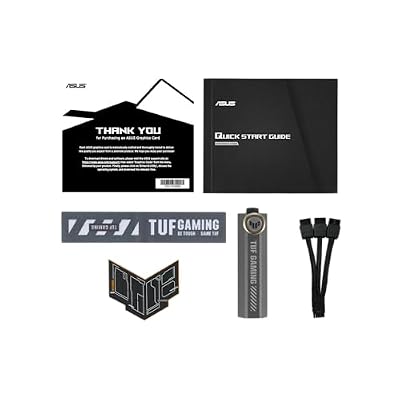


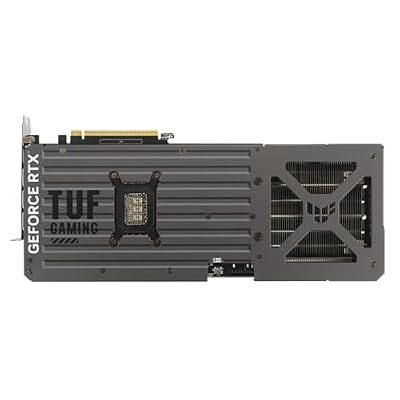


As an Amazon Associate we earn from qualifying purchases. Product prices and availability are accurate as of the date/time indicated.
Keep the packaging and invoice until you have tested the card in your own system and are satisfied it runs cool and stable. If you need to return the card, the original packaging helps, and a card returned in poor condition can be refused. Register the warranty with ASUS if the process requires it, and save the serial number for later.
For more context on the flagship market, the RTX 5090 review on this site covers the reference card, and the best GPU for 4K gaming guide shows how the 5090 compares with other top-end choices.
If a flagship is more than your build needs, our best graphics card for 1440p gaming guide and our RX 9070 XT review show cheaper cards that still play most titles well.
Frequently Asked Questions
Is the ASUS TUF RTX 5090 quieter than the ROG Strix?
Generally, a TUF design is tuned for a calmer, more conservative profile than a premium Strix card. Noise depends on the specific model, the fan curve and the case, so check measurements under sustained load rather than relying on general claims.
Does the TUF RTX 5090 have more performance than the reference card?
The TUF variant uses the same RTX 5090 silicon as other partner cards. Differences come mainly from factory clock speed and cooling behaviour. Check the specific model’s clock settings on the listing before you compare the cards.
What power supply does the TUF RTX 5090 need?
NVIDIA recommends a 1000W power supply for the RTX 5090, and that is the right starting point for the TUF model. A quality 1000W unit with solid 12V output is the safe choice for a high-end system.
Is the TUF RTX 5090 a good choice for creative work?
Yes, the 32GB of memory is useful for large scenes, high-resolution textures and local AI models. The card’s conservative styling suits a workstation, but check that your creative software supports GPU acceleration on the NVIDIA platform before you buy.