

RTX 5090 Graphics Card Review 2026: Is the Flagship Worth the Money?
The GeForce RTX 5090 is NVIDIA’s top consumer graphics card from the Blackwell generation. It is built for people who want the most performance a single desktop GPU can deliver, whether that means 4K gaming at high refresh rates, heavy ray tracing, or a workstation-style mix of gaming and content creation. This guide explains what the card is good at, what it demands from the rest of your system, and how to decide whether the price makes sense for your setup.
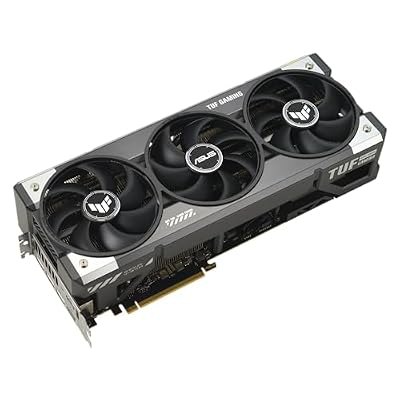
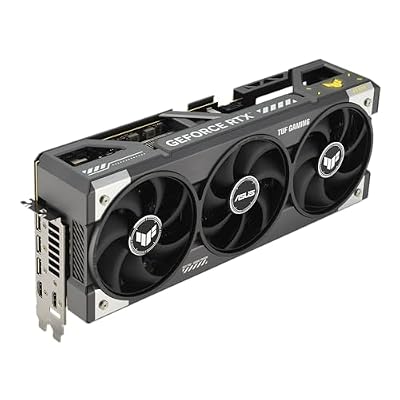
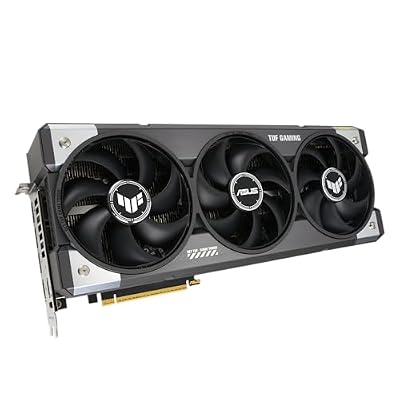
Before you read further, look at the listing above. Partner cards built around the RTX 5090 differ in cooler size, factory clock speed, fan design and warranty terms, and the card shown here may be a close match rather than the exact model you have in mind. Check the card for the exact model name, length and price before you buy. Everything in this guide applies to the RTX 5090 platform as a whole, so the advice stays useful whichever partner board you end up choosing.


What the RTX 5090 Is Built For
The RTX 5090 sits above the RTX 5080 in NVIDIA’s lineup and is aimed at a narrow group of buyers. Most gamers at 1440p will never need it, and a card in the RTX 5070 Ti or RX 9070 XT class will cover their monitor without trouble. The 5090 makes sense when you run a 4K display at high refresh rates, when you use heavy path tracing or demanding mods, or when you use the same machine for 3D rendering, AI experiments and video work. Those workloads benefit directly from the extra memory and raw throughput.
The card launched in early 2025 with a launch price of $1,999 for the Founders Edition. Street prices for partner cards have moved around since then, so check the current price on the listing rather than relying on any number in an article. A price this high means the buying decision should start with your monitor and your workload, not with the badge on the box.
Key Specs That Matter for Buyers
Four specifications shape the real-world experience of an RTX 5090. The first is memory. The card carries 32GB of GDDR7 on a 512-bit memory bus, which gives it more headroom than any other consumer NVIDIA card of this generation. Extra memory matters most at 4K with high-resolution texture packs, large scenes in creative applications and local AI models that need to fit in VRAM.
The second is power. The reference board power is rated at 575W, which is far higher than the mid-range cards in this family. That number drives everything else: the power supply you need, the heat your case must move, and the noise your fans will make under sustained load.
The third is the connector. RTX 50 series cards use the 12V-2×6 power connector. It is safer than the older 12VHPWR design only when the cable is fully seated and the adapter, if you use one, is in good condition. Avoid bent or heavily angled cables near the connector, and avoid running the card from a daisy-chained or cheap adapter.
The fourth is software. DLSS with Multi Frame Generation is a major part of the 5090 experience in supported games. Frame generation can raise displayed frame rates a lot, but it adds input latency and works best when the base frame rate is already healthy, so treat it as a tool rather than a free upgrade.
Performance Expectations at 4K and 1440p
This guide does not publish frame-rate charts. Performance depends on the game, the driver version, the resolution, the upscaling mode, the CPU and the memory configuration, and any figure without those details is hard to trust. What you can expect is a clear step up from the RTX 5080 in demanding 4K titles, especially when ray tracing is enabled and the game can use the extra memory.
At 1440p, the RTX 5090 can push very high refresh rates in many esports and older titles, but the advantage is smaller in those games because the card is not the bottleneck. A high-refresh 1440p monitor is a better match for a card in the RTX 5070 Ti tier, and the money saved can go toward a better monitor or a faster CPU. Buyers who want a single card for both 1440p and 4K should still look at the 5090 carefully, because its main strength is headroom at the top end.

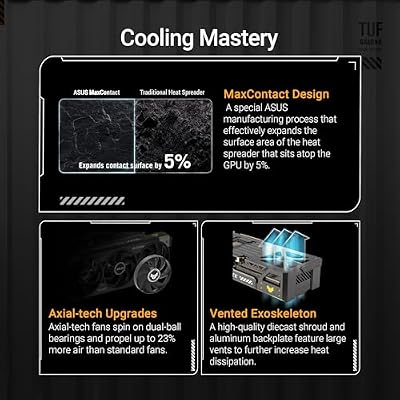
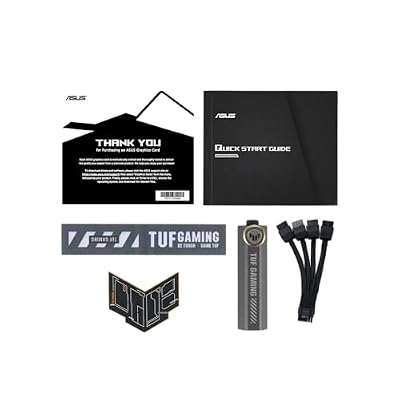
ASUS TUF Gaming GeForce RTX 5090 32GB GDDR7 OC Edition Gaming Graphics Card | PCIe 5.0, HDMI/DP 2.1, 3.6-slot, Military-grade Components, Protective PCB Coating, Axial-tech Fans










As an Amazon Associate we earn from qualifying purchases. Product prices and availability are accurate as of the date/time indicated.
Thermals and noise deserve equal attention. A card drawing close to 600W in a poorly ventilated case will push its heat into the rest of the system. Good case airflow, a sensible fan curve and enough clearance around the card matter as much as the cooler design. If you want a deeper look at temperature monitoring, read our guide on how to check GPU and CPU temperature before you judge a build by its idle numbers.
Power Supply, Case and Cooling Requirements
NVIDIA recommends a 1000W power supply for the RTX 5090, and that is the right starting point for a system with a high-end CPU. A quality 1000W unit from a reputable manufacturer gives you room for transient spikes and a safety margin for the rest of the platform. Cheap units with weak 12V rails are a poor fit for this card, even when the wattage figure looks adequate on paper. Our guide to the best 1000W power supplies for RTX 5090 builds covers the models worth shortlisting.
Case clearance and card length
Partner RTX 5090 cards are large. Measure your case before you order, including the front radiator or fan mounts, the space above the card and the clearance for cables coming out of the power supply. Check the card length, the thickness in slots and the height against your motherboard. A card that fits on paper can still block a front fan or touch a drive cage, so measure twice.
CPU cooling and whole-system balance
A card this powerful can be held back by a weak CPU in some games, and a strong CPU cooler helps the whole system stay quiet under sustained load. If you are building around the 5090, plan the cooler at the same time as the case and power supply. Our overview of CPU coolers for RTX 5090 builds explains how to match cooling to a high-end platform without overspending.
RTX 5090 Versus the Rest of the Lineup
The table below puts the RTX 5090 next to the cards most buyers compare it with. Prices are given as ranges or as a reminder to check the live listing, because street prices change faster than articles are updated.
| Card | Memory | Typical board power | Best for | Typical price range |
|---|---|---|---|---|
| RTX 5090 | 32GB GDDR7 | About 575W | 4K high refresh, heavy ray tracing, creative work | Check current price |
| RTX 5080 | 16GB GDDR7 | About 360W | High-end 4K or strong 1440p | Check current price |
| RTX 5070 Ti | 16GB GDDR7 | About 300W | 1440p high refresh, value at the high end | Check current price |
| RX 9070 XT | 16GB GDDR6 | About 304W | 1440p gaming with a strong raster focus | Check current price |
RTX 5090 or RTX 5080
The RTX 5080 is the card most people should compare against the 5090. It uses less power, needs a smaller case and a less expensive power supply, and it still delivers excellent 1440p and capable 4K gaming. The 5090 is the better choice when you need the extra memory and headroom, or when you are building a system meant to last several years at the top of the market. If your monitor is 1440p, the 5080 or a card in the 5070 Ti class is usually the more sensible purchase. Our review of the RTX 5080 and the broader graphics card hierarchy will help you place the 5090 in context.
RTX 5090 or AMD
AMD’s RDNA 4 cards are competitive on value, but they are not aimed at the same top-end buyer. The 5090 leads in ray tracing, upscaling support and creative software compatibility. If your priorities include CUDA-based tools or the widest set of ray-traced titles, the 5090 has the clearer case. Our comparison of RDNA 4 and Blackwell architecture explains where each design is strongest.
Buying Checklist Before You Order
Work through this list before you commit to an RTX 5090. Start with the monitor. If you do not have a 4K display or a high-refresh monitor that can use the extra performance, the card will not change your experience as much as the price suggests. Next, check the power supply and cable, then the case clearance, then the cooling. Only after those are confirmed should you choose a partner model based on cooler design, warranty and price.

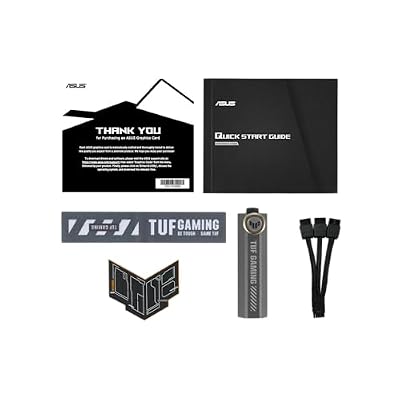
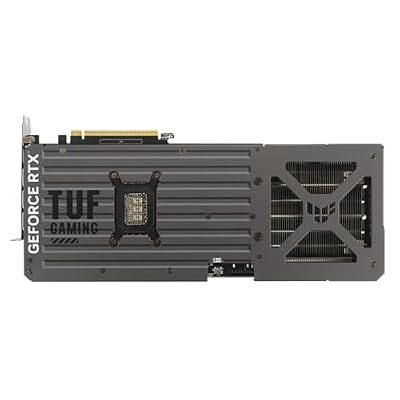
ASUS TUF Gaming GeForce RTX™ 5080 16GB GDDR7 OC Edition Graphics Card | PCIe 5.0, HDMI/DP 2.1, 3.6-slot, Military-grade Components, Protective PCB Coating, Axial-tech Fans






As an Amazon Associate we earn from qualifying purchases. Product prices and availability are accurate as of the date/time indicated.
Warranty and support matter more for a card at this price. Check the length of the manufacturer warranty, whether it is transferable, and how returns are handled in your region. Read the return policy from the seller as well, since a high-value graphics card may have a restocking fee or a shorter window than cheaper parts. Finally, check whether the card’s dimensions and weight are supported by your case and motherboard slot, because a heavy card can sag over time without a support bracket.
If the RTX 5090 is more card than you need, our guide to the best GPU for 4K gaming and the wider best gaming graphics cards roundup show cheaper options that still handle high-resolution play well.
Frequently Asked Questions
Is the RTX 5090 worth it for 1440p gaming?
For most 1440p players, no. The card has far more performance than a 1440p monitor can show in most games, so the money is usually better spent on a faster monitor or a mid-to-high tier card. The 5090 makes more sense for 4K, very high refresh targets or creative workloads that use the full 32GB of memory.
How much power supply do I need for an RTX 5090?
NVIDIA recommends a 1000W power supply for the RTX 5090. Choose a quality unit from a reputable manufacturer with good 12V rail performance, and make sure the 12V-2×6 cable is fully seated at the card end. A high-end CPU in the same system raises the total requirement, so do not size the power supply for the GPU alone.
Does the RTX 5090 need a special case?
No special case is required, but you must check clearance. Partner cards are large, so measure the card length, slot thickness and height, and make sure the case has room for the power supply cables and the airflow the card needs. A large case with good front intake is the safest choice.
Should I buy the RTX 5090 or wait for the next generation?
That depends on your timeline and your budget. The 5090 already offers the most performance in the consumer NVIDIA lineup, so it does not become unusable when a newer generation arrives. If you need a machine now for demanding work or 4K gaming, buying is reasonable. If your current card is adequate, waiting costs you nothing except the upgrade you are waiting for.







