

⚡ Key Takeaways
- The Short Answer: Budget Tiers for 2026
- Where Your Money Goes
- Don’t Skimp on the “Boring” Parts
- Matching Spend to Resolution
- Prebuilt vs. DIY Cost
- Sample Builds at Each Price Point
- How Long Will Your Investment Last?
- Hidden Costs People Forget
- Top-Rated Picks
- Related Guides
- Frequently Asked Questions
- The Bottom Line
- Related Articles
- Most gamers land in one of four spending brackets.
- In a gaming build, the graphics card is the star and typically eats 35–50% of the total budget.
- Beginners often max out the GPU and cut corners on the power supply and cooling—exactly backwards.
- At 1080p, you don't need a flagship GPU.
One of the most common questions new builders ask is simply: how much does a good gaming PC cost? The honest answer is that gaming PC cost spans a wide range—from around $700 for a capable 1080p machine to $3,000+ for a no-compromise 4K rig—and the right number depends entirely on the resolution and frame rate you’re targeting. This guide breaks down realistic 2026 budgets tier by tier, shows where your money actually goes, and explains how to avoid overspending on parts that won’t move the needle.
As an Amazon Associate we earn from qualifying purchases at no extra cost to you.




Check Price on Amazon →


Related: best ARGB case fans.
Related: best portable SSDs for gaming.
Related: best X3D gaming CPUs.
Related: best GPU support brackets.
Related: best budget gaming monitors.
Related: best Ryzen 5 CPUs for gaming.
Related: best silent wireless combos.
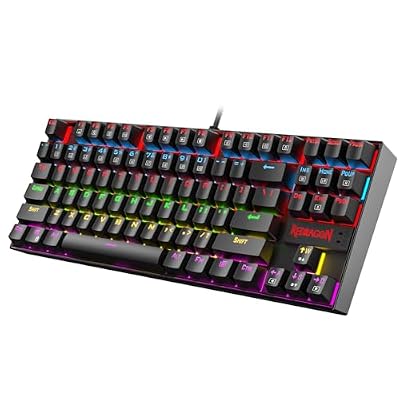
Related: best Redragon keyboards and mice.
Related: best DDR5 RAM for gaming.
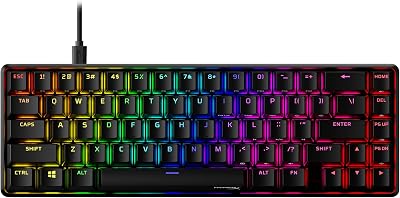
Related: best gaming mice and keyboards.
🛒 Best Price Today on Amazon
Prime members get fast, free shipping on everything above, plus member-only deals. New members get a 30-day free trial — cancel anytime.
The Short Answer: Budget Tiers for 2026
Most gamers land in one of four spending brackets. Each targets a specific experience, and spending beyond your bracket’s needs usually delivers diminishing returns.
| Tier | Price Range | Target Experience | Example GPU |
|---|---|---|---|
| Budget | $700–$900 | 1080p high, 60fps+ | RTX 5060 / RX 7600 |
| Mainstream | $1,000–$1,400 | 1440p high, 100fps+ | RTX 5070 / RX 9070 |
| High-End | $1,600–$2,200 | 1440p ultra / 4K 60–100fps | RTX 5070 Ti / 5080 |
| Enthusiast | $2,500–$3,500+ | 4K ultra, ray tracing, high refresh | RTX 5090 |
Where Your Money Goes
In a gaming build, the graphics card is the star and typically eats 35–50% of the total budget. That’s by design—the GPU has the biggest single impact on frame rates. Here’s a rough allocation for a balanced $1,200 mainstream build.
- GPU – ~$550 (45%): The single biggest lever for gaming performance.
- CPU – ~$220 (18%): Enough to avoid bottlenecking the GPU.
- Motherboard – ~$160 (13%): Solid VRM, Wi-Fi, and an upgrade path.
- RAM – ~$90 (8%): 32GB DDR5-6000.
- Storage – ~$90 (8%): 1–2TB NVMe SSD.
- PSU – ~$90 (8%): A quality 750W unit you can trust.
- Case + cooler – ~$120 (10%): Good airflow and a competent CPU cooler.
Don’t Skimp on the “Boring” Parts
Beginners often max out the GPU and cut corners on the power supply and cooling—exactly backwards. A cheap PSU can fail and take other components with it, while inadequate cooling causes thermal throttling that silently steals performance. Budget for a quality power supply and a capable CPU cooler rather than treating them as afterthoughts. These parts also outlive multiple GPU upgrades.
Matching Spend to Resolution
1080p Gaming ($700
At 1080p, you don’t need a flagship GPU. A card like the RTX 5060 paired with a Ryzen 5 7600 will run almost any game at high settings above 60fps. This is the best value tier in PC gaming—our entry-level GPU guide covers the strongest options here. Spending more at this resolution mostly buys headroom you won’t use.
1440p Gaming ($1,000
The 1440p sweet spot is where most enthusiasts settle. You get a noticeably sharper image than 1080p without the brutal GPU demands of 4K. A mid-range card paired with a Ryzen 7 or Core Ultra 7 hits 100fps+ in most titles. See our mid-range GPU roundup for the cards that define this tier.
4K Gaming
4K is a luxury that scales fast. To drive 4K at high frame rates with ray tracing you need a top-tier GPU, plenty of VRAM, and a strong CPU to feed it. Upscaling (DLSS/FSR) makes 4K far more attainable, but the hardware floor is still high.
Prebuilt vs. DIY Cost
Building yourself typically saves 10–20% over a comparable prebuilt and lets you choose higher-quality individual parts—a better PSU, more case fans, a cooler that won’t throttle. Prebuilts justify their premium with warranty coverage, financing, and zero assembly. If you value your time or want a single point of support, the markup can be worth it; if you want the most performance per dollar, DIY wins.
Sample Builds at Each Price Point
To make the tiers concrete, here’s what a balanced parts list looks like at three popular budgets in 2026. These are illustrative configurations, not fixed recipes—prices shift, but the proportions hold.
The $800 1080p Build
A Ryzen 5 7600 paired with an RTX 5060 or RX 7600, 16GB of DDR5-6000, a 1TB NVMe SSD, a reliable 600W power supply, and a well-ventilated budget case. This machine plays virtually every current title at 1080p high settings above 60fps and handles esports games at very high refresh rates. It’s the best price-to-performance bracket in PC gaming, and it leaves an easy upgrade path: drop in a stronger GPU later and the rest of the platform keeps up.
The $1,200 1440p Build
Step up to a Ryzen 7 9700X or Core Ultra 7, an RTX 5070 or RX 9070, 32GB of DDR5-6000, a 1–2TB NVMe SSD, a quality 750W Gold power supply, and a capable air or AIO cooler. This is the configuration most enthusiasts should target: smooth 1440p gaming above 100fps in most titles, with enough VRAM and CPU muscle to enable upscaling and ray tracing where it counts. It’s the sweet spot of cost versus experience.
The $2,200+ 4K Build
Here you’re looking at a Ryzen 7 9800X3D or equivalent, an RTX 5080 (or a 5090 if budget allows), 32GB of fast DDR5, ample fast storage, and an 850–1000W power supply with a native 12V-2×6 connector. This rig pushes 4K with ray tracing and high frame rates, leaning on DLSS or FSR to keep things smooth. It’s a luxury tier where each step up the GPU ladder costs disproportionately more for incremental gains.
How Long Will Your Investment Last?
A sensibly balanced build stays competitive for years, but the components age at different rates. The GPU is the first part most people upgrade, typically every two to four years as games get more demanding. The CPU, motherboard, RAM, and storage often serve through multiple GPU swaps, and a quality power supply and case can carry across several full rebuilds. This is the strongest argument for not cheaping out on the platform and power delivery—those parts amortize across many years, while the GPU is the piece you’ll deliberately replace to stay current.
Hidden Costs People Forget
The tower is only part of the bill. Budget separately for a monitor that matches your GPU (a 1440p 144Hz panel for a 1440p rig), plus peripherals. A good display and input devices have a bigger day-to-day impact on enjoyment than a marginal GPU upgrade. Quality peripherals like a wireless gaming mouse last across several PC upgrades, so they’re worth doing once and well.
Top-Rated Picks



Frequently Asked Questions
What is a good budget for a gaming PC in 2026?
For most people, $1,000–$1,200 hits the sweet spot: smooth 1440p gaming with room to grow. Below $800 you’re firmly in 1080p territory, and above $2,000 you’re paying for 4K and ray-tracing headroom.
Can you build a decent gaming PC for $700?
Yes. A $700–$800 build with a current entry-level GPU will run modern games well at 1080p high settings. You’ll make a few compromises on storage and case quality, but the gaming experience is genuinely good.
Why are graphics cards so expensive?
GPUs use cutting-edge silicon, large amounts of fast memory, and complex cooling. Demand from gaming and AI workloads keeps prices elevated, and the GPU is the most performance-critical part, so manufacturers price it accordingly.
Is it worth spending more on a future-proof PC?
Within reason. Buying a slightly better PSU, more VRAM, and an upgradeable motherboard pays off. But spending heavily on a flagship GPU “to last 8 years” rarely works out—mid-range cards upgraded more often usually deliver better value over time.
How much should I spend on the CPU vs GPU?
For pure gaming, weight your budget toward the GPU. A common ratio is roughly 2:1 GPU-to-CPU spending. The CPU only needs to be fast enough not to bottleneck the GPU at your target resolution.
The Bottom Line
A good gaming PC in 2026 costs roughly $700 for solid 1080p, $1,000–$1,400 for the 1440p sweet spot, and $2,000+ for 4K with ray tracing. Spend the bulk of your budget on the GPU, never cheap out on the power supply or cooling, and remember to set aside money for a monitor and peripherals. Match the spend to your target resolution and you’ll get the best possible experience for your money.
















