⚡ Key Takeaways
- The Realistic Lifespan of a Gaming PC
- What Determines How Long Your PC Lasts
- The Components That Age Fastest
- How to Make Your Gaming PC Last Longer
- Why Hardware Rarely Dies First
- Future-Proofing Without Overspending
- Upgrade or Replace? Making the Call
- Signs Your PC Is Reaching the End
- The Role of Settings and Upscaling
- Top-Rated Picks
- Related Guides
- Frequently Asked Questions
- Conclusion
- Related Articles
- Physical hardware durability, meaning how long the parts keep working, is usually far longer than gaming relevance, meaning how long the system can run new games well at your desired settings.
- Several factors influence how long your build stays relevant and reliable.
- Not all parts become obsolete at the same rate.
- A common misconception is that gaming PCs wear out and stop working after a few years.
One of the most practical questions any builder or buyer asks is “how long does a gaming pc last?” The reassuring answer is that a well-built desktop can deliver solid gaming performance for five to eight years, and often longer with timely upgrades. Unlike a console with a fixed lifespan, a PC can be refreshed component by component, stretching its useful life dramatically. This guide explains what actually determines longevity, how to extend it, and when it finally makes sense to start fresh.
As an Amazon Associate we earn from qualifying purchases at no extra cost to you.




Check Price on Amazon →
Related: best silent wireless combos.
Related: best Redragon keyboards and mice.
Related: best gaming mice and keyboards.
🛒 Best Price Today on Amazon
Prime members get fast, free shipping on everything above, plus member-only deals. New members get a 30-day free trial — cancel anytime.
The Realistic Lifespan of a Gaming PC
There are two different timelines to consider. Physical hardware durability, meaning how long the parts keep working, is usually far longer than gaming relevance, meaning how long the system can run new games well at your desired settings.
| Measure | Typical Range | Notes |
|---|---|---|
| Plays new games at high settings | 3–5 years | Before settings compromises begin |
| Plays new games acceptably | 5–8 years | With lowered settings or upgrades |
| Hardware keeps functioning | 8–12+ years | Components rarely fail outright |
| With strategic upgrades | 10+ years | Swapping GPU, storage, RAM extends life |
The takeaway is that your PC will likely keep working long after it stops running the latest games maxed out. Longevity is less about failure and more about keeping pace with rising game demands.
What Determines How Long Your PC Lasts
Several factors influence how long your build stays relevant and reliable.
- Build quality at purchase. Starting with a strong GPU and CPU buys you more years before they feel slow.
- Upgradability. A platform with room to add RAM, storage, and a newer GPU lasts far longer.
- Cooling and dust management. Heat is the main enemy of component longevity; a clean, cool system ages more gracefully.
- Power delivery quality. A reliable power supply protects every other part from instability and wear.
- Your performance expectations. Gamers content with high, not ultra, settings get more years out of the same hardware.
The Components That Age Fastest
Not all parts become obsolete at the same rate. Knowing which ones to upgrade first helps you extend your PC’s life efficiently.
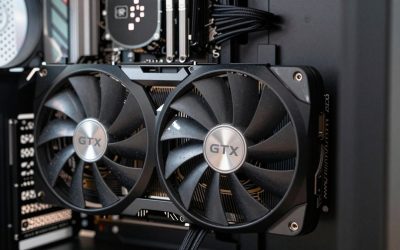
- Graphics card: The GPU is the first part to feel its age as games grow more demanding. Upgrading it is the single most effective way to revive an aging PC. Our roundup of the best mid-range GPUs for 2026 is a great starting point.
- Storage: Game install sizes keep growing, so adding a larger or faster SSD is a common mid-life upgrade.
- RAM: Memory requirements creep up over time; adding capacity can extend usefulness.
- CPU: Processors age more slowly for gaming, often lasting two GPU upgrades before becoming a bottleneck.
How to Make Your Gaming PC Last Longer
- Keep it clean. Dust traps heat and shortens component life, so clean your system every few months.
- Maintain good airflow and cooling. Lower temperatures reduce stress on every part. A quality CPU cooler helps keep your processor healthy for years.
- Use a reliable power supply. A solid unit protects your hardware; see our roundup of the best gaming power supplies for 2026.
- Upgrade strategically. Replace the GPU when it falls behind, add storage and RAM as needed, and keep drivers current.
- Adjust your settings. Lowering a few graphics options or using upscaling can keep an older card playing new titles smoothly.
Why Hardware Rarely Dies First
A common misconception is that gaming PCs wear out and stop working after a few years. In reality, quality components are remarkably durable, and outright hardware failure is the exception rather than the rule. Solid-state drives are rated for far more writes than typical gaming will ever produce, processors have no moving parts and can run for well over a decade, and graphics cards keep functioning long after they fall behind on the latest games. The parts most likely to fail mechanically are those with moving pieces, namely fans and, in liquid coolers, the pump, and those are inexpensive and easy to replace. This durability is exactly why the limiting factor on a PC’s life is gaming relevance, not the hardware giving out.
Future-Proofing Without Overspending
Some buyers try to future-proof by spending heavily on the most powerful components available, hoping to delay obsolescence. This can work, but it often costs more than it saves, because prices fall and performance rises over time. A more economical strategy is to buy a balanced, capable system now and plan to upgrade the graphics card once or twice during its life. Choosing a platform with room to grow, ample memory capacity, spare storage slots, and a power supply with headroom, lets you add performance later without replacing everything. This measured approach typically delivers more total years of good gaming per dollar than trying to buy the ultimate machine on day one.
Upgrade or Replace? Making the Call
At some point, piecemeal upgrades stop making sense. Here is how to decide.
| Situation | Best Move |
|---|---|
| GPU is the only weak link | Upgrade the GPU |
| CPU bottlenecks a new GPU | Upgrade CPU and motherboard together |
| Multiple parts are outdated | Consider a fresh build |
| Platform no longer supports new parts | Plan a new platform |
| Repair costs approach new build cost | Build new |
A good rule of thumb: if upgrading more than two major components at once, a new build on a current platform often delivers better value and longevity than patching an aging system. Choosing a forward-looking motherboard when you do rebuild sets you up for years of future upgrades.
Signs Your PC Is Reaching the End
- New games run poorly even at low settings after a GPU upgrade.
- The CPU consistently bottlenecks modern titles.
- Your platform cannot accept newer GPUs, memory, or storage.
- Frequent instability that cleaning and maintenance do not resolve.
- Upgrade costs start rivaling the price of a competitive new build.
The Role of Settings and Upscaling
One of the most underrated ways to extend a gaming PC’s life is simply adjusting your expectations and settings. The difference between ultra and high graphics settings is often barely noticeable in motion, yet it can dramatically improve frame rates on aging hardware. Upscaling technologies go even further, rendering games at a lower internal resolution and intelligently reconstructing the image, which lets an older card play demanding new titles smoothly. By embracing high rather than maximum settings and leaning on upscaling, you can keep a graphics card relevant for years beyond what brute-force native rendering would allow. Flexibility with settings is effectively free performance that adds real time to your system’s useful life.
Top-Rated Picks



Frequently Asked Questions
How many years does a gaming PC last?
A well-built gaming PC typically plays new games well for three to five years and remains usable for five to eight years with adjusted settings. The hardware itself often functions for eight to twelve years or more, and strategic upgrades can extend gaming relevance past a decade.
What part of a gaming PC should I upgrade first?
The graphics card is almost always the first and most impactful upgrade, since the GPU ages fastest as games grow more demanding. Storage and RAM are common secondary upgrades, while the CPU usually lasts longer before needing replacement.
Does a gaming PC last longer than a console?
Yes, generally. A console has fixed hardware and a defined lifespan, while a PC can be upgraded component by component. By replacing the GPU and adding storage or RAM over time, a PC can stay competitive far longer than a single console generation.
How can I make my gaming PC last longer?
Keep it clean and cool, use a reliable power supply, and upgrade strategically, starting with the GPU. Maintaining good airflow, dusting regularly, and lowering a few graphics settings or using upscaling all help an aging system keep pace with new games.
When should I build a new PC instead of upgrading?
Build new when multiple major components are outdated at once, your platform can no longer accept newer parts, or repair and upgrade costs approach the price of a competitive new build. Upgrading a single weak link is worthwhile; replacing nearly everything usually is not.
Conclusion
A gaming PC lasts as long as you let it. Expect three to five years of top-tier performance, five to eight years of solid gaming with minor compromises, and potentially a decade or more with smart upgrades. Keep it clean and cool, power it reliably, and upgrade the GPU when it falls behind. Treated well, your build will reward you with many years of great gaming.