⚡ Key Takeaways
- Watch: SSD vs HDD for Gaming: Which Do You Need? — Video Review
- How SSDs and HDDs Differ
- SSD vs HDD: The Numbers
- What This Means in Actual Games
- Where HDDs Still Make Sense
- The Recommended Setup for Most Gamers
- NVMe vs SATA SSD: Do You Need the Fastest?
- Understanding SSD Form Factors
- Gen4 vs Gen5 NVMe: Is the Fastest Worth It?
- Installation and Setup Tips
- Don’t Forget About Backups
- Related Guides
- Frequently Asked Questions
- The Bottom Line
- Related Articles
As an Amazon Associate we earn from qualifying purchases at no extra cost to you.






- A hard disk drive (HDD) stores data on spinning magnetic platters read by a moving mechanical arm.
- The most obvious benefit of an SSD is load time.
- For the games you actively play, though, an HDD is the wrong choice in 2026.
- When you build around a fast drive, make sure your motherboard has enough M.2 slots; our roundup of the best gaming motherboards for 2026 highlights boards with multiple Gen4 and Gen5 M.2 sockets.
Choosing between an ssd vs hdd for gaming used to be a real budget dilemma, but in 2026 the answer is clearer than ever. Solid-state drives have plummeted in price while game install sizes have ballooned past 100 GB and engines increasingly stream assets in real time. This guide breaks down how each drive type works, what actually matters for gaming load times and texture streaming, and the smart storage setup most players should run today.
Related: best gaming PC desk accessories.
Related: best L-shaped gaming desks.
Related: best gaming SSDs with heatsink.
⚡ Save on Your Next PC — Amazon Prime
Prime members get fast free shipping on the systems above, plus early access to Prime Day & Black Friday PC deals. New members get a 30-day free trial.
Watch: SSD vs HDD for Gaming: Which Do You Need? — Video Review
How SSDs and HDDs Differ
A hard disk drive (HDD) stores data on spinning magnetic platters read by a moving mechanical arm. A solid-state drive (SSD) stores data in flash memory chips with no moving parts. That single architectural difference drives every performance gap between them.
Because an HDD physically moves a read head to find data, it has high latency and limited random-access speed. An SSD accesses any block almost instantly. For games, which constantly read scattered files, that random-access advantage is enormous.
SSD vs HDD: The Numbers
| Spec | HDD (7200 RPM) | SATA SSD | NVMe Gen4 SSD |
|---|---|---|---|
| Sequential read | ~150–200 MB/s | ~550 MB/s | ~7,000 MB/s |
| Random access | Slow (ms latency) | Fast | Very fast |
| Typical game load | Baseline (slowest) | 2–4x faster | 3–6x faster |
| Cost per TB (2026) | Lowest | Low | Moderate |
| Noise / vibration | Audible | Silent | Silent |
| Capacity ceiling | Very high (20+ TB) | High | High |
What This Means in Actual Games
The most obvious benefit of an SSD is load time. A large open-world title that takes 60 seconds to load from an HDD might load in 15 to 20 seconds from a SATA SSD and even faster from NVMe. Fast travel, level transitions, and respawns all feel snappier.
The newer and more important benefit is asset streaming. Modern engines load textures and geometry on the fly as you move through a world. On an HDD, the drive simply cannot feed data fast enough, which causes texture pop-in, hitching, and stutter. If you have been chasing smooth frametimes, storage can be a hidden culprit; our guide on getting the most performance per dollar pairs well with a storage upgrade.
DirectStorage Changes the Equation
DirectStorage lets games pull compressed data straight from an NVMe SSD to the GPU, bypassing older bottlenecks. Titles built around it can stream enormous worlds with minimal loading. This technology only works meaningfully on NVMe drives, which is one more reason mechanical storage is fading for gaming.
Where HDDs Still Make Sense
HDDs are not obsolete. They remain the cheapest way to store large amounts of data, which makes them ideal for:
- Mass game libraries you do not play often but want to keep installed.
- Media archives like recorded gameplay, videos, and backups.
- Bulk cold storage where speed simply does not matter.
For the games you actively play, though, an HDD is the wrong choice in 2026.
The Recommended Setup for Most Gamers
- Primary NVMe SSD (1–2 TB) for your operating system and the games you play regularly.
- Optional secondary SSD for an expanding active library.
- Optional large HDD for backups, recordings, and games you rarely launch.
This tiered approach gives you fast load times where they matter and cheap capacity where they do not. When you build around a fast drive, make sure your motherboard has enough M.2 slots; our roundup of the best gaming motherboards for 2026 highlights boards with multiple Gen4 and Gen5 M.2 sockets.
NVMe vs SATA SSD: Do You Need the Fastest?
NVMe drives are several times faster than SATA SSDs on paper, but for many games the real-world difference in load time is smaller than the spec gap suggests, because games are not purely sequential reads. That said, NVMe is now priced so closely to SATA that there is little reason to choose SATA for a new build. Reserve SATA SSDs for older systems without M.2 slots. For DirectStorage titles, NVMe is essentially required. Fast storage also pairs well with a strong graphics card; if you are planning a wider upgrade, see the best mid-range GPUs for 2026.
Understanding SSD Form Factors
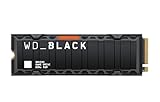
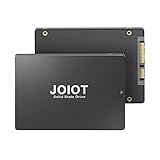
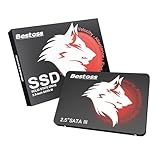
SSDs come in two main shapes for desktops, and knowing the difference helps you plan your build. The 2.5-inch SATA SSD looks like a small laptop hard drive and connects with a SATA data cable plus a power cable, mounting in a drive bay or tray. The M.2 NVMe drive is a small stick that plugs directly into a slot on the motherboard, with no cables at all, which also keeps your build cleaner. M.2 NVMe drives are the standard for new builds because they are faster, take no cable routing, and free up your SATA ports for other devices. Just confirm how many M.2 slots your board offers and which generation each one supports.
Gen4 vs Gen5 NVMe: Is the Fastest Worth It?
The newest Gen5 NVMe drives roughly double the sequential bandwidth of Gen4, reaching extreme numbers on paper. For gaming, however, the real-world benefit over a good Gen4 drive is small, because games do not saturate that bandwidth the way large sequential file transfers do. Gen5 drives also run hotter and often require a substantial heatsink. For most gamers, a quality Gen4 NVMe SSD is the sweet spot: fast, cool, affordable, and more than capable of feeding any current game. Reserve Gen5 for those who also do heavy content creation or large file work where the extra throughput pays off.
Installation and Setup Tips
- Install your operating system on the SSD for the snappiest overall experience.
- Use the M.2 slot wired directly to the CPU for your primary NVMe drive when possible.
- Keep at least 10 to 15 percent of an SSD free to maintain peak performance.
- Attach the motherboard’s M.2 heatsink to high-speed Gen4 and Gen5 drives to prevent thermal throttling.
Don’t Forget About Backups
Fast storage is wonderful, but no drive lasts forever, and SSDs can fail suddenly with less warning than mechanical drives. This is one area where keeping a large, inexpensive HDD around still pays off: it makes an excellent destination for backups of your important files, game saves, and recordings. The ideal arrangement is a fast SSD for daily use and a separate drive, or cloud storage, holding copies of anything you cannot afford to lose. Speed and safety are different goals, and a smart storage plan addresses both rather than trusting a single drive with everything.
Frequently Asked Questions
Will an SSD increase my frame rate?
Not directly. Your GPU and CPU determine raw frame rate. However, an SSD reduces stutter and texture pop-in caused by slow asset streaming, which makes gameplay feel smoother and more consistent, especially in modern open-world titles.
Should I install all my games on the SSD?
Install the games you actively play on the SSD. If your library is huge, keep rarely played or older titles on a larger HDD and move games to the SSD when you want to play them. Many launchers let you relocate installs easily.
Is a SATA SSD good enough for gaming?
Yes, a SATA SSD is a massive upgrade over an HDD and delivers excellent load times for the vast majority of games. NVMe is faster and now similarly priced, so choose NVMe for a new build, but a SATA SSD is perfectly capable.
How much SSD storage do I need?
For a gaming PC in 2026, 1 TB is a comfortable minimum and 2 TB is ideal. Many current titles exceed 100 GB each, so a smaller drive fills up quickly if you keep more than a handful of games installed.
Do SSDs wear out from gaming?
Modern SSDs are rated for hundreds of terabytes of writes, far more than typical gaming generates. Gaming is mostly read activity, which does not wear the drive. A quality SSD will outlast the rest of your build for normal use.
The Bottom Line
For active gaming, an SSD is the clear winner: faster loads, smoother streaming, and silent operation. Keep an HDD around only for bulk storage and backups. The ideal 2026 setup is a fast NVMe SSD for your games paired with a large mechanical drive for archives, giving you the best of both speed and capacity.